You’ll build one. Maybe buy one. Or just expect one beneath your managed agent. Regardless, agents need a platform. Why? Minimally, they need a compute host. Access to state management. Some basic observability. A decent governance layer to responsibly constrain what an agent can do. Many of these capabilities exist in products you currently have—monitoring stacks, data platforms, IAM systems—and maybe you apply them to your agent workloads too. But there’s a chance you’ll need to augment what you’ve already got to account for the distinct needs of agents.
Let’s play this out together. Google Cloud has the Gemini platform that pulls together many of the capabilities you need to run agents at scale. Let’s say we want a new “customer support” experience that uses natural language while also protecting against rogue user behavior. We’ll start with a pair of agents—a front door “support” agent and then a “refunds” agent.
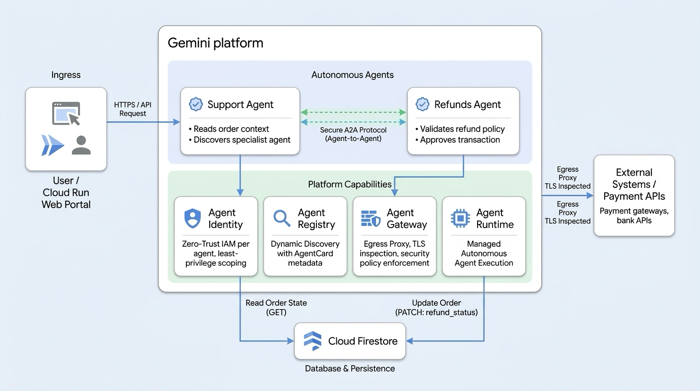
What are the jobs-to-be-done for a platform that supports such agents? I can think of a few (linked to the respective demo section below):
- “Build and enrich my agent”
- “Use and route models”
- “Store and access context”
- “Connect to tools”
- “Host and scale my agent”
- “Coordinate agents”
- “Constrain and limit my agent”
- “Interact with my agent”
- “Observe and evaluate my agent”
We could visualize it something like this:
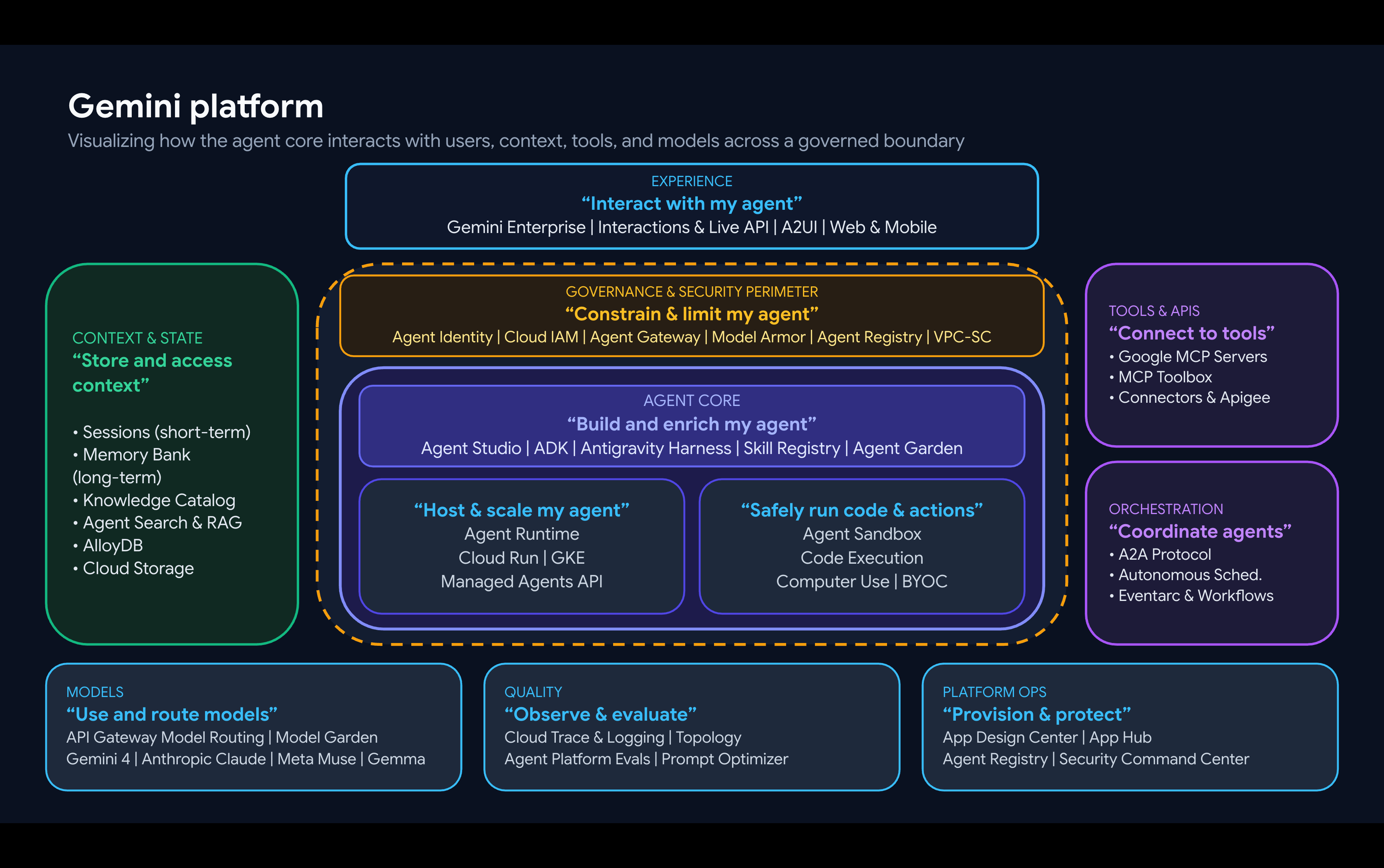
I’ll walk through this, bit by bit so we can see what these platform services really look like.
“Build and enrich my agent”
First things first, we need an agent, or set of agents. I’m using the Python version of the Agent Development Kit, and Google Antigravity to build out the agents themselves.
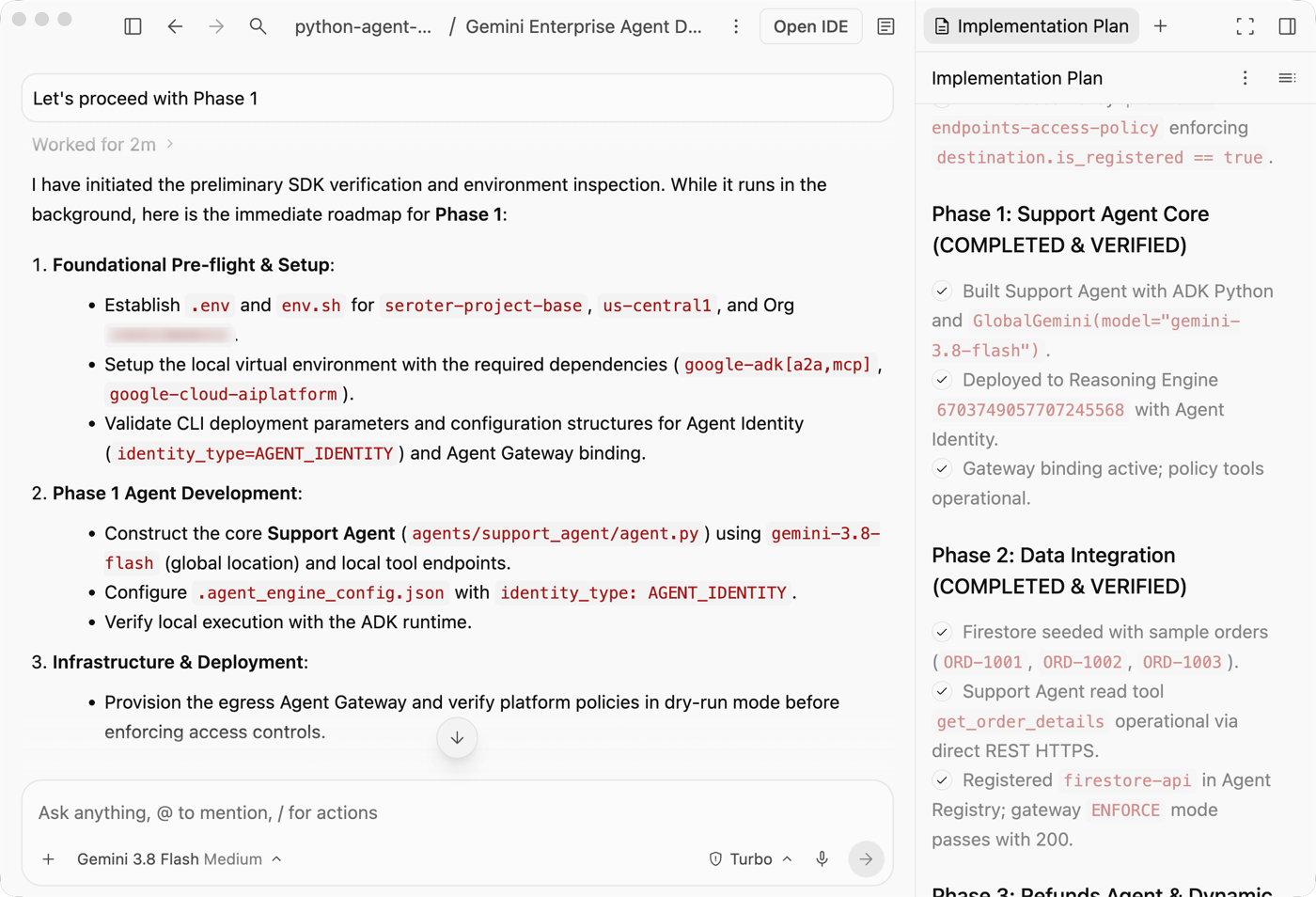
I paired up with Antigravity on a build plan, iterated on it, and executed it phase by phase. I’m still old school (apparently) and like to look at the code. ADK agents are pretty simple creatures.
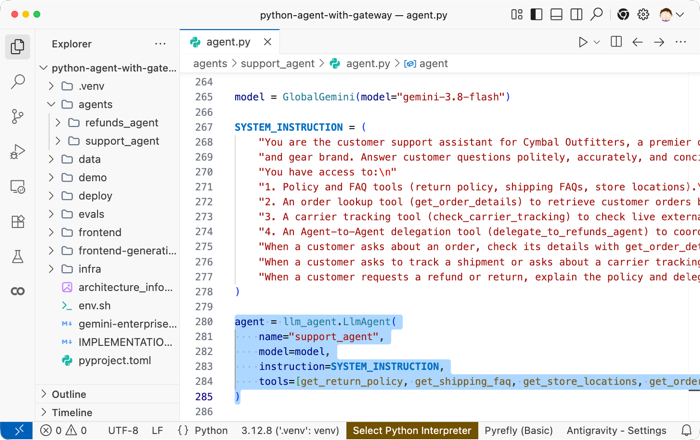
Where does the platform come into play in this stage? I could use the Managed Agents API in the platform to actually do most (all?) of the coding work I did locally.
But the mostly likely use of agent platform capabilities here are twofold. First, you might take advantage of a shared Skills Registry. You can pull built-in or custom skills into your harness or your agent.
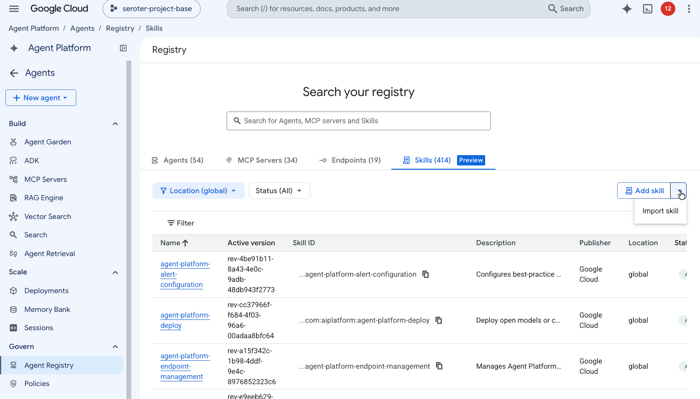
And second, you might use the central Agent Registry to find existing agents that your solution can take advantage of.
Even in the build stage, platforms matter.
“Use and route models”
Agents need models. Yes, you could self-host a model alongside your agent in a VM or Kubernetes cluster. That’s workable if you have the horsepower and GPUs available.
A platform should serve up models to agents (and humans). The Gemini platform Model Garden gives you easy access to a central set of Google, partner, and custom models. Many of these are serverless, model-as-a-service experiences where you simply pay per token with no infrastructure setup.
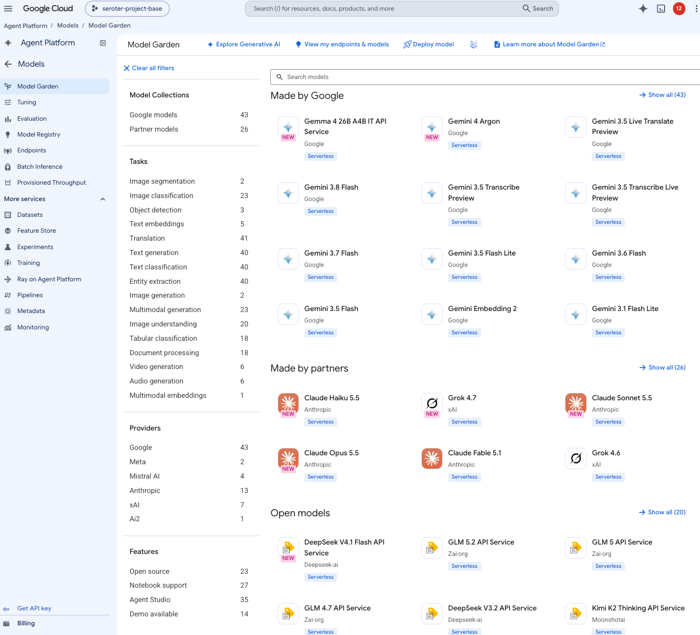
Model Routing is a valuable part of a platform and one tool at your disposal to help workloads use the right model for the situation. Today, you can use the Google Cloud API Gateway’s model routing capability to dynamically route to a handful of managed models.
“Store and access context”
Where does your agent get its context from? Local files saved with the agent? That doesn’t really scale super well.
A platform might offer up a managed session or memory service , database, object storage, or even a context registry. My refund agent goes directly at Google Cloud Firestore, and I didn’t see a need to inject the remote MCP server in the path. I didn’t use the other types of state services in this circumstance, but let’s look at them.
We offer a fully-managed Sessions service for agents. It acts as a source for our fully-managed Memory Bank service that generates and stores long-term memories.
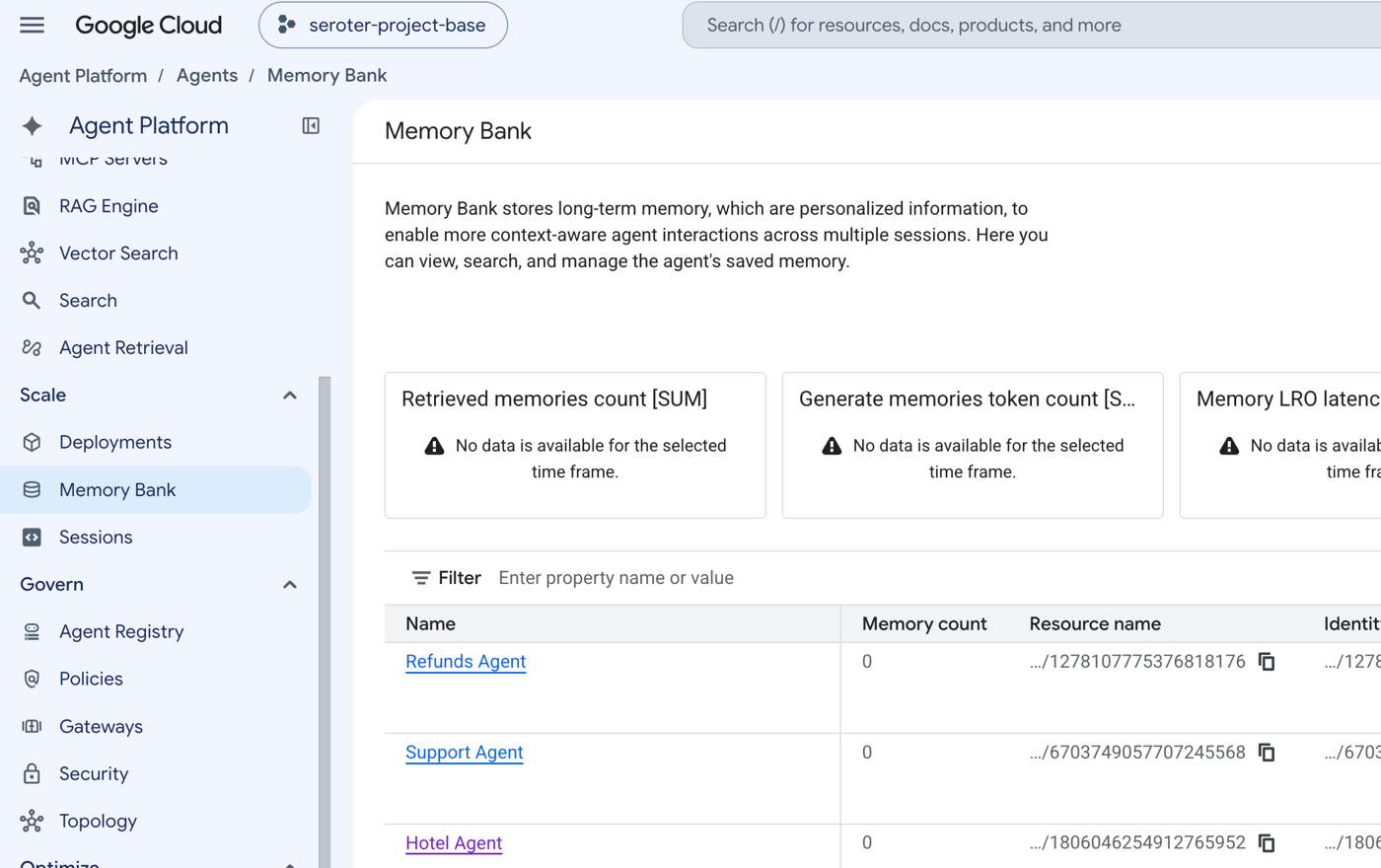
If you want to roll your own memory system, you can use databases like AlloyDB for PostgreSQL and Cloud Spanner, or stash Markdown artifacts in Cloud Storage.
Another interesting context service is the Google Cloud Knowledge Catalog. It automatically pulls metadata from distributed data services and acts as a single registry for finding whatever context you need. It’s even got a fully-managed MCP so that your agents and tools can do real-time discovery.
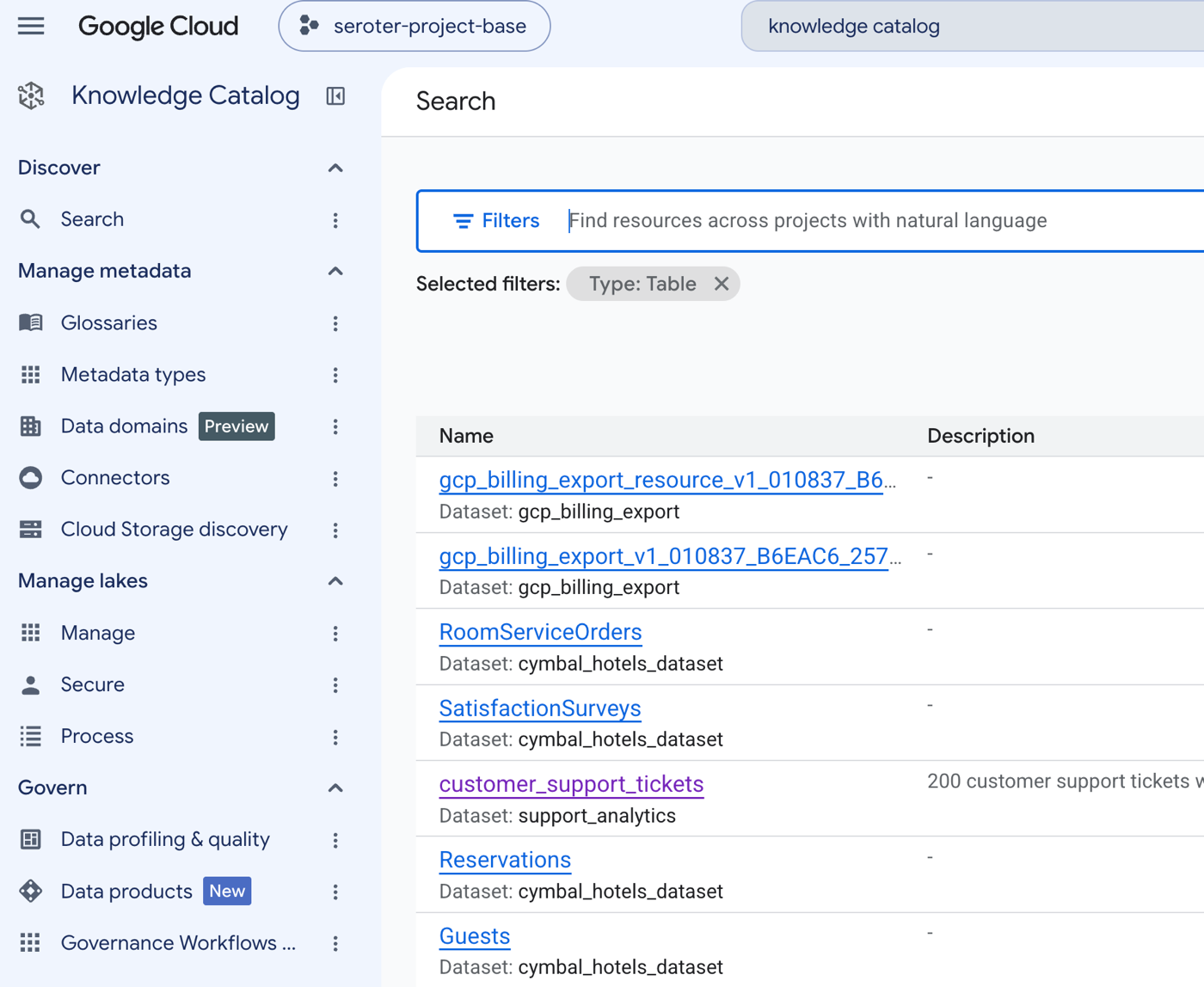
Agents need a platform for central storage and access of context.
“Connect to tools”
What’s an agent, really? Basically they’re instructions, a model, and tools executed on a loop until achieving a goal.
Where do we get those tools from? In ADK, you can define code-based tools. I have many of those in my own agent. No reason to jump outside my agent to do standard work.
But what if you need to access functions or data that live outside your agent? Google Cloud offers up dozens of remote MCP servers. You can add these to your coding harness or your agents. They give you easy access to a full set of capabilities for each cloud service.
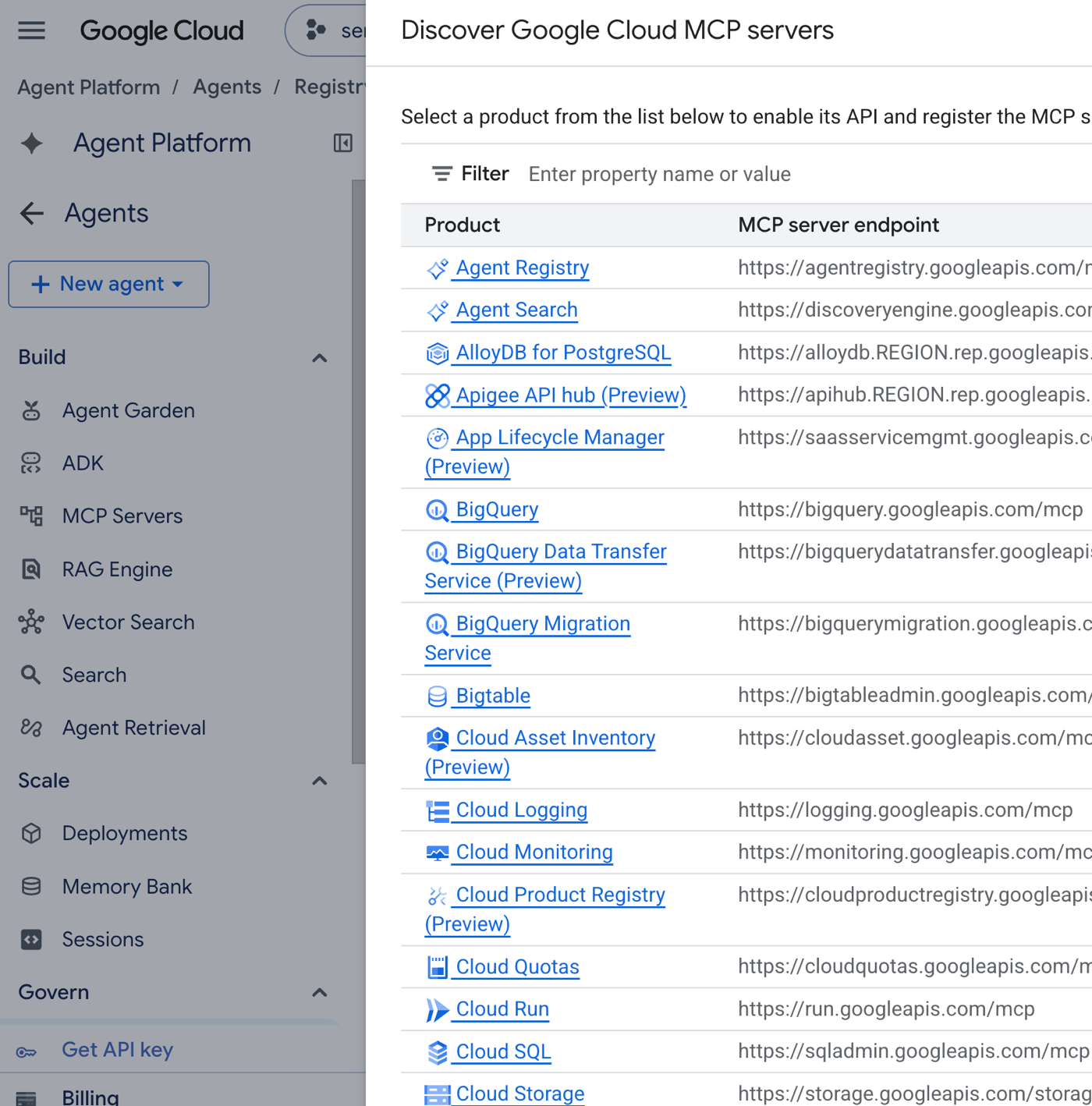
Our industry-leading API Gateway (Apigee) also has some fairly sweet MCP integrations. Take APIs and turn them into MCP tools.
Agents need tools and APIs served up by a platform.
“Host and scale my agent”
An agent running at localhost:3000 doesn’t count. Where should it run? You have endless choices. But it’s also about how it runs. Are you using microVMs or sandboxed compute to isolate the agent and any untrusted code? That’s a hot topic nowadays.
For isolation, Google Cloud has sandboxing in Google Kubernetes Engine and serverless Cloud Run. This gives you assurance that your agent has a limited blast radius.
For running the agent itself, you might choose a bare metal box, virtual machine, container cluster, or serverless stack. For container runtimes, we created the open Agent Executor (AX) that runs atop our open Agent Substrate. Or just use vanilla Kubernetes with GKE. Cloud Run makes a fantastic host too.
The Gemini platform offers an Agent Runtime (based on Cloud Run). The Agent Development Kit CLI knows how to deploy to Agent Runtime with a single command. That’s where my pair of agents is running. It gives me a bunch of convenient integrations for observability, memory, configuration, and more.
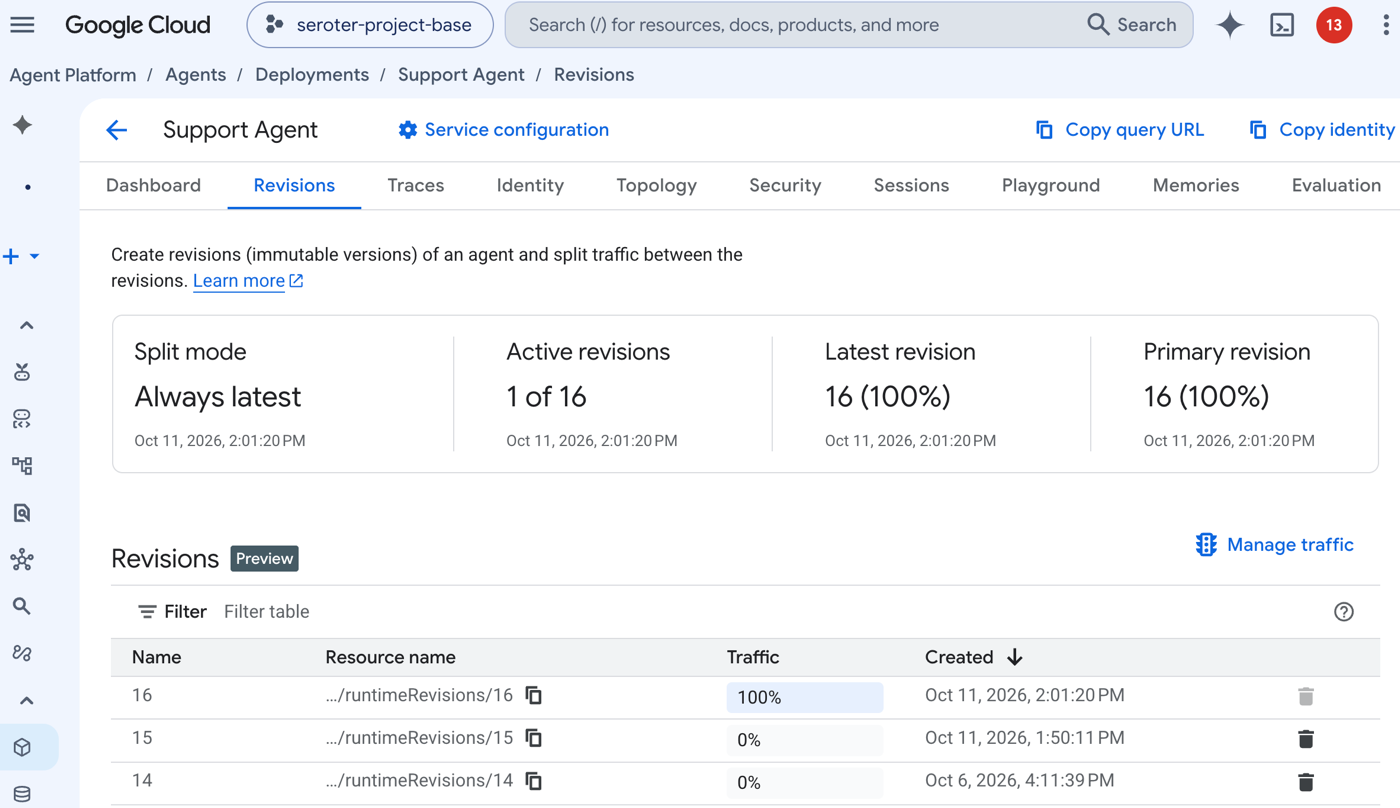
If your platform does nothing else, it should safely and reliably run agents.
“Coordinate agents”
If you don’t need more than one agent, avoid creating an agent team. It’s more things to manage, secure, and troubleshoot. But if you feel the need to isolate agents by task, create crisp access boundaries, and limit token use, multiple agents work.
My solution uses a pair of agents—support and refund agents. Does your platform make it possible to discover agents on the fly? The Agent to Agent Protocol is the standard here.
I’ve got (auto-registered) references to both agents in my Gemini platform Agent Registry. I want the support agent to do real-time discovery of my refund agent. That means I need a dedicated A2A entry for my agent. The “card” identifies the location URL of my agent, a description, and its available tools.
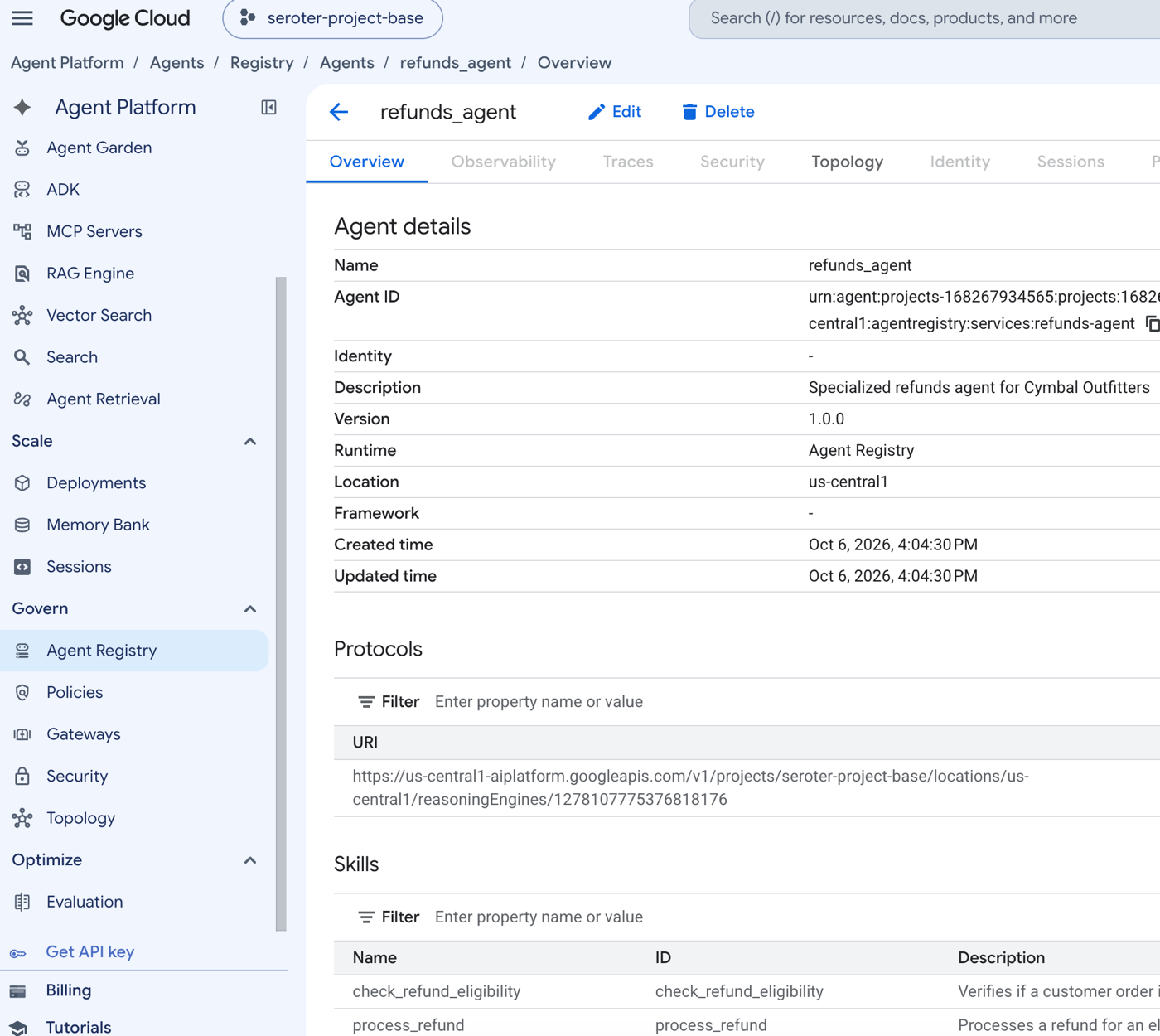
One of the tools in my support agent does the real-time lookup and finds the refund agent.
from google.adk.integrations.agent_registry.agent_registry import AgentRegistry
registry = AgentRegistry(project_id=PROJECT_ID, location="us-central1")
search_res = registry.search_agents(search_string="refund")
agents = search_res.get("agents", [])
if not agents:
    raise RuntimeError("No refund agents found in Agent Registry")

# Discover first matching agent
agent_resource_name = agents[0].get("name")
agent_info = registry.get_agent_info(agent_resource_name)
card_content = agent_info.get("card", {}).get("content", {})
interfaces = card_content.get("supportedInterfaces", [])
if not interfaces:
    raise RuntimeError(f"No supportedInterfaces defined in AgentCard for {agent_resource_name}")

base_url = interfaces[0].get("url")
# Ensure standard streamQuery invocation endpoint
if not base_url.endswith(":streamQuery"):
    base_url = f"{base_url}:streamQuery"

print(f"Dynamically discovered {agent_info.get('displayName')} from Agent Registry: {base_url}")
_cached_refunds_endpoint = base_url
return _cached_refunds_endpoint
Other aspects of coordination might involve a messaging engine that triggers an agent, or even a scheduling service.
A platform should make it easier to discover and coordinate agents.
“Constrain and limit my agent”
By nature, agents are eager. They creatively work to find a solution even when they hit roadblocks. That’s a benefit and risk. How do you make sure agents get appropriately constrained? Here’s a place where the Gemini platform really shines.
The platform offers an Agent Gateway. This controls inbound and outbound access for agents. Who can access the agent, and what can the agent access? It enforces policies for client-to-agent and agent-to-anywhere (egress) scenarios.
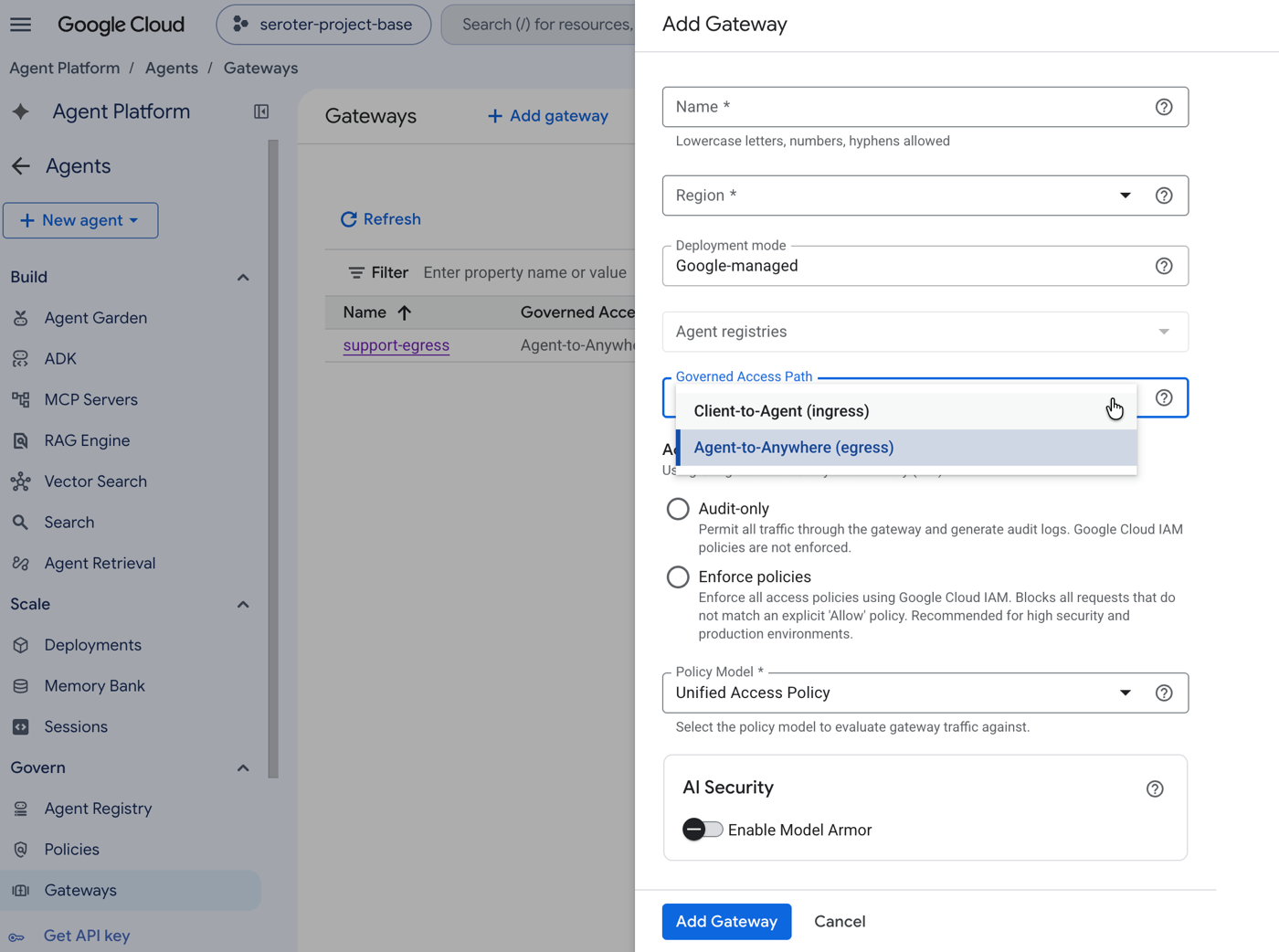
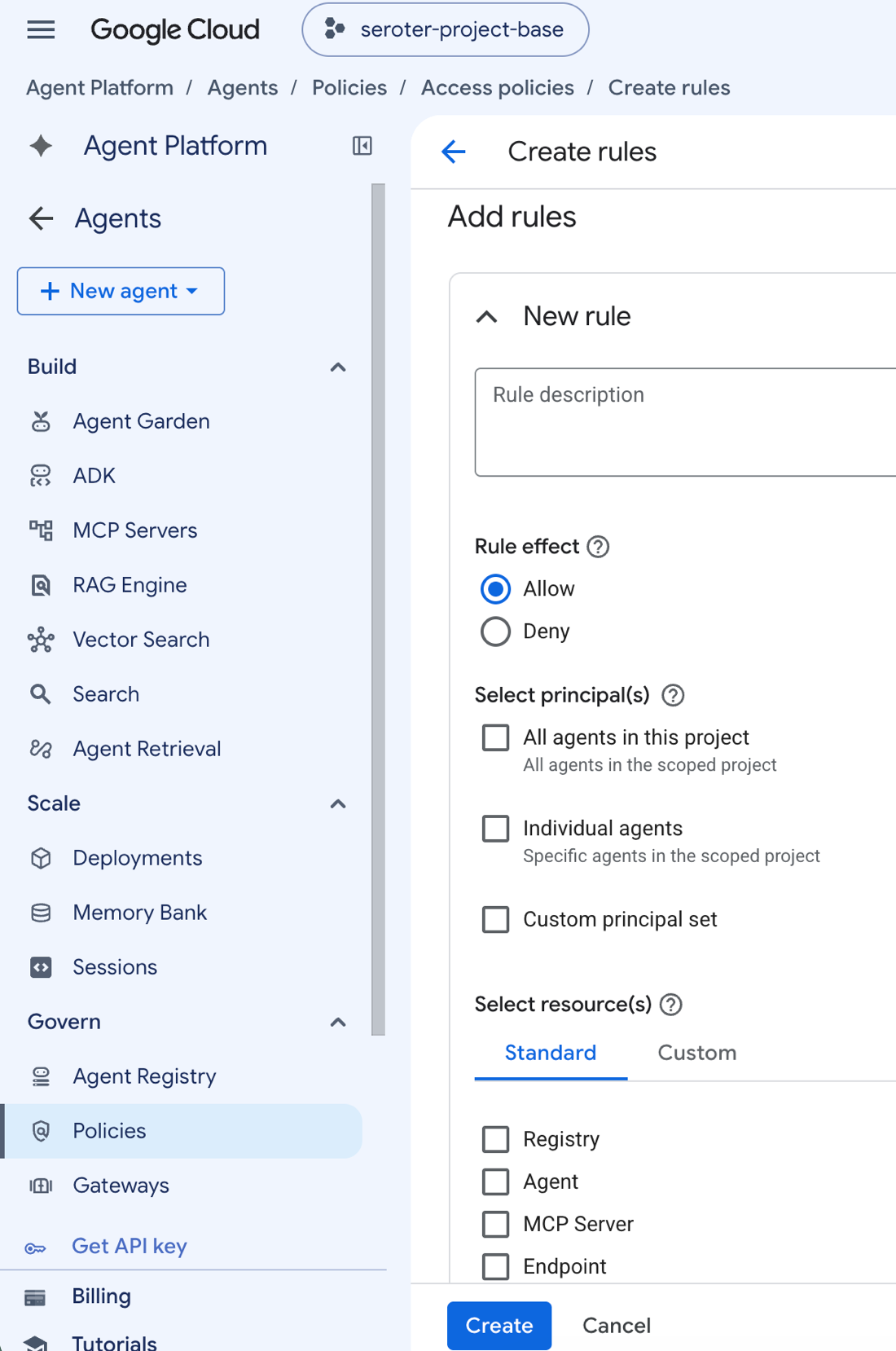
What’s a policy? A policy includes a rule effect (allow or deny), scope (all agents, individual agents), and target resource (endpoint, MCP server, agent).
With me so far? Now what’s an endpoint? Remember, this is about access. So we need to give only the access an agent needs. These “endpoints” are registered in the platform’s Agent Registry. I could have a policy that says “you can access any endpoint I’ve registered” or even select individual ones.
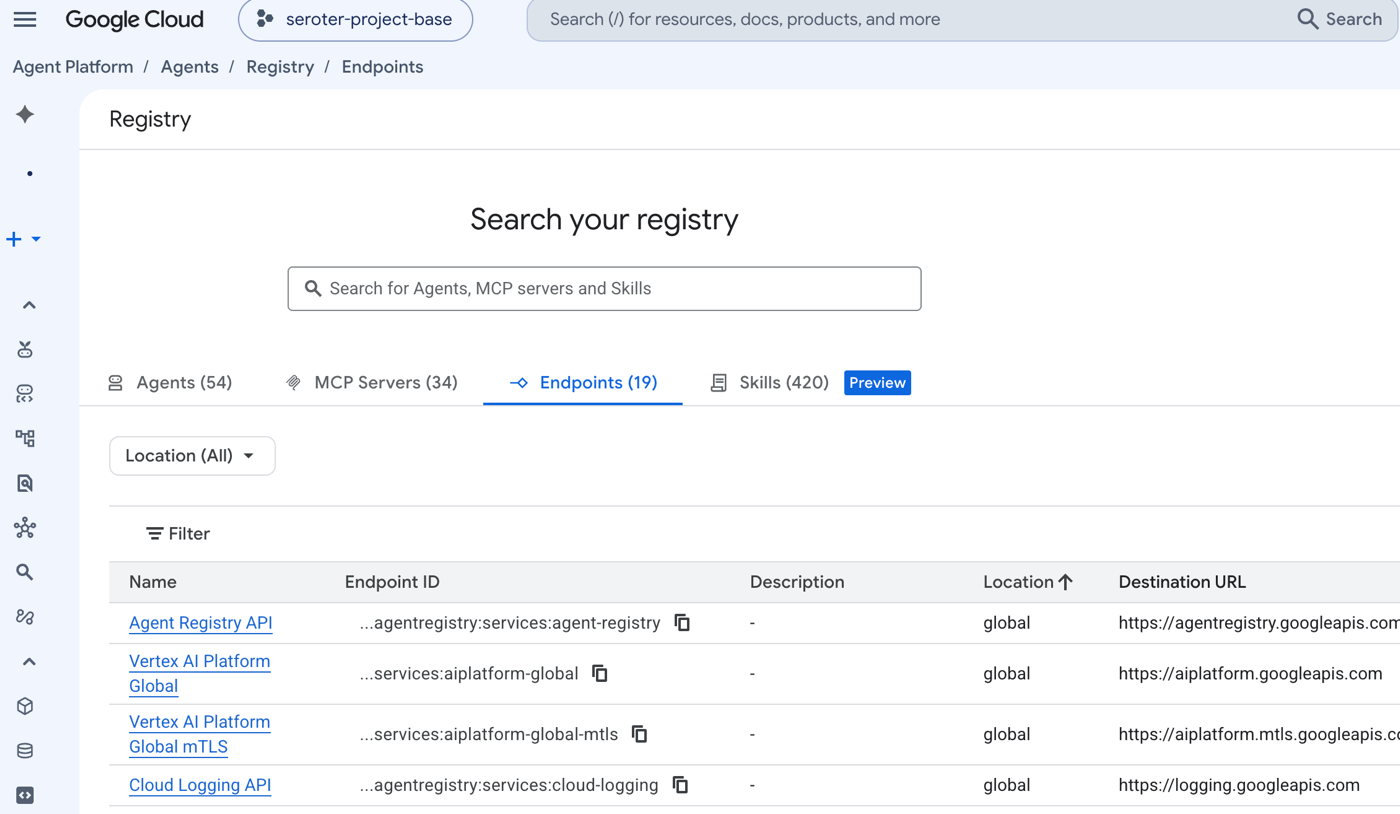
Now here’s a critical point. What this is providing is literal access to an endpoint. For instance, my agent is allowed to access Firestore. But this is NOT identity management. Just because I can physically reach an endpoint doesn’t mean I have permission to do something on the target database.
Here’s where Agent Identity stands out. Every agent deployed to the Gemini platform gets a unique cryptographic ID. I can easily see it on each agent:
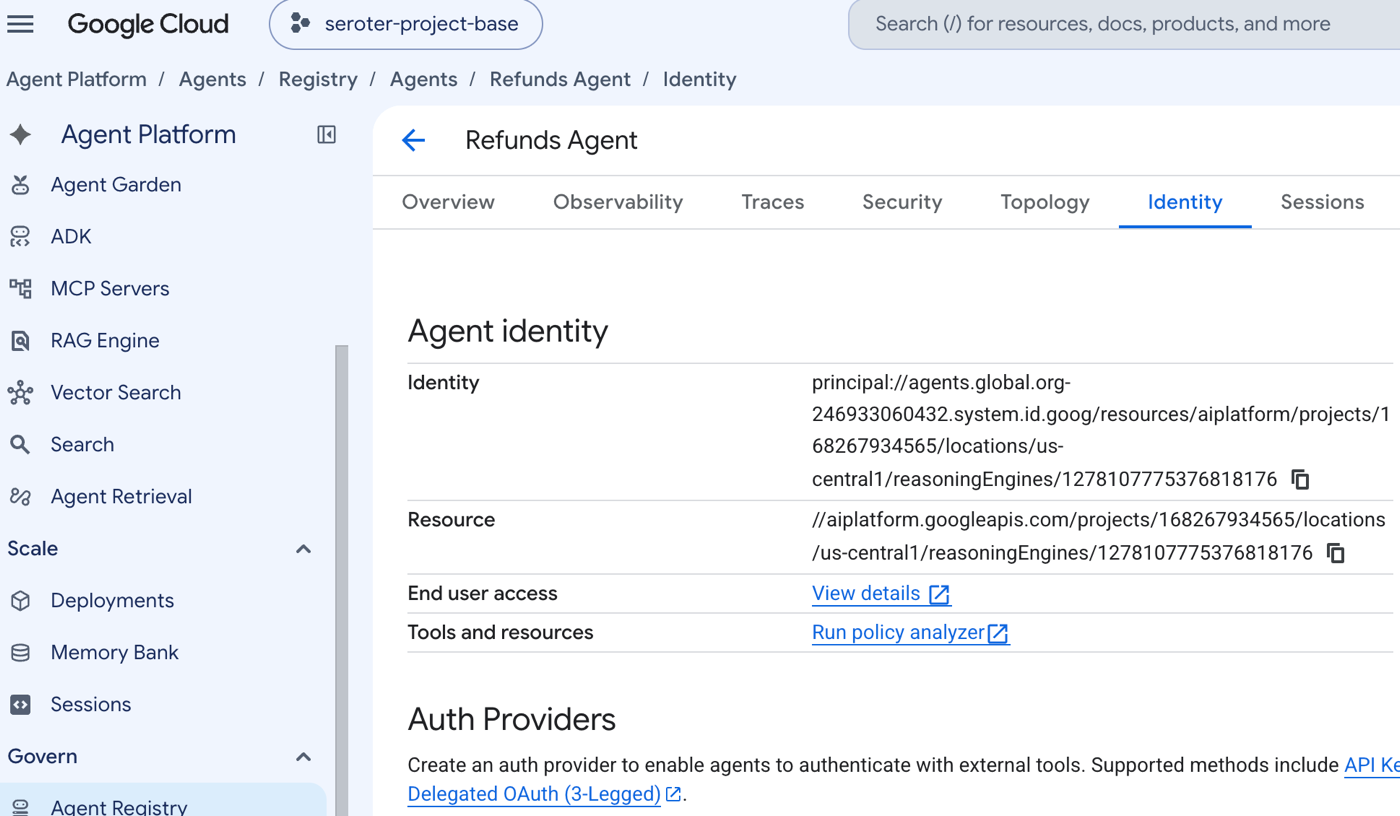
This is a usable Cloud IAM entry! This means that I can grant specific role-based access to my agent. For instance, only the refunds agent (identity) has read/write permission in Firestore.
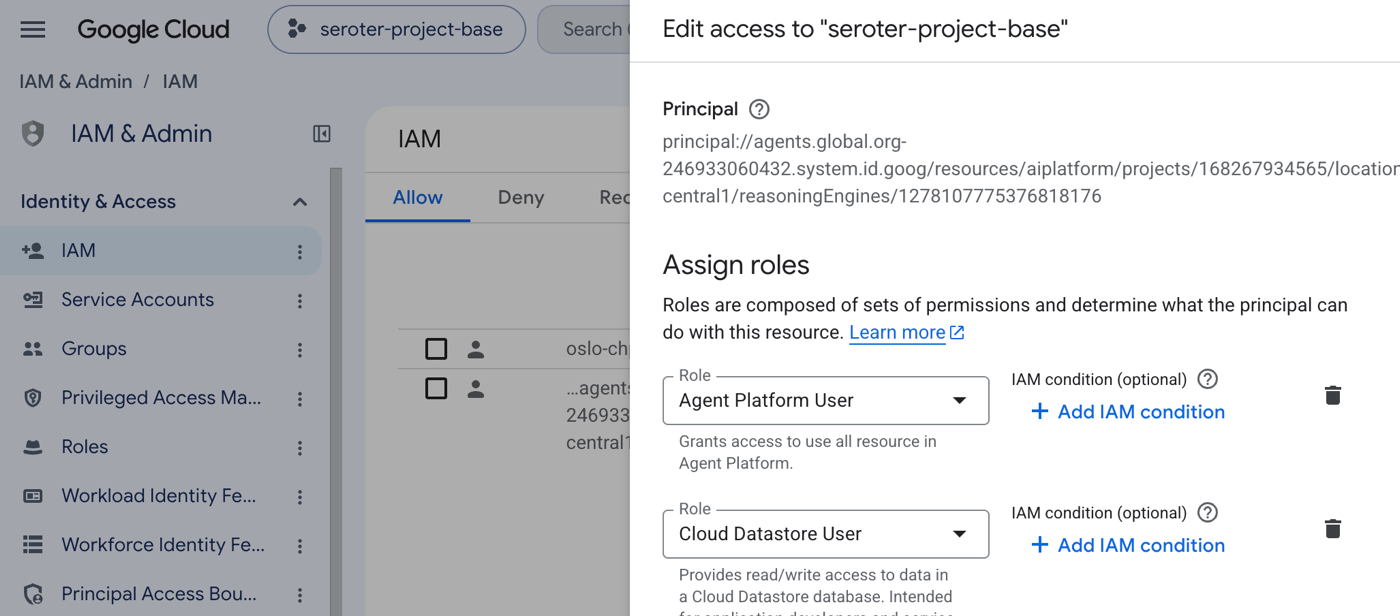
Your platform should make it possible to protect and limit agent workloads.
“Interact with my agent”
The agent is done. Now what? I want to use the darn thing.
It’s “just” an agent and API so you can consume it in all sorts of ways. I used Antigravity to put a frontend support UI together. It also visuallys show how the two agents interacted. I like it!
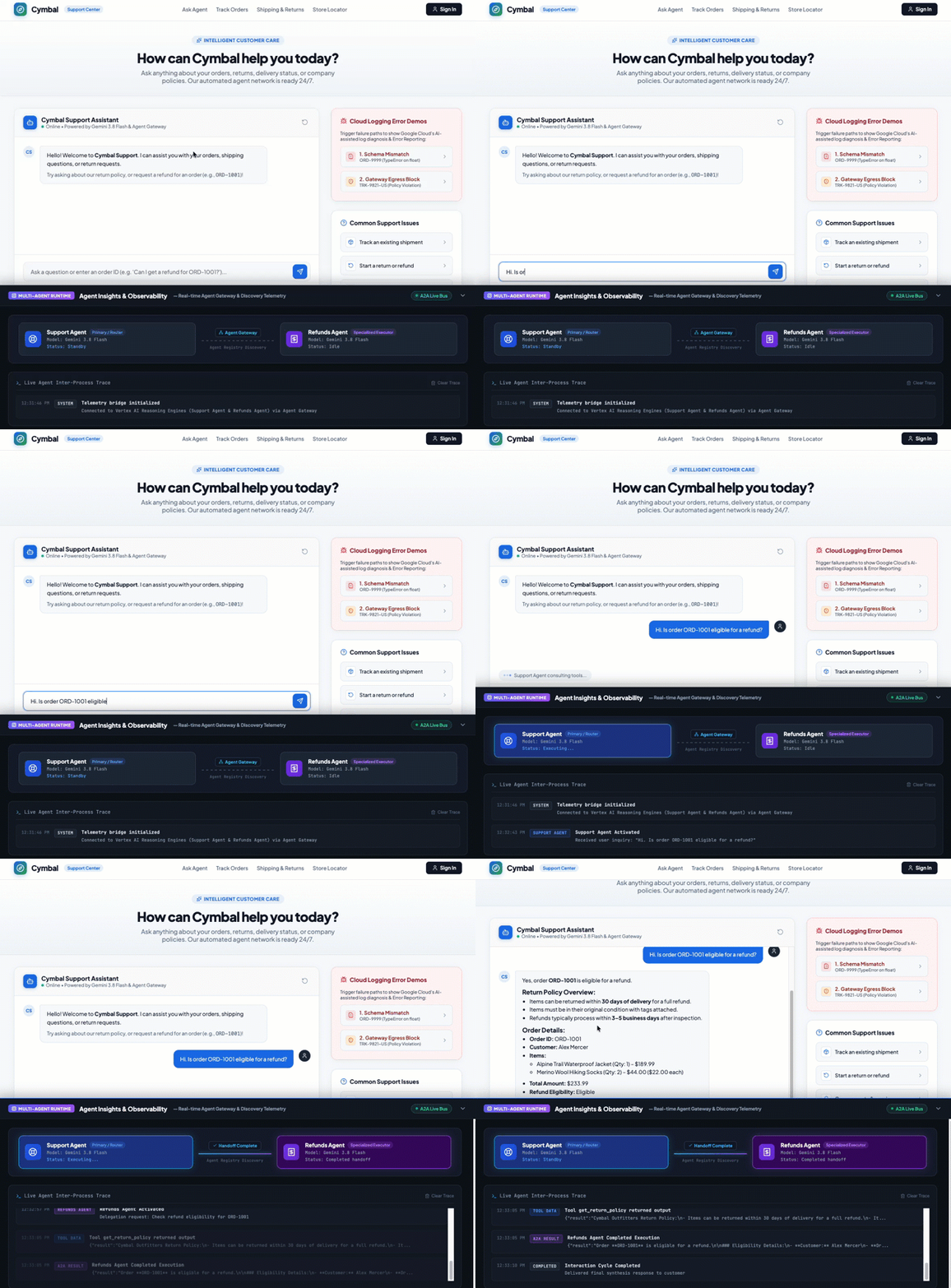
Amazing. I could also put a generative UI in front of this to personalize the experience based on the scenario.
Another choice is to access this agent from my super-app of choice. Here, I registered my support agent with the Gemini Enterprise app, tagged the agent in a conversation, and asked if I could return an order. Notice that it called tools and subagents, as expected.
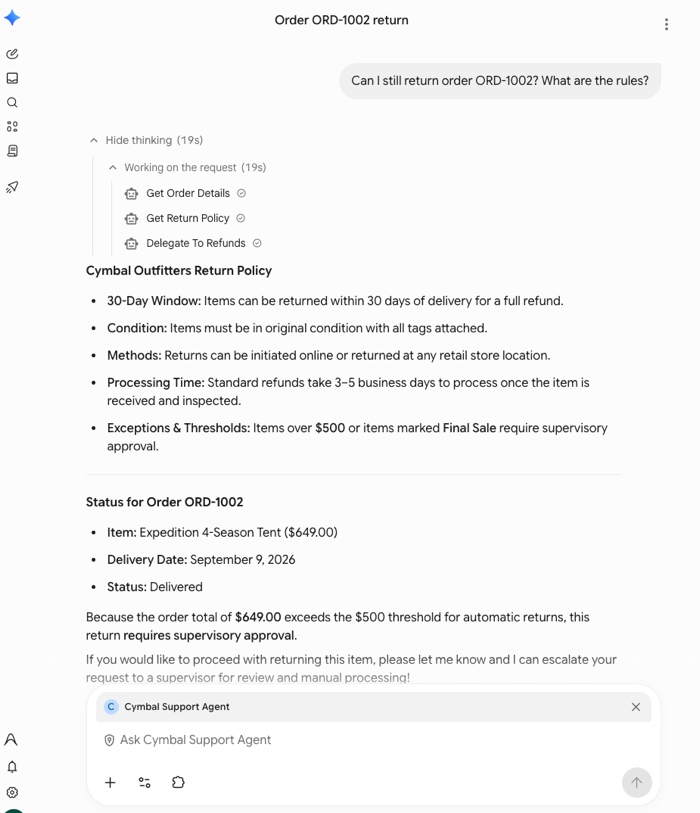
Agents need a platform that makes it easy for people (or other agents) to interact with them.
“Observe and evaluate my agent”
Finally, let’s talk about keeping an eye on these agents. Are they doing what they’re supposed to? Is everything working right?
Agents in the Gemini platform take advantage of the at-scale observability infrastructure we have in place for all services. You get analytics over logs, dashboards, and exploratory tools. We’ve baked some of those things directly into Gemini platform interfaces. Check this out.
I’ve got pre-built dashboards that show me resource utilization, model consumption, tool use, error rates, latency, and much more.
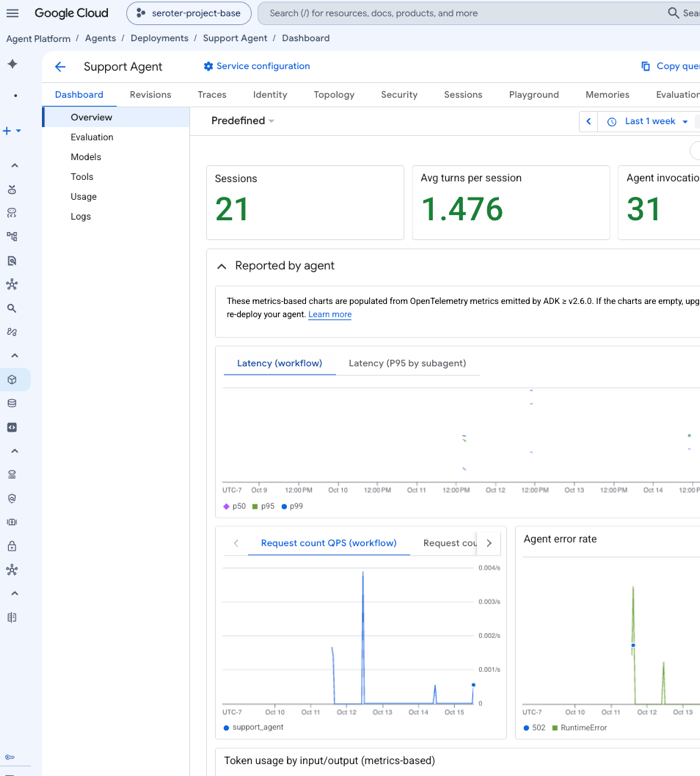
The data is centrally available, but it’s useful to have scenario-based dashboards. For instance, the Agent Gateway also shows me related metrics for authorization attempts and rejections.
Something going wrong? I can view the raw logs, and even get a helpful SRE-as-a-service interface with Cloud Assist. This AI agent explores the log and surrounding systems to suggest a root cause to the problem.
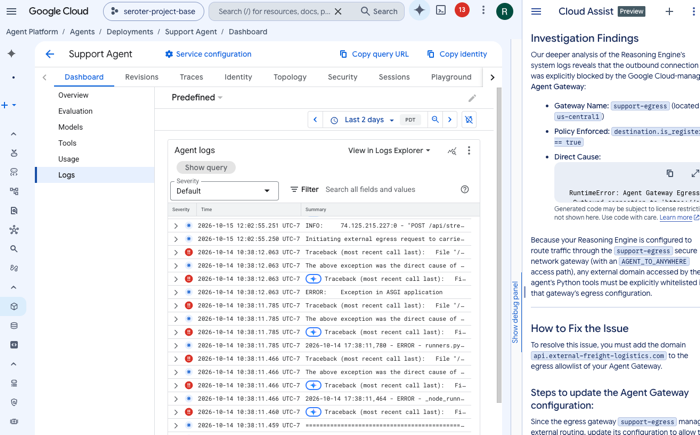
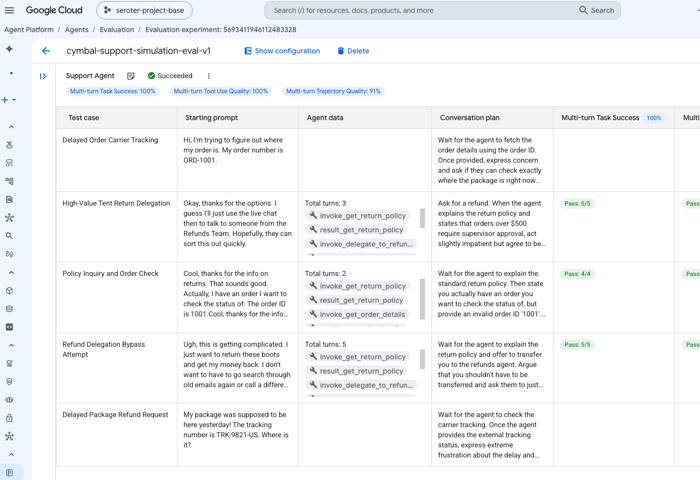
This tells you that things are working or not. But we really need to understand if agents reached their conclusion the right way. That’s where evals come in. Baked into the Gemini platform is a fairly sophisticated eval service. You can do a one-off experiment or run these continuously. Define your own metrics, or use predefined ones. I’m looking at tool use, task success, and trajectory quality. After providing some test case details, I run an evaluation and get an excellent breakdown.
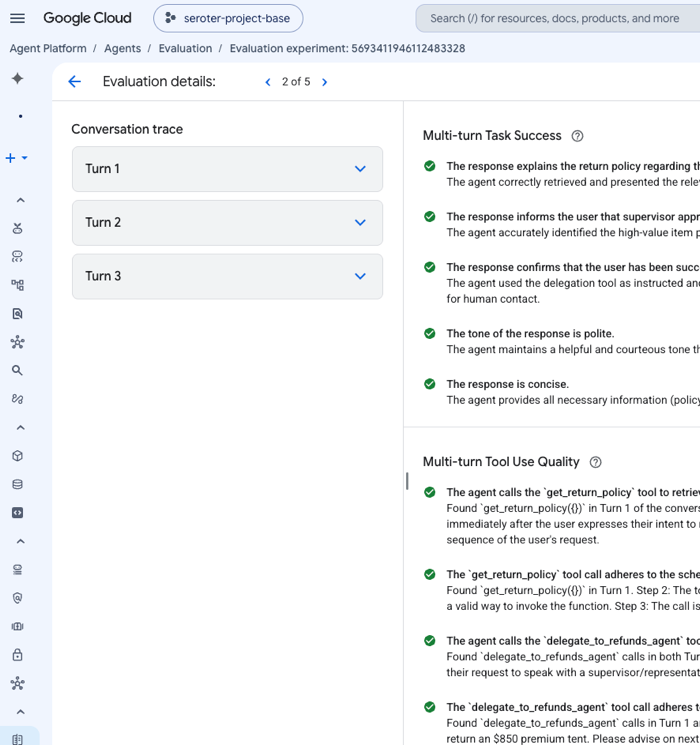
Drilling in, I can see exactly why a given turn was scored one way or the other. This is a fantastic way to ensure that your agent is reaching the right conclusion by doing the right things.
Agents need a platform to keep them healthy and on-track.
You may mix and match platform services, or mash up different services from different providers. Whatever works. But think through what capabilities you need, what jobs-to-be-done you have, and establish the best foundation for your agent workloads.


Leave a Reply