I have 334 apps on my phone. You probably have more than me. My browser bookmarks and history are stuffed with sites I infrequently use. We’re inundated with “apps” that require us to learn some bespoke interface just to get something done. That era is coming to an end. Quickly.
Don’t take my word for it. Many are acknowledging that AI agents have made many apps unnecessary. Oh, I still need the data or function from that app. But I never want to “see” it again. Drop the user interface. Go headless. Why am I still logging into a system three times a year to mark my vacation time? Or navigating multiple travel sites to find the best deals? Or even doing “regular” web searches to find stats to include a presentation? I just want my agent, harness, or super-app (like Gemini, Grok Bot, Meta Muse, Claude Cowork) to do it.
So if we’re not building a bunch of static frontends, what should developers do instead? Here are a few suggestions. Let’s look at two categories of tools that developers should create. And then three types of activities developers (or agents) can do with those tools.
Create CLIs, APIs, skills, and MCP servers for anywhere access to data and functionality
Good models have “computer use” where they can navigate your web frontend if they need to. But spelunking your DOM wastes tokens and time. At least create some WebMCP tools on your site to give agents a better shot at completing a task.
But honestly, those harnesses, super-apps, and agents just want your data and commands. Give it to them! Salesforce announced this headless experience in a partnership with Anthropic (ClaudeForce). Box too. HubSpot as well. Expect most SaaS products to do this. Same with platform companies. Google shipped an Android CLI for use in any harness, 150 agent skills, and tons of remote managed MCP servers. UI optional.
We did before, but now we have even more options to build these types of tools. There are toolkits for creating MCP servers, generating skills, and even cranking out a CLI. Help out your users by giving them the tools they need to get to your data and functionality without forcing them to use your UI.
Create A2UI or MCP Apps components for dynamic rendering
The technology is now there to create more personalized and interactive experiences for humans.
A2UI is a protocol that enables agents to create dynamic user interfaces. You have the data and you have the available widgets that an agent sends a client to render. You’re not shipping arbitrary HTML and JavaScript; the agent sends component descriptions that get safely rendered client side. There are renderers for Angular, React, Flutter, and more. Developers should consider building components that agents can use to compose a beautiful, personalized site for the user.
Then you have MCP Apps. Have you looked at these? Here you’re returning interactive HTML interfaces that get rendered in your agentic chat experience. Developers can build these so that chat users get more than boring text results in their sessions.
Build these portable UI components that users can apply to get richer experiences on whatever surface they can render them on.
Retrieve info or trigger action from where I’m at
Let’s now look at the user.
Maybe I don’t want to use your fancy portal to get my work done. Give me those CLIs, agents, MCPs, or MCP Apps to retrieve the data I want, in the surfaces I’m already using.
Here in my Google Antigravity CLI, I’ve got a reference to the remote MCP Server for Cloud Run. I could also use a locally installed CLI to do the same things.
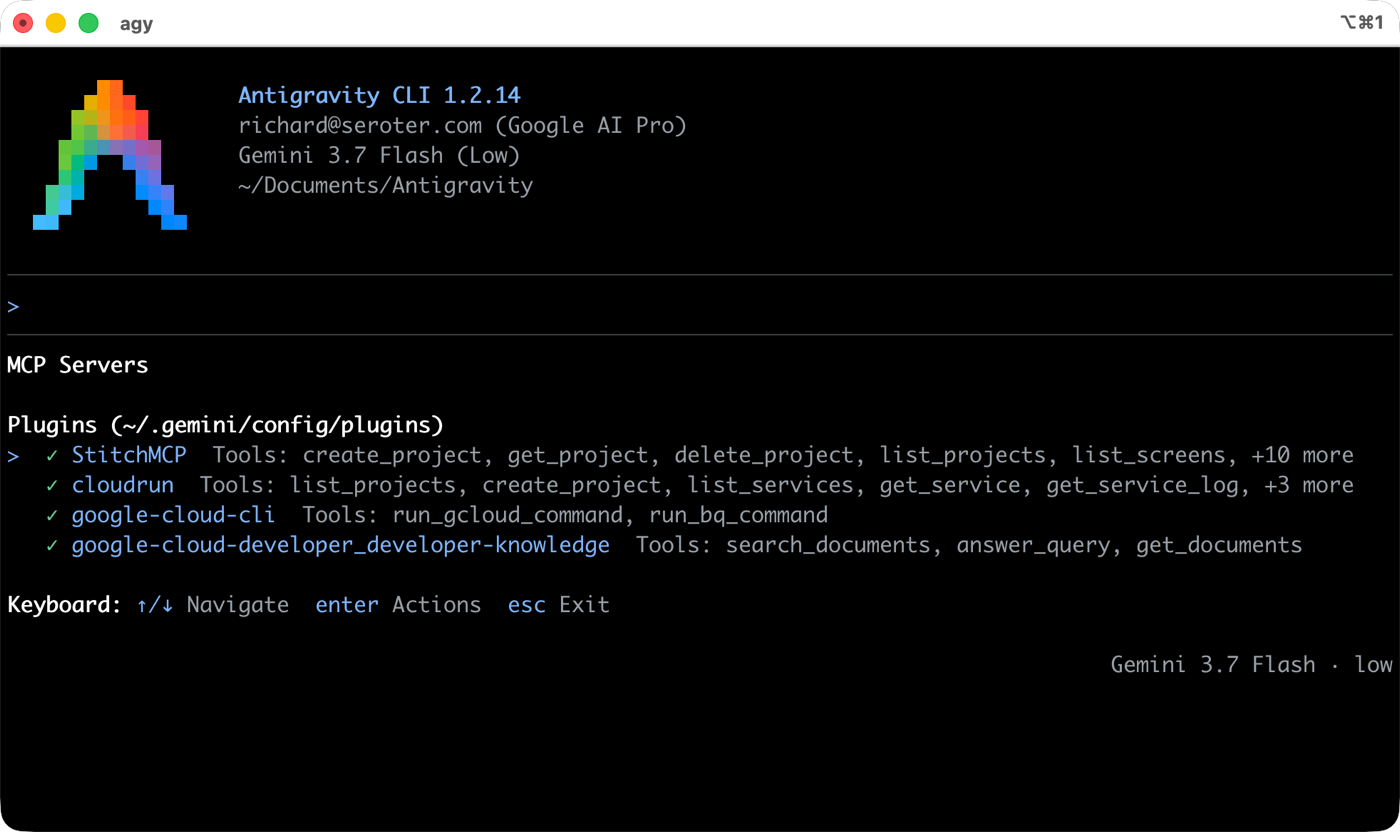
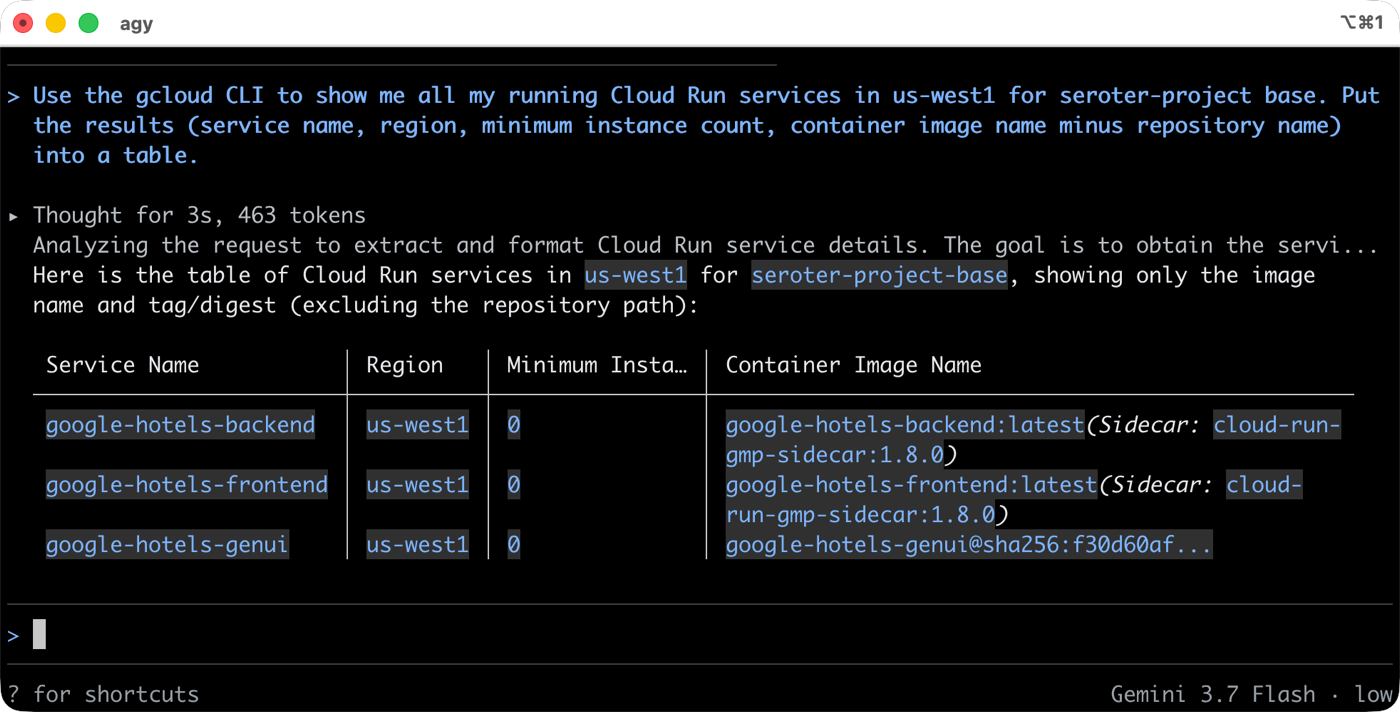
Using an existing MCP or CLI, I can do most anything with Google Cloud Run. Want a list of running services? Don’t break flow and bounce to a fixed UI somewhere else. Just get the data in your harness or super-app of choice.
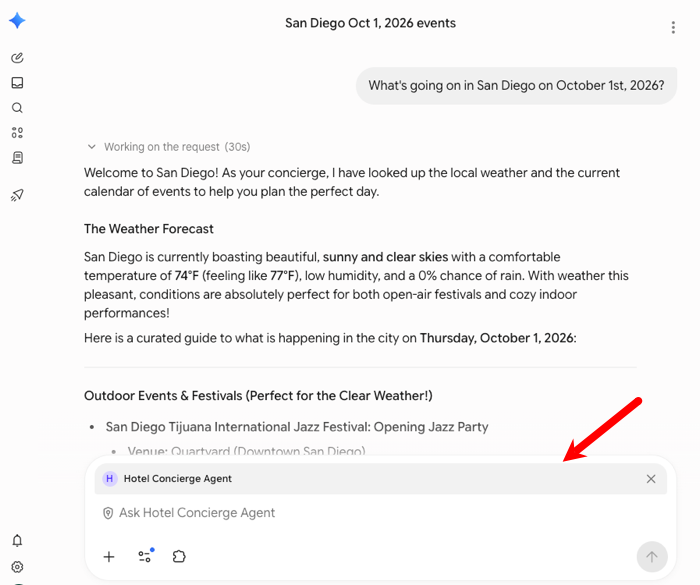
Using those tools created by app or product owners, we can now aggregate or interact with systems however we want. Maybe instead of a web front end, you build an agent. Cool. I took a hotel concierge agent that might have warranted a whole fancy website, and used it from within Gemini Enterprise instead.
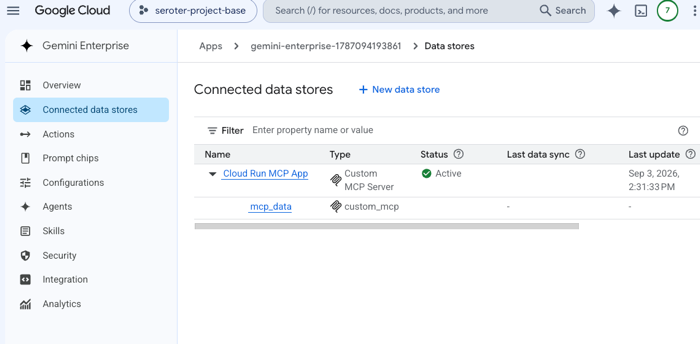
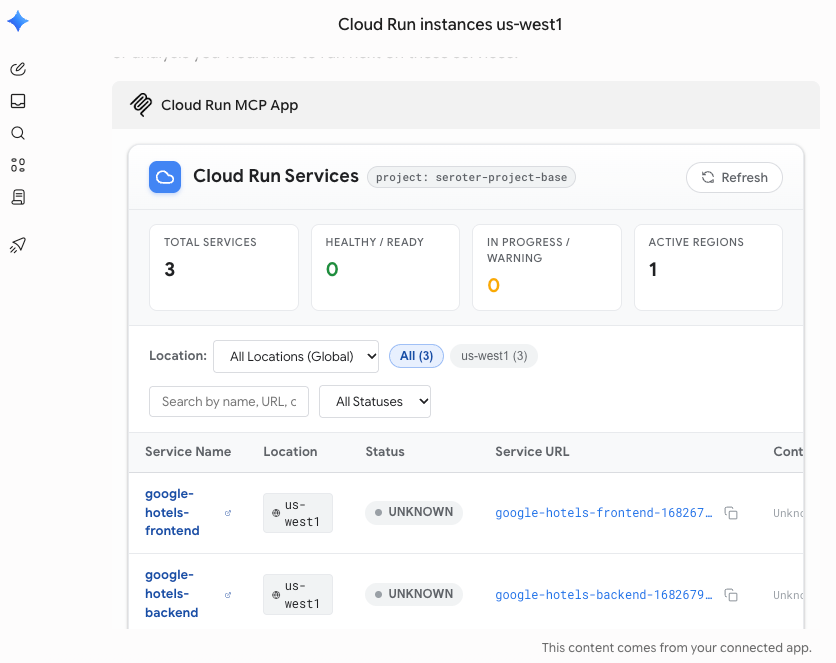
Need something more interactive? I built an MCP App that talked to Google Cloud Run and returned a fancy dashboard that I can use from within Gemini Enterprise. Why leave my super-app if I don’t need to? First I configured my MCP App (running in Cloud Run) as a data source.
And now anyone can chat with it, getting a full UI back in Gemini Enterprise chat experience.
Build on-the-fly visualizers, apps, and pages personalized to me
The era of personal software is here. Maybe that software is disposable, or just for you. Possibly for a small circle of friends. Whatever. Build entirely new interfaces that work exactly for you by mashing up the APIs, CLIs, and MCPs available to you.
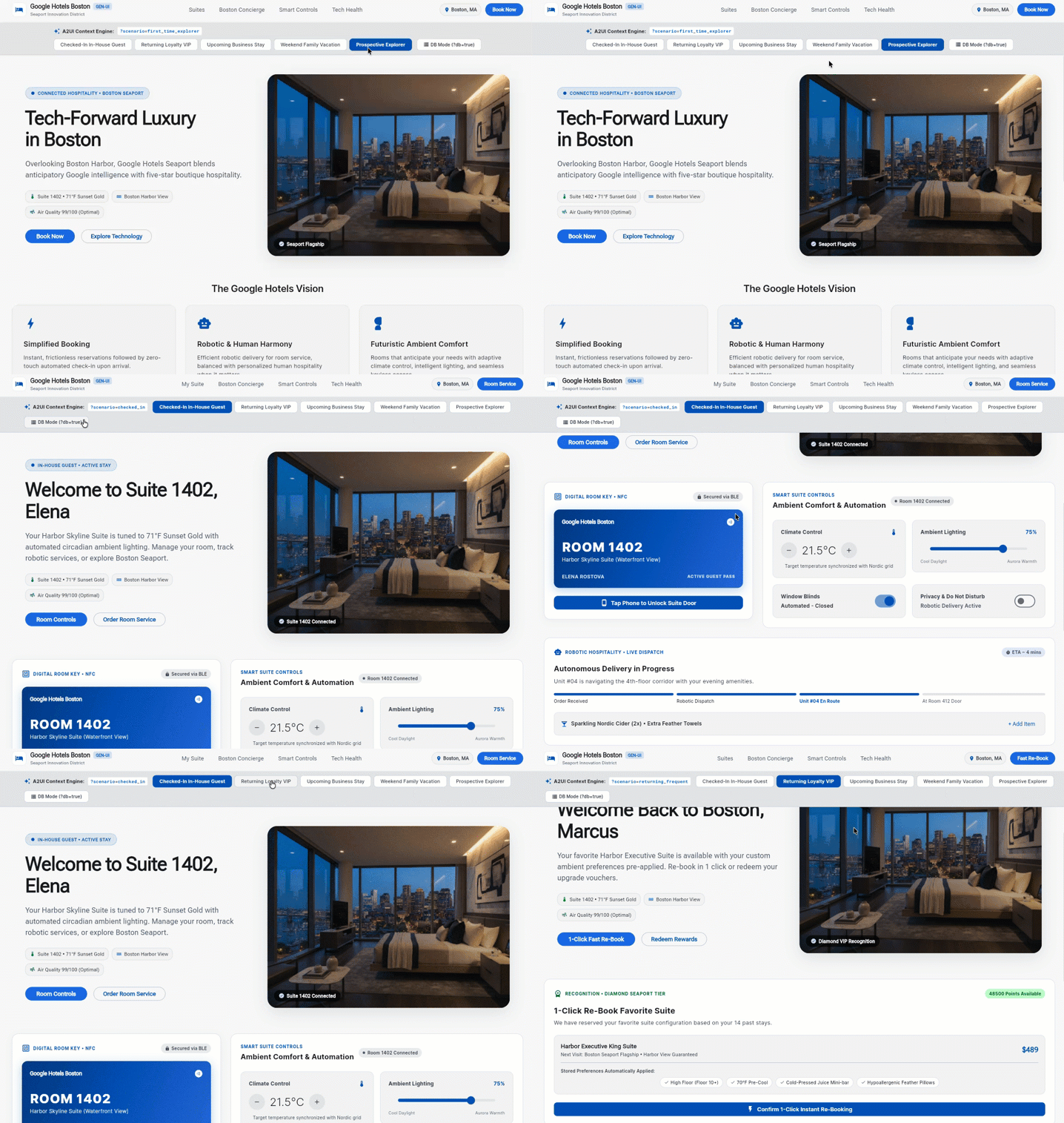
For example, I could use a series of pre-built A2UI components to create a hotel website that reacts to the situation at hand. Completely new user? Show one thing. Checked-in hotel guest, here’s another. Frequent guest coming to book a room? Here you go. Instead of building dozens of static pages to anticipate each scenario, I have ONE PAGE that applies relevant components on the fly.
Build wherever-I-want-it experiences to get work done
This is a variation of the previous two. You might want to stay in your tool of choice, but also want a customized interface just for you. Let’s try that.
We released a new MCP server for the Google Cloud CLI. It executes gcloud CLI commands remotely. This is handy if you’re on an agentic client that can’t execute CLIs, trusted or otherwise.
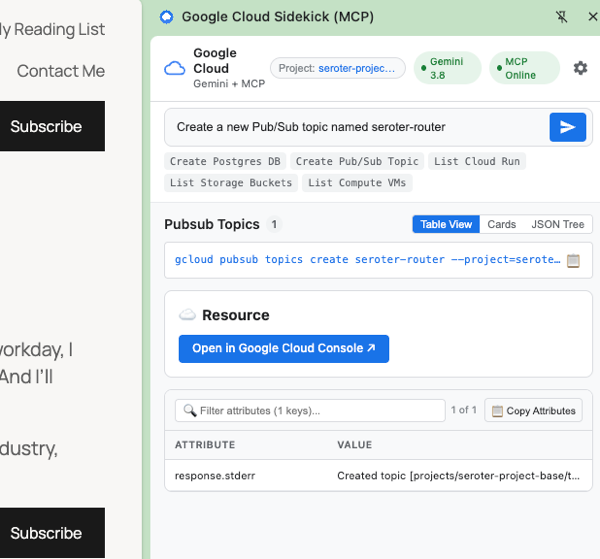
I could use this to build a full Google Cloud management experience as a Chrome plugin! I can’t easily execute CLI commands in the Chrome sandbox without some hoops. No problem. I can use the logged in user to invoke the MCP server via agent inside a custom plugin. This makes it possible to do almost anything in Google Cloud. from anywhere.
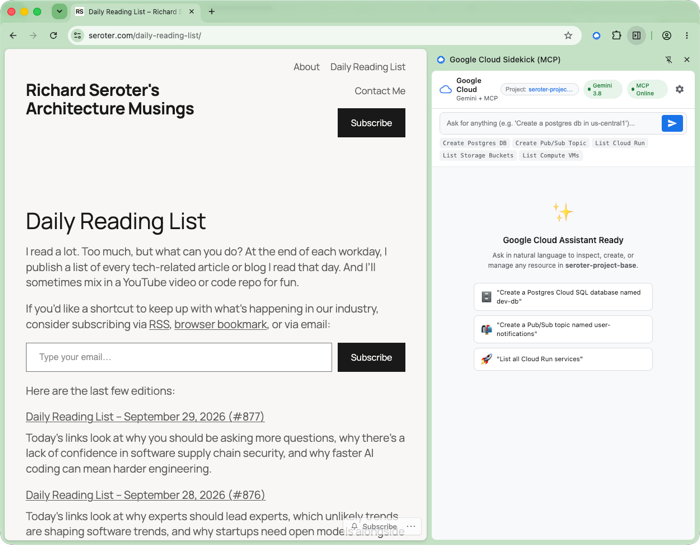
In this example, I spun up a Google Cloud Pub/Sub topic while browsing my daily reading list.
Look, static frontends won’t become truly optional for a while. But developers, don’t wait too long to adapt. These personal agents are growing fast, and fairly soon, many websites and mobile apps will have significantly more agent visitors than human ones. Build accordingly!


Leave a Reply