I know a few things. I don’t know most things. Each year, I try to learn new stuff and challenge my existing knowledge/assumptions. There are always more things to learn than time available in the day, so I have to be selective. What should I focus on? Some folks choose to go deeper in their areas of expertise, others choose to bolster weak areas. Next year, I’m going to do the latter.
Here are six topics—four related to tech, two related to professional skills—I want to learn more about, and I’ll include some thoughts on my approach to learning each.
Technology Skills
Each year, I try out a variety of technologies. Next year won’t be different. Besides these four topics below, I suspect that I’ll keep messing around with serverless technologies, Kubernetes, service meshes, and public cloud services. But I’m going to spend special attention on:
Identity and access management
In my 20+ year career, I’ve learned enough about identity management to be dangerous. But in reality, I’m barely competent on this topic. It’s time to truly understand how all this works. With so many folks building increasingly distributed architectures, identity management seems more important than ever. I’d like to dig into things like authorization flows, application identities within clusters, and access management within cloud tenancy structures.
This is a crown jewel in Google Cloud’s portfolio. It’s a well-built, popular service that stands out among public cloud offerings. I’ve spent precious little time in the data analytics domain, and want to change that. A little. I’m not interested in being a full-on analytics guy, but I want to understand how BigQuery works and the role it can play for companies adopting cloud.
I’ve mostly declared bankruptcy on front-end frameworks. My career has been server-side, with only enough investment in the front-end to build decent looking demos. But I like what I’m seeing here and it’s obvious how much processing we’re doing client-side now. There are roughly five hundred viable frameworks to choose from, so I might as well pick a popular one with some Google heritage.
How? Pluralsight has a great Angular learning path. I just need to get some reps with the tech, and make it second nature to use on any apps I build. Plus, learning this gives me an excuse to use compute platforms like Cloud Run and GKE to host my app.
Application deployment tools and strategies
While CI/CD is a fairly mature domain, I’m still seeing lots of fresh thinking here. I want to learn more about how forward-thinking companies are packaging up and shipping software. Shipping is more sophisticated now with so many components to factor in, and less tolerance for downtime. The tooling for continuous deployment (and progressive delivery) is getting better.
How? I’m looking forward to trying out a lot of technologies here. I’m sure i’ll find a lot of books or courses about what I’m after, so this is a very “hands on” journey.
Professional Skills
I’m also looking for to building up my business and management skills next year. The two things that I’ll invest the most in are:
Product management
Given my position in Google Cloud, I’m supposed to know what I’m doing. But I’m learning new things every day. In 2021, I want to double-down on the practices of product development and full product lifecycle management. I’ve got so much to learn on how to better identify customer problems, scope an experiment, communicate value, measure usage, and build a sustainable business around the product.
How? Much of this will happen by watching my peers. The product discipline at Google Cloud is excellent. In addition, I’ve got my eye on new books, and some product-focused conferences. I also plan on reading some of the good Gartner research on product management.
Coaching and sponsorship
I’ve done some mentorship in my career, but I haven’t done much coaching or sponsorship. Some of that is because of imposter syndrome (“why would anyone want to learn anything from ME?”) and some is because I haven’t made it a priority. I now have more appreciation for what I can give back to others. I’ve been making myself more available this year, and want to intentionally continue that next year.
How? Some of this will happen through study and watching others, and some by actually doing it! Our industry is full of high-potential individuals who haven’t had someone in their corner, and I’m going to do my part to fix that.
What about you? What topics deserve your special attention in 2021? I’m looking forward to learning in public and getting your feedback along the way.
Has the “serverless revolution stalled”? I dunno. I like serverless. Taught a popular course about it. But I reviewed and published an article written by Bernard Brode that made that argument, and it sparked a lot of discussion. If we can agree that serverless computing means building an architecture out of managed services that scale to zero—we’re not strictly talking about function-as-a-service—that’s a start. Has this serverless model crossed the chasm from early adopters to an early majority? I don’t think so. And the data shows that usage of FaaS—still a fundamental part of most people’s serverless architecture—has flattened a bit. Why is that? I’m no expert, but I wonder if some of the inherent friction of the 1st generation FaaS gets in the way.
We’re seeing a new generation of serverless computing that removes that friction and may restart the serverless revolution. I’m talking here about Google Cloud Run. Based on the Knative project, it’s a fully managed service that scales container-based apps to zero. To me, it takes the best attributes from three different computing paradigms:
Paradigm
Best Attributes
Platform-as-a-Service
– focus on the app, not underlying infrastructure – auto-wire networking components to expose your endpoint
Container-as-a-Service
– use portable app packages – develop and test locally
Function-as-a-Service
– improve efficiency by scaling to zero – trigger action based on events
Each of those above paradigms has standalone value. By all means, use any of them if they suit your needs. Right now, I’m interested in what it will take for large companies to adopt serverless computing more aggressively. I think it requires “fixing” some of the flaws of FaaS, and there are four reasons Cloud Run is positioned to do so.
1. It doesn’t require rearchitecting your systems
First-generation serverless doesn’t permit cheating. No, you have to actually refactor or rebuild your system to run this way. That’s different than all the previous paradigms. IaaS? You could take existing bare metal workloads and run them unchanged in a cloud VM platform. PaaS? It catered to 12-factor apps, but you could still run many existing things there. CaaS? You can containerize a lot of things without touching the source code. FaaS? Nope. Nothing in your data center “just works” in a FaaS platform.
While that’s probably a good thing from a purity perspective—stop shifting your debt from one abstraction to another without paying it down!—it’s impractical. Simultaneously, we’re asking staff at large companies to: redesign teams for agile, introduce product management, put apps on CI pipelines, upgrade their programming language/framework, introduce new databases, decouple apps into microservices, learn cloud and edge models, AND keep all the existing things up and running. It’s a lot. The companies I talk to are looking for ways to get incremental benefits for many workloads, and don’t have the time or people to rebuild many things at once.
This is where Cloud Run is better than FaaS. It hosts containers that respond to web requests or event-based triggers. You can write functions, or, containerize a complete app—Migrate for Anthos makes it easy. Your app’s entry point doesn’t have to conform to a specific method signature, and there are no annotations or code changes required to operate in Cloud Run. Take an existing custom-built app written in any language, or packaged (or no source-code-available) software and run it. You don’t have to decompose your existing API into a series of functions, or break down your web app into a dozen components. You might WANT to, but you don’t HAVE to. I think that’s powerful, and significantly lowers the barrier to entry.
2. It runs anywhere
Lock-in concerns are overrated. Everything is lock-in. You have to decide whether you’re getting unique value from the coupling. If so, go for it. A pristine serverless architecture consists of managed services with code (FaaS) in the gaps. The sticky part is all those managed services, not the snippets of code running in the FaaS. Just making a FaaS portable doesn’t give you all the benefits of serverless.
That said, I don’t need all the aspects of serverless to get some of the benefits. Replacing poorly utilized virtual machines with high-density nodes hosting scale-to-zero workloads is great. Improving delivery velocity by having an auto-wired app deployment experience versus ticket-defined networking is great. I think it’s naive to believe that most folks can skip from traditional software development directly to fully serverless architectures. There’s a learning and adoption curve. And one step on the journey is defining more distributed services, and introducing managed services. Cloud Run offers a terrific best-of-both-worlds model that makes the journey less jarring. And uniquely, it’s not only available on a single cloud.
Cloud Run is great on Google Cloud. Given the option, you should use it there. It’s fully managed and elastic, and integrates with all types of GCP-only managed services, security features, and global networking. But you won’t only use Google Cloud in your company. Or Azure. Or AWS. Or Cloudflare. Cloud Run for Anthos puts this same runtime most anywhere. Use it in your data center. Use it in your colocation or partner facility. Use it at the edge. Soon, use it on AWS or Azure. Get one developer-facing surface for apps running on a variety of hosts.
A portable Faas, based on open source software, is powerful. And I believe, necessary, to break into mainstream adoption within the enterprise. Bring the platform to the people!
3. It makes the underlying container as invisible, or visible, as you want
Cloud Run uses containers. On one hand, it’s a packaging mechanism, just like a ZIP file for AWS Lambda. On the other, it’s a way to bring apps written in any language, using any libraries, to a modern runtime. There’s no “supported languages” page on the website for Cloud Run. It’s irrelevant.
Now, I personally don’t like dealing with containers. I want to write code, and see that code running somewhere. Building containers is an intermediary step that should involve as little effort as possible. Fortunately, tools like Cloud Code make that a reality for me. I can use Visual Studio Code to sling some code, and then have it automatically containerized during deployment. Thanks Cloud Buildpacks! If I choose to, I can use Cloud Run while being blissfully unaware that there are containers involved.
That said, maybe I want to know about the container. My software may depend on specific app server settings, file system directories, or running processes. During live debugging, I may like knowing I can tunnel into the container and troubleshoot in sophisticated ways.
Cloud Run lets you choose how much you want to care about the container image and running container itself. That’s a flexibility that’s appealing.
4. It supports advanced use cases
Cloud Run is great for lots of scenarios. Do server-side streaming with gRPC. Build or migrate web apps or APIs that take advantage of our new API Gateway. Coordinate apps in Cloud Run with other serverless compute using the new Cloud Workflows. Trigger your Cloud Run apps based on events occurring anywhere within Google Cloud. Host existing apps that need a graceful shutdown before scaling to zero. Allocate more horsepower to new or existing apps by assigning up to 4 CPUs and 4GB of RAM, and defining concurrency settings. Decide if your app should always have an idle instance (no cold starts) and how many instances it should scale up to. Route traffic to a specific port that your app listens on, even if it’s not port 80.
If you use Cloud Run for Anthos (in GCP or on other infrastructure), you have access to underlying Kubernetes attributes. Create private services. Participate in the service mesh. Use secrets. Reference ConfigMaps. Turn on Workload Identity to secure access to GCP services. Even take advantage of GPUs in the cluster.
Cloud Run isn’t for every workload, of course. It’s not for background jobs. I wouldn’t run a persistent database. It’s ideal for web-based apps, new or old, that don’t store local state.
Give Cloud Run a look. It’s a fast-growing service, and it’s free to try out with our forever-free services on GCP. 2 million requests a month before we charge you anything! See if you agree that this is what the next generation of serverless compute should look like.
Real developers use the CLI, or so I’m told. That probably explains why I mostly use the portal experiences of the major cloud providers. But judging from the portal experiences offered by most clouds, they prefer you use the CLI too. So let’s look at the CLIs.
Specifically, I evaluated the cloud CLIs with an eye on five different areas:
API surface and patterns. How much of the cloud was exposed via CLI, and is there a consistent way to interact with each service?
Authentication. How do users identify themselves to the CLI, and can you maintain different user profiles?
Creating and viewing services. What does it feel like to provision instances, and then browse those provisioned instances?
CLI sweeteners. Are there things the CLI offers to make using it more delightful?
Utilities. Does the CLI offer additional tooling that helps developers build or test their software?
Let’s dig in.
Disclaimer: I work for Google Cloud, so obviously I’ll have some biases. That said, I’ve used AWS for over a decade, was an Azure MVP for years, and can be mostly fair when comparing products and services. Please call out any mistakes I make!
AWS
You have a few ways to install the AWS CLI. You can use a Docker image, or install directly on your machine. If you’re installing directly, you can download from AWS, or use your favorite package manager. AWS warns you that third party repos may not be up to date. I went ahead and installed the CLI on my Mac using Homebrew.
API surface and patterns
As you’d expect, the AWS CLI has wide coverage. Really wide. I think there’s an API in there to retrieve the name of Andy Jassy’s favorite jungle cat. The EC2 commands alone could fill a book. The documentation is comprehensive, with detailed summaries of parameters, and example invocations.
The command patterns are relatively consistent, with some disparities between older services and newer ones. Most service commands look like:
aws [service name] [action] [parameters]
Most “actions” start with create, delete, describe, get, list, or update.
S3 is one of the original AWS services, and its API is different. It uses commands like cp, ls, and rm. Some services have modify commands, others use update. For the most part, it’s intuitive, but I’d imagine most people can’t guess the commands.
The CLI supports “profiles” which seems important when you may have different access to default values based on what you’re working on.
Creating and viewing service instances
By default, everything the CLI does occurs in the region of the active profile. You can override the default region by passing in a region flag to each command. See below that I created a new SQS queue without providing a region, and it dropped it into my default one (us-west-2). By explicitly passing in a target region, I created the second queue elsewhere.
The AWS Console shows you resources for a selected region. I don’t see obvious ways to get an all-up view. A few services, like S3, aren’t bound by region, and you see all resources at once. The CLI behaves the same. I can’t view all my SQS queues, or databases, or whatever, from around the world. I can “list” the items, region by region. Deletion behaves the same. I can’t delete the above SQS queue without providing a region flag, even though the URL is region-specific.
Overall, it’s fast and straightforward to provision, update, and list AWS services using the CLI. Just keep the region-by-region perspective in mind!
CLI sweeteners
The AWS CLI gives you control over the output format. I set the default for my profile to json, but you can also do yaml, text, and table. You can toggle this on a request by request basis.
You can also take advantage of command completion. This is handy, given how tricky it may be to guess the exact syntax of a command. Similarly, I really like you can be prompted for parameters. Instead of guessing, or creating giant strings, you can go parameter by parameter in a guided manner.
The AWS CLI also offers select opportunities to interact with the resources themselves. I can send and receive SQS messages. Or put an item directly into a DynamoDB table. There are a handful of services that let you create/update/delete data in the resource, but many are focused solely on the lifecycle of the resource itself.
Finally, I don’t see a way to self-update from within the CLI itself. It looks like you rely on your package manager or re-download to refresh it. If I’m wrong, tell me!
Utilities
It doesn’t look like the CLI ships with other tools that developers might use to build apps for AWS.
Microsoft Azure
The Microsoft Azure CLI also has broad coverage and is well documented. There’s no shortage of examples, and it clearly explains how to use each command.
az [service name] [object] create | list | delete | update [parameters]
Let’s look at a few examples:
az ad app create --display-name my-ad-app
az cosmosdb list --resource-group group1
az postgres db show --name mydb --resource-group group1 --server-name myserver
az service bus queue delete --name myqueue --namespace-name mynamespace --resource-group group1
I haven’t observed much inconsistency in the CLI commands. They all seem to follow the same basic patterns.
Authentication
Logging into the CLI is easy. You can simply do az login as I did below—this opens a browser window and has you sign into your Azure account to retrieve a token—or you can pass in credentials. Those credentials may be a username/password, service principal with a secret, or service principal with a client certificate.
Once you log in, you see all your Azure subscriptions. You can parse the JSON to see which one is active, and will be used as the default. If you wish to change the default, you can use az account set --subscription [name] to pick a different one.
There doesn’t appear to be a way to create different local profiles.
Creating and viewing service instances
It seems that most everything you create in Azure goes into a resource group. While a resource group has a “location” property, that’s related to the metadata, not a restriction on what gets deployed into it. You can set a default resource group (az configure --defaults group=[name]) or provide the relevant input parameter on each request.
Unlike other clouds, Azure has a lot of nesting. You have a root account, then a subscription, and then a resource group. And most resources also have parent-child relationships you must define before you can actually build the thing you want.
For example, if you want a service bus queue, you first create a namespace. You can’t create both at the same time. It’s two calls. Want a storage blob to upload videos into? Create a storage account first. A web application to run your .NET app? Provision a plan. Serverless function? Create a plan. This doesn’t apply to everything, but just be aware that there are often multiple steps involved.
The creation activity itself is fairly simple. Here are commands to create Service Bus namespace and then a queue
az servicebus namespace create --resource-group mydemos --name seroter-demos --location westus
az servicebus queue create --resource-group mydemos --namespace-name seroter-demos --name myqueue
Like with AWS, some Azure assets get grouped by region. With Service Bus, namespaces are associated to a geo. I don’t see a way to query all queues, regardless of region. But for the many that aren’t, you get a view of all resources across the globe. After I created a couple Redis caches in my resource group, a simple az redis list --resource-group mydemos showed me caches in two different parts of the US.
Depending on how you use resource groups—maybe per app or per project, or even by team—just be aware that the CLI doesn’t retrieve results across resource groups. I’m not sure the best strategy for viewing subscription-wide resources other than the Azure Portal.
CLI sweeteners
The Azure CLI has some handy things to make it easier to use.
There’s a find function for figuring out commands. There’s output formatting to json, tables, or yaml. You’ll also find a useful interactive mode to get auto-completion, command examples, and more. Finally, I like that the Azure CLI supports self-upgrade. Why leave the CLI if you don’t have to?
Utilities
I noticed a few things in this CLI that help developers. First, there’s an az rest command that lets you call Azure service endpoints with authentication headers taken care of for you. That’s a useful tool for calling secured endpoints.
Azure offers a wide array of extensions to the CLI. These aren’t shipped as part of the CLI itself, but you can easily bolt them on. And you can create your own. This is a fluid list, but az extension list-available shows you what’s in the pool right now. As of this writing, there are extensions for preview AKS capabilities, managing Azure DevOps, working with DataBricks, using Azure LogicApps, querying the Azure Resource Graph, and more.
Google Cloud Platform
I’ve only recently started seriously using the GCP CLI. What’s struck me most about the gcloud tool is that it feels more like a system—dare I say, platform—than just a CLI. We’ll talk more about that in a bit.
Like with other clouds, you can use the SDK/CLI within a supported Docker image, package manager, or direct download. I did a direct download, since this is also a self-updating CLI, so I didn’t want to create a zombie scenario with my package manager.
API surface and patterns
The gcloud CLI has great coverage for the full breadth of GCP. I can’t see any missing services, including things launched two weeks ago. There is a subset of services/commands available in the alpha or beta channels, and are fully integrated into the experience. Each command is well documented, with descriptions of parameters, and example calls.
All the GCP services I’ve come across follow the same patterns. It’s also logical enough that I even guessed a few without looking anything up.
Authentication
A gcloud auth logincommand triggers a web-based authorization flow.
Once I’m authenticated, I set up a profile. It’s possible to start with this process, and it triggers the authorization flow. Invoking the gcloud init command lets me create a new profile/configuration, or update an existing one. A profile includes things like which account you’re using, the “project” (top level wrapper beneath an account) you’re using, and a default region to work in. It’s a guided processes in the CLI, which is nice.
And it’s a small thing, but I like that when it asks me for a default region, it actually SHOWS ME ALL THE REGION CODES. For the other clouds, I end up jumping back to their portals or docs to see the available values.
Creating and viewing service instances
As mentioned above, everything in GCP goes into Projects. There’s no regional affinity to projects. They’re used for billing purposes and managing permissions. This is also the scope for most CLI commands.
Provisioning resources is straightforward. There isn’t the nesting you find in Azure, so you can get to the point a little faster. For instance, provisioning a new PubSub topic looks like this:
gcloud pubsub topics create richard-topic
It’s quick and painless. PubSub doesn’t have regional homing—it’s a global service, like others in GCP—so let’s see what happens if I create something more geo-aware. I created two Spanner instances, each in different regions.
It takes seconds to provision, and then querying with gcloud spanner instances list gives me all Spanner database instances, regardless of region. And I can use a handy “filter” parameter on any command to winnow down the results.
The default CLI commands don’t pull resources from across projects, but there is a new command that does enable searching across projects and organizations (if you have permission). Also note that Cloud Storage (gsutil) and Big Query (bq) use separate CLIs that aren’t part of gcloud directly.
CLI sweeteners
I used one of the “sweeteners” before: filter. It uses a simple expression language to return a subset of results. You’ll find other useful flags for sorting and limiting results. Like with other cloud CLIs, gcloud lets you return results as json, table, csv, yaml, and other formats.
There’s also a full interactive shell with suggestions, auto-completion, and more. That’s useful as you’re learning the CLI.
gcloud has a lot of commands for interacting with the services themselves. You can publish to a PubSub topic, execute a SQL statement against a Spanner database, or deploy and call a serverless Function. It doesn’t apply everywhere, but I like that it’s there for many services.
The GCP CLI also self-updates. We’ll talk about it more in the section below.
Utilities
A few paragraphs ago, I said that the gcloud CLI felt more like a system. I say that, because it brings a lot of components with it. When I type in gcloud components list, I see all the options:
We’ve got the core SDK and other GCP CLIs for Big Query, but also a potpourri of other handy tools. You’ve got Kubernetes development tools like minikube, Skaffold, Kind, kpt, and kubectl. And you get a stash of local emulators for cloud services like Bigtable, Firestore, Spanner, PubSub and Spanner.
I can install any or all of these, and upgrade them all from here. A gcloud components update command update all of them, and, shows me a nice change log.
There are other smaller utility functions included in gcloud. I like that I have commands to configure Docker to work with Google Container Registry, Or fetch Kubernetes cluster credentials and put them into my active profile. And print my identity token to inject into the auth headers of calls to secure endpoints.
Wrap
To some extent, each CLI reflects the ethos of their cloud. The AWS CLI is dense, powerful, and occasionally inconsistent. The Azure CLI is rich, easy to get started with, and 15% more complicated than it should be. And the Google Cloud CLI is clean, integrated, and evolving. All of these are great. You should use them and explore their mystery and wonder.
When you think about “events” in an event-driven architecture, what comes to mind? Maybe you think of business-oriented events like “file uploaded”, “employee hired”, “invoice sent”, “fraud detected”, or “batch job completed.” You might emit (or consume) these types of events in your application to develop more responsive systems.
What I find even more interesting right now are the events generated by the systems beneath our applications. Imagine what your architects, security pros, and sys admins could do if they could react to databases being provisioned, users getting deleted, firewall being changed, or DNS zone getting updated. This sort of thing is what truly enables the “trust, but verify” approach for empowered software teams. Let those teams run free, but “listen” to things that might be out of compliance.
This week, the Google Cloud team announced Events for Cloud Run, in beta this September. What this capability does is let you trigger serverless containers when lifecycle events happen in most any Google Cloud service. These lifecycle events are in the CloudEvents format, and distributed (behind the scenes) to Cloud Run via Google Cloud PubSub. For reference, this capability bears some resemblance to AWS EventBridge and Azure Event Grid. In this post, I’ll give you a look at Events for Cloud Run, and show you how simple it is to use.
Code and deploy the Cloud Run service
Developers deploy containers to Cloud Run. Let’s not get ahead of ourselves. First, let’s build the app. This app is Seroter-quality, and will just do the basics. I’ll read the incoming event and log it out. This is a simple ASP.NET Core app, with the source code in GitHub.
I’ve got a single controller that responds to a POST command coming from the eventing system. I take that incoming event, serialize from JSON to a string, and print it out. Events for Cloud Run accepts either custom events, or CloudEvents from GCP services. If I detect a custom event, I decode the payload and print it out. Otherwise, I just log the whole CloudEvent.
namespace core_sample_api.Controllers
{
[ApiController]
[Route("")]
public class Eventsontroller : ControllerBase
{
private readonly ILogger<Eventsontroller> _logger;
public Eventsontroller(ILogger<Eventsontroller> logger)
{
_logger = logger;
}
[HttpPost]
public void Post(object receivedEvent)
{
Console.WriteLine("POST endpoint called");
string s = JsonSerializer.Serialize(receivedEvent);
//see if custom event with "message" root property
using(JsonDocument d = JsonDocument.Parse(s)){
JsonElement root = d.RootElement;
if(root.TryGetProperty("message", out JsonElement msg)) {
Console.WriteLine("Custom event detected");
JsonElement rawData = msg.GetProperty("data");
//decode
string data = System.Text.Encoding.UTF8.GetString(Convert.FromBase64String(rawData.GetString()));
Console.WriteLine("Data value is: " + data);
}
}
Console.WriteLine("Data: " + s);
}
}
}
After checking all my source code into GitHub, I was ready to deploy it to Cloud Run. Note that you can use my same repo to continue on this example!
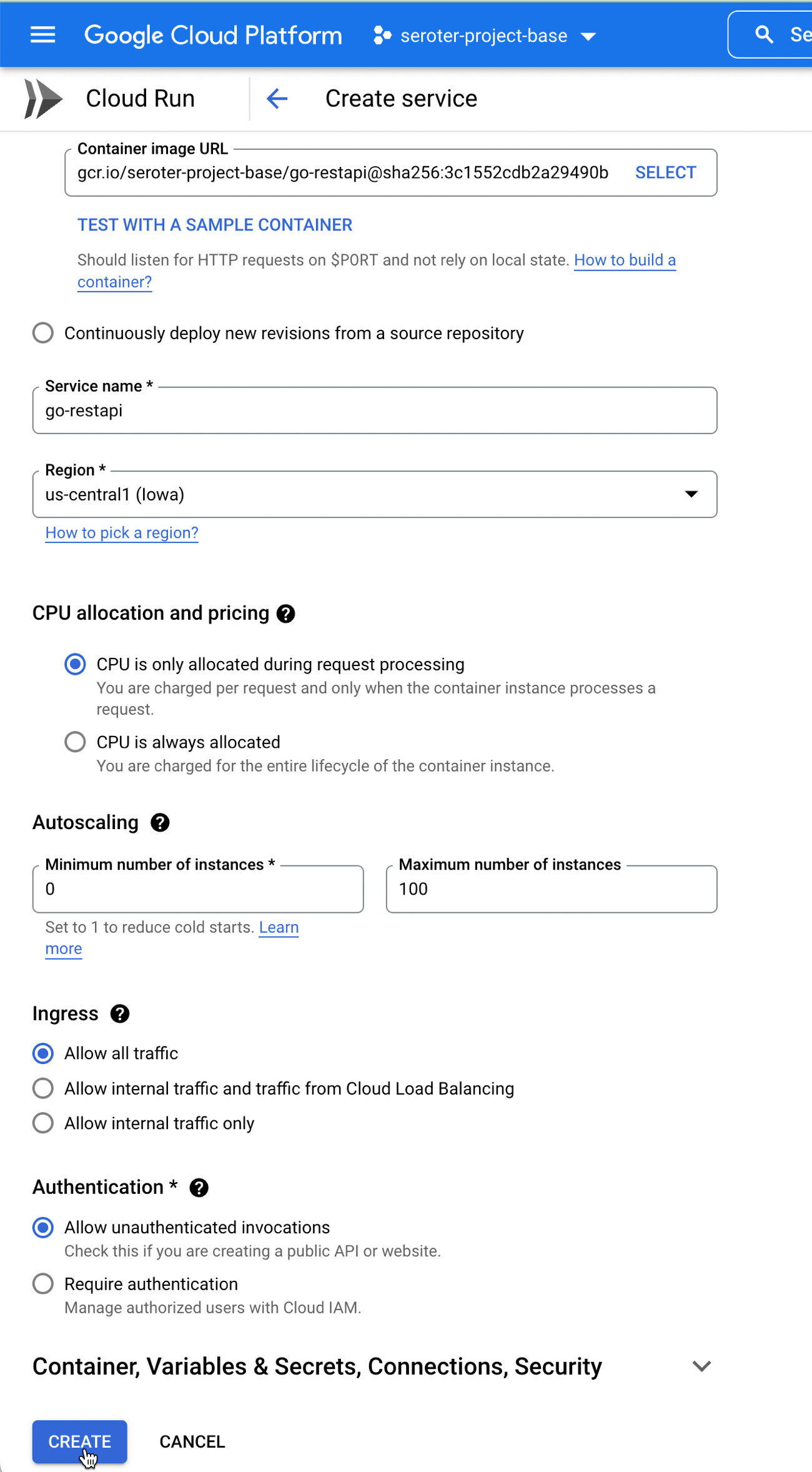
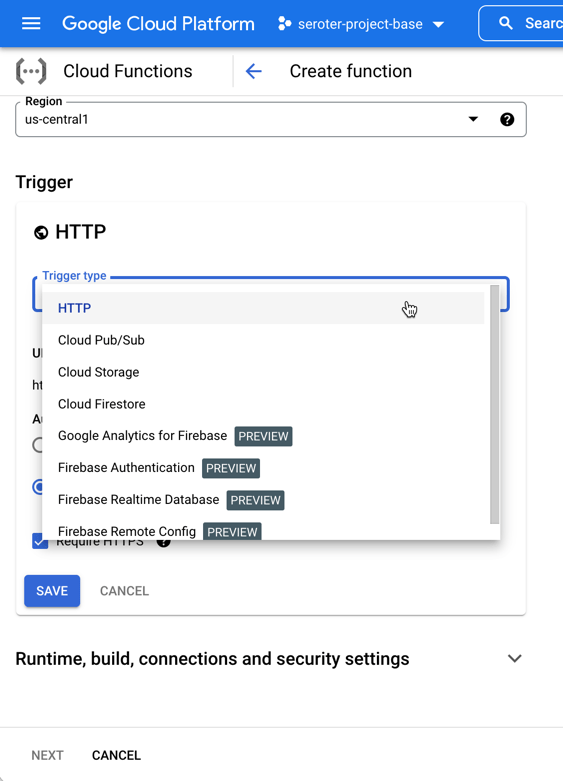
I switched over to the GCP Console, and chose to create a new Cloud Run service. I picked a region and service name. Then I could have chosen either an existing container image, or, continuous deployment from a git repo. I chose the latter. First I picked my GitHub repo to get source from.
Then, instead of requiring a Dockerfile, I picked the new Cloud Buildpacks support. This takes my source code and generates a container for me. Sweet.
After choosing my code source and build process, I kept the default HTTP trigger. After a few moments, I had a running service.
Add triggers to Cloud Run
Next up, adding a trigger. By default, the “triggers” tab shows the single HTTP trigger I set up earlier.
I wanted to show custom events in addition to CloudEvents ones, so I went to the PubSub dashboard and created a new queue that would trigger Cloud Run.
Back in the Cloud Run UX, I added a new trigger. I chose the trigger type of “com.google.cloud.pubsub.topic.publish” and picked the Topic I created earlier. After saving the trigger, I saw it show up in the list.
After this, I wanted to trigger my Cloud Run service with CloudEvents. If you’re receiving events from Google Cloud services, you’ll have to enable Data Access Logs so that events can be spun up from Cloud Logs. I’m going to listen for events from Cloud Storage and Cloud Build, so I turned on audit logging for each.
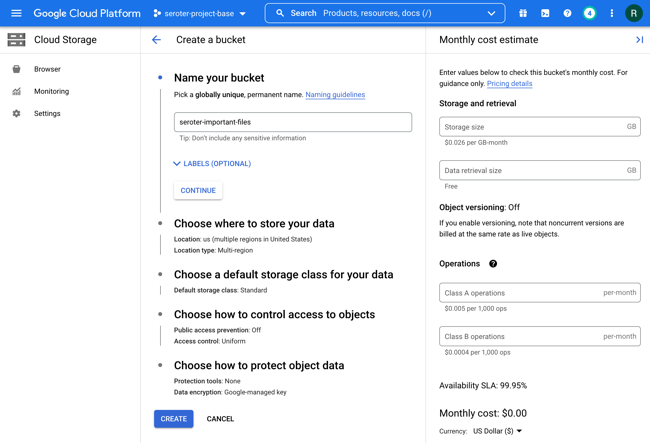
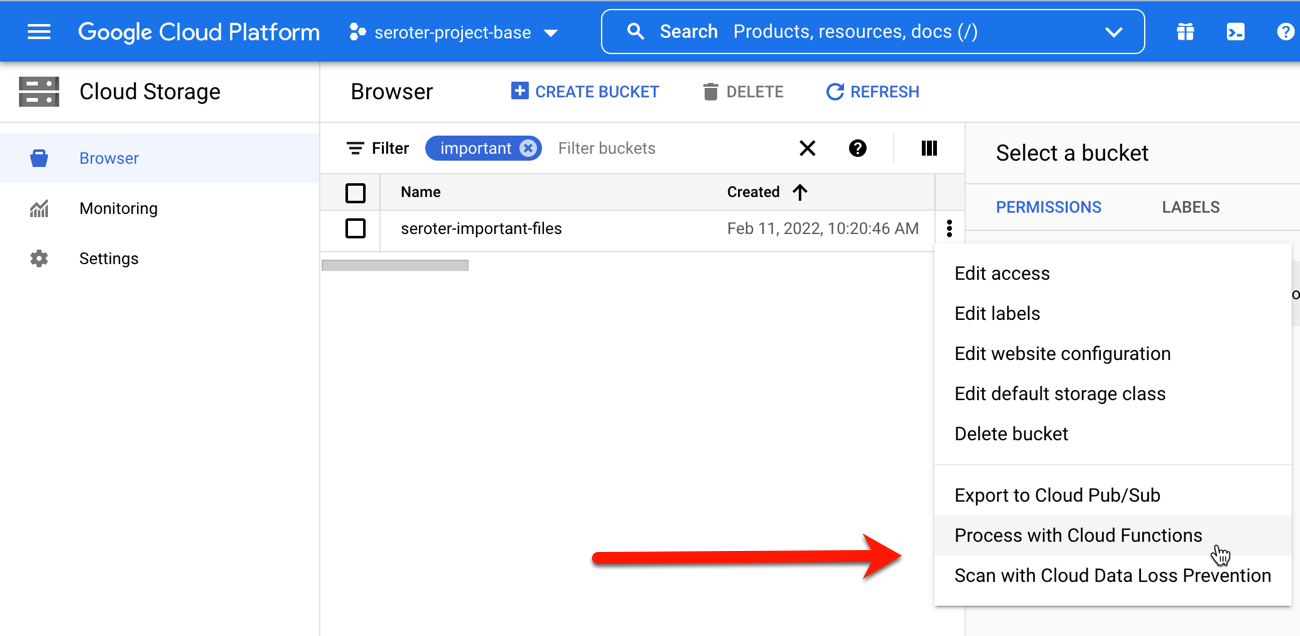
All that was left to define the final triggers. For Cloud Storage, I chose the storage.create.bucket trigger.
I wanted to react to Cloud Build, so that I could see whenever a build started.
Terrific. Now I was ready to test. I sent in a message to PubSub to trigger the custom event.
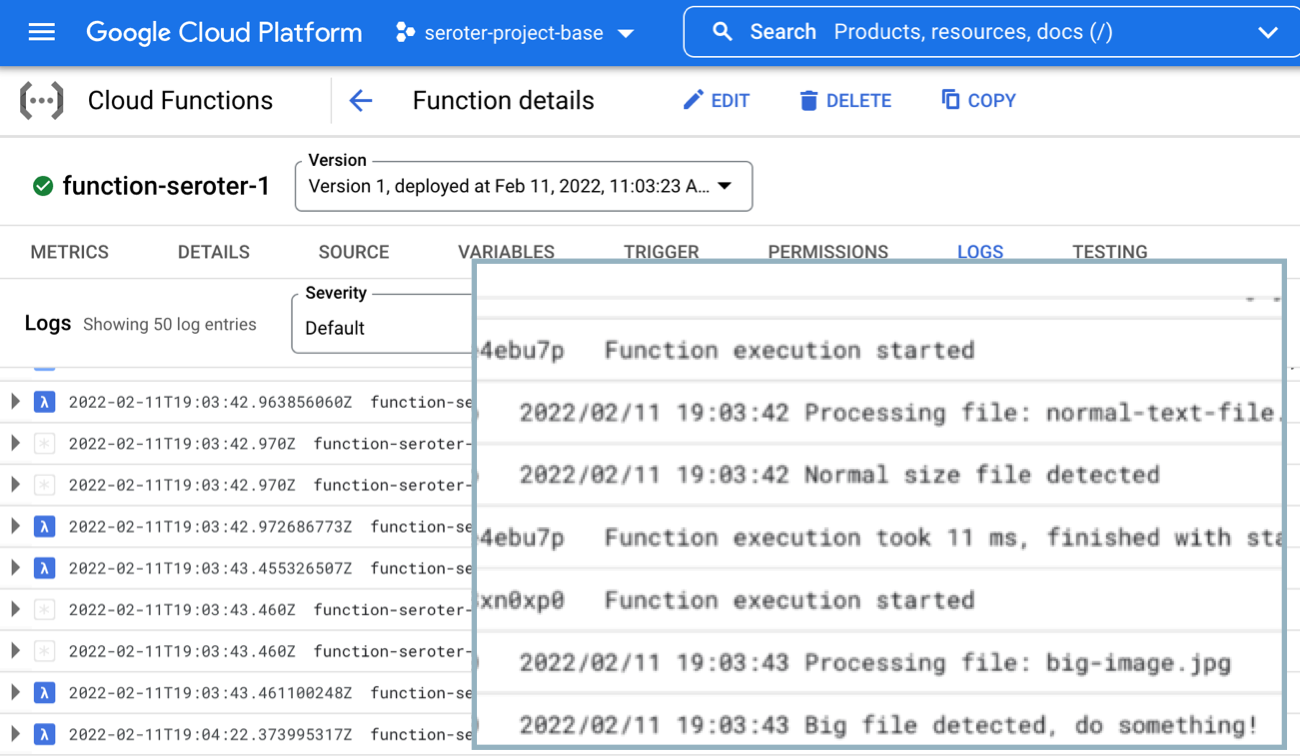
I checked the logs for Cloud Run, and almost immediately saw that the service ran, accepted the event, and logged the body.
Next, I tested Cloud Storage by adding a new bucket.
Almost immediately, I saw a CloudEvent in the log.
Finally, I kicked off a new Build pipeline, and saw an event indicating that Cloud Run received a message, and logged it.
If you care about what happens inside the systems your apps depend on, take a look at the new Events for Cloud Run and start tapping into the action.
It’s here. After six weeks of OTHER topics, we’re up to week seven of Google Cloud Next OnAir, which is all about my area: app modernization. The “app modernization” bucket in Google Cloud covers lots of cool stuff including Cloud Code, Cloud Build, Cloud Run, GKE, Anthos, Cloud Operations, and more. It basically addresses the end-to-end pipeline of modern apps. I recently sketched it out like this:
I think this the biggest week of Next, with over fifty breakout sessions. I like that most of the breakouts so far have been ~20 minutes, meaning you can log in, set playback speed to 1.5x, and chomp through lots of topic quickly.
Here are eight of the sessions I’m looking forward to most:
GKE Turns 5: What’s New? All Kubernetes aren’t the same. GKE stands apart, and the team continues solving customer problems in new ways. This should be a great look back, and look ahead.
Cloud Run: What’s New? To me, Cloud Run has the best characteristics of PaaS, combined with the the event-driven, scale-to-zero of serverless functions. This is the best place I know of to run custom-built apps in the Google Cloud (or anywhere, with Anthos).
Modernize Legacy Java Apps Using Anthos. Whoever figures out how to unlock value from existing (Java) apps faster, wins. Here’s what Google Cloud is doing to help customers improve their Java apps and run them on a great host.
I’m looking forward to this week. We’re sharing lots of fun progress, and demonstrating some fresh perspectives on what app modernization should look like. Enjoy watching!
Week five content is available on August 11, and week six material is binge-able on August 18. Week five is all about Data Analytics and the focus of week six is Data Management and Databases.
Data Modernization: McKesson Story. Modernize your infrastructure and apps, but please, don’t forget your databases! This looks like a good talk by a company that can’t afford to get it wrong.
It was hard to just pick a few talks! Check those out, and stay tuned for a final look at the last three weeks of this summer extravaganza.
I feel silly admitting that I barely understand what happens in the climactic scene of the 80s movie Trading Places. It has something to do with short-selling commodities—in this case, concentrated orange juice. Let’s talk about commodities, which Investopedia defines as:
a basic good used in commerce that is interchangeable with other goods of the same type. Commodities are most often used as inputs in the production of other goods or services. The quality of a given commodity may differ slightly, but it is essentially uniform across producers.
Our industry has rushed to declare Kubernetes a commodity, but is it? It is now a basic good used as input to other goods and services. But is uniform across producers? It seems to me that the Kubernetes API is commoditized and consistent, but the platform experience isn’t. Your Kubernetes experience isn’t uniform across Google Kubernetes Engine (GKE), AWS Elastic Kubernetes Service (EKS), Azure Kubernetes Service (AKS), VMware PKS, Red Hat OpenShift, Minikube, and 130+ other options. No, there are real distinctions that can impact your team’s chance of success adopting it. As you’re choosing a Kubernetes product to use, pay upfront attention to provisioning, upgrades, scaling/repair, ingress, software deployment, and logging/monitoring.
I work for Google Cloud, so obviously I’ll have some biases. That said, I’ve used AWS for over a decade, was an Azure MVP for years, and can be mostly fair when comparing products and services.
1. Provisioning
Kubernetes is a complex distributed system with lots of moving parts. Multi-cluster has won out as a deployment strategy (versus one giant mega cluster segmented by namespace), which means you’ll provision Kubernetes clusters with some regularity.
What do you have to do? How long does it take? What options are available? Those answers matter!
Kubernetes offerings don’t have identical answers to these questions:
Do you want clusters in a specific geography?
Should clusters get deployed in an HA fashion across zones?
Can you build a tiny cluster (small machine, single node) and a giant cluster?
Can you specify the redundancy of the master nodes? Is there redundancy?
Do you need to choose a specific Kubernetes version?
Are worker nodes provisioned during cluster build, or do you build separately and attach to the cluster?
Will you want persistent storage for workloads?
Are there “special” computing needs, including large CPU/memory nodes, GPUs, or TPUs?
Are you running Windows containers in the cluster?
As you can imagine, since GKE is the original managed Kubernetes, there’s lots of options for you when building clusters. Or, you can do a one-click install of a “starter” cluster, which is pretty great.
2. Upgrades
You got a cluster running? Cool! Day 2 is usually where the real action’s at. Let’s talk about upgrades, which are a fact of life for clusters. What gets upgraded? Namely the version of Kubernetes, and the configuration/OS of the nodes themselves. The level of cluster management amongst the various providers is not uniform.
GKE supports automated upgrades of everything in the cluster, or you can trigger it manually. Either way, you don’t do any of the upgrade work yourself. Release channels are pretty cool, too. DigitalOcean looks somewhat similar to GKE, from an upgrade perspective. AKS offers manually triggered upgrades. AWS offers kinda automated or extremely manual (i.e. creating new node groups or using Cloud Formation), depending on whether you used managed or unmanaged worker nodes.
3. Scaling / Repairs
Given how many containers you can run on a good-sized cluster, you may not have to scale your cluster TOO often. But, you may also decide to act in a “cloudy” way, and purposely start small and scale up as needed.
Like with most any infrastructure platform, you’ll expect to scale Kubernetes environments (minus local dev environments) both vertically and horizontally. Minimally, demand that your Kubernetes provider can scale clusters via manual commands. Increasingly, auto-scaling of the cluster is table-stakes. And don’t forget scaling of the pods (workloads) themselves. You won’t find it everywhere, but GKE does support horizontal pod autoscaling and vertical pod autoscaling too.
Also, consider how your Kubernetes platform handles the act of scaling. It’s not just about scaling the nodes or pods. It’s how well the entire system swells to absorb the increasing demand. For instance, Bayer Crop Science worked with Google Cloud to run a 15,000 node cluster in GKE. For that to work, the control planes, load balancers, logging infrastructure, storage, and much more had to “just work.” Understand those points in your on-premises or cloud environment that will feel the strain.
Finally, figure out what you want to happen when something goes wrong with the cluster. Does the system detect a down worker and repair/replace it? Most Kubernetes offerings support this pretty well, but do dig into it!
4. Ingress
I’m not a networking person. I get the gist, and can do stuff, but I quickly fall into the pit of despair. Kubernetes networking is powerful, but not simple. How do containers, pods, and clusters interact? What about user traffic in and out of the cluster? We could talk about service meshes and all that fun, but let’s zero in on ingress. Ingress is about exposing “HTTP and HTTPS routes from outside the cluster to services within the cluster.” Basically, it’s a Layer 7 front door for your Kubernetes services.
If you’re using Kubernetes on-premises, you’ll have some sort of load balancer configuration setup available, maybe even to use with an ingress controller. Hopefully! In the public cloud, major providers offer up their load-balancer-as-a-service whenever you expose a service of type “LoadBalancer.” But, you get a distinct load balancer and IP for each service. When you use an ingress controller, you get a single route into the cluster (still load balanced, most likely) and the traffic is routed to the correct pod from there. Microsoft, Amazon, and Google all document their way to use ingress controllers with their managed Kubernetes.
Make sure you investigate the network integrations and automation that comes with your Kubernetes product. There are super basic configurations (that you’ll often find in local dev tools) all the way to support for Istio meshes and ingress controllers.
5. Software Deployment
How do you get software into your Kubernetes environment? This is where the commoditization of the Kubernetes API comes in handy! Many software products know how to deploy containers to a Kubernetes environment.
Two areas come to mind here. First, deploying packaged software. You can use Helm to deploy software to most any Kubernetes environment. But let’s talk about marketplaces. Some self-managed software products deliver some form of a marketplace, and a few public clouds do. AWS has the AWS Marketplace for Containers. DigitalOcean has a nice little marketplace for Kubernetes apps. In the Google Cloud Marketplace, you can filter by Kubernetes apps, and see what you can deploy on GKE, or in Anthos environments. I didn’t notice a way in the Azure marketplace to find or deploy Kubernetes-targeted software.
The second area of software deployment I think about relates to CI/CD systems for custom apps. Here, you have a choice of 3rd party best-of-breed tools, or whatever your Kubernetes provider bakes in. AWS CodePipeline or CodeDeploy can deploy apps to ECS (not EKS, it seems). Azure Pipelines looks like it deploys apps directly to AKS. Google Cloud Build makes it easy to deploy apps to GKE, App Engine, Functions, and more.
When thinking about software deployment, you could also consider the app platforms that run atop a Kubernetes foundation, like Knative and in the future, Cloud Foundry. These technologies can shield you from some of the deployment and configuration muck that’s required to build a container, deploy it, and wire it up for routing.
6. Logging/Monitoring
Finally, take a look at what you need from a logging and monitoring perspective. Most any Kubernetes system will deliver some basic metrics about resource consumption—think CPU, memory, disk usage—and maybe some Kubernetes-specific metrics. From what I can tell, the big 3 public clouds integrate their Kubernetes services with their managed monitoring solutions. For example, you get visibility into all sorts of GKE metrics when clusters are configured to use Cloud Operations.
Then there’s the question of logging. Do you need a lot of logs, or is it ok if logs rotate often? DigitalOcean rotates logs when they reach 10MB in size. What kind of logs get stored? Can you analyze logs from many clusters? As always, not every Kubernetes behaves the same!
Plenty of other factors may come into play—things like pricing model, tenancy structure, 3rd party software integration, troubleshooting tools, and support community come to mind—when choosing a Kubernetes product to use, so don’t get lulled into a false sense of commoditization!
Google Cloud’s 9-week conference is underway. Already lots of fun announcements and useful sessions in this free event. I wrote a post about what I was looking forward to watching during weeks one and two, and I’m now thinking about the upcoming weeks three and four. The theme for week three is “infrastructure” and week four’s topic is “security.”
For week three (starting July 28), I’m looking forward to watching (besides the keynote):
Like every other tech vendor, Google’s grand conference plans for 2020 changed. Instead of an in-person mega-event for cloud aficionados, we’re doing a (free!) nine week digital event called Google Cloud Next OnAir. Each week, starting July 14th, you get on-demand breakout sessions about a given theme. And there are ongoing demo sessions, learning opportunities, and 1:1s with Google Experts. Every couple weeks, I’ll highlight a few talks I’m looking forward to.
Before sharing my week one and week two picks, a few words on why you should care about this event. More than any other company, Google defines what’s “next” for customers and competitors alike. Don’t believe me? I researched a few of the tech inflection points of the last dozen years and Google’s fingerprints are all over them! If I’m wrong with any of this, don’t hesitate to correct me in the comments.
In 2008, Google launched Google App Engine (GAE), the first mainstream platform-as-a-service offering that introduced a compute model that obfuscated infrastructure. GAE (and Heroku) sparked an explosion of other products like Azure Web Apps, Cloud Foundry, AWS Elastic Beanstalk and others. I’m also fairly certain that the ideas behind PaaS led to the serverless+FaaS movement as well.
Google created Go and released the new language in 2009. It remains popular with developers, but has really taken off with platform builders. A wide range of open-source projects use Go, including Docker, Kubernetes, Terraform, Prometheus, Hugo, InfluxDB, Jaeger, CockroachDB, NATS, Cloud Foundry, etcd, and many more. It seems to be the language of distributed systems and the cloud.
Today, we think of data processing and AI/ML when we think of cloud computing, but that wasn’t always the case. Google had the first cloud-based data warehouse (BigQuery, in 2010) and AI/ML as a service by a cloud provider (Translate API, in 2011). And don’t forget Spanner, the distributed SQL database unveiled by Google in 2012 that inspired a host of other database vendors. We take for granted that every major public cloud now offers data warehouses, AI/ML services, and planet-scale databases. Seems like Google set the pace.
Keep going? Ok. The components emerging as the heart of the modern platform? Looks like container orchestration, service mesh, and serverless runtime. The CNCF 2019 survey shows that Kubernetes, Istio, and Knative play leading roles. All of those projects started at Google, and the industry picked up on each one. While, we were first to offer a managed Kubernetes service (GKE in 2015), now you find everyone offering one. Istio and Knative are also popping up all over. And our successful effort to embed all those technologies into a software-driven managed platform (Anthos, in 2019) may turn out to be the preferred model vs. a hyperconverged stack of software plus infrastructure.
Obviously, additional vendors and contributors have moved our industry forward over the past dozen years: Docker with approachable containerization, Amazon with AWS Lambda, social coding with GitHub, infrastructure-as-code from companies like HashiCorp, microservice and chaos engineering ideas from the likes of Netflix, and plenty of others. But I contend that no single vendor has contributed more value for the entire industry than Google. That’s why Next OnAir matters, as we’ll keep sharing tech that makes everything better.
Ok, enough blather. The theme of week one is “industry insights.” There’s also the analyst summit and partner summit, both with great content for those audiences. The general sessions I definitely want to watch:
Opening Keynote. Let’s see Google Cloud CEO Thomas Kurian do his thing.
Planning for Retail’s New Priorities. Every industry has felt impact from the pandemic, especially retail. I’m interested in learning more about what we’re doing there to help.
Next OnAir has a tremendous list of speakers, including customers and Google engineers sharing their insight. It’s free to sign up, you can watch at your leisure, and maybe, get a glimpse of what’s next.
Even during a global pandemic, people are job-hopping. Me, for one. Now, I recognize that many folks don’t have a lot of choices when looking for work. Sometimes you take whatever’s available, or decide to stay in a subpar situation to ride out an uncertain economy. At the same time, many of you do have options right now, and if you’re like me, are conscious of making the best choice possible. I was fortunate to have an executive coach for a period of time who helped me with a lot of things, including career planning. Kathrin O’Sullivan is fantastic—if you or your team can get her time, do everything you can to get it—and she gave me three simple, but powerful, pieces of advice that directly impacted my decision to join Google. It’ll probably impact every career decision I make from this point forward, honestly.
Don’t leave just because things get difficult. When tough times arrive, it’s easy to run for the exit. Maybe you got a new boss who’s kinda terrible. Or you’re about to go through a team or company merger. Your employer might be facing an existential crisis about their product-market fit and planning to retool. Or the work just doesn’t feel fun any longer. Any number of things might cause you to dust off the ol’ resume. While it may be a smart decision to leave, it might be smarter to stay around and get some experience navigating difficult waters. You might discover that sticking it out resulted in professional growth, and good times on the other side.
Run towards something, not away from something. When you have decided to do something else (within your company, or outside the company), make sure you’re excited about the new thing, not just eager to leave the old thing. If your primary goal is to “get outta here” then you might choose something uninspiring. This could lead to instant regret at the new place, and yet another cycle of job hunting.
Take the job that won’t be there in six months. I love this idea. If you’re fortunate enough to have options, ask yourself whether that job (or something similar) will be there later. If you turn it down now, could you find something similar six months down the road? Or is this a role/opportunity that feels like right-place-right-time? Depending on where you are in your career, you might be hunting for positions that uniquely challenge you. Those don’t show up all the time, and are worth waiting for.
The interwebs are full of career advice. Kathrin’s guidance stood out to me, and I hope you tuck it away for when you’re considering your next career move.