Author: Richard Seroter

  • Node.js and Visual Studio: From Zero to a Cloud Foundry Deployment in 2 Minutes

    Node.js and Visual Studio: From Zero to a Cloud Foundry Deployment in 2 Minutes

    Microsoft just released the 1.0 version of their Node.js Tools for Visual Studio. This gives Windows developers a pretty great environment for building clean, feature rich Node.js applications. It’s easy to take an application built in Visual Studio and deploy to Microsoft’s own cloud, so how about pushing apps elsewhere? In this post, I’ll show you how quick and easy it is to set up a Node.js application in Visual Studio, and push to a Cloud Foundry endpoint.

    As a prerequisite, take 30 seconds to download and install the Cloud Foundry CLI, and sign up for a friendly Cloud Foundry provider. And, install the new Node.js Tools for Visual Studio.

    Creating and Deploying an Express Application

    Let’s start with the lightning round, and then I’ll go back and show off some of the features of this toolkit.

    Step 1 – Open Visual Studio and create the Node.js Express project (25 seconds)

    The Node.js Tools for Visual Studio add a few things to the Visual Studio experience. One of those is the option to select Node project types. This makes it super easy to spin up an example Express application.

    2015.03.27node01

    The sample project selected above includes a package.json file with all the dependencies. Visual Studio goes out and reconciles them all by downloading the packages via npm.

    2015.03.27node02

    The project loads up quickly, and you can see a standard Express skeleton project. Note that Visual Studio doesn’t throw any useless cruft into the solution. It’s all just basic Node stuff. That’s nice.

    2015.03.27node03


    Step 2 – Open Command Prompt and target the AppFog v2 environment (30 seconds)

    This Express app is boring, but technically a complete, deployable project. Let’s do that. I didn’t see an obvious way to get my Cloud Foundry-aware command line within the Visual Studio shell itself, but it’s crazy easy to open one that’s pointed at our project directory. Right-clicking the Visual Studio project gives the option to open a command prompt at the root of the project.

    2015.03.27node04

    Before deploying, I made sure I had the credentials and target API for my Cloud Foundry endpoint. In this case, I’m using the not-yet-released AppFog v2 from CenturyLink. “Sneak peek alert!”

    2015.03.27node05

    After logging into my endpoint via the Cloud Foundry CLI, I was ready to push the app.


    Step 3 – Push application (81 seconds)

    With a simple “cf push” command, I was off and running. App deployment times vary based on project size and complexity. If I had deleted (or excluded) all the local packages, then Cloud Foundry would have simply downloaded them all server-side, thus accelerating the upload. I was lazy, and just sent all my files up to the platform fabric directly.

    2015.03.27node11

    After a short time, my app is staged, deployed, and started.


    Step 4 – Verify!

    The best part of any demo: seeing the results!

    2015.03.27node06

    You don’t really need to know anything about Node (or Cloud Foundry!) to test this out. It’s never been easier to sample new technology.

    Exploring Additional Node Capabilities in Visual Studio

    Let’s retrace our steps a bit and see what else these Node tools put into Visual Studio. First, you’ll see a host of options when creating a new Visual Studio project. There are empty Node.js projects (that pretty much just include a package.json and app.js file), Express applications, and even Azure-flavored ones.

    2015.03.27node13

    The toolkit includes some Intellisense for Node.js developers which is nice. In the case below, it knows what methods are available on common object types.

    2015.03.27node10

    For installing packages, there are two main options. First, you can use the Node.js Interactive Window to issue commands. One such command is .npm and I can install anything from the global directory. Such as the awesome socket.io package.

    2015.03.27node11

    One downside of using this mechanism is that the package.json file isn’t automatically updated. However, Visual Studio helpfully reminds you of that.

    2015.03.27node12

    The “preferred” way to install packages seems to be the GUI where you can easily browse and select your chosen package. There’s options here to choose a version, pick a dependency type, and add to the package.json file. Pretty handy.

    2015.03.27node08

    The Toolkit also makes it easy to quickly spin up and debug an app. Press F5 starts up the Node server and opens a browser window that points at that server and relevant port.

    2015.03.27node09

    Summary

    I’ve used a few different Node.js development environments on Windows, and Visual Studio is quickly becoming a top-tier choice. If you’re just starting out with Node, or a seasoned developer, Visual Studio seems to have the nice mix of helpful capabilities while not getting in the way too much.

  • Containers, Microservices, and the Impact on IT

    Last September, I did a series of presentations on “The Future of Integration” and highlighted the popularity of containers and the growing momentum around microservices. Since then, interest in microservices has exploded within the technology industry and containers are seen as a major vehicle for delivering them.

    While I love new technology as much as the next person, my first thought is typically “how do established companies take advantage of it?” I’ve been consuming a lot (and creating a little) content around this over the past few months, and these are just a few pieces that discuss the practical aspects of containers and microservices:

    • The Microservice Revolution: Containerized Applications, Data and All. I just posted this piece by the ClusterHQ folks to InfoQ. It’s a nice the value proposition of containers and discusses some challenges around state management.
    • Virtual Roundtable: The Role of Containers in Modern Applications. I conducted this roundtable last month with five very smart, practical folks. We covered the impact of microservices and containers on existing organizations, and how developers should approach containers.
    • Integration and Microservices. The incomparable Charles Young has written a great three part series about microservices from an integration perspective. Part one discussed the intersection of integration/EAI and microservices. Part two looks at microservices and mediation services. Part three looks at iPaaS and microservices. All told, these three articles represent a thoughtful exploration of these new concepts.
    • Discussing All Things Distributed from The New Stack WarmUp. I recently participated in a fun session for The New Stack where we talked about distributed systems, containers, and microservices. I ended up pointing out some implications of these technologies on existing companies, and we had an engaging discussion that you can listen to here.

    If you’re in the Microsoft world, you also might enjoy attending the upcoming BizTalk Summit in London where Microsoft will talk more about their upcoming microservices cloud platform. In addition, many of the speakers are pragmatic integration-oriented individuals who give real-life advice for modernizing your stack.

    It’s a fun time to be in the technology domain, and I hope you keep an eye on all these new developments!

  • Docker Q&A for Windows Users

    I’m a Windows guy. I’ve spent the better part of the past fifteen years on Windows laptops and servers. That fact probably hurts my geek cred, but hey, gotta be honest. Either way, it really seems that the coolest emerging technologies are happening in an open-source world on Linux. So how does someone from a Windows world make sense of something like Docker, for example? When I first dug into it a year ago, I had a bunch of questions. As I learned more – and started using it a bit – a number of things became clearer. Below is my take on what someone new to Docker might want to know. If for some reason you think one of my answers below is wrong, tell me!

    Q: Is Docker just another means of virtualization?

    A: Somewhat. It’s primarily a way to run lightweight containers that isolate processes. That process may be a web app, database, load balancer, or pretty much anything. Containers don’t do as much as a virtual machine, but that also makes them a lot easier to use (and destroy!). You may hear containers referred to as “operating system virtualization” which is fair since each container gets its own user space in the host OS.


    Q: How do Docker containers differ from a virtual machine?

    A: A virtual machine in Hyper-V or VMware virtualizes an entire guest operating system. Take a physical server, and share its resources among a bunch of virtualized servers running any operating system. With Docker, you’re isolating a process and its dependencies. A container shares the Linux kernel with other containers on the host machine. Instead of running a full copy of an OS like virtual machines do, containers pretty much consist of a directory! The container has everything you need for the application to run.


    Q: Does Docker == container?

    A: No, Docker refers to the daemon which builds, runs, and distributes the containers.


    Q: Can I make something like Docker work natively on Windows?

    A: Not really. While Microsoft is promising some sort of Docker support in the next version of Windows Server (due in 2016), they’ll have to introduce some significant changes to have truly native Docker support. Docker is written in Go and relies on a few core Linux technologies:

    • Namespaces provide process isolation. Windows doesn’t really have something that maps directly to this.
    • Control Groups are used to set up resource limits and constraints to help containers responsibly use host resources. Windows doesn’t have a way to limit resource consumption by a particular service.
    • Union File Systems are file systems created by establishing layers. Docker uses these layers for container changes, and to establish a read/write file system. Not something you see in a Windows environment.
    • Container Format that combines the previous components. Default format is libcontainer, but LXC is also supported.


    Q: What’s in a Docker image?

    A: Images are read-only templates that are used to create Docker containers. You can create your own images, update existing ones, or download from a registry like the Docker Hub. Downloaded images are stored by Docker on the host and can be easily used to create new containers. When you change an image, a new layer is built and added. This makes it simpler to distribute changes without distributing the whole image.


    Q: How big are Docker images?

    A: Base images could be as small as a few hundreds megabytes, to a few gigabytes. Image updates may be much smaller, but also include any (new) dependencies, that can cause the overall container size to grow more than expected.


    Q: What’s the portability story with Docker?

    A: Unlike virtual machines that require a particular hypervisor and are often quite large, containers run anywhere that Linux runs, and can be quickly built from small images.


    Q: Does Docker run on Windows?

    A: Somewhat. Developers who want to run Docker on Windows have to install a simple VM to get the necessary Linux-features. The Boot2Docker app gets this VM installed.


    Q: Can I run more than one process in a Docker container?

    A: While possible, yes (via a supervisor), the Docker team really believes that you should have a single process per container.


    Q: Is a Dockerized app portable to any Linux host?

    A: Ideally, yes. For example, a developer can start up an Ubuntu Docker image on a Red Hat host machine. However, issues can still arise if tools are dependent on kernel features that don’t exist on the host.


    Q: How is data managed in a Dockerized app?

    A: When you exit a container, the read-write file layer goes away. If you save the container as a new image, then the data is retained. Docker encourages developers to use data volumes and data volume containers to persist information. There’s a good StackOverflow question on this topic. Other solutions like Flocker have popped up as well.


    Q: Is there one flavor of Linux that runs Docker better than others?

    A: I don’t believe so. There are Docker-centric Linux distributions like CoreOS, but you can also easily run Docker on distros like SUSE and Ubuntu. Note that you should definitely be running a recent version of whatever distro you choose.


    Q: What type of software can run in a Docker container?

    A: Really, anything that runs on Linux should be able to fit in a container.


    Q: Do I need the cloud to run Docker?

    A: Definitely not. You can run Docker on virtual machines (locally or in the cloud), physical machines (locally or in the cloud), or in Docker-centric services like the Amazon EC2 Container Service. Even Microsoft’s own Azure has declared itself to be “Docker friendly.”


    Q: What related technologies should I care about?

    A: This whole “microservices with containers” revolution means that developers should learn a host of new things. Windows developers may not be as familiar with container deployment tools (e.g. fleet) container orchestration tools (e.g. Kubernetes, or Docker’s own services) or service discovery tools (like Zookeeper or Consul), but now’s a good time to start reading up!


    Q: Where it it still immature?

    A: This is a fast moving technology, and I’d bet that Docker will be “enterprise-ready” long before enterprises are ready to commit to it. Security is a emerging area, and architectural best practices are still forming.


    Q: Ok, you’ve convinced me to try it out. What’s an easy way to get started on Windows?

    A: Download Vagrant, stand up an Ubuntu image, and get Docker installed. Pull an app from the growing Docker Hub and walk through the tutorials provided by Docker. Or, start watching this great new Pluralsight course. Also consider trying out something like Panamax to easily create multi-container apps.


    Hope this helps demystify Docker a bit. I’m far from an expert with it, but it’s really one of these technologies that might be critical to know in the years ahead!

  • New Pluralsight Course – Cloud Foundry for Developers – is Live!

    Cloud Foundry is a fast-growing open source Platform-as-a-Service (PaaS). It has an impressive array of Foundation members/contributors including Pivotal, Intel, SAP, IBM, Hortonworks, Docker, and many more. I’ve spent the past few months building a new Pluralsight course that explores this powerful service and gives developers all the information they need to start building, deploying, and managing web applications in public or private Cloud Foundry environments. I started playing with Cloud Foundry almost 4 years ago, and have continued to watch with interest as the product matured. I thought it’d be fun to craft a training course around it, and Pluralsight eagerly accepted a proposal for my 11th (!!) overall course.

    Cloud Foundry for Developers is a 3 hour course where we discuss PaaS, deploy a Ruby/Node/Mongo app, and run through management operations. While we primarily use the general purpose command line interface (CLI) that works across ANY Cloud Foundry environment, I also spend a little time in the Pivotal Web Services administration portal.

    Module 1 – PaaS and Cloud Foundry Introduction

    What is PaaS and why does it matter? In this module, I discuss PaaS in general, the details of twelve factor apps, how Cloud Foundry works, and the web application we’ll be working with. I wanted course viewers to get an immediate taste for Cloud Foundry, so within the first ten minutes of the course, we deploy our first app. INSTANT GRATIFICATION.

    2015.01.09pluralsight01

    Module 2 – Deploying and Managing Applications (Part 1)

    Developers love PaaS because it simplifies the assembly, deployment, and management of modern web apps. No more hunting for available web servers, configuring network settings, or begging an Ops person for more capacity. In this module, we set up the local (testing) environment and remote PaaS environment. We explore user roles, see how to create and attach 3rd party services to our apps, and define application manifests.

    2015.01.09pluralsight02

    Module 3 – Deploying and Managing Applications (Part II)

    Here we get to the meat of deployment and runtime management in Cloud Foundry. After deploying all the components of our system, we scale both horizontally and vertically, and update a running app. While you may write perfect code, it’s inevitable that you experience an exception at SOME point. When working with a layer of abstraction like PaaS, it’s critical to understand the troubleshooting tools. We spend a bit of time talking about common types of errors, and how to use the Cloud Foundry logging system to narrow down the problem.

    Module 4 – Cloud Foundry Advanced Topics

    There are a LOT of topics to cover with Cloud Foundry! In this module I look at a few advanced capabilities of the platform that every developer should be familiar with. Here I show you how to use environment variables correctly, how to build, deploy, and run background (worker) applications, and doing no-downtime (blue/green) deployments. The final exercise is my favorite. Cloud Foundry has an amazing capability to bring application instances back online after a crash. Here I got to do what I do best in code: cause unexpected crashes! It’s compelling to see an application quickly “self heal” without the user even knowing it.

    2015.01.09pluralsight03

    I have lots of ideas for follow up Cloud Foundry topics (e.g. continuous integration/deployment, BOSH, microservices), but I hope you enjoy THIS course about using Cloud Foundry to deliver modern applications faster and more consistently.

  • 2014 in Review: Reading and Writing Highlights

    I enjoyed 2014 and spent much of the year learning new things and building up an exceptional Product team at CenturyLink. Additionally, I spoke at events in Seattle, London, Houston, Ghent, Utrecht, and Oslo, delivered Pluralsight courses about Personal Productivity and DevOps, and tech-reviewed a book about SIgnalR. Below are some of the writing projects I enjoyed most this year, and a list of the best books I read this year.

    Favorite Blogs and Articles

    After seven years, I still look forward to adding pieces to this blog, in addition to writing for InfoQ, my company’s blog, and a few other available outlets.

    • [My Blog] 8 Characteristics of our DevOps Organization. This was by far the most popular blog post that I wrote this year. Apparently it struck a chord.
    • [Forbes] Get Ready For Hybrid Cloud. This Forbes piece kicked off a series of posts about Hybrid Cloud and practical advice for those planning these deployments.
    • [CTL Blog] Recognizing the Challenges of Hybrid Cloud: Part I, Part II, Part III, Part IV. In this four-part series, I looked at all sorts of hybrid cloud challenges (e.g. security, data integration, system management, skillset) and proven solutions for each.
    • [InfoQ] I ran a program about cloud management at scale, and really enjoyed conducting this interview with three very smart folks.
    • [My Blog] Richard’s Top 10 Rules for Meeting Organizers. The free-wheeling startup days are over for me, but I’ve kept that mindset even as I work for a much larger company now. Meetings are a big part of most company cultures, but your APPROACH to them is what determines whether meetings are soul-sucking endeavors, or super-useful exercises.
    • [My Blog] Integrating Microsoft Azure BizTalk Services with Salesforce.com. I don’t know the real future of BizTalk Services, but that didn’t prevent me from taking it for a spin. Here, I show how to call a Salesforce.com endpoint from a BizTalk Services process.
    • [My Blog] Using SnapLogic to Link (Cloud) Apps. Cloud-based integration continues to gain attention, and SnapLogic is doing some pretty cool stuff. I played around with their toolset a bit, and wrote up this summary.
    • [My Blog] Call your CRM Platform! Using an ASP.NET Web API to Link Twilio and Salesforce.com. Twilio is pretty awesome, so I take any chance I can to bake it into a demo. For a Salesforce-sponsored webinar, I built up a demo that injected voice interactions into a business flow.
    • [My Blog] DevOps, Cloud, and the Lean “Wheel of Waste.” I’ve admittedly spent more time this year thinking about organizational structures and business success, so this post (and others) reflect that a bit. Here, I look at all the various “wastes” that exist in a process, and how cloud computing can help address them.
    • [My Blog] Comparing Cloud Provisioning, Scaling, Management. I love hands-on demos. In these three posts, I created resources in five leading clouds and tried out all sorts of things.
    • [My Blog] Data Stream Processing with Amazon Kinesis and .NET Applications. There are so many cool stream-processing technologies out today! Microsoft shipped the Event Hubs over the summer, and AWS launched Kinesis a half-year before that. In this post, I took a look at Kinesis and got a sample app up and running.
    • [CTL Blog] Our First 140 Days as CenturyLink Cloud. This was my opportunity to reflect on our company progress six months after being acquired by CenturyLink.

    Favorite Books

    Of the couple dozen books that I read this year, these stood out the most.

    • Competing Against Time: How Time-Based Competition is Shaping Global Markets. This book may be twenty five years old, but it’s still pretty awesome. The author’s thesis is that “providing the most value for the lowest cost in the least amount of time is the new pattern for corporate success.” The book focuses on how time is a competitive advantage that improves productivity and responsiveness. Feels as true today as it was in 1990.
    • How to Fail at Almost Everything and Still Win Big. Love him or hate him (I happen to love him), Dilbert-creator Scott Adams is someone who challenges convention. In this enjoyable read, Adams delightfully recounts his many failures and his idea that “one should have a system instead of a goal.” Lots of interesting advice that will make you think, even if you disagree.
    • Start With Why: How Great Leaders Inspire Everyone to Take Action. The author states that “people don’t buy WHAT you do, they buy WHY you do it.” He then proceeds to explain how companies fail to motivate staff and engage customers by focusing on the wrong things. The best leaders, in Sinek’s view, have a clear sense of “why,” and motivate customers and employees alike. Good read and useful insight for existing and aspiring leaders.
    • The Practice of Cloud System Administration: Designing and Operation Large Distributed Systems, Volume 2. If you are doing ANYTHING related to distributed systems today, you really need to read this book. I reviewed it for InfoQ (and interviewed the authors), and found it to be an extremely easy to follow, practical book that covers a wide range of best practices for building and maintaining complex systems.
    • Creativity, Inc: Overcoming the Unseen Forces that Stand in the Way of True Inspiration. Probably the best “DevOps” book that I read all year, even though it has nothing to do with technology. This story from the founder of Pixar is fantastic. His thesis is that “there are many blocks to creativity, but there are active steps we can take to protect the creative process.” There’s some great insight into Pixar’s founding, and some excellent lessons about cross-functional teams, eliminating waste, and empowering employees.
    • The Art of War. A classic strategy book that I hadn’t read before. It’s a straightforward – but thoughtful – guide to military strategy that relates directly to modern business strategy.
    • Service Innovation: How to Go from Customer Needs to Breakthrough Services. What does it actually mean to bring innovation to a service? This book looks at customer-centric ways to identify unmet needs and deliver outcomes that the customer would consider a success. Very helpful perspective for those delivering any type of service to a (internal or external) customer base.
    • The Assist: Hoops, Hope, and the Game of Their Lives. Phenomenal story about a basketball coach who was all-consumed with ensuring that his underprivileged student-athletes found success on and off the court.
    • The Box: How Shipping Containers Made the World Smaller and the World Economy Bigger. I can’t tell you how many times my wife asked me “why are you reading a book about shipping containers?” I loved this book. It looks at how a “simple” innovation like a shipping container fundamentally changed the world’s economy. It’s a well-written historical account with lessons on disruption that apply today.
    • Mark Twain: A Life. This was a long, detailed book for someone with a long, adventurous life. A fascinating account of this period, the book recounts Twain’s colorful rise to global renown as a leading literary voice of America.
    • The Goal: A Process of Ongoing Improvement. The excellent DevOps book “The Phoenix Project” owes a lot to this book. The Goal tells a fictitious tale of a manufacturing plant manager who faces higher expenses and long cycle times. The hero discovers new ways to optimize an entire system by digging into bottlenecks, capacity management, batch sizing, quality, and much more. It’s a fun read with tons of lessons for software practitioners who face similar challenges, and can apply similar solutions.
    • Scaling Up Excellence: Getting to More Without Settling for Less. Spreading a culture of excellence to more people in more places requires hard work, relentless focus, a shared mindset, and amazing discipline. This book is full of case studies and guidance for successful (and unsuccessful!) scaling.
    • Jim Henson: The Biography. An outstanding, meticulously-detailed biography of one of the most talented and creative individuals of the last century. Great insight into team-building, quiet leadership, and taking risks.

    A heartfelt thanks to the 125,000+ visitors (and 207,000+ page views!) this year to the blog. It’s always a pleasure to meet many of you in real life, or in other virtual forums like Twitter. Here’s to the year ahead, and more opportunities to be inspired by technology and the the people around us.

  • Comparing Clouds: “Day 2” Management Operations

    So far in this blog series, I’ve taken a look at how to provision and scale servers using five leading cloud providers. Now, I want to dig into support for “Day 2 operations” like troubleshooting, reactive or proactive maintenance, billing, backup/restore, auditing, and more. In this blog post, we’ll look at how to manage (long-lived) running instances at each provider and see what capabilities exist to help teams manage at scale. For each provider, I’ll assess instance management, fleet management, and account management.

    There might be a few reasons you don’t care a lot about the native operational support capabilities in your cloud of choice. For instance:

    • You rely on configuration management solutions for steady-state. Fair enough. If your organization relies on great tools like Ansible, Chef or CFEngine, then you already have a consistent way to manage a fleet of servers and avoid configuration drift.
    • You use “immutable servers.” In this model, you never worry about patching or updating running machines. Whenever something has to change, you deploy a new instance of a gold image. This simplifies many aspects of cloud management.
    • You leverage “managed” servers in the cloud. If you work with a provider that manages your cloud servers for you, then on the surface, there is less need for access to robust management services.
    • You’re running a small fleet of servers. If you only have a dozen or so cloud servers, then management may not be the most important thing on your mind.
    • You leverage a multi-cloud management tool. As companies chase the “multi-cloud” dream, they leverage tools like RightScale, vRealize, and others to provide a single experience across a cloud portfolio.

    However, I contend that the built-in operational capabilities of a particular cloud are still relevant for a variety of reasons, including:

    • Deployments and upgrades. It’s wonderful if you use a continuous deployment tool to publish application changes, but cloud capabilities still come into play. How do you open up access cloud servers and push code to them? Can you disable operational alarms while servers are in an upgrading state? Is it easy to snapshot a machine, perform an update, and roll back if necessary? There’s no one way to do application deployments, so your cloud environment’s feature set may still play an important role.
    • Urgent operational issues. Experiencing a distributed denial of service attack? Need to push an urgent patch to one hundred servers? Trying to resolve a performance issue with a single machine? Automation and visibility provided by the cloud vendor can help.
    • Handle steady and rapid scale. There’s a good chance that your cloud footprint is growing. More environments, more instances, more scenarios. How does your cloud make it straightforward to isolate cloud instances by function or geography? A proper configuration management tool goes a long way to making this possible, but cloud-native functionality will be important as well.
    • Audit trails. Users may interact with the cloud platform via a native UI, third party UI, or API. Unless you have a robust log aggregation solution that pulls data from each system that fronts the cloud, it’s useful to have the system of record (usually the cloud itself) capture information centrally.
    • UI as a window to the API. Many cloud consumers don’t ever see the user interface provided by the cloud vendor. Rather, they only use the available API to provision and manage cloud resources. We’ll look at each cloud provider’s API in a future post, but the user interface often reveals the feature set exposed by the API. Even if you are an API-only user, seeing how the Operations experience is put together in a user interface can help you see how the vendor approaches operational stories.

    Let’s get going in alphabetical order.

    DISCLAIMER: I’m the product owner for the CenturyLink Cloud. Obviously my perspective is colored by that. However, I’ve taught three well-received courses on AWS, use Microsoft Azure often as part of my Microsoft MVP status, and spend my day studying the cloud market and playing with cloud technology. While I’m not unbiased, I’m also realistic and can recognize strengths and weaknesses of many vendors in the space.

    Amazon Web Services

    Instance Management

    Users can do a lot of things with each particular AWS instance. I can create copies (“Launch more like this”), convert to a template, issue power operations, set and apply tags, and much more.

    2014.12.19cloud01

    AWS has a super-rich monitoring system called CloudWatch that captures all sorts of metrics and capable of sending alarms.

    2014.12.19cloud02


    Fleet Management

    AWS shows all your servers in a flat, paging, list.

    2014.12.19cloud04

    You can filter the list based on tag/attribute/keyword associated with the server(s). Amazon also JUST announced Resource Grouping to make it easier to organize assets.

    2014.12.19cloud06

    When you’ve selected a set of servers in the list, you can do things like issue power operations in bulk.

    2014.12.19cloud03

    Monitoring also works this way. However, Autoscale does not work against collections of servers.

    2014.12.19cloud05

    It’d be negligent of me to talk about management at scale in AWS without talking about Elastic Beanstalk and OpsWorks. Beanstalk puts an AWS-specific wrapper around an “application” that may be comprised on multiple individual servers. A Beanstalk application may have a load balancer, and be part of an Autoscaling group. It’s also a construct for doing rolling deployments. Once a Beanstalk app is up and running, the user can manage the fleet as a unit.

    Once you have a Beanstalk application, you can terminate and restart the entire environment.

    2014.12.19cloud07

    There are still individual servers shown in the EC2 console, but Beanstalk makes it simpler to manage related assets.

    OpsWorks is a relatively new offering used to define and deploy “stacks” comprised of application layers. Developers can associate Chef recipes to multiple stages of the lifecycle. You can also run recipes manually at any time.

    2014.12.19cloud08

    Account Management

    AWS doesn’t offer any “aggregate” views that roll up your consumption across all regions. The dashboards are service specific, and are shown on a region-by-region basis. AWS accounts are autonomous, and you don’t share anything between them. Within an account, user can do a lot of things. For instance, the Identity and Access Management service lets you define customized groups of users with very specific permission sets.

    2014.12.19cloud09

    AWS has also gotten better at showing detailed usage reports.

    2014.12.19cloud10

    The invoice details are still a bit generic and don’t easily tie back to a given server.

    2014.12.19cloud11

    There are a host of other AWS services that make account management easier. These include CloudTrail for API audit logs and SNS for push notifications.

    CenturyLink Cloud

    Instance Management

    For an individual virtual server in CenturyLink Cloud, the user has a lot of management options. It’s pretty easy to resize, clone, archive, and issue power commands.

    2014.12.19cloud12

    Doing a deployment but want to be able to revert any changes? The platform supports virtual machine snapshots for creating restore points.

    2014.12.19cloud14

    Each server details page shows a few monitoring metrics.

    2014.12.19cloud13

    Users can also bind usage alert and vertical autoscale policies to a server.


    Fleet Management

    CenturyLink Cloud has you organize servers into collections called “Groups.” These Groups – which behave similarly to a nested file structure – are management units.

    2014.12.19cloud15

    Users can issue bulk power operations against all or some of the servers in a Group. Additionally, you can set “scheduled tasks” on a Group. For instance, power off all the servers in a Group every Friday night, and turn them back on Monday morning.

    2014.12.19cloud16

    You can also choose pre-loaded or dynamic actions to perform against the servers in a Group. These packages could be software (e.g. new antivirus client) or scripts (e.g. shut off a firewall port) that run against any or all of the servers at once.

    2014.12.19cloud17


    The CenturyLink Cloud also provides an aggregated view across data centers. In this view, it’s fairly straightforward to see active alarms (notice the red on the offending server, group, and data center), and navigate the fleet of resources.

    2014.12.19cloud18

    Finally, the platform offers a “Global Search” where users can search for servers located in any data center.

    2014.12.19cloud48


    Account Management

    Within CenturyLink Cloud, there’s a concept of an account hierarchy. Accounts can be nested within one another. Networks and other settings can be inherited (or separated), and user permissions cascade down.

    2014.12.19cloud19

    Throughout the system, users can see the month-to-date and projected cost of their cloud consumption. The invoice data itself shows costs on a per server, and per Group basis. This is handy for chargeback situations where teams pay for specific servers or entire environments.

    2014.12.19cloud20

    CenturyLink Cloud offers role-based access controls for a variety of personas. These apply to a given account, and any sub-accounts beneath it.

    2014.12.19cloud21

    The CenturyLink Cloud has other account administration features like push-based notifications (“webhooks”) and a comprehensive audit trail.

    Digital Ocean

    Instance Management

    Digital Ocean specializes in simplicity targeted at developers, but their experience is still serves up a nice feature set. From the server view, you can issue power operations, resize the machine, create snapshots, change the server name, and more.

    2014.12.19cloud22

    There are a host of editable settings that touch on networking, Linux Kernel, and recovery processes.

    2014.12.19cloud23

    Digital Ocean gives developers a handful of metrics that clearly show bandwidth consumption and resource utilization.

    2014.12.19cloud24

    There’s a handy audit trail below each server that clearly identifies what operations were performed and how long they took.

    2014.12.19cloud26

    Fleet Management

    Digital Ocean focuses on the developer audience and API users. Their UI console doesn’t really have a concept of managing a fleet of servers. There’s no option to select multiple servers, sort columns, or perform bulk activities.

    2014.12.19cloud25

    Account Management

    The account management experience is fairly lightweight at Digital Ocean. You can view account resources like snapshots and backups.

    2014.12.19cloud27

    It’s easy to create new SSH keys for accessing servers.

    2014.12.19cloud28


    The invoice experience is simple but clear. You can see current charges, and how much each individual server cost.

    2014.12.19cloud29

    The account history shows a simple audit trail.

    2014.12.19cloud30


    Google Compute Engine

    Instance Management

    The Google Compute Engine offers a nice amount of per-server management options. You can connect to a server via SSH, reboot it, clone it, and delete it. There are also a set of monitoring statistics clearly shown at the top of each server’s details.

    2014.12.19cloud31

    Additionally, you can change settings for storage, network, and tags.

    2014.12.19cloud32


    Fleet Management

    The only thing you really do with a set of Google Compute Engine servers is delete them.

    2014.12.19cloud34


    Google Compute Engine offers Instance groups for organizing virtual resources. They can all be based on the same template and work together in an autoscale fashion, or, you can put different types of servers into an instance group.

    2014.12.19cloud33

    An instance group is really just a simple construct. You don’t manage the items as a group, and if you delete the group, the servers remain. It’s simply a way to organize assets.

    2014.12.19cloud35

    Account Management

    Google Compute Engine offers a few different types of management roles including owner, editor, and viewer.

    2014.12.19cloud36

    What’s nice is that you can also have separate billing managers.  Other billing capabilities include downloading usage history, and reviewing fairly detailed invoices.

    2014.12.19cloud37

    I don’t yet see an audit trail capability, so I assume that you have to track activities some other way.

    Microsoft Azure

    Instance Management

    Microsoft is in transition between its legacy, production portal, and it’s new blade-oriented portal. For the classic portal, Microsoft crams a lot of useful details into each server’s “details” page.

    2014.12.19cloud38

    The preview portal provides even more information, in a more … unique … format.

    2014.12.19cloud39

    In either environment, Azure makes it easy to add disks, change virtual machine size, and issue power ops.

    Microsoft gives users a useful set of monitoring metrics on each server.

    2014.12.19cloud40

    Unlike the classic portal, the new one has better cost transparency.

    2014.12.19cloud41

    Fleet Management

    There are no bulk actions in the existing portal, besides filtering which Azure subscription to show, and sorting columns. Like AWS, Azure shows a flat list of servers in your account.

    2014.12.19cloud42

    The preview portal has the same experience, but without any column sorting.

    2014.12.19cloud43

    Account Management

    Microsoft Azure users have a wide array of account settings to work with. It’s easy to see current consumption and how close to the limits you are.

    2014.12.19cloud44

    The management service gives you an audit log.

    2014.12.19cloud45

    New portal gives users the ability to set a handful of account roles for each server. I don’t see a way to apply these roles globally, but it’s a start!

    2014.12.19cloud46

    The pricing information is better in the preview portal, although the costs are still fairly coarse and not at a per-machine basis.

    2014.12.19cloud47


    Summary

    Each of these providers has a very unique take on server management. Whether your virtual servers typically live for three hours or three years, the provider’s management capabilities will come into play. Think about what your development and operations staff need to be successful, and take an active role in planning how Day 2 operations in your cloud will work. Consider things like bulk management, audit trails, and security controls when crafting your strategy!

  • Comparing Clouds : IaaS Scalability Options

    In my first post of this series, I looked at the provisioning experience of five leading cloud Infrastructure-as-a-Service providers. No two were alike, as each offered a unique take.

    Elasticity is an oft-cited reason for using the cloud, so scalability is a key way to assess the suitability of a given cloud to your workloads. Like before, I’ll assess Google Compute Engine, Microsoft Azure, AWS, CenturyLink Cloud, and Digital Ocean. Each cloud will be evaluated based on the ability to scale vertically (i.e. add/remove instance capacity) and horizontally (i.e. add/remove instances) either manually or automatically.

    Let’s get going in alphabetical order.

    DISCLAIMER: I’m the product owner for the CenturyLink Cloud. Obviously my perspective is colored by that. However, I’ve taught three well-received courses on AWS, use Microsoft Azure often as part of my Microsoft MVP status, and spend my day studying the cloud market and playing with cloud technology. While I’m not unbiased, I’m also realistic and can recognize strengths and weaknesses of many vendors in the space.

    Amazon Web Services

    How do you scale vertically?

    In reality, AWS treats individual virtual servers as immutable. There are some complex resizing rules, and local storage cannot be resized at any time.  Resizing an AWS image also results in all new public and private IP addresses. Honestly, you’re really building a new server when you choose to resize.

    If you want to add CPU/memory capacity to a running virtual machine – and you’re not trying to resize to an instance type of a different virtualization type – then you must stop it first.  You cannot resize instances between different virtualization types, so you may want to carefully plan for this. Note that stopping an AWS VM means that anything on the ephemeral storage is destroyed.

    2014.11.19cloud01

    Once the VM is stopped, it’s easy to switch to a new instance type. Note that you have to be familiar with the instance types (e.g. size and cost) as you aren’t given any visual indicator of what you’re signing up for. Once you choose a new instance type, simply start up the instance.

    2014.11.19cloud02

    Want to add storage to an existing AWS instance? You don’t do that from the “instances” view in their Console, but instead, create an EBS volume separately and attach it later.

    2014.11.19cloud03

    Attaching is easy, but you do have to remember your instance name.

    2014.11.19cloud04

    By changing instance type, and adding EBS volumes, teams can vertically scale their resources.

    How do you scale horizontally?

    AWS strongly encourages customers to build horizontally-scalable apps, and their rich Auto Scaling service supports that. Auto Scaling works by adding (or removing) virtual resources from a pool based on policies.

    2014.11.19cloud05

    When creating an Auto Scaling policy, you first choose the machine image profile (the instance type and template to add to the Auto Scale group), and then define the Auto Scale group. These details include which availability zone(s) to add servers to, how many servers to start with, and which load balancer pool to use.

    2014.11.19cloud06

    With those details in place, the user then sets up the scaling policy (if they wish) which controls when to scale out and when to scale in. One can use Auto Scale to keep the group at a fixed size (and turn up instances if one goes away), or keep the pool size fluid based on usage metrics or schedule.

    2014.11.19cloud07

    Amazon has a very nice horizontal scaling solution that works automatically, or manually. Users are free to set up infrastructure Auto Scale groups, or, use AWS-only services like Elastic Beanstalk to wrap up Auto Scale in an application-centric package.

    CenturyLink Cloud

    How do you scale vertically?

    CenturyLink Cloud offers a few ways to add new capacity to existing virtual servers.

    First off, users can resize running servers by adding/removing vCPUs and memory, and growing storage. When adding capacity, the new resources are typically added without requiring a power cycle on the server and there’s no data loss associated with a server resize. Also, note that when you look at dialing resources up and down, the projected impact on cost is reflected.

    2014.11.19cloud08

    Users add more storage to a given server by resizing any existing drives (including root) and by adding entirely new volumes.

    2014.11.19cloud10

    If the cloud workload has spiky CPU consumption, then the user can set up a vertical Autoscale policy that adds and removes CPU capacity. When creating these per-server policies, users choose a CPU min/max range, how long to collect metrics before scaling, and how long to wait before another scale event (“cool down period”). Because scaling down (removing vCPUs) requires a reboot, the user is asked for a time window when it’s ok to cycle the server.

    2014.11.19cloud09


    How do you scale horizontally?

    Like any cloud, CenturyLink Cloud makes it easy to manually add new servers to a fleet. Over the summer, CenturyLink added a Horizontal Autoscale service that powers servers on and off based on CPU and memory consumption thresholds. These policies – defined once and available in any region – call out minimum sizing, monitoring period threshold, cool down period, scale out increment, scale in increment, and CPU/RAM utilization thresholds.

    2014.11.19cloud11

    Unlike other public clouds, CenturyLink organizes servers by “groups.” Horizontal Autoscale policies are applied at the Group level, and are bound to a load balancer pool when applied. When a scale event occurs, the servers are powered on and off within seconds. Parked servers only incur cost for storage and OS licensing (if applicable), but there still is a cost to this model that doesn’t exist in the AWS-like model of instantiating and tearing down servers each time.

    2014.11.19cloud12

    CenturyLink Cloud provides a few ways to quickly scale vertically (manually or automatically without rebooting), and now, horizontally. While the autoscaling capability isn’t as feature-rich as what AWS offers, the platform recognizes the fact that workloads have different scale vectors and benefit from capacity being added up or out.

    Digital Ocean

    How do you scale vertically?

    Digital Ocean offers a pair of ways to scale a droplet (virtual instance).

    First, users can do a “Fast-Resize” which quickly increases or decreases CPU and memory. A droplet must be powered off to resize.

    2014.11.19cloud13

    After shutting the droplet down and choosing a new droplet size, the additional capacity is added in seconds.

    2014.11.19cloud15

    Once a droplet is sized up, it’s easy to (power off) and size down again.

    2014.11.19cloud16

    If you want to change your disk size as well, Digital Ocean offers a “Migrate-Resize” model where you first take a snapshot of your (powered off) droplet.

    2014.11.19cloud17

    Then, you create an entirely new droplet, but choose that snapshot as the “base.” This way, you end up with a new (larger) droplet with all the data from the original one.

    2014.11.19cloud18


    How do you scale horizontally?

    You do it manually. There are no automated techniques for adding more machines when a usage threshold is exceeded. They do tout their API as a way to detect scale conditions and quickly clone droplets to add more to a running fleet.

    Digital Ocean is known for its ease, performance, and simplicity. There isn’t the level of sophistication and automation you find elsewhere, but the scaling experience is very straightforward.

    Google Compute Engine

    How do you scale vertically?

    Google lets you add more storage to a running virtual machine. Persistent disks can be shared among many machines, although only one machine at a time can have read/write permission.

    2014.11.19cloud20

    Interestingly, Google Compute Engine doesn’t support an upgrade/downgrade to different instance types, so there’s no way to add/remove CPU or memory from a machine. They recommend creating a new virtual machine and attaching the persistent disks from the original one. So, “more storage” is the only vertical scaling capability currently offered here.

    How do you scale horizontally?

    Up until a week ago, Google didn’t have an auto scaling solution. That changed, and now the Compute Engine Autoscaler is in beta.

    First, you need to set up an instance template for use by the Autoscaler. This is the same data you provide when creating an actual running instance. In this case, it’s template-ized for future use.

    2014.11.19cloud21

    Then, create an instance group that lets you collectively manage a group of resources. Here’s the view of it, before I chose to set “Autoscaling” to “On.”

    2014.11.19cloud22

    Turning Autoscaling on results in new settings popping up. Specifically, the autoscale trigger (choices: CPU usage, HTTP load balancer usage, monitoring metric), the usage threshold, instance min/max, and cool-down period.

    2014.11.19cloud23

    You can use this with HTTP or network load balanced instance groups to load balance multiple app tiers independently.

    Google doesn’t offer much in the way of vertical resizing, but the horizontal auto scaling story is quickly catching up to the rest.

    Microsoft Azure

    How do you scale vertically?

    Microsoft provides a handful of vertical scaling options. For a virtual server instance, a user can change the instance type in order to get more/less CPU and memory. It appears from my testing that this typically requires a reboot of the server.

    2014.11.19cloud24

    Azure users can also add new, empty disks to a given server. It doesn’t appear as if you can resize existing disks.

    2014.11.19cloud25

    How do you scale horizontally?

    Microsoft, like all clouds, makes it easy to add more virtual instances manually. They also have a horizontal auto scale capability. First, you must put servers into an “availability set” together. This is accomplished by first putting them into the same “cloud service” in Azure. In the screenshot below, seroterscale is the name of my cloud service, and both the two instances are part of the same availability set.

    2014.11.19cloud26

    Somewhat annoyingly, all these machines have to be the exact same size (which is the requirement in some other clouds too, minus CenturyLink). So after I resized my second server, I was able to muck with the auto scale settings. Note that Azure auto scale also works by enabling/disabling existing virtual instances versus creating or destroying instances.

    2014.11.19cloud27

    Notice that you have two choices. First, you can scale based on scheduled time.

    2014.11.19cloud28

    Either by schedule or by metric, you specify how many instances to turn on/off based on the upper/lower CPU threshold. It’s also possible to scale based on the queue depth of a Service Bus queue.

    2014.11.19cloud29

    Microsoft gives you a few good options for bumping up the resources on existing machines, while also enabling more servers in the fleet to offset planned or unplanned demand.

    Summary

    As with my assessment of cloud provisioning experiences, each cloud provider’s scaling story mirrors their view of the world. Amazon has a broad, sophisticated, and complex feature set, and their manual and Auto Scaling capabilities reflects that. CenturyLink Cloud focuses on greenfield and legacy workloads, and thus has a scaling story that’s focused on supporting both modern scale-out systems as well as traditional systems that prefer to scale up. Digital Ocean is all about fast acquisition of resources and an API centric management story, and their basic scaling options demonstrate that. Google focuses a lot on quickly getting lots of immutable resources, and their limited vertical scaling shows that. Their new horizontal scaling service complements their perspective. Finally, Microsoft’s experience for vertical scaling mirrors AWS, while their horizontal scaling is a bit complicated, but functional.

    Unless you’re only working with modern applications, it’s likely your scaling needs will differ by application. Hopefully this look across providers gave you a sense for the different capabilities out there, and what you might want to keep in mind when designing your systems!

  • Comparing Clouds: IaaS Provisioning Experience

    Comparing Clouds: IaaS Provisioning Experience

    There is no perfect cloud platform. Shocking, I know. Organizations choose the cloud that best fits their values and needs. Many factors go into those choices, and it can depend on who is evaluating the options. A CIO may care most about the vendor’s total product portfolio, strategic direction, and ability to fit into the organization’s IT environment. A developer may look at which cloud offers the ability to compose and deploy the most scalable, feature-rich applications. An Ops engineer may care about which cloud gives them the best way to design and manage a robust, durable environment. In this series of blogs posts, I’m going to look at five leading cloud platforms (Microsoft Azure, Google Compute Engine, AWS, Digital Ocean, and CenturyLink Cloud) and briefly assess the experience they offer to those building and managing their cloud portfolio. In this first post, I’ll flex the infrastructure provisioning experience of each provider.

    DISCLAIMER: I’m the product owner for the CenturyLink Cloud. Obviously my perspective is colored by that. However, I’ve taught three well-received courses on AWS, use Microsoft Azure often as part of my Microsoft MVP status, and spend my day studying the cloud market and playing with cloud technology. While I’m not unbiased, I’m also realistic and can recognize strengths and weaknesses of many vendors in the space.

    I’m going to assess each vendor across three major criteria: how do you provision resources, what key options are available, and what stands out in the experience.

    Microsoft Azure

    Microsoft added an IaaS service last year. Their portfolio of cloud services is impressive as they continue to add unique capabilities.

    How do you provision resources?

    Nearly all Azure resources are provisioned from the same Portal (except for a few new services that are only available in their next generation Preview Portal). Servers can be built via API as well. Users can select from a range of Windows and Linux templates (but no Red Hat Linux). Microsoft also offers some templates loaded with Microsoft software like SharePoint, Dynamics, and BizTalk Server.

    2014.10.19provision01

    When building a server, users can set the server’s name and select from a handful of pre-defined instance sizes.

    2014.10.19provision02

    Finally, the user sets the virtual machine configuration attributes and access ports.

    2014.10.19provision03

    What key options are available?

    Microsoft makes it fairly easy to reference to custom-built virtual machine image templates when building new servers.

    2014.10.19provision04

    Microsoft lets you set up or reference a “cloud service” in order to set up a load balanced pool

    2014.10.19provision06

    Finally, there’s an option to spread the server across fault domains via “availability sets” and set up ports for public access.

    2014.10.19provision07

    What stands out?

    Microsoft offers a “Quick Create” option where users can spin up VMs by just providing a couple basic values.

    2014.10.19provision08

    Lots of VM instance sizes, no sense of the cost while you’re walking through the provisioning process.

    2014.10.19provision09

    Developers can choose from any open source image hosted in the VM Depot. This gives users a fairly easy way to deploy a variety of open source platforms onto Azure.

    2014.10.19provision05

    Google Compute Engine

    Google also added an IaaS product to their portfolio last year. They don’t appear to be investing much in the UI experience, but their commitment to fast acquisition of robust servers is undeniable.

    How do you provision resources?

    Servers are provisioned from the same console used to deploy most any Google cloud service. Of course, you can also provision servers via the REST API.

    2014.10.19provision10

    By default, users see a basic server provisioning page.

    2014.10.19provision11

    The user chooses a location for their server, what instance size to use, the base OS image, which network to join, and whether to provide a public IP address.

    2014.10.19provision12

    What key options are available?

    Google lets you pick your boot disk (standard or SSD type).

    2014.10.19provision13

    Users have the choice of a few “availability options.” This includes an automatic VM restart for non-user initiated actions (e.g. hardware failure), and the choice to migrate or terminate VMs when host maintenance occurs.

    2014.10.19provision14

    Google let’s you choose which other Google services you can access from a cloud VM.

    2014.10.19provision15

    What stands out?

    Google does a nice job of letting you opt-in to specific behavior. For instance, you choose whether to allow HTTP/HTTPS traffic, whether to use fixed or ephemeral public IPs, how host failures/maintenance should be handled, and which other services can be accessed, Google gives a lot of say to the user. It’s very clear as to what each option does. While there are some things you may have to look up to understand (e.g. “what exactly is their concept of a ‘network’?”), the user experience is very straightforward and easy enough for a newbie and powerful enough for a pro.

    Another thing that stands out here is the relatively sparse set of built-in OS options. You get a decent variety of Linux flavors, but no Ubuntu. And no Windows.

    2014.10.19provision16

    Amazon Web Services

    Amazon EC2 is the original IaaS, and AWS has since added tons of additional application services to their catalog.

    How do you provision resources?

    AWS gives you both a web console and API to provision resources. Provisioning in the UI starts by asking the user to choose a base machine image. There are a set of “quick start” ones, you can browse a massive catalog, or use a custom-built one.

    2014.10.19provision17

    Once the user chooses the base template, they select from a giant list of instance types. Like the above providers, this instance type list contains a mix of different sizes and performance levels.

    2014.10.19provision18

    At this stage, you CAN “review and launch” and skip the more advanced configuration. But, we’ll keep going. This next step gives you options for how many instances to spin up, where to put this (optionally) in a virtual private space,

    2014.10.19provision19

    Next you can add storage volumes to the instance, set metadata tags on the instance, and finally configure which security group to apply. Security groups act like a firewall policy.

    2014.10.19provision20

    What key options are available?

    The broader question might be what is NOT available! Amazon gives users a broad set of image templates to pick from. That’s very nice for those who want to stand up pre-configured boxes with software ready to go. EC2 instance sizes represent a key decision point, as you have 30+ different choices. Each one serves a different purpose.
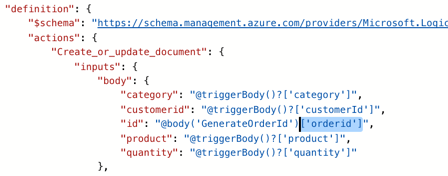
    AWS offers some instance configurations that are very important to the user. Identity and Access Management (IAM) roles are nice because it lets the server run with a certain set of credentials. This way, the developer doesn’t have to embed credentials on the server itself when accessing other AWS services.  The local storage in EC2 is ephemeral, so the “shutdown behavior” option is important. If you stop a box, you retain storage, if you terminate it, any local storage is destroyed.

    2014.10.19provision21

    Security groups (shown above) are ridiculously important as they control inbound traffic. A casual policy gives you a large attack surface.

    What stands out?

    It’s hard to ignore the complexity of the EC2 provisioning process. It’s very powerful, but there are a LOT of decisions to make and opportunities to go sideways. Users need to be smart and consider their choices carefully (although admittedly, many instance-level settings can be changed after the fact if a mistake is made).

    The AWS community catalog has 34,000+ machine images, and the official marketplace has nearly 2000 machine images. Pretty epic.

    2014.10.19provision23

    Amazon makes it easy to spin up many instances of the same type. Very handy when building large clusters of identical machines.

    2014.10.19provision22

    Digital Ocean

    Digital Ocean is a fast-growing, successful provider of virtual infrastructure.

    How do you provision resources?

    Droplets (the Digital Ocean equivalent of a virtual machine) are provisioned via web console and API. For the web console, it’s a very straightforward process that’s completed in a single page. There are 9 possible options (of which 3 require approval to use) for Droplet sizing.

    2014.10.19provision24

    The user then chooses where to run the Droplet, and which image to use. That’s about it!
    What key options are available?

    Hidden beneath this simple façade are some useful options.  First, Digital Ocean makes it easy to choose which location, and see what extended options are available in each. The descriptions for each “available setting” are a bit light, so it’s up the user to figure out the implications of each.

    2014.10.19provision25

    Digital Ocean just supports Linux, but they offer a good list of distributions, and even some ready-to-go application environments.

    2014.10.19provision26

    What stands out?

    Digital Ocean thrives on simplicity and clear pricing. Developers can fly through this process when creating servers, and the cost of each Droplet is obvious.

    2014.10.19provision27

    CenturyLink Cloud

    CenturyLink – a global telecommunications company with 50+ data centers and $20 billion in annual revenue –  has used acquisitions to build out its cloud portfolio. Starting with Savvis in 2011, and then continuing with AppFog and Tier 3 in 2013.

    How do you provision resources?

    Like everyone else, CenturyLink Cloud provides both a web and API channel for creating virtual servers. The process starts in the web console by selecting a data center to deploy to, and which collection of servers (called a “group”) to add this to.

    2014.10.19provision28

    Next, the user chooses whether to make the server “managed” or not. A managed server is secured, administered, and monitored by CenturyLink engineers, while still giving the user full access to the virtual server. There are just two server “types” in the CenturyLink Cloud: standard servers with SAN-backed storage, or Hyperscale servers with local SSD storage. If the user chooses a Hyperscale server, they can then select an anti-affinity policy. The user then selects an operating system (or customized template), and will see the projected price show up on the left hand side.

    2014.10.19provision29

    The user then chooses the size of the server and which network to put it on.

    What key options are available?

    Unlike the other clouds highlighted here, the CenturyLink Cloud doesn’t have the concept of “instance sizes.” Instead, users choose the exact amount of CPU, memory, and storage to add to a server. For CPU, users can also choose vertical Autoscale policies that scale a server up and down based on CPU consumption.

    2014.10.19provision30

    Like a few other clouds, CenturyLink offers a tagging ability. These “custom fields” can store data that describes the server.

    2014.10.19provision31

    It’s easy to forget to delete a temporary server, so the platform offers the ability to set a time-to-live. The server gets deleted on the date selected.

    2014.10.19provision32

    What stands out?

    In this assessment, only Digital Ocean and CenturyLink actually have price transparency. It’s nice to actually know what you’re spending.

    2014.10.19provision33

    CenturyLink’s flexible sizing is convenient for those who don’t want to fit their app or workload into a fixed instance size. Similar to Digital Ocean, CenturyLink doesn’t offer 19 different types of servers to choose from. Every server has the same performance profile.

    Summary

    Each cloud offers their own unique way of creating virtual assets. There’s great power in offering rich, sophisticated provisioning controls, but there’s also benefit to delivering a slimmed down, focused provisioning experience. There are many commonalities between these services, but each one has a unique value proposition. In my subsequent posts in this series, I’ll look at the post-provisioning management experience, APIs, and more.

  • Survey Results: The Current State of Application Integration

    Before my recent trip to Europe to discuss technology trends that impact application integration, I hunted down a bunch of smart integration folks to find out what integration looks like today. What technologies are used? Is JSON climbing in popularity? Is SOAP use declining? To find out, I sent a survey to a few dozen people and got results back from 32 of them. Participants were asked to consider only the last two years of integration projects when answering.

    Let’s go through each question.

    Question #1 – How many integration projects have you worked on in the past 2 years?

    Number of answers: 32

    Result: 428 total projects

    Analysis:

    Individual answers ranged from “1” to “50”. Overall, seemed as if most integration efforts are measured in weeks and months, not years!


    Question #2 – What is the hourly message volume of your typical integration project?

    Number of answers: 32

    Result

    2014.09.25survey1


    Quantity # of Responses Percentage
    Dozens 2 6.25%
    Hundreds 9 28.13%
    Thousands 18 56.25%
    Millions 3 9.38%

    Analysis

    Most of today’s integration solutions are designed to handle thousands of messages per hour. Very few are building to handle a larger scale. An architecture that works fine for 3 messages per second (i.e. 10k per hour) could struggle to deal with 300 messages per second!

    Question #3 – How many endpoints are you integrating with on a typical project?

    Number of answers: 32

    Result

    2014.09.25survey2


    Analysis

    The average number of endpoints per response was 24.64, but the median was 5. Answers were all over the place and ranged from “1” to”300.” Most integration solutions still talk to a limited number of endpoints and might not be ready for more fluid, microservices oriented solutions.


    Question #4 – How often do you use each of the technologies below on an integration project (%)

    Number of answers: 31

    Result

    2014.09.25survey3


    0% 10% 25% 50% 75% 100% Used Used > 50%
    On Prem Bus 2 2 3 5 8 11 94% 83%
    Cloud Bus 8 12 4 0 1 0 64% 6%
    SOAP 0 2 3 6 13 7 100% 84%
    REST 4 6 6 8 1 1 85% 45%
    ETL 5 8 8 2 3 1 81% 27%
    CEP 16 1 1 2 1 1 38% 40%


    Analysis

    Not surprisingly – given that I interviewed integration bus-oriented people – the on-premises integration bus rules. While 64% said that they’ve tried a cloud bus, only 6% of those actually use it on more than 50% of projects. SOAP is the dominant web services model for integration today. REST use is increasing, but not yet used on half the projects. I’d expect the SOAP and REST numbers to look much more similar in the years ahead.


    Question #5 – What do you integrate with the most (multiple choice)?

    Number of answers: 32

    Result

    2014.09.25survey4


    Analysis

    Integration developers are connecting primarily to custom and commercial business applications. Not too surprising that 26 out of 32 respondents answered that way. 56% of the respondents (18/32) thought relational databases were also a primary target. Only a single person integrates most with NoSQL databases, and just two people integrate with devices. While those numbers will likely change over the coming years, I’m not surprised by the current state.


    Question #6 –  What is the most common data structure you deal with on integration projects?

    Number of answers: 32

    Result

    2014.09.25survey5


    Data Type # of Responses Percentage
    XML 25 78.13%
    JSON 3 9.38%
    Text files 4 12.50%


    Analysis

    Integration projects are still married to the XML format. Some are still stuck dealing primarily with text files. This growing separation with the preferred format (JSON) of web developers may cause angst in the years ahead.


    Summary

    While not remotely scientific, this survey still gives a glimpse into the current state of application integration. While the industry trends tell us to expect more endpoints, more data, and more JSON, we apparently have a long way to go before this directly impacts the integration tier.

    Agree with the results? Seeing anything different?

  • 8 Characteristics of our DevOps Organization

    What is the human impact of DevOps? I recently got this question from a viewer of my recent DevOps: The Big Picture course on Pluralsight.

    I prepared this course based on a lot of research and my own personal experience. I’ve been part of a DevOps culture for about two years with CenturyLink Cloud. Now, you might say “it’s nice that DevOps works in your crazy startup world, but I work for a big company where this radical thinking gets ignored.” While Tier 3 – my employer that was acquired by CenturyLink last Fall – was a small, rebel band of cloud lunatics, I now work at a ~$20 billion company with 40,000+ people. If DevOps can work here, it can work anywhere.

    Our cloud division does DevOps and we’re working with other teams to reproduce our model. How do we do it?

    1. Simple reporting structure. Pretty much everyone is one step away from our executive leadership. We avoid complicated fiefdoms that introduce friction and foster siloed thinking. How are we arranged? Something like this:
      2014.08.28devops1
      Business functions like marketing and finance are part of this structure as well. Obviously as teams continue to grow, they get carved up into disciplines, but the hierarchy remains as simplistic as possible.
    2. Few managers, all leaders. This builds on the above point. We don’t really have any pure “managers” in the cloud organization. Sure, there are people with direct reports. But that person’s job goes well beyond people management. Rather, everyone on EVERY team is empowered to act in the best interest of our product/service. Teams have leaders who keep the team focused while being a well-informed representative to the broader organization. “Managers” are encouraged to build organizations to control, while “leaders” are encouraged to solve problems and pursue efficiency.
    3. Development and Operations orgs are partners. This is probably the most important characteristic I see in our division. The leaders of Engineering (that contains development) and Service Engineering (that contains operations) are close collaborators who set an example for teamwork. There’s no “us versus them” tolerated, and issues that come up between the teams – and of course they do – are resolved quickly and decisively. Each VP knows the top priorities and pain points of the other. There’s legitimate empathy between the leaders and organizations.
    4. Teams are co-located. Our Cloud Development Center in Bellevue is the cloud headquarters. A majority of our Engineering resources not only work there, but physically sit together in big rooms with long tables. One of our developers can easily hit a support engineer with a Nerf bullet. Co-location makes our daily standups easier, problem resolution simpler, and builds camaraderie among the various teams that build and support our global cloud. Now, there are folks distributed around the globe that are part of this Engineering team. I’m remote (most of the time) and many of our 24×7 support engineers reside in different time zones. How do we make sure distributed team members still feel involved? Tools like Slack make a HUGE difference, and regular standups and meetups make a big difference.
    5. Everyone looks for automation opportunities. No one in this division likes doing things manually. We wear custom t-shirts that say “Run by Robots” for crying out loud! It’s in our DNA to automate everything. You cannot scale if you do not automate. Our support engineers use our API to create tools for themselves, developers have done an excellent job maturing our continuous integration and continuous delivery capability, and even product management builds things to streamline data analysis.
    6. All teams responsible for the service. Our Operations staff is not responsible for keeping our service online. Wait, what? Our whole cloud organization is responsible for keeping our service healthy and meeting business need. There’s very little “that’s not MY problem” in this division. Sure, our expert support folks are the ones doing 24×7 monitoring and optimization, but developers wear pagers and get the same notifications if there’s a blip or outage. Anyone experiencing an issue with the platform – whether it’s me doing a demo, or a finance person pulling reports – is expected to notify our NOC. We’re all measured on the success of our service. Our VP of Engineering doesn’t get a bonus for shipping code that doesn’t work in production, and our VP of Service Engineering doesn’t get kudos if he maintains 100% uptime by disallowing new features. Everyone buys into the mission of building a differentiating, feature-rich product with exceptional uptime and support. And everyone is measured by that criteria.
    7. Knowledge resides in team and lightweight documentation. I came from a company where I wrote beautiful design documentation that is probably never going to be looked at again. By having long-lived teams built around a product/service, the “knowledge base” is the team! People know how things work and how to handle problems because they’ve been working together with the same service for a long time. At the same time, we also maintain a documented public (and internal) Knowledge Base where processes, best practices, and exceptions are noted. Each internal KB article is simple and to the point. No fluff. What do I need to know? Anyone on the team can contribute to the Knowledge Base, and it’s teeming with super useful stuff that is actively used and kept up to date. How refreshing!
    8. We’re not perfect, or finished! There’s so much more we can do. Continuous improvement is never done. There are things we still have to get automated, further barriers to break down between team handoffs, and more. As our team grows, other problems will inevitably surface. What matters is our culture and how we approach these problems. Is it an excuse to build up a silo or blame others? Or is it an opportunity to revisit existing procedures and make them better?

    DevOps can mean a lot of things to a lot of people, but if you don’t have the organizational culture set up, it’s only a superficial implementation. It’s jarring to apply this to an existing organization, and I’m starting to witness that right now as we infect the rest of CenturyLink with our DevOps mindset. As that movement advances, I’ll let you know what we’ve learned along the way.

    How about you? How is your organization set up to “do DevOps”?