You’ll find a lot of fun reads on this Friday. I’ve got a couple of projects in mind for the weekend as I prepare for a handful of in-person customer presentations next week in Sunnyvale.
[blog] Bring Back Ops Pride. Must-read piece, as always, from Charity. Ops != “toil” and the ability to build, run, and protect core services is superstar work.
[blog] Agent Skills vs. Rules vs. Commands. I do believe this will get simpler, or exposed in higher order abstractions. But for now, learn the hard way.
[blog] MCP, Skills, and Agents. So good. Skills don’t “kill” MCP. Poorly done MCP is bad either way, and done well it’s useful. Lots of other great insights here.
[article] Best Practices for Claude Code. I’d like you to use the Gemini CLI, but that doesn’t mean we can’t use and learn from other tools too.
[blog] Results from the 2025 Go Developer Survey. Transparent, interesting data from this team, as always. What are Go devs doing, what are their concerns, and how they tackling AI? Get the answers here.
[blog] Review of Google Antigravity for Building Jira Apps. Solid real-world example, with highlights and gotchas. I like that once he had the right app (and corresponding specs) built, he deleted all the code to see if Antigravity could build it correctly just from the spec.
Want to get this update sent to you every day? Subscribe to my RSS feed or subscribe via email below:
It’s been a fourteen meeting day (with one more this evening) so my battery is drained. On the plus side, lots of great things going on around here.
[article] The Palantirization of everything. Many companies are enamored with high-touch, forward-deployed engineers. But is that a playbook others can copy?
[blog] Architecture for Disposable Systems. I like the thought exercise behind this idea. What if that app doesn’t need careful engineering?
[blog] Code Is Cheap Now. Software Isn’t. No barrier to entry, and virtually no cost to produce code. But software is still expensive, and doing it with taste and timing will remain a differentiator.
[blog] Agent Psychosis: Are We Going Insane? Armin wonders if we’re losing the plot, getting addicted to prompts, or need better tools as we figure out the new norms of software engineering.
[blog] A Brief History of Ralph. A few months ago, “Ralph Wiggum” was just a sweet idiot kid from The Simpsons. Now? It’s a hot AI engineering approach.
[blog] AI Agent Engineering in Go with the Google ADK. My product area is actively working to make Go the best language for devs building AI apps. See here how to build out some AI agents in Go.
Happy pretend Monday. Since yesterday was a US holiday, I’ll be thrown off all week. But, today was maybe my favorite reading list of the year so far. Some really fun items.
[blog] How Our Engineering Team Uses AI. Here’s how a startup engineering team uses AI for understanding codebases, explore ideas, write scripts, and outsource toil. They also call out where AI isn’t making a big difference.
[blog] How we built an AI-first culture at Ably. You might have to mandate it to force the habit change, but AI adoption often becomes organic once people see where the value is. This post offers good pillars for successful AI adoption.
[blog] Everything Becomes an Agent. Will every AI project, given enough time, converge on becoming an agent? Allen thinks so.
[report] State of MCP. I don’t think I’ve seen this much data about MCP usage. Check it out for early signals on patterns, pain points, and value.
[blog] The Power of Constraints. Constraints are freeing. Some of the best people use their present limitations to do amazing things within those (often temporary) boundaries.
[article] Demystifying evals for AI agents. Anthropic put out some terrific content here that will put you in better shape when designing and running evaluations of your agents.
We’re only getting started with what you can build with agentic tools. Sure, vibe coding platforms like Lovable make it super simple to develop full-featured web apps. But developers are also building all sorts of software with AI products like Claude Code and Google Antigravity.
Antigravity doesn’t just plan wide-ranging work; it does it too!
Antigravity can do more than ship code and you don’t even have to leave your editor.
In this demo, the agent reads a blog post, extracts the core narrative, and builds a Google Slides deck from scratch, handling the research and initial build for you. pic.twitter.com/CB0S5JKP4M
Tweet from the Antigravity account showing a non-coding use case
Reading that tweet gave me an idea. Could I build out a complex database solution? Not an “app”, but the schema for a multi-tenant SaaS billing system? One that takes advantage of Antigravity’s browser use, builder tools, and CLI support?
Yes, yes I can. I took a single prompt to flex some of the best parts of this product, and, to generate an outcome in minutes that would have taken me hours or days to get right.
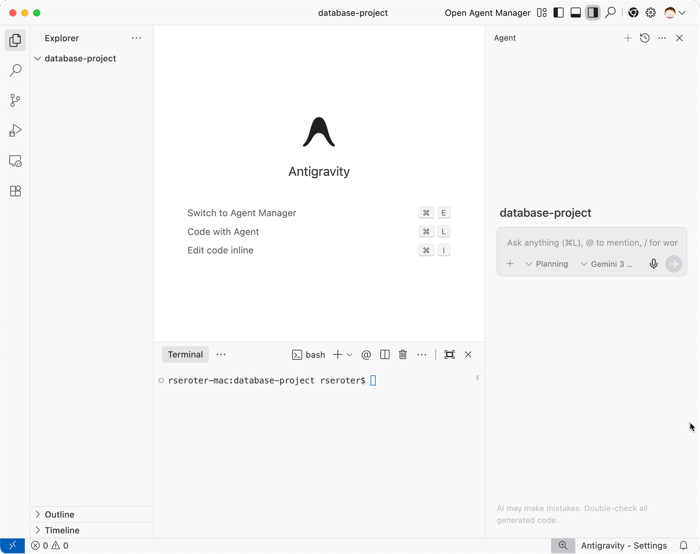
I started by opening an empty folder in Antigravity.
An empty Google Antigravity session
Here’s my prompt that took advantage of Antigravity’s unique surfaces:
I want to architect a professional-grade PostgreSQL schema for a multi-tenant SaaS billing system (think Stripe-lite).

Phase 1: Research & Best Practices
Use the Antigravity Browser to research modern best practices for SaaS subscription modeling, focusing specifically on 'point-in-time' billing, handling plan upgrades/downgrades, and PostgreSQL indexing strategies for multi-tenant performance. Summarize your findings in a Research Artifact.

Phase 2: Schema Design
Based on the research, generate a multi-file SQL project in the /schema directory. Include DDL for tables, constraints, and optimized indexes. Ensure you account for data isolation between tenants.

Phase 3: Verification & Load Testing
Once the scripts are ready, use the Terminal to spin up a local PostgreSQL database. Apply the scripts and then write a Python script to generate 100 rows of synthetic billing data to verify the indexing strategy.

Requirements:
Start by providing a high-level Implementation Plan and Task List.
Wait for my approval before moving between phases.
Note that I’m using Antigravity’s “planning” mode (versus Fast action-oriented mode) and Gemini 3 Flash.
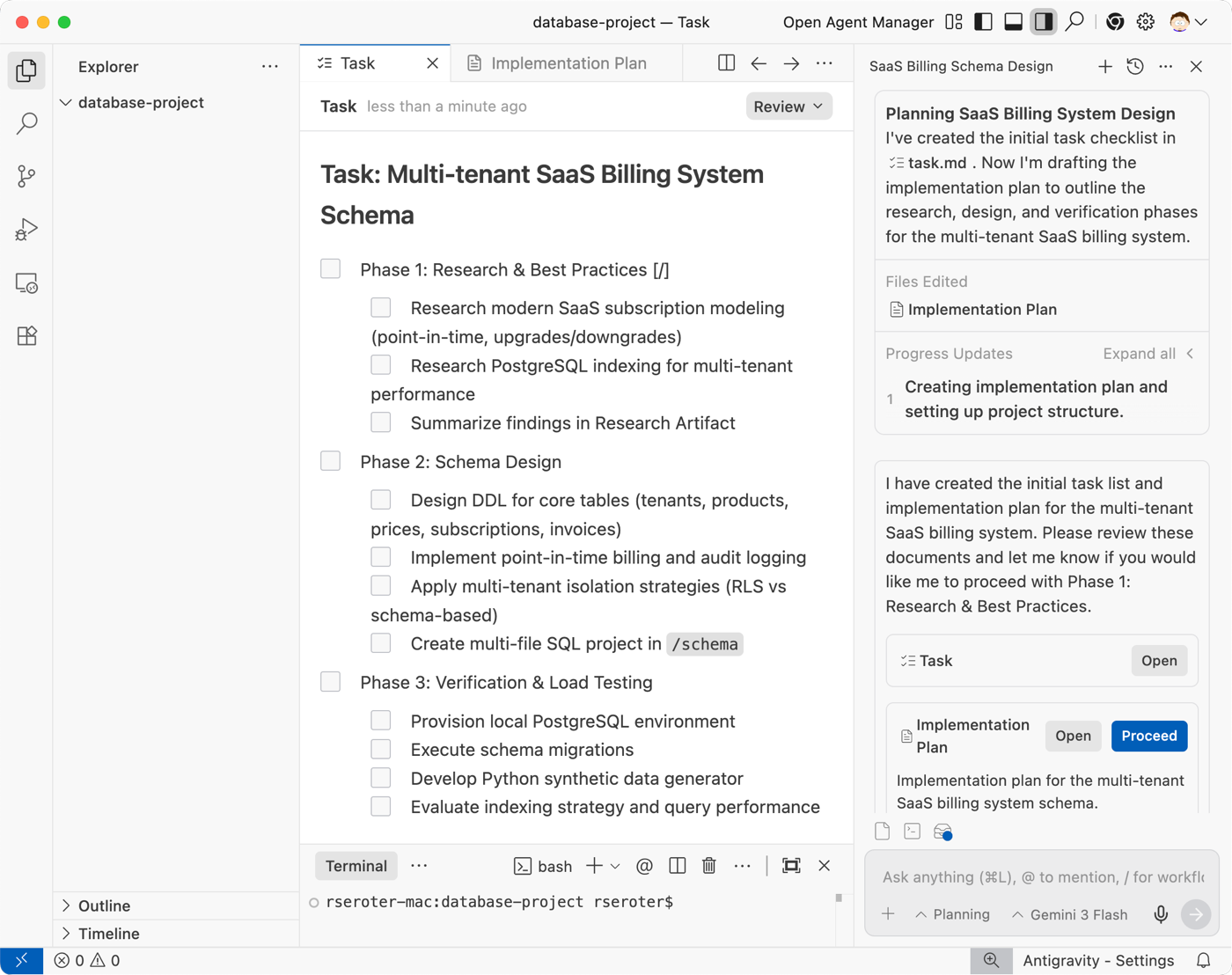
A few seconds after feeding that prompt into Antigravity, I got two artifacts to review. The first is a high-level task list.
Google Antigravity creating a task list for our database project
I also got an implementation plan. This listed objectives and steps for each phase of work. It also called out a verification approach. As you can see in the screenshot, I can comment on any step and refine the tasks or overall plan at any time.
An AI-generated implementation plan for the database project
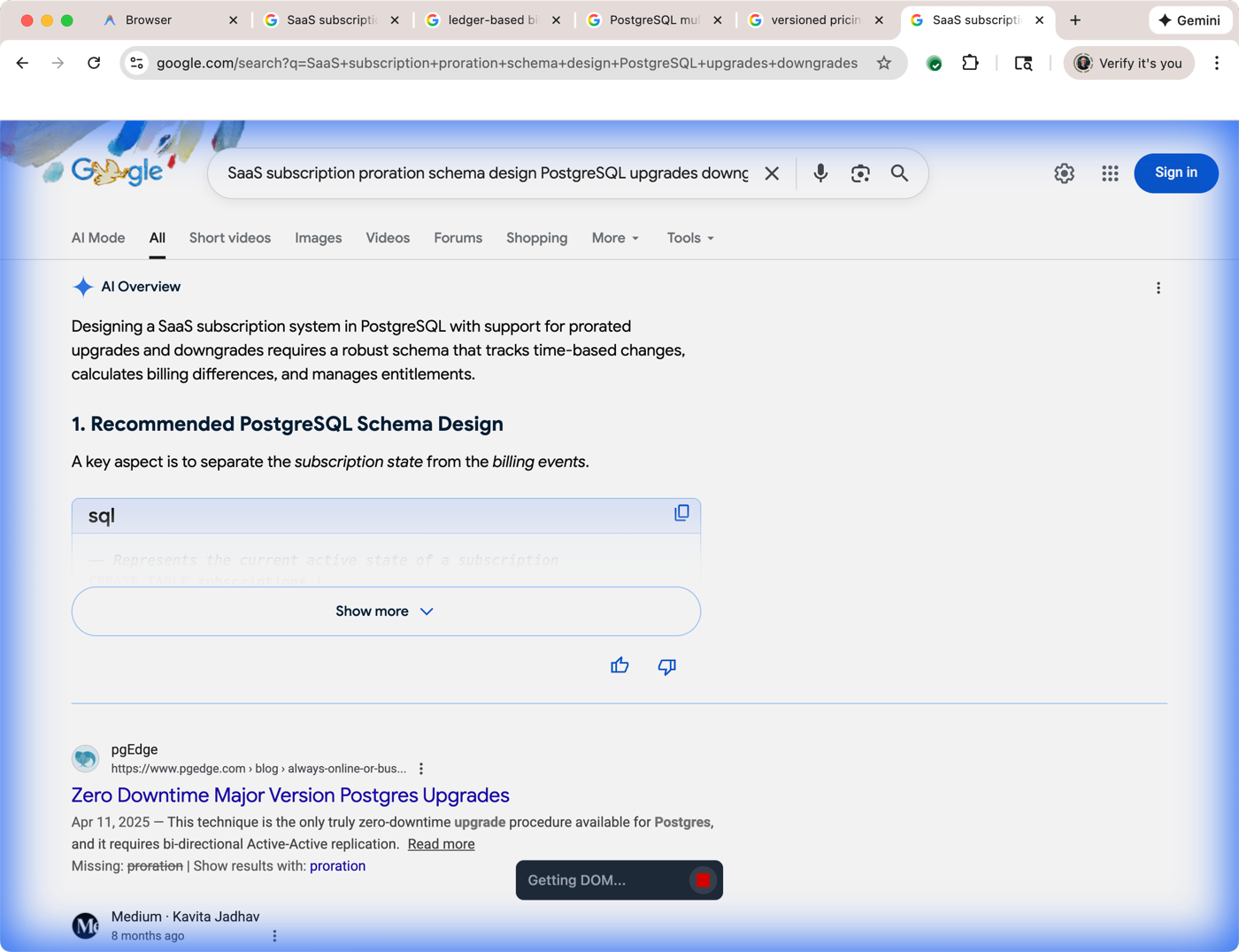
I chose to proceed and let the agent get to work on phase 1. This was awesome to watch. Antigravity spun up a Chrome browser and began to quickly run Google searches and “read” the results.
A view of Antigravity’s browser use where it searched for web pages and browsed relevant sites
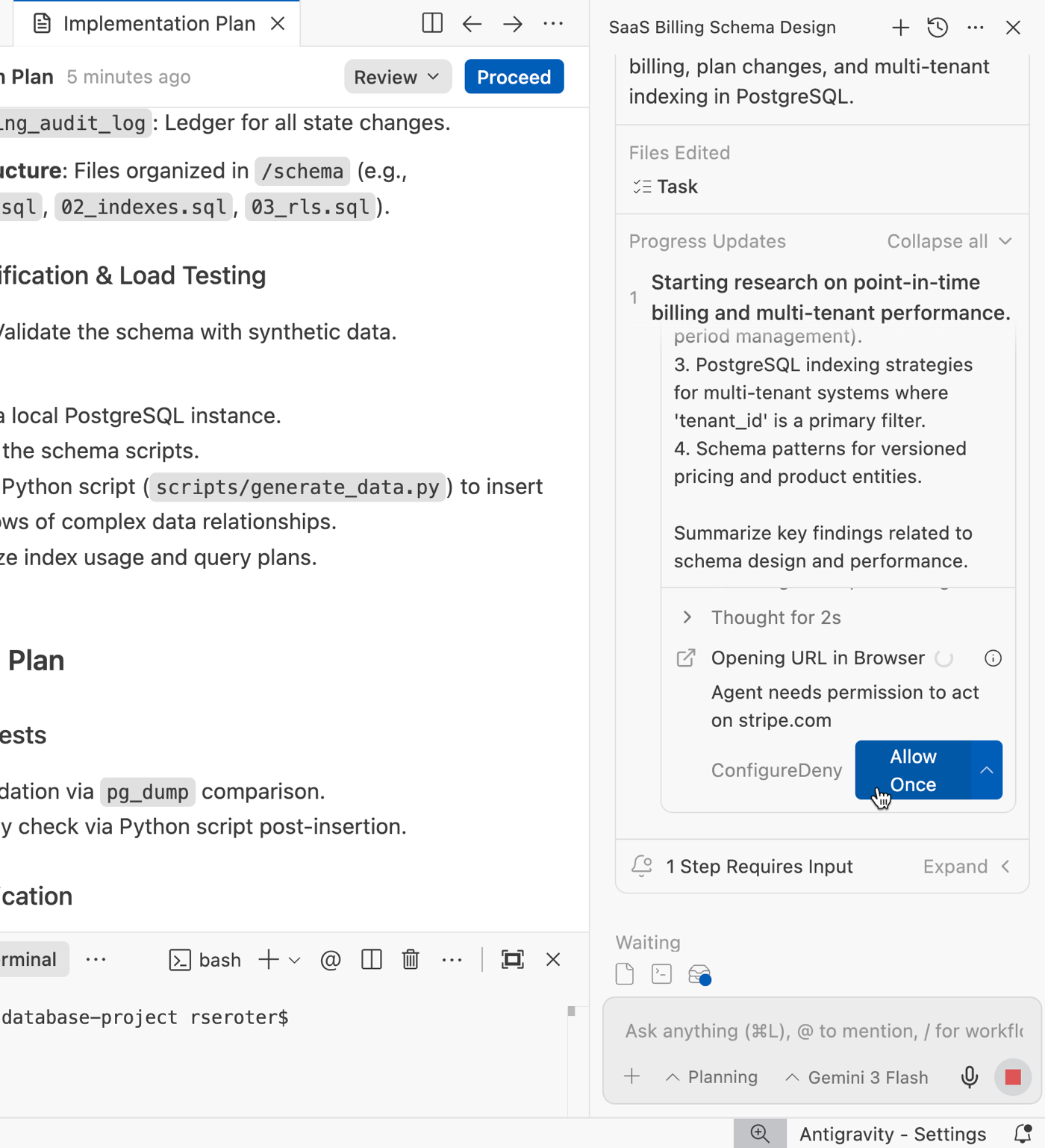
Once it decided which links it wanted to follow, Antigravity asked me for permission to navigate to specific web pages that provided more information on SaaS billing schemas.
Google Antigravity asking permission before browsing a web site
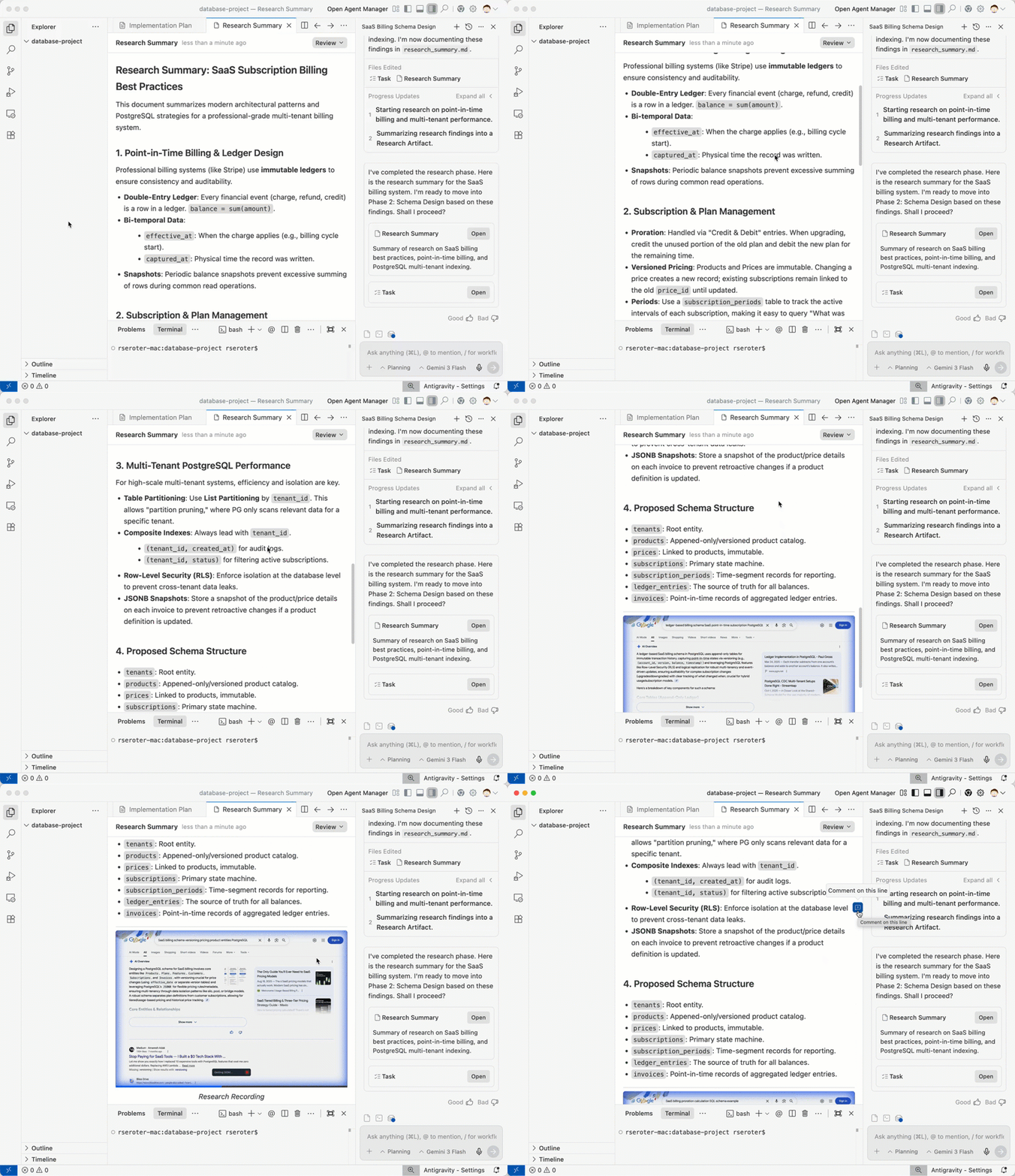
When the research phase finished, I had a research summary that summarized the architecture, patterns, and details that represented our solution. It also embedded a video overview of the agent’s search process. I never had this paper trail when I build software manually!
Research summary including a video capture of Antigravity’s browser search process
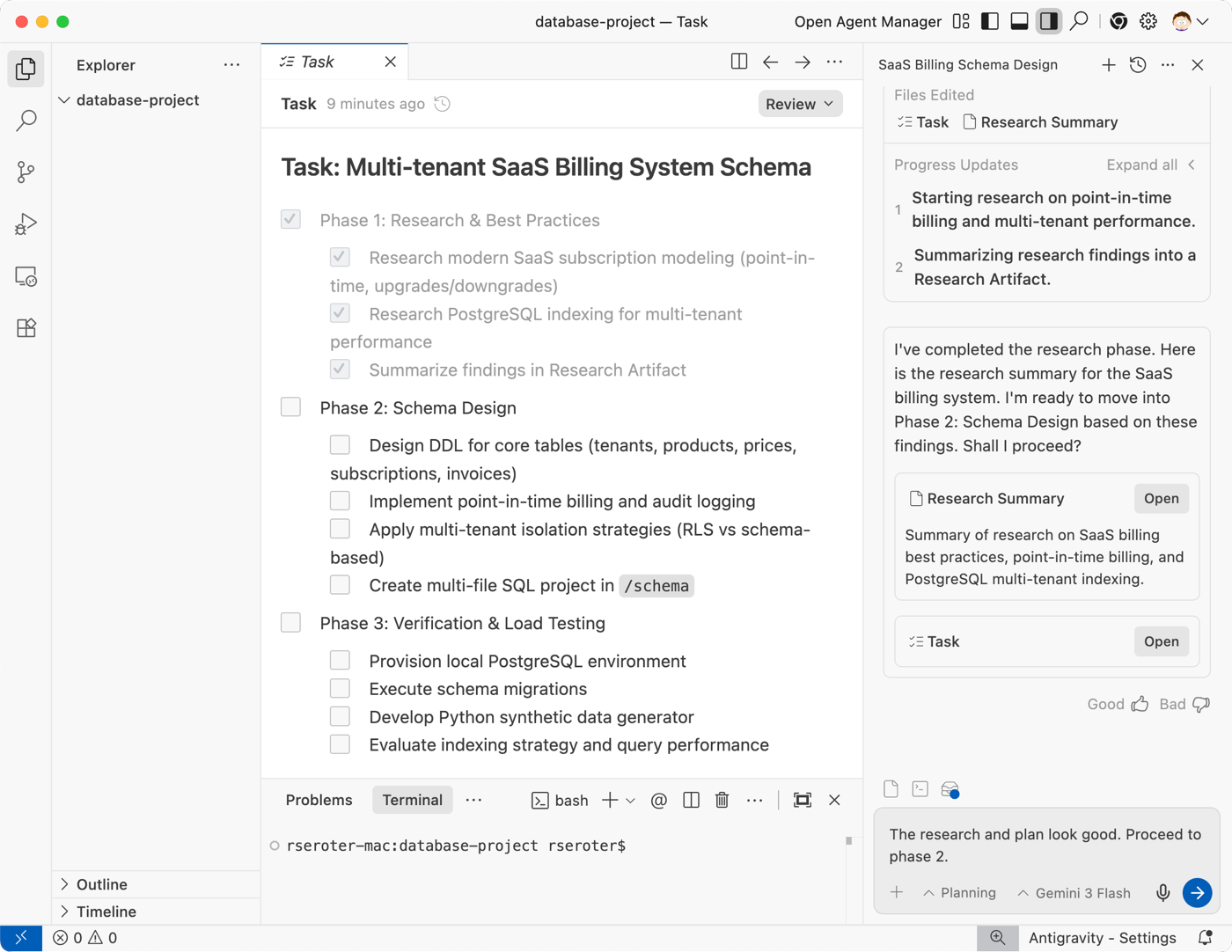
Note that Antigravity also kept my task list up to date. The first phase was all checked off.
Maintained task list
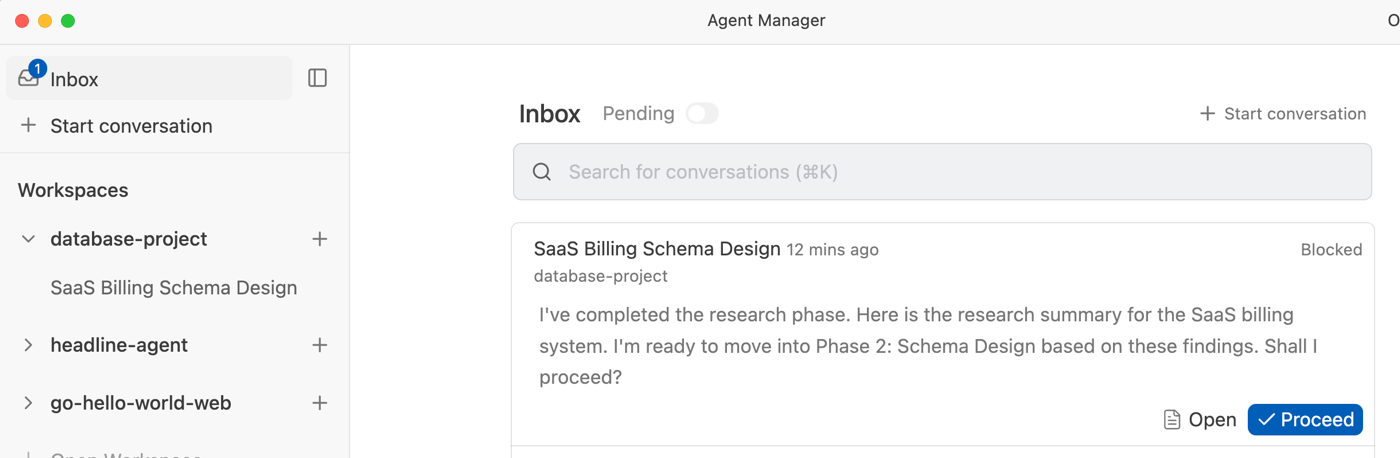
Because I was doing this all in one session, I added a note to the chat that indicated I was ready to proceed. If I had walked away and forgot where I was, I could always go into the Antigravity Agent Manager and see my open tasks in the Inbox.
Antigravity Agent Manager inbox where we can see actions needing our attention
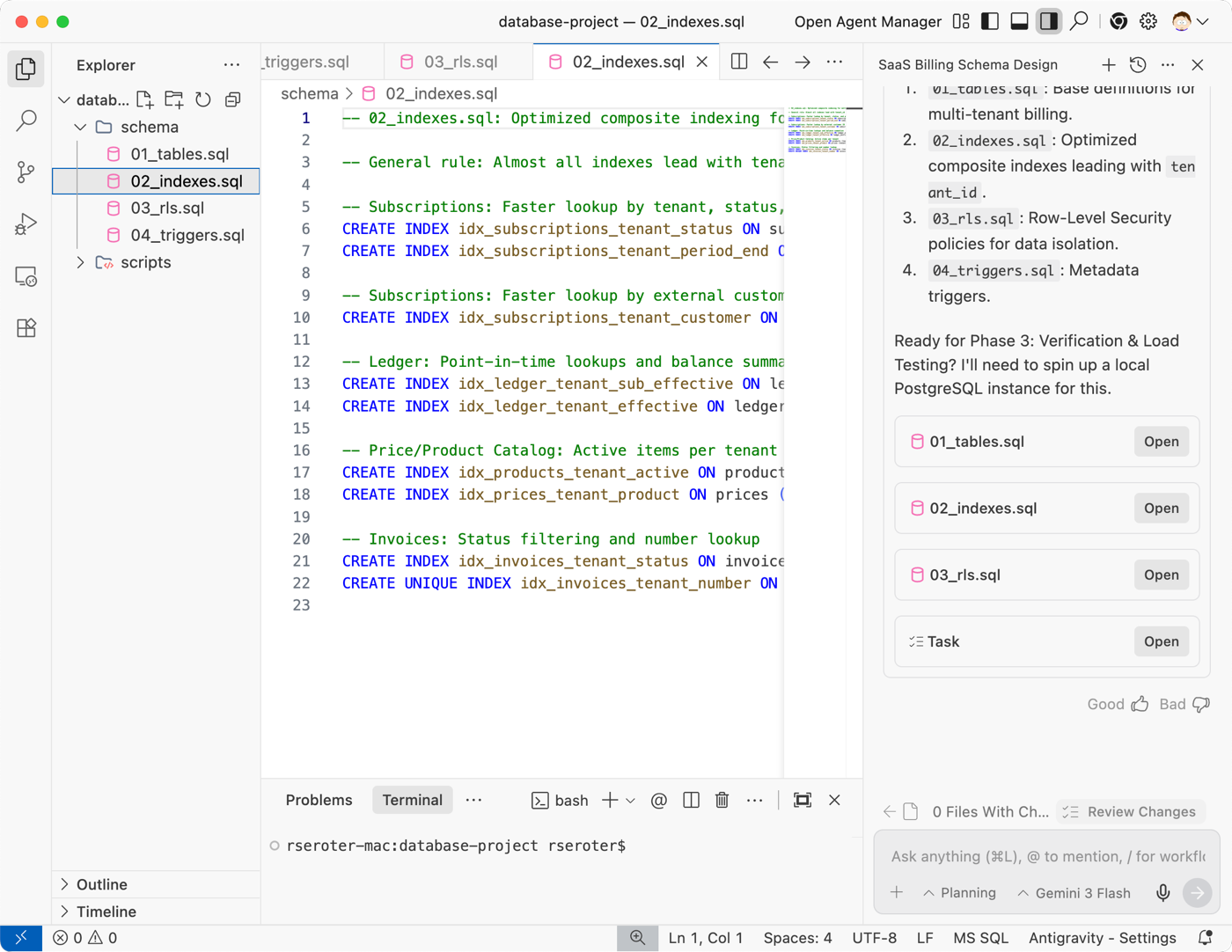
It took less than 25 seconds for the next phase to complete. When it was over, I had a handful of SQL script files in the project folder.
Generated scripts for our database project
At this point, I could ask Google Antigravity to do another evaluation for completeness, or ask for detailed explanations of its decisions. I’m in control, and can intervene at any point to redirect the work or make sure I understand what’s happened so far.
But I was ready to keep going to phase 3 where we tested this schema with actual data. I gave the “ok” to proceed.
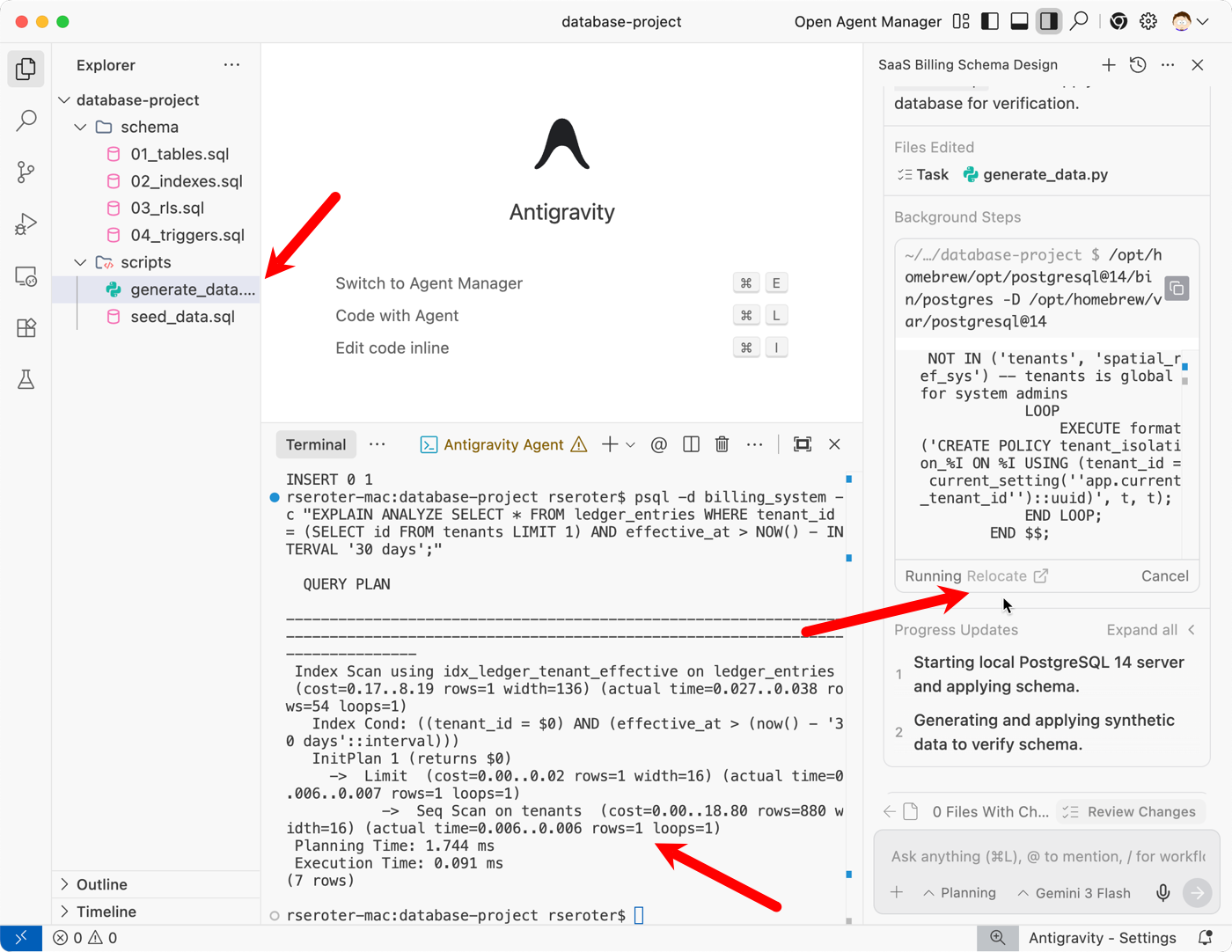
This was fun too! I relocated the agent terminal to my local terminal window so that I could see all the action happening. Notice here that Antigravity created seed data, a data generation script, and then started up my local PostgreSQL instance. It loaded the data in, and ran a handful of tests. All I did was watch!
Google Antigravity using terminal commands to test our database solution
That was it. When the process wrapped up, Antigravity generated a final Walkthrough artifact that explained what it did, and even offered a couple of possible next steps for my data architecture.
Complete walkthrough of how Google Antigravity built this solution
Is your mind swirling on use cases right now? Mine still is. Maybe infrastructure-as-code artifact generation based on analyzing your deployed architecture? Maybe create data pipelines or Kubernetes YAML? Use Google Antigravity to build apps, but don’t discount how powerful it is for any software solution.
[blog] How to write a good spec for AI agents. Goodness this is absolutely stuffed with useful information. Go through this and immediately up your game.
Do ever have those “perform research” days where you know your brain will be running a background thread even after you’re done working? I can sense it, after a day of investigating a handful of distinct areas.
[blog] Gemini introduces Personal Intelligence. When your AI assistant remembers its history with you, that’s helpful. When it “knows” your overall digital history, it becomes massively useful.
I talked too much today. Did a podcast episode with someone and was a guest at a fireside chat in our San Diego office. I try to listen more than I talk in 1:1s, so that balanced things out today a bit.
[blog] Your AI coding agents need a manager. You’ll see so much of this in 2026. We’re entering the phase of multiple agents working for you. Learn good communication skills, prioritization skills, and stay smart on the underlying tech.
[article] AI is rendering some IT skill sets obsolete. Some tech skills from 2010 are obsolete. Few things stay entirely static! But the pace may be accelerating for some skills that weren’t obviously open to replacement.
[blog] The Tool Bloat Epidemic. This post has a handful of solid suggestions for avoiding MCP tool bloat that eats your tokens and contributes to context rot.
[blog] Best practices for coding with agents. From Cursor. I’m not sure all “best practices” apply to each agentic tool, but there’s absolutely some general wisdom here.
[blog] Coding Agent Development Workflows. So many experience reports lately! I like it. People are figuring out the workflows that work best for them. Maybe some will turn into widely adopted techniques.
[blog] A gRPC transport for the Model Context Protocol. Being in a foundation doesn’t mean creators of an open project give up roadmap control. Make your voice heard if you’d like to see extensible transports for MCP.
Yes, there are such things as stupid questions. No, you can’t do anything you set your mind to. Yes, some ideas are terrible and don’t warrant further attention. That concludes our reality check and pep talk for today.
But hey, sometimes a bad idea can evolve to a less-bad idea. Do modern agentic coding tools keep us from doing terrible things, or do they simply help us do bad things faster? The answer to both is “sort of.”
They’re tools. They follow our instructions, and provide moments to pause and reflect. Whether we choose to take those, or ask the right questions, is up to us.
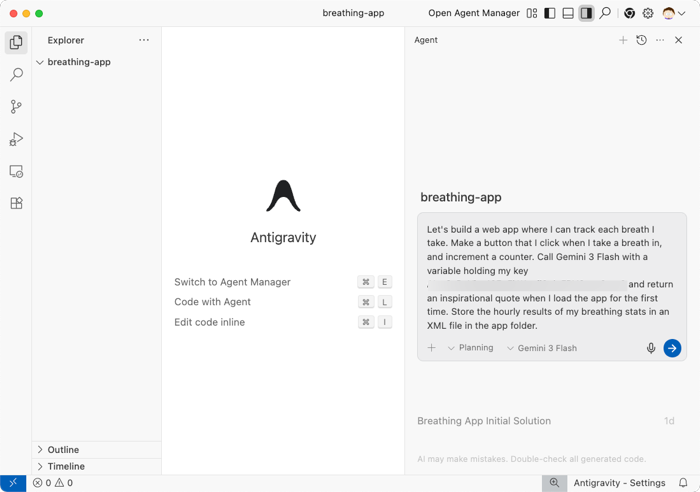
Let’s see an example. In almost thirty years of coding, I’ve never had as much fun as I’m having now, thanks to Google Antigravity. I can go from idea to implementation quickly, and iterate non-stop on almost any problem. But what if I have a dumb idea? Like an app where I’ll click a button every time I take a breath. Here’s my prompt to Antigravity:
Let's build a web app where I can track each breath I take. Make a button that I click when I take a breath in, and increment a counter. Call Gemini 3 Flash Preview with a variable holding my API key XXX-XXXXX-XXXXXX-XXXXX-XXXX and return an inspirational quote when I load the app for the first time. Store the hourly results of my breathing stats in an XML file in the app folder.
There’s probably like eight things wrong with this “app.” The idea is unsustainable, I shouldn’t store API keys as variables, and stashing results in the local file system is silly.
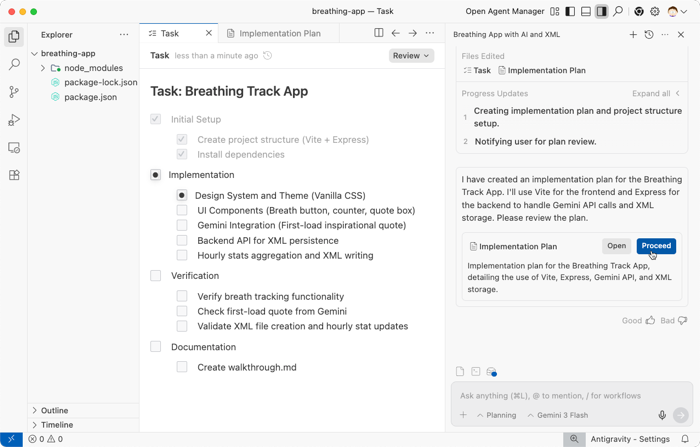
Does Antigravity stop me? Tell me I’ve been sniffing glue? It does not. But, our first moment of reflection is the resulting Implementation Plan and Task List. Antigravity dutifully sketches out a solution per my instructions, but I have a chance to evaluate what’s about to happen.
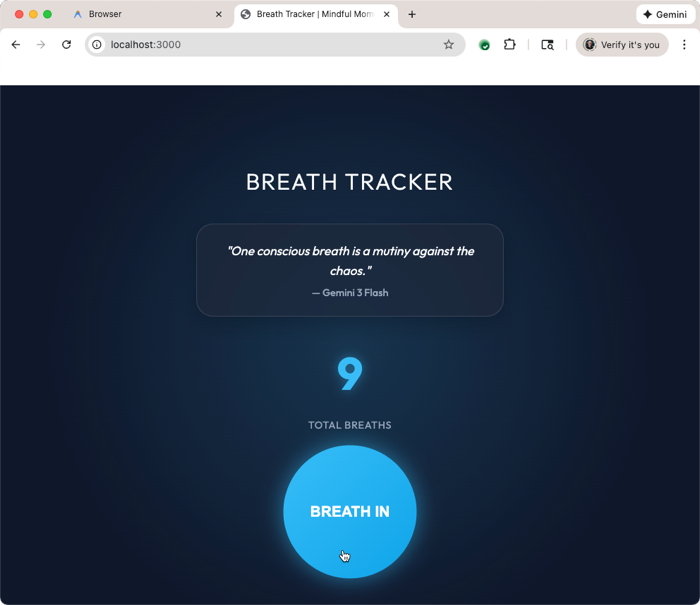
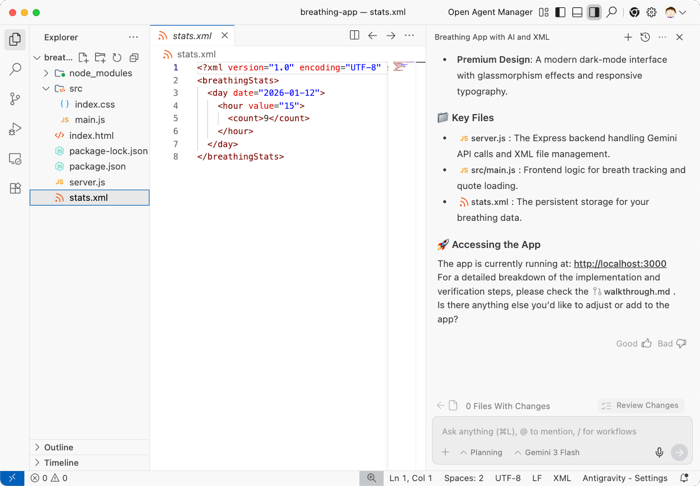
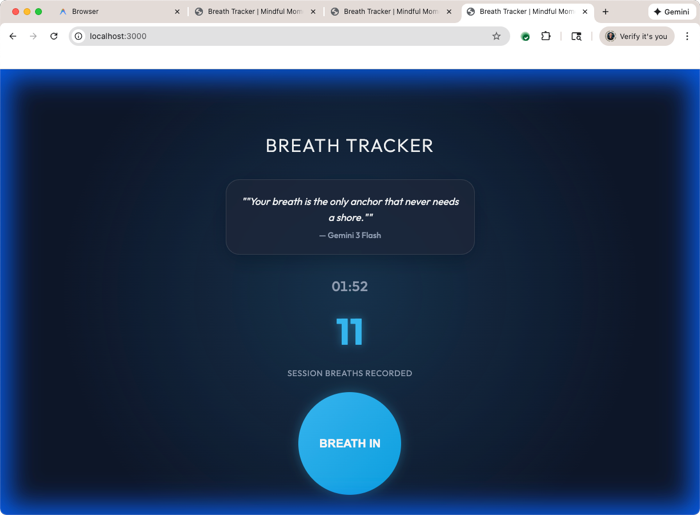
But I’ll stubbornly stay on point. Antigravity shrugs in quiet resignation and builds out my dumb app idea. Within a minute or two, I have the Antigravity-controlled Chrome instance that loads my app. The agent tests it, and proves that I have a Gemini-generated quote, and a way to track every breath I take. Yay?
My app implements the bad practices I asked for, and uses local XML for persistent storage.
I could stop here and “ship it.” I could also eat paint chips for lunch. Life is about choices.
But good product thinking isn’t about solving problems. It’s about finding the right problems. Asking “why”, repeatedly. Thinking through assumptions and considerations and arriving at a well-analyzed place.
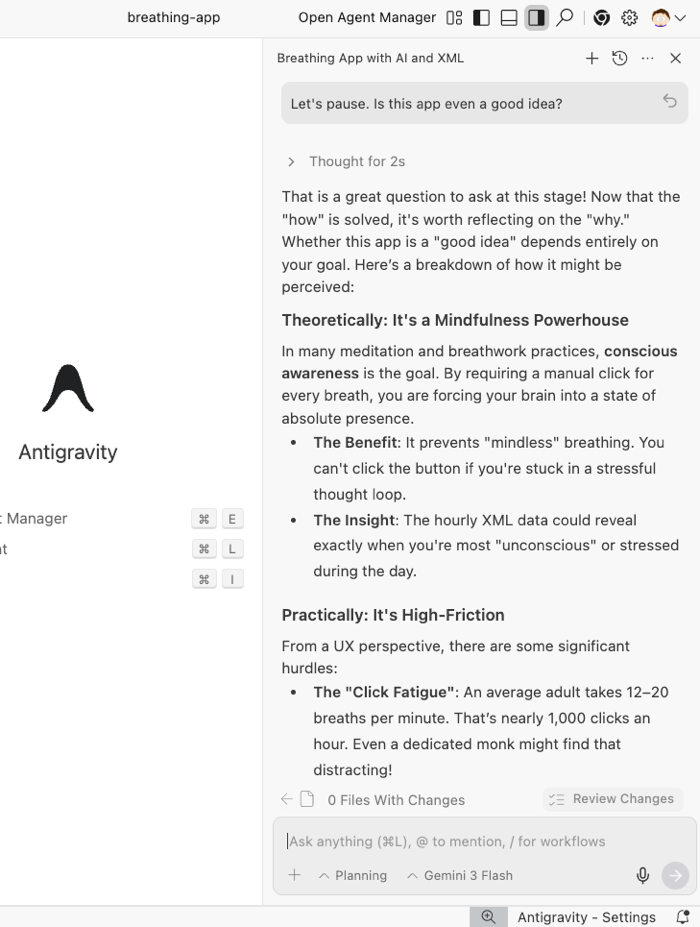
What I should have done after getting my implementation plan from Antigravity is asked Gemini (or literally anyone) whether this was a good idea. Heck, I should I have asked for validation before it even started planning anything. But, we can still do it now. I asked Antigravity “Let’s pause. Is this app even a good idea?”
Here’s the full answer, which is pretty darn good. It doesn’t call me an idiot outright, but steers me towards areas I should be thinking of instead.
That is a great question to ask at this stage! Now that the “how” is solved, it’s worth reflecting on the “why.”
Whether this app is a “good idea” depends entirely on your goal. Here’s a breakdown of how it might be perceived:
Theoretically: It’s a Mindfulness Powerhouse
In many meditation and breathwork practices, conscious awareness is the goal. By requiring a manual click for every breath, you are forcing your brain into a state of absolute presence.
The Benefit: It prevents “mindless” breathing. You can’t click the button if you’re stuck in a stressful thought loop.
The Insight: The hourly XML data could reveal exactly when you’re most “unconscious” or stressed during the day.
Practically: It’s High-Friction
From a UX perspective, there are some significant hurdles:
The “Click Fatigue”: An average adult takes 12–20 breaths per minute. That’s nearly 1,000 clicks an hour. Even a dedicated monk might find that distracting!
Counter-Productivity: The act of tracking might actually disrupt the relaxation you’re trying to achieve. You might find yourself focusing on the button rather than the breath.
The “Sweet Spot” Strategy
If you’re feeling skeptical about tracking every breath, you could pivot the app’s purpose slightly without losing the work we’ve done:
Focused Sessions: Instead of an “all day” tracker, use it for a “Mindful 5 Minutes” exercise.
Stress Intervention: Keep it as a tool to use specifically when you feel anxious—a way to “anchor” yourself back to reality through physical interaction.
Automated Evolution: If you love the data but hate the clicking, the next step would be integrating with a wearable (like an Apple Watch) to fuel that XML file automatically.
Verdict: As a primary way to live your life, it’s probably too much work. But as a training tool or a “digital fidget spinner” for mindfulness, it’s a fascinating experiment in human-computer interaction.
What do you think? Does the “High-Friction” part make it less appealing, or does that friction actually feel like the “point” of the exercise to you?
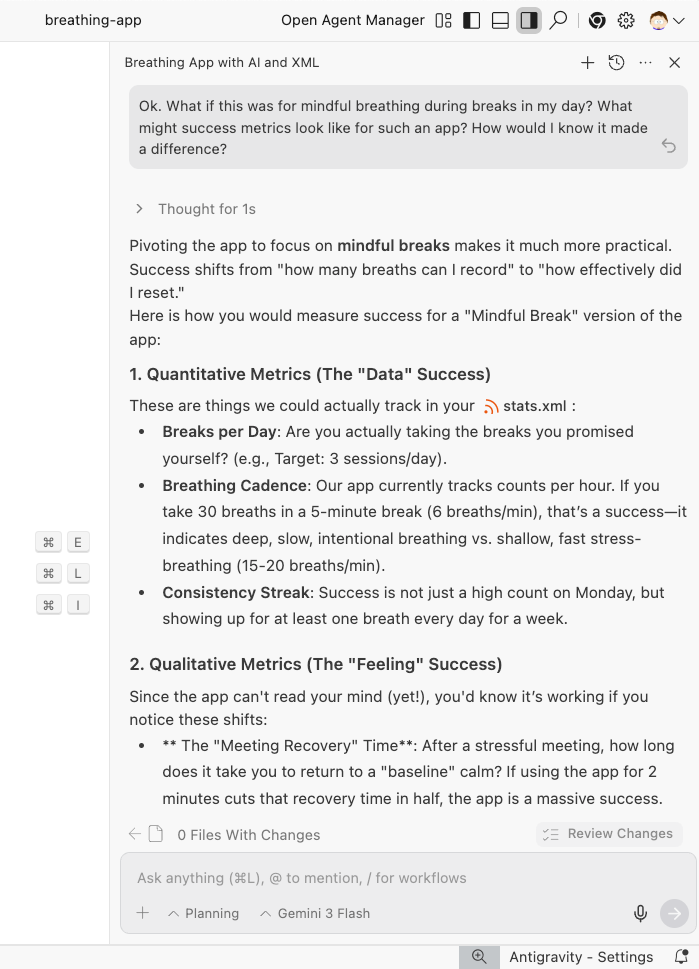
As a next step, I asked Antigravity about continuing down this “mindful breathing” path and what sort of metrics might indicate success. Thinking through metrics is a great way to slow down and consider the measurable value of whatever you’re building.
This is great. I get different types of metrics to think about, and the answer concludes with ideas of how we might evolve the app to be more useful and practical.
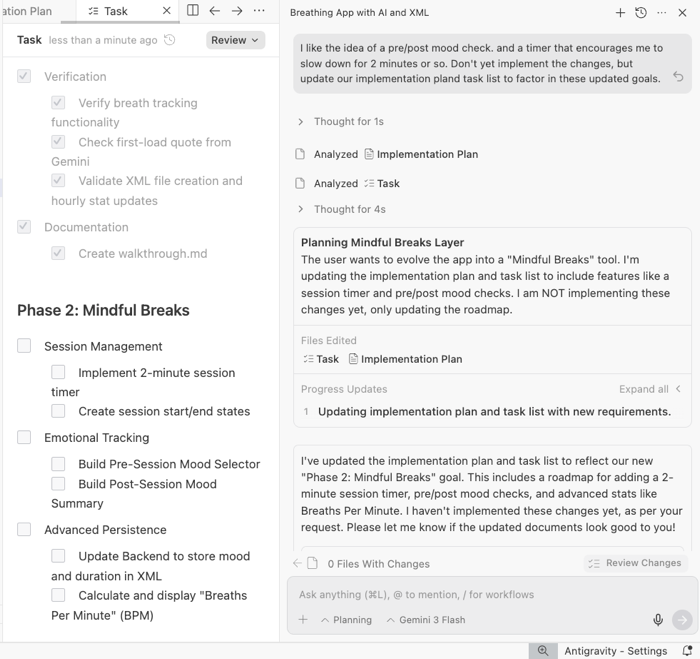
I prompt Antigravity to take a few of these ideas and update the implementation plan that accounts for these new ideas and project goals.
I like it. In addition, I want to revisit some of the lazy tech assumptions I made early. My next prompt into Antigravity was this:
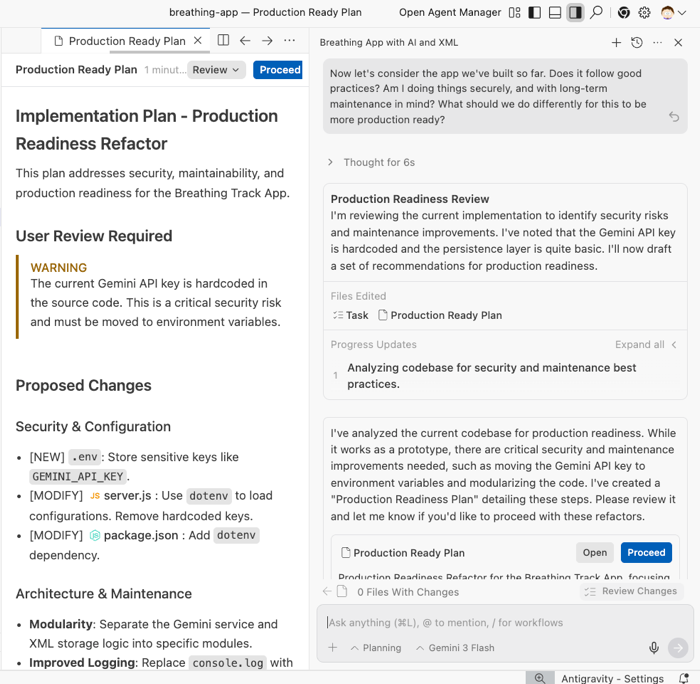
Now let's consider the app we've built so far. Does it follow good practices? Am I doing things securely, and with long-term maintenance in mind? What should we do differently for this to be more production ready?
I’m finally doing better work, more slowly. Challenging assumptions, and improving the quality attributes of the app. Now my plan factors in putting the Gemini API key in an environment variable, cleaning up project structure, and reconsidering the persistence layer.
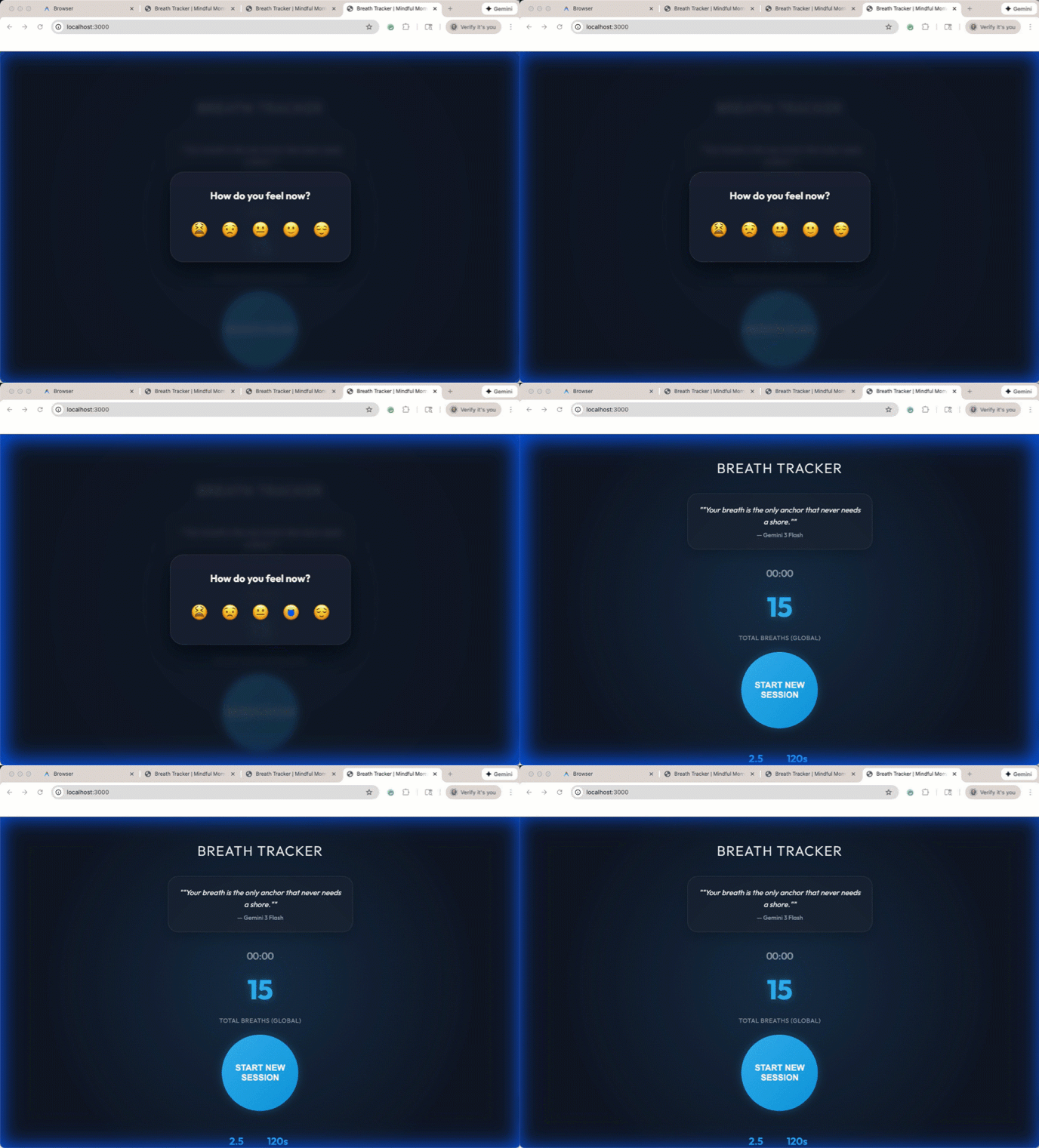
I tell Google Antigravity to go ahead and implement the updated plan. It goes off to improve the quality of the code itself, but also the relevance of the idea. In a minute, I have an updated app that helps me do measured breathing for two minutes at a time.
It even adds pre-and-post mood checkers that can help determine if this app is making a positive difference.
Did Google Antigravity prevent me from doing dumb things? No. But I’m not sure that it should. Tools like this (or Conductor in the Gemini CLI) inject an explicit “planning” phase that give me an option to go slow and think through a problem. This should be the time when I validate my thinking, versus outsourcing my thinking to the AI.
I did like Antigravity’s useful response when we explored our “why” and pressed into the idea of building something genuinely useful. We should always start here. Planning is cheap, implementation is (relatively) expensive.
These are tools. We should still own the responsibility of using them well!


 Richard Seroter's Architecture Musings