Author: Richard Seroter

  • Keeping Your Salesforce.com App From Becoming Another Siebel System

    Last week I was at Dreamforce (the Salesforce.com mega-conference) promoting my recently released Pluralsight course, Force.com for Developers. Salesforce.com made a HUGE effort to focus on developers this year and I had a blast working at the Pluralsight booth in the high-traffic “Dev Zone.” I would guess that nearly 75% of the questions I heard from people at our booth seeking training was how they could quickly create Apex developers. Apex is the programming language of Force.com, and after such a developer-focused week, Apex seemed to be on everyone’s mind. One nagging concern I had was that organizations seem to be aggressively moving towards the “customization” aspect of Salesforce.com and run the risk of creating the same sorts of hard-to-maintain apps that infest their on-premises data centers.
    To be sure, it’s hard (if not impossible) to bastardize a Salesforce.com app in the same way that organizations have done with Siebel and other on-premises line of business apps. I’ve seen Siebel systems that barely resemble their original form and because of “necessary updates” to screens, stored procedures, business logic and such, the system owners are terrified of trying to upgrade (or touch!) them. With Salesforce.com, the more you invest in programming logic, pages, triggers and the like, the more likely that you’ll have a brittle application that may survive platform upgrades, but is a bear to debug and maintain. Salesforce.com is really pushing this “develop custom apps!” angle with all sorts of new tools and ways to build rich, cool apps on the platform. It’s great, but I’ve seen firsthand how Salesforce.com customers get hyped up on customization and end up with failed projects or unrealized expectations.

    So, how can you avoid accidentally building a hard-to-maintain Salesforce.com system? A few suggestions:

    • (Apex) code is a last resort. Apex is cool. It may be the sole topic of my next Pluralsight course and you can do some great stuff with it. If you’ve written C# or Java, you’ll feel at home writing Apex. However, if you point a C# developer (and Salesforce.com rookie) at a business problem, their first impulse will be to sling some code. I saw this myself with developers working on a Microsoft Dynamics CRM system. They didn’t know the platform, but they knew the programming language (.NET), so they went and wrote tons of code for things that actually could be solved with a bit of configuration. Always use configuration first. Why write a workflow in code if you can use actual Force.com workflows? Why build a custom Apex web service if the out-of-box one solves almost all your needs? Make sure developers learn how to use the built-in validation rules, formula fields, Visualforce controls, and security controls before they go off and solve a problem the wrong way.
    • Embrace the constraints. Sometimes “standards” can be liberating. I actually like that PaaS platforms provide some limits that force you to work within their constraints. Instead of instantly thinking about how you could rework Outbound Messaging or make an UI look like an existing internal app, try to rework your processes or personal constraints and embrace the way the platform works. Maybe you’re thinking of doing daily data synchronizations to a local data warehouse because you want reports that are bit visually different than what Salesforce.com offers. However, maybe you can make due with the (somewhat limited) report formats that Salesforce.com offers and avoid a whole integration/synchronization effort. Don’t immediately think of how you’ll change Salesforce.com, but instead think about how you can change your own expectations.
    • Learn to say no to business users. This is a tough one. Just because you CAN do a bunch of stuff in Salesforce.com, doesn’t mean that you should. Yes, you can make it so that data that natively sits on three different forms will sit on a single, custom form. Or, you can add a custom control that kicks off a particular action from an unusual portion of the workflow. But what technical debt are you incurring by making these slight “tweaks” to satisfy the user’s demands? To be sure, usability is super important, but I’ve seen many users who just try to re-create their existing interfaces in new platforms. You need a strong IT leader who can explain how specific changes will increase their cost of support, and instead, to bullet point #2, help the end users change their expectations and embrace the Salesforce.com model. Build fast, see what works, and iterate. Don’t try and do monolithic projects that attempt to perfect the app before releasing it to the users.

    Maybe I’m getting worried for nothing, but one reason that so many organizations are looking at cloud software is to make delivery of apps happen faster and support of those apps easier. It’s one thing to build a custom app in an environment like Windows Azure or Cloud Foundry where it’s required that developers build and deploy custom web solutions (that use a set of environment-defined services). But for PaaS platforms like Salesforce.com or Dynamics CRM, the whole beauty of them is that they provide an extremely configurable platform of a wide range of foundation services (UI/reporting/data/security/integration) that encourages rapid delivery and no-mess upgrades by limiting the need for massive coding efforts. I wonder if we cause trouble by trying to blur the lines between those two types of PaaS solutions.

    Thoughts? Other tips for keeping PaaS apps “clean”? Or is this not really a problem?

  • Versioning ASP.NET Web API Services Using HTTP Headers

    I’ve been doing some work with APIs lately and finally had the chance to dig into the ASP.NET Web API a bit more. While it’s technically brand new (released with .NET 4.5 and Visual Studio 2012), the Web API has been around in beta form for quite a bit now. For those of us who have done a fair amount of work with the WCF framework, the Web API is a welcome addition/replacement. Instead of monstrous configuration files and contract-first demands placed on us by WCF, we can now build RESTful web services using a very lightweight and HTTP-focused framework. As I work on designing a new API, one thing that I’m focused on right now is versioning. In this blog post, I’ll show you how to build HTTP-header-based versioning for ASP.NET Web API services.

    Service designers have a few choices when it comes to versioning their services. What seems like the default option for many is to simply replace the existing service with a new one and hope that no consumers get busted. However, that’s pretty rough and hopefully less frequent than it was in the early days of service design. In the must-read REST API Design Handbook (see my review),  author George Reese points out three main options:

    • HTTP Headers. Set the version number in a custom HTTP header for each request.
    • URI Component. This seems to be the most common one. Here, the version is part of the URI (e.g. /customerservice/v1/customers).
    • Query Parameter. In this case, a parameter is added to each incoming request (e.g. /customerservice/customers?version=1).

    George (now) likes the first option, and I tend to agree. It’s nice to not force new URIs on the user each time a service changes. George finds that a version in the header fit nicely with other content negotiations that show up in HTTP headers (e.g. “content-type”). So, does the ASP.NET Web API support this natively? The answer is: pretty much. While you could try and choose different controller operations based on the inbound request, it’s even better to be able to select entirely different controllers based on the API version. Let’s see how that works.

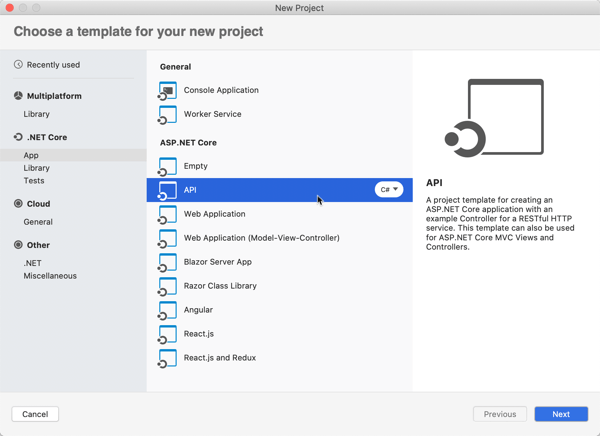
    First, in Visual Studio 2012, I created a new ASP.NET MVC4 project and chose the Web API template.

    2012.09.25webapi01

    Next, I wanted to add a new “model” that is the representation of my resource. In this example, my service works with an “Account” resource that has information about a particular service account owner.

    using System;
    using System.Collections.Generic;
    using System.Linq;
    using System.Web;
    using System.Runtime.Serialization;
    
    namespace Seroter.AspNetWebApi.VersionedSvc.Models
    {
        [DataContract(Name = "Account", Namespace = "")]
        public class Account
        {
            [DataMember]
            public int Id { get; set; }
            [DataMember]
            public string Name { get; set; }
            [DataMember]
            public string TimeZone { get; set; }
            [DataMember]
            public string OwnerName { get; set; }
        }
    }
    

    Note that I don’t HAVE to use the “[DataContract]” and “[DataMember]” attributes, but I wanted a little more control over the outbound naming, so I decided to decorate my model this way. Next up, I created a new controller to respond to HTTP requests.

    2012.09.25webapi02

    The controller does a few things here. It loads up a static list of accounts, responds to “get all” and “get one” requests, and accepts new accounts via HTTP POST. The “GetAllAccounts” operation is named in a way that the Web API will automatically use that operation when the user requests all accounts (/api/accounts). The “GetAccount” operation responds to requests for a specific account via HTTP GET. Finally, the “PostAccount” operation is also named in a way that it is automatically wired up to any POST requests, and it returns the URI of the new resource in the response header.

    public class AccountsController : ApiController
        {
            /// <summary>
            /// instantiate list of accounts
            /// </summary>
            Account[] accounts = new Account[]
            {
                new Account { Id = 100, Name = "Big Time Consulting", OwnerName = "Harry Simpson", TimeZone = "PST"},
                new Account { Id = 101, Name = "BTS Partners", OwnerName = "Bobby Thompson", TimeZone = "MST"},
                new Account { Id = 102, Name = "Westside Industries", OwnerName = "Ken Finley", TimeZone = "EST"},
                new Account { Id = 103, Name = "Cricket Toys", OwnerName = "Tim Headley", TimeZone = "PST"}
            };
    
            /// <summary>
            /// Returns all the accounts; happens automatically based on operation name
            /// </summary>
            /// <returns></returns>
            public IEnumerable<Account> GetAllAccounts()
            {
                return accounts;
            }
    
            /// <summary>
            /// Returns a single account and uses an explicit [HttpGet] attribute
            /// </summary>
            /// <param name="id"></param>
            /// <returns></returns>
            [HttpGet]
            public Account GetAccount(int id)
            {
                Account result = accounts.FirstOrDefault(acct => acct.Id == id);
    
                if (result == null)
                {
                    HttpResponseMessage err = new HttpResponseMessage(HttpStatusCode.NotFound)
                    {
                        ReasonPhrase = "No product found with that ID"
                    };
    
                    throw new HttpResponseException(err);
                }
    
                return result;
            }
    
            /// <summary>
            /// Creates a new account and returns HTTP code and URI of new resource representation
            /// </summary>
            /// <param name="a"></param>
            /// <returns></returns>
            public HttpResponseMessage PostAccount(Account a)
            {
                Random r = new Random(1);
    
                a.Id = r.Next();
                var resp = Request.CreateResponse<Account>(HttpStatusCode.Created, a);
    
                //get URI of new resource and send it back in the header
                string uri = Url.Link("DefaultApi", new { id = a.Id });
                resp.Headers.Location = new Uri(uri);
    
                return resp;
            }
        }
    

    At this point, I had a working service. Starting up the service and invoking it through Fiddler made it easy to interact with. For instance, a simple “get” targeted at http://localhost:6621/api/accounts returned the following JSON content:

    2012.09.25webapi03

    If I did an HTTP POST of some JSON to that same URI, I’d get back an HTTP 201 code and the location of my newly created resource.

    2012.09.25webapi04

    Neato. Now, something happened in our business and we need to change our API. Instead of just overwriting this one and breaking existing clients, we can easily add a new controller and leverage the very cool IHttpControllerSelector interface to select the right controller at runtime. First, I made a few updates to the Visual Studio project.

    • I added a new class (model) named AccountV2 which has additional data properties not found in the original model.
    • I changed the name of the original controller to AccountsControllerV1 and created a second controller named AccountsControllerV2. The second controller mimics the first, except for the fact that it works with the newer model and new data properties. In reality, it could also have entirely new operations or different plumbing behind existing ones.
    • For kicks and giggles, I also created a new model (Invoice) and controller (InvoicesControllerV1) just to show the flexibility of the controller selector.

    2012.09.25webapi05

    I created a class, HeaderVersionControllerSelector, that will be used at runtime to pick the right controller to respond to the request. Note that my example below is NOT efficiently written, but just meant to show the moving parts. After seeing what I do below, I strongly encourage you to read this great post and very nice accompanying Github code project that shows a clean way to build the selector.

    Basically, there are a few key parts here. First, I created a dictionary to hold the controller (descriptions) and load that within the constructor. These are all the controllers that the selector has to choose from. Second, I added a helper method (thanks to the previously mentioned blog post/code) called “GetControllerNameFromRequest” that yanks out the name of the controller (e.g. “accounts”) provided in the HTTP request. Third, I implemented the required “GetControllerMapping” operation which simply returns my dictionary of controller descriptions. Finally, I implemented the required “SelectController” operation which determines the API version from the HTTP header (“X-Api-Version”), gets the controller name (from the previously created helper function), and builds up the full name of the controller to pull from the dictionary.

     /// <summary>
        /// Selects which controller to serve up based on HTTP header value
        /// </summary>
        public class HeaderVersionControllerSelector : IHttpControllerSelector
        {
            //store config that gets passed on on startup
            private HttpConfiguration _config;
            //dictionary to hold the list of possible controllers
            private Dictionary<string, HttpControllerDescriptor> _controllers = new Dictionary<string, HttpControllerDescriptor>(StringComparer.OrdinalIgnoreCase);
    
            /// <summary>
            /// Constructor
            /// </summary>
            /// <param name="config"></param>
            public HeaderVersionControllerSelector(HttpConfiguration config)
            {
                //set member variable
                _config = config;
    
                //manually inflate controller dictionary
                HttpControllerDescriptor d1 = new HttpControllerDescriptor(_config, "AccountsControllerV1", typeof(AccountsControllerV1));
                HttpControllerDescriptor d2 = new HttpControllerDescriptor(_config, "AccountsControllerV2", typeof(AccountsControllerV2));
                HttpControllerDescriptor d3 = new HttpControllerDescriptor(_config, "InvoicesControllerV1", typeof(InvoicesControllerV1));
                _controllers.Add("AccountsControllerV1", d1);
                _controllers.Add("AccountsControllerV2", d2);
                _controllers.Add("InvoicesControllerV1", d3);
            }
    
            /// <summary>
            /// Implement required operation and return list of controllers
            /// </summary>
            /// <returns></returns>
            public IDictionary<string, HttpControllerDescriptor> GetControllerMapping()
            {
                return _controllers;
            }
    
            /// <summary>
            /// Implement required operation that returns controller based on version, URL path
            /// </summary>
            /// <param name="request"></param>
            /// <returns></returns>
            public HttpControllerDescriptor SelectController(System.Net.Http.HttpRequestMessage request)
            {
                //yank out version value from HTTP header
                IEnumerable<string> values;
                int? apiVersion = null;
                if (request.Headers.TryGetValues("X-Api-Version", out values))
                {
                    foreach (string value in values)
                    {
                        int version;
                        if (Int32.TryParse(value, out version))
                        {
                            apiVersion = version;
                            break;
                        }
                    }
                }
    
                //get the name of the route used to identify the controller
                string controllerRouteName = this.GetControllerNameFromRequest(request);
    
                //build up controller name from route and version #
                string controllerName = controllerRouteName + "ControllerV" + apiVersion;
    
                //yank controller type out of dictionary
                HttpControllerDescriptor controllerDescriptor;
                if (this._controllers.TryGetValue(controllerName, out controllerDescriptor))
                {
                    return controllerDescriptor;
                }
                else
                {
                    return null;
                }
            }
    
            /// <summary>
            /// Helper method that pulls the name of the controller from the route
            /// </summary>
            /// <param name="request"></param>
            /// <returns></returns>
            private string GetControllerNameFromRequest(HttpRequestMessage request)
            {
                IHttpRouteData routeData = request.GetRouteData();
    
                // Look up controller in route data
                object controllerName;
                routeData.Values.TryGetValue("controller", out controllerName);
    
                return controllerName.ToString();
            }
        }
    

    Nearly done. All that was left was to update the global.asax.cs file to ignore the default controller handling (where it looks for the controller name from the URI and appends “Controller” to it) and replace it with our new controller selector.

    public class WebApiApplication : System.Web.HttpApplication
        {
            protected void Application_Start()
            {
                AreaRegistration.RegisterAllAreas();
    
                WebApiConfig.Register(GlobalConfiguration.Configuration);
                FilterConfig.RegisterGlobalFilters(GlobalFilters.Filters);
                RouteConfig.RegisterRoutes(RouteTable.Routes);
                BundleConfig.RegisterBundles(BundleTable.Bundles);
    
                //added to support runtime controller selection
                GlobalConfiguration.Configuration.Services.Replace(typeof(IHttpControllerSelector),
                                                               new HeaderVersionControllerSelector(GlobalConfiguration.Configuration));
            }
        }
    

    That’s it! Let’s try this bad boy out. First, I tried retrieving an individual record using the “version 1” API. Notice that I added an HTTP header entry for X-Api-Version.

    2012.09.25webapi06

    Did you also see how easy it is to switch content formats? Just changing the” Content-Type” HTTP header to “application/xml” resulted in an XML response without me doing anything to my service. Next, I did a GET against the same URI, but set the X-Api-Version to 2.

    2012.09.25webapi07

    The second version of the API now returns the “sub accounts” for a given account, while not breaking the original consumers of the first version. Success!

    Summary

    The ASP.NET Web API clearly multiple versioning strategies, and I personally like this one the best. You saw how it was really easy to carve out entirely new controllers, and thus new client experiences, without negatively impacting existing service clients.

    What do you think? Are you a fan of version information in the URI, or are HTTP headers the way to go?

  • Book Review: Cloudonomics–The Business Value of Cloud Computing

    Last week I read Cloudonomics by Joe Weinman and found it to be the most complete, well-told explanation of cloud computing’s value proposition that I’ve ever read. Besides the content itself, I was blown away by the depth of research and deft use of analogies that Weinman used to state his case.

    The majority of the book is focused on how cloud computing should be approached by organizations from an economic and strategic perspective. Weinman points out that while cloud is on the radar for most, only 7% consider it a critical area. He spends the whole second chapter just talking about whether the cloud matters and can be a competitive advantage. In a later chapter (#7), Weinman addresses a when you should – and shouldn’t – use the cloud. This chapter, like all of them, tackle the cloud from a business perspective. This is not a technical “how to” guide, but rather, it’s a detailed walkthrough  of the considerations, costs, benefits and pitfalls of the cloud. Weinman spends significant time analyzing usage variability and how to approach capacity planning with cost in mind. He goes into great depth demonstrating (mathematically) the cost of insufficient capacity, excess capacity, and how to maximize utilization. This is some heady stuff that is still very relatable and understandable.

    Throughout the book, Weinman relies on a wide variety of case studies and analogies to help bolster his point. For instance, in Chapter 21 he says:

    One key benefit of PaaS is inherent in the value of components and platforms. We might call this the peanut butter sandwich principle: It’s easier to make a peanut butter sandwich if you don’t have to grow and grind your own peanuts, grow your own wheat, and bake your own bread. Leveraging proven, tested, components that others have created can be faster than building them from scratch.

    Just a few pages later, Weinman explains how Starbucks made its fortune as a service provider but saw that others wanted a different delivery model. So, they started packaging their product and selling it in stores. Similarly, you see many cloud computing vendors chasing “private” or “on-premises” options that offer an alternate delivery mechanism than the traditional hosted cloud service. To be sure, this is not a “cloud is awesome; use it for everything or you’re a dolt” sort of book. It’s a very practical analysis of the cloud domain that tries to prove where and how cloud computing should fit in your IT portfolio. Whether you are a cloud skeptic or convert, there will be something here that makes you think.

    Overall, I was really impressed with the quality, content and delivery of the book’s message. If you’re a CEO, CFO, CIO, architect or anyone involved in re-thinking how your business delivers IT services, this is an exceptionally good book to read.

  • Everything’s Amazing and Nobody’s Happy

    Scott Hanselman wrote an interesting post called Everything’s Broken and Nobody’s Upset this weekend, and it reminded me of the classic, profound Louis CK bit called Everything’s Amazing and Nobody’s Happy. While Scott’s post was reasonable, I’m an optimist and instead thought of a few aspects of technology awesomeness in life that are super cool but maybe unappreciated. This is just off the top of my head while I’m sitting on a plane. I’m using the internet. On. A. Plane.

    • I’m able to drive from Los Angeles to San Diego without changing my radio station thanks to satellite radio. How cool is it that I’m listening to music, from space! No more mindless scanning for a hint of rock while driving through a desert or in between cities.
    • My car has Bluetooth built in and it easily transfers calls from my phone to the car speakers, and when I turn the car off, it immediately transfers control back to my phone. It just works.
    • I’m speaking at Dreamforce this week, and wanted to build a quick Single Sign On demo. Because of the magic of cloud computing, it took 10 minutes to spin up a Windows Server 2008 R2 box with Active Directory Federation Services. It then only took another 15 minutes to federate with Salesforce.com using SAML. IMAGINE acquiring hardware and installing software that quickly 10 years ago. Let alone doing SSO between a local network and offsite software!
    • Yesterday I used my Nokia LUMIA to take a picture of my 4 year old son and his future wife. WP_000172The picture was immediately backed up online and with one click I posted it to Facebook. How amazing is it that we can take pictures, instantly see the result, and share it seamlessly? I recall rolls of film that would sit in our camera for a year and I’d have no idea what pictures we had taken!
    • There are so many ways to find answers to problems nowadays. If I hit some obscure problem while building an application, I can perform broad Google/Bing searches, hit up StackOverflow, go to technology-specific forums and even hit up email distribution lists. I think of doing this years ago when you’d post something to some sketchy newsgroup and hope that HornyInTulsa343 would respond with some nugget of wisdom about database encryption. Bleh.
    • I’m getting a Masters degree in Engineering. Online. I may never set foot on the University of Colorado campus, but each week, I can watch lectures live or shortly thereafter, and I use Skype to participate in the same team activities and same homework/exams as my fellow students. We’re seeing schools like Stanford put classes online FOR FREE! It’s amazing that people can advance their education in so many convenient, sometimes free, ways because of technology.
    • My son talks to his grandmother via Skype each week. They see each other all the time even though she lives 2500 miles away. A decade ago, he’d have to rely on pictures or occasional phone calls, but now when we go to visit my parents, he instantly runs up to his grandmother because he recognizes her. That’s awesome.
    • It’s officially a sport to complain about Twitter, GMail, Hotmail, etc, but can you believe how much free software we have access to nowadays!?! I’m storing massive amounts of data online at no cost to me. I’m accessing applications that give me real-time access to information, establish complex business and social networks, and most importantly, let me play fantasy sports. I watch my colleague Adron quickly organize geek lunches, code camps and other events through the use of various free social networks. That was pretty freakin’ hard to do spontaneously even five years ago.

    Are all the technologies I mentioned above perfect and completely logical in their behavior? Of course not. But I’m just happy to HAVE them. My life is infinitely better, and I have more free time to enjoy life because technology HAS gotten simpler and I can do more things in less time. We as technologists should strive to build better and better software that “just works” for novices and power users alike, but in the meantime, let’s enjoy the progress so far.

    What technologies do you think are awesome but taken for granted?

  • Book Review: Microsoft Windows Server AppFabric Cookbook

    It’s hard to write technical books nowadays. First off, technology changes so fast that there’s nearly a 100% chance that by the time a book is published, its subject has undergone some sort of update. Secondly, there is so much technical content available online that it makes books themselves feel downright stodgy and out-dated. So to succeed, it seems that a technical book must do one of two things: bring forth and entirely different perspective, or address a topic in a format that is easier to digest than what one would find online. This book, the Microsoft Windows Server AppFabric Cookbook by Packt Publishing, does the latter.

    I’ve worked with Windows Server AppFabric (or “Dublin” and “Velocity” as its components were once called) for a while, but I still eagerly accepted a review copy of this book to read. The authors, Rick Garibay and Hammad Rajjoub, are well-respected technologists, and more importantly, I was going on vacation and needed a good book to read on the flights! I’ll get into some details below, but in a nutshell, this is a well-written, easy to read book that covered new ground on a little-understood part of Microsoft’s application platform.

    AppFabric Caching is not something I’ve spent much hands-on time with, and it received strong treatment in this book. You’ll find good details on how and when to use it, and then a broad series of “recipes” for how to do things like install it, configure it, invoke it, secure it, manage it, and much more. I learned a number of things about using cache tags, regions, expiration and notifications, as well as how to use AppFabric cache with ASP.NET apps.

    The AppFabric Hosting chapters go into great depth on using AppFabric for WCF and WF services. I learned a bit more about using AppFabric for hosting REST services, and got a better understanding of some of those management knobs and switches that I used but never truly investigated myself. You’ll find good content on using it with WF services including recipes for persisting workflows, querying workflows, building custom tracking profiles and more. Where this book really excelled was in its discussion of management and scale-out. I got the sense that both authors have used this product in production scenarios and were revealing tidbits about lessons learned from years of experience. There were lots of recipes and tips about (automatically) deploying applications, building multi-node environments, using PowerShell for scripting activities, and securing all aspects of the product.

    I read this book on my Amazon Kindle, and minus a few inconsequential typos and formatting snafus, it was a pleasant experience. Despite having two authors, at no point did I detect a difference in style, voice or authority between the chapters. The authors made generous use of screenshots and code snippets and I can easily say that I learned a lot of new things about this product. Windows Server AppFabric SHOULD BE a no-brainer technology for any organization using WCF and WF. It’s a free and easy way to add better management and functionality to WCF/WF services. Even though its product roadmap is a bit unclear, there’s not a whole lot of lock-in that it involves (minus the caching) , so the risk of adoption is low. If you are using Windows Server AppFabric today, or even evaluating it, I’d strong suggest that you pick up a copy of this book so that you can better understand the use cases and capabilities of this underrated product.

  • Interview Series: Four Questions With … Shan McArthur

    Welcome to the 42nd interview in my series of talks with thought leaders in the “connected systems” space. This month, we have Shan McArthur who is the Vice President of Technology for software company Adxstudio, a Microsoft MVP for Dynamics CRM, blogger and Windows Azure enthusiast. You can find him on Twitter as @Shan_McArthur.

    Q: Microsoft recently injected themselves into the Infrastructure-as-a-Service (IaaS) market with the new Windows Azure Virtual Machines. Do you think that this is Microsoft’s way of admitting that a PaaS-only approach is difficult at this time or was there another major incentive to offer this service?

    A: The Azure PaaS offering was only suitable for a small subset of workloads.  It really delivered on the ability to dynamically scale web and worker roles in your solution, but it did this at the cost of requiring developers to rewrite their applications or design them specifically for the Azure PaaS model.  The PaaS-only model did nothing for infrastructure migration, nor did it help the non-web/worker role workloads.  Most business systems today are made from a number of different application tiers and not all of those tiers are suited to a PaaS model.  I have been advocating for many years that Microsoft must also give us a strong virtual machine environment.  I just wish they gave it to us three years ago.

    As for incentives, I believe it is simple economics – there are significantly more people interested in moving many different workloads to Windows Azure Virtual Machines than developers that are building the next Facebook/twitter/yammer/foursquare website.  Enterprises want more agility in their infrastructure.  Medium sized businesses want to have a disaster recovery (DR) environment hosted in the cloud.  Developers want to innovate in the cloud (and outside of IT interference) before deploying apps to on-prem or making capital commitments.  There are many other workloads like SharePoint, CRM, build environments, and more that demand a strong virtual machine environment in Azure.  In the process of delivering a great virtual machine environment, Microsoft will have increased their overall Azure revenue as well as gaining relevant mindshare with customers.  If they had not given us virtual machines, they would not survive in the long run in the cloud market as all of their primary competitors have had virtual machines for quite some time and have been eating into Microsoft’s revenue opportunities.

    Q: Do you think that customers will take application originally targeted at the Windows Azure Cloud Services (PaaS) environment and deploy them to the Windows Azure Virtual Machines instead? What do you think are the core scenarios for customers who are evaluating this IaaS offering?

    A: I have done some of that myself, but only for some workloads that make sense.  An Azure virtual machine will give you higher density for websites and a mix of workloads.  For things like web roles that are already working fine on Azure and have a 2-plus instance requirement, I think those roles will stay right where they are – in PaaS.  For roles like back-end processes, databases, CRM, document management, email/SMS, and other workloads, these will be easier to add in a virtual machine than in the PaaS model and will naturally gravitate to that.  Most on-premise software today has a heavy dependency on Active Directory, and again, an Azure Virtual Machine is the easiest way to achieve that.   I think that in the long run, most ‘applications’ that are running in Windows Azure will have a mix of PaaS and virtual machines.  As the market matures and ISV software starts supporting claims with less dependency on Active Directory, and builds their applications for direct deployment into Windows Azure, then this may change a bit, but for the foreseeable future, infrastructure as a service is here to stay.

    That said, I see a lot of the traditional PaaS websites migrating to Windows Azure Web Sites.  Web sites have the higher density (and a better pricing model) that will enable customers to use Azure more efficiently (from a cost standpoint).  It will also increase the number of sites that are hosted in Azure as most small websites were financially infeasible to move to Windows Azure previously to the WaWs feature.  For me, I compare the 30-45 minutes it takes me to deploy an update to an existing Azure PaaS site to the 1-2 minutes it takes to deploy to WaWs.  When you are building a lot of sites, this time really makes a significant impact on developer productivity!  I can even now deploy to Windows Azure without even having the Azure SDK installed on my developer machine.

    As for myself, this spring wave of Azure features has really changed how I engage customers in pre-sales.  I now have a number of virtual disk images of my standard demo/engagement environments, and I can now stand up a complete presales demo environment in less than 10 minutes.  This compares to the day of effort I used to stand up similar environments using CRM Online and Azure cloud services.  And now I can turn them off after a meeting, dispose of them at will, or resurrect them as I need them again.  I never had this agility before and have become completely addicted to it.

    Q: Your company has significant expertise in the CRM space and specifically, the on-premises and cloud versions of Dynamics CRM. How do you help customers decided where to put their line-of-business applications, and what are your most effective ways for integrating applications that may be hosted by different providers?

    A: Microsoft did a great job of ensuring that CRM Online and on-premise had the same application functionality.  This allows me to advise my customers that they can choose the hosting environment that best meets their requirements or their values.  Some things that are considered are the effort of maintenance, bandwidth and performance, control of service maintenance windows, SLAs, data residency, and licensing models.  It basically boils down to CRM Online being a shared service – this is great for customers that would prefer low cost to guaranteed performance levels, that prefer someone else maintain and operate the service versus them picking their own maintenance windows and doing it themselves, ones that don’t have concerns about their data being outside of their network versus ones that need to audit their systems from top to bottom, and ones that would prefer to rent their software versus purchasing it.  The new Windows Azure Virtual Machines features now gives us the ability to install CRM in Windows Azure – running it in the cloud but on dedicated hardware.  This introduces some new options for customers to consider as this is a hybrid cloud/on-premise solution.

    As for integration, all integration with CRM is done through the web services and those services are consistent in all environments (online and on-premise).  This really has enabled us to integrate with any CRM environment, regardless of where it is hosted.  Integrating applications that are hosted between different application providers is still fairly difficult.  The most difficult part is to get those independent providers to agree on a single authentication model.  Claims and federation are making great strides, and REST and oAuth are growing quickly.  That said, it is still rather rare to see two ISVs building to the same model.  Where it is more prevalent is in the larger vendors like Facebook that publish an SDK that everyone builds towards.  This is going to be a temporary problem, as more vendors start to embrace REST and oAuth.  Once two applications have a common security model (at least an identity model), it is easy for them to build deep integrations between the two systems.  Take a good long hard look at where Office 2013 is going with their integration story…

    Q [stupid question]: I used to work with a fellow who hated peanut butter. I had trouble understanding this. I figured that everyone loved peanut butter. What foods do you think have the most even, and uneven, splits of people who love and hate it? I’d suspect that the most even love/hate splits are specific vegetables (sweet potatoes, yuck) and the most uneven splits are universally loved foods like strawberries. Thoughts?

    A: Chunky or smooth? I have always wondered if our personal tastes are influenced by the unique varieties of how each of our brains and sensors (eyes, hearing, smell, taste) are wired up.  Although I could never prove it, I would bet that I would sense the taste of peanut butter differently than someone else, and perhaps those differences in how they are perceived by the brain has a very significant impact on whether or not we like something.  But that said, I would assume that the people that have a deadly allergy to peanut butter would prefer to stay away from it no matter how they perceived the taste!  That said, for myself I have found that the way food is prepared has a significant impact on whether or not I like it.  I grew up eating a lot of tough meat that I really did not enjoy eating, but now I smoke my meat and prefer it more than my traditional favorites.

    Good stuff, Shan, thanks for the insight!

  • Three Months at a Cloud Startup: A Quick Assessment

    It’s been nearly three months since I switched gears and left enterprise IT for the rough and tumble world of software startups and cloud computing. What are some of the biggest things that I’ve observed since joining Tier 3 in June?

    1. Having a technology-oriented peer group is awesome. Even though we’re a relatively small company, it’s amazing how quickly I can get hardcore technical  questions answered. Question about the type of storage we have? Instant answer. Challenge with getting Ruby running correctly on Windows? Immediate troubleshooting and resolution. At my previous job, there wasn’t much active application development being done by onsite, full time staff, so much of my meddling around was done in isolation. I’d have to use trial-and-error, internet forums, industry contacts, or black magic to solve many technical problems. I just love that I’m surrounded by infrastructure, development (.NET/Java/Node/Ruby), and cloud experts.
    2. There can be no “B” players in a small company. Everyone needs to be able to take ownership and crank out stuff quickly. No one can hide behind long project timelines or rely on other team members to pick up the slack. We’ve all been inexperienced at some point in our careers, but there can’t be a long learning curve in a fast-moving company. It’s a both daunting but motivational aspect of working here.
    3. The ego should take a hit on the first day. Otherwise, you’re doing it wrong! It’s probably impossible to not feel important after being wooed and hired by a company, but upon starting, I instantly realized how much incredible talent there was around me and that I could only be a difference maker if I really, really work hard at it. And I liked that. If I started and realized that I was the best person we had, then that’s a very bad place to be. Humility is a good thing!
    4. Visionary leadership is inspiring. I’d follow Adam, Jared, Wendy and Bryan through a fire at this point. I don’t even know if they’re right when it comes to our business strategy,  but I trust them. For instance, is deploying a unique Web Fabric (PaaS) instance for each customer the right thing to do? I can’t know for sure, but Jared does, and right now that’s good enough for me. There’s a good plan in place here and seeing quick-thinking, decisive professionals working hard to execute it is what gets me really amped each day.
    5. Expect vague instructions that must result in high quality output. I’ve had to learn (sometimes the hard way) that things are often needed quickly,  and people don’t know exactly what’s needed until they see it. I like working with ambiguity as it allows for creativity, but I’ve also had to adjust to high expectations with sporadic input. It’s a good challenge that will hopefully serve me well in the future.
    6. I have a ton of things to learn. I knew when I joined that there were countless areas of growth for me, but upon being here now, I see even more that I can learn a lot about hardware, development processes, building a business, and even creating analyst-friendly presentations!
    7. I am an average developer, at best. Boy, browsing our source code or seeing a developer take my code and refactor it, really reminds me that I am damn average as a programmer. I’m fine with that. While I’ve been at this for 15 years, I’ve never been an intense programmer but rather someone who learned enough to build what was needed in a relatively efficient way. Still, watching my peers has motivated me to keep working on the craft and try to not just build functional code when needed, but GOOD code.
    8. Working remotely isn’t as difficult as I expected. I had some hesitations about not working at the main office. Heck, it’s a primary reason why I initially turned this job down. But after doing it for a bit now, and seeing how well we use real-time collaboration tools, I’m on board. I don’t need to sit in meetings all day to be productive. Heck, I’ve produced more concrete output in the last three months than I had in the last two years! Feels good. That said, I love going up to Bellevue on a monthly basis, and those trips have been vital to my overall assimilation with the team.

    It’s been a pleasure to work here, and I’m looking forward to many more releases and experiences over the coming months.

  • My Latest Pluralsight Course, Force.com for Developers, is Available

    I’ve spent the last few months working on a new course for the folks at Pluralsight, and I’m pleased to say that it’s now up and available for viewing. I’ve been working with the Force.com platform for a few years now, and jumped at the chance to build full course about it. Force.com for Developers is a complete introduction into all aspects of this powerful platform-as-a-service (PaaS) offering. Salesforce.com and Force.com are wildly popular and have a well-documented platform, but synthesizing so much content is daunting. That where I hope this course can help.

    The course is broken up as follows:

    • Introduction to Force.com. Here I describe what PaaS is, how Salesforce.com and Force.com differ, the core services provided by Force.com, compare it to other PaaS platforms, and introduce the application that we build upon throughout the entire course.
    • Using the Force.com Database. This module walks through all the steps needed to create complete data models, relate objects together, and craft queries against the data.
    • Configuring and Customizing the Force.com User Interface. One of the nicest aspects of Force.com is how fast you can get an app up and running. But, you often want to change the look and feel to suit your needs. So, in this module, we look at how to customize the existing page layouts or author entirely new pages in the Visualforce framework.
    • Building Reports on Force.com. Sometimes reporting is an afterthought on custom applications, but fortunately Force.com makes it really easy to build impactful, visual reports. This module walks through the various report types, including “custom”, and shows how to build and consume reports.
    • Adding Business Logic to Force.com Applications. Unless all we need is a fancy database and user interface, we’ll likely want to add business logic to a Force.com app. Here I show you how to use out-of-the-box validation rules for simple logic, and write Apex code to handle unique scenarios. Apex is an interesting language that should feel natural to anyone who has used an OO language before. The built-in database operators make data manipulation remarkably simple.
    • Leveraging Workflows in Force.com. Almost an extension to the business logic discussion, workflows are useful for building automated or people-driven processes. Here I show both the wizard-based tools as well as a Cloud Flow Designer for quickly constructing data collection workflows.
    • Securing Force.com Applications. Security isn’t always the most exciting topic for developers, but Force.com has an extremely robust security model that warrants special attention. This module walks through all the security layers (object/field/record) with demonstrations of how security changes will impact the user’s experience.
    • Integrating with Force.com. Here’s the topic that I’m most comfortable with: integration. The Force.com platform has one of the most extensive integration frameworks that you’ll find in a cloud application. You can build even-driven apps, or leverage both SOAP and REST APIs for interacting with application data.

    As usual, I’m promising myself that I’ll take a few months off from training as school is kicking up again and life remains busy. But, I really enjoy the exploration that comes from preparing training material, so there’s a good chance that I’ll start looking for my next topic!

  • Building a Node.js App to Generate Release Notes from Trello Cards

    One of the things that I volunteered for in my job as Product Manager at Tier 3 was the creation of release notes for our regular cloud software updates. It helps me stay up to date by seeing exactly what we’re pushing out. Lately we’ve been using Trello, the sweet project collaboration from Fog Creek software, to manage our product backlog and assign activities. To construct the August 1st release notes, I spent a couple hours scrolling through Trello “cards” (the individual items that are created for each “list” of activities) and formatting an HTML output. I figured that there was a more efficient way to build this HTML output, so I quickly built a Node.js application that leverages the Trello API to generate a scaffolding of software release notes.

    I initially started building this application as a C# WinForm as that’s been my default behavior for quick-and-dirty utility apps. However, after I was halfway through that exercise, I realized that I wanted a cleaner way to merge a dataset with an HTML template, and my WinForm app didn’t feel like the right solution. So, given that I had Node.js on my mind, I thought that its efficient use of templates would make for a more reusable solution. Here are the steps that I took to produce the application. You can grab the source code in my Github.

    First, I created an example Trello board (this is not real data) that I could try this against.

    2012.08.13notes01

    With that Trello board full of lists and cards, I created a new Node app that used the Express framework. Trello has a reasonably well documented API, and fortunately, there is also a Node module for Trello available. After creating an empty Express project and installing the Node module for Trello, I set out creating the views and controller necessary to collect input data and produce the desired HTML output.

    To call the Trello API, you need access to the board ID, application key, and a security token. The board ID can be acquired from the browser URL. You can generate the application key by logging into Trello and visiting this URL on the Trello site. A token is acquired by crafting and then visiting a special URL and having the board owner approve the application that wants to access the board. Instead of asking the user to figure out the token part, I added a “token acquisition” helper function. The first view of the application (home.jade) collects the board ID, key and token from the user.

    2012.08.13notes02

    If the user clicks the “generate token” hyperlink, they are presented with a Trello page that asks them to authorize the application.

    2012.08.13notes03

    If access is allowed, then the user is given a lengthy token value to provide in the API requests. I could confirm that this application had access to my account by viewing my Trello account details page.

    2012.08.13notes04

    After taking the generated token value and plugging it into the textbox on the first page of my Node application, I clicked the Get Lists button which posts the form to the corresponding route and controller function. In the chooselist function of the controller, I take the values provided by the user and craft the Trello URL that gets me all the lists for the chosen Trello board. I then render the list view and pass in a set of parameters that are used to draw the page.

    2012.08.13notes05

    I render all of the board’s lists at the top. When the user selects the list that has the cards to include in the Release Notes, I set a hidden form field to the chosen list’s ID (a long GUID value) and switch the color of the “Lists” section to blue.

    2012.08.13notes06

    At the bottom of the form, I give the user the opportunity to either group the cards (“New Features”, “Fixes”) or create a flat list by not grouping the cards. Trello cards can have labels/colors assigned to them, so you can set which color signifies bug fixes and which color is used for new features. In my example board (see above), the color red is used for bugs and the color green represents new features.

    2012.08.13notes07

    When the Create Release Notes button is clicked, the form is posted and the destination route is handled by the controller. In the controller’s generatenotes function, I used the Trello module for Node to retrieve all the cards from the selected list, and then either (a) loop through the results (if card grouping was chosen) and return distinct objects for each group, or (b) return an object containing all the cards if the “non grouping” option was chosen. In the subsequent notes page (releasenotes.jade), which you could replace to fit your own formatting style, the cards are put into a bulleted list. In this example, since I chose to group the results, I see two sections of bulleted items and item counts for each.

    2012.08.13notes08

    Now all I have to do is save this HTML file and pop in descriptions of each item. This should save me lots of time! I don’t claim to have written wonderful Javascript here, and I could probably use jQuery to put the first two forms on the same page, but hey, it’s a start. If you want to, fork the repo, make some improvements and issue a pull request. I’m happy to improve this based on feedback.

  • Combining Clouds: Accessing Azure Storage from Node.js Application in Cloud Foundry

    I recently did a presentation (link here) on the topic of platform-as-a-service (PaaS) for my previous employer and thought that I’d share the application I built for the demonstration. While I’ve played with Node.js a bit before, I thought I’d keep digging in and see why @adron won’t shut up about it. I also figured that it’d be fun to put my application’s data in an entirely different cloud than my web application. So, let’s use Windows Azure for data storage and Cloud Foundry for application hosting. This simple application is a registry (i.e. CMDB) that an organization could use to track their active systems. This app (code) borrows heavily from the well-written tutorial on the Windows Azure Node.js Dev Center.

    First, I made sure that I had a Windows Azure storage account ready to go.

    2012.08.09paas01

    Then it was time to build my Node.js application. After confirming that I had the latest version of Node (for Windows) and npm installed, I went ahead and installed the Express module with the following command:

    2012.08.09paas02

    This retrieved the necessary libraries, but I now wanted to create the web application scaffolding that Express provides.

    2012.08.09paas03

    I then updated the package.json file added references to the helpful azure module that makes it easy for Node apps to interact with many parts of the Azure platform.

    {
    "name": "application-name",
      "version": "0.0.1",
      "private": true,
      "scripts":
    	{
        "start": "node app"
      },
        "dependencies":{
    		    "express": "3.0.0rc2"	,
             "jade": "*"	,
             "azure": ">= 0.5.3",
             "node-uuid": ">= 1.3.3",
             "async": ">= 0.1.18"
    	}
    }
    

    Then, simply issuing an npm install command will fetch those modules and make them available.

    2012.08.09paas04

    Express works in an MVC fashion, so I next created a “models” directory to define my “system” object. Within this directory I added a system.js file that had both a constructor and pair of prototypes for finding and adding items to Azure storage.

    var azure = require('azure'), uuid = require('node-uuid')
    
    module.exports = System;
    
    function System(storageClient, tableName, partitionKey) {
    	this.storageClient = storageClient;
    	this.tableName = tableName;
    	this.partitionKey = partitionKey;
    
    	this.storageClient.createTableIfNotExists(tableName,
    		function tableCreated(err){
    			if(err) {
    				throw error;
    			}
    		});
    };
    
    System.prototype = {
    	find: function(query, callback) {
    		self = this;
    		self.storageClient.queryEntities(query,
    			function entitiesQueried(err, entities) {
    				if(err) {
    					callback(err);
    				} else {
    					callback(null, entities);
    				}
    			});
    	},
    	addItem: function(item, callback) {
    		self = this;
    		item.RowKey = uuid();
    		item.PartitionKey = self.partitionKey;
    		self.storageClient.insertEntity(self.tableName, item,
    			function entityInserted(error) {
    				if(error) {
    					callback(error);
    				} else {
    					callback(null);
    				}
    			});
    	}
    }
    

    I next added a controller named systemlist.js to the Routes directory within the Express project. This controller used the model to query for systems that match the required criteria, or added entirely new records.

    var azure = require('azure')
      , async = require('async');
    
    module.exports = SystemList;
    
    function SystemList(system) {
      this.system = system;
    }
    
    SystemList.prototype = {
      showSystems: function(req, res) {
        self = this;
        var query = azure.TableQuery
          .select()
          .from(self.system.tableName)
          .where('active eq ?', 'Yes');
        self.system.find(query, function itemsFound(err, items) {
          res.render('index',{title: 'Active Enterprise Systems ', systems: items});
        });
      },
    
       addSystem: function(req,res) {
        var self = this
        var item = req.body.item;
        self.system.addItem(item, function itemAdded(err) {
          if(err) {
            throw err;
          }
          res.redirect('/');
        });
      }
    }
    

    I then went and updated the app.js which is the main (startup) file for the application. This is what starts the Node web server and gets it ready to process requests. There are variables that hold the Windows Azure Storage credentials, and references to my custom model and controller.

    
    /**
     * Module dependencies.
     */
    
    var azure = require('azure');
    var tableName = 'systems'
      , partitionKey = 'partition'
      , accountName = 'ACCOUNT'
      , accountKey = 'KEY';
    
    var express = require('express')
      , routes = require('./routes')
      , http = require('http')
      , path = require('path');
    
    var app = express();
    
    app.configure(function(){
      app.set('port', process.env.PORT || 3000);
      app.set('views', __dirname + '/views');
      app.set('view engine', 'jade');
      app.use(express.favicon());
      app.use(express.logger('dev'));
      app.use(express.bodyParser());
      app.use(express.methodOverride());
      app.use(app.router);
      app.use(express.static(path.join(__dirname, 'public')));
    });
    
    app.configure('development', function(){
      app.use(express.errorHandler());
    });
    
    var SystemList = require('./routes/systemlist');
    var System = require('./models/system.js');
    var system = new System(
        azure.createTableService(accountName, accountKey)
        , tableName
        , partitionKey);
    var systemList = new SystemList(system);
    
    app.get('/', systemList.showSystems.bind(systemList));
        app.post('/addsystem', systemList.addSystem.bind(systemList));
    
    app.listen(process.env.port || 1337);
    

    To make sure the application didn’t look like a complete train wreck, I styled the index.jade file (which uses the Jade module and framework) and corresponding CSS. When I executed node app.js in the command prompt, the web server started up and I could then browse the application.

    2012.08.09paas05

    I added a new system record, and it immediately showed up in the UI.

    2012.08.09paas06

    I confirmed that this record was added to my Windows Azure Storage table by using the handy Azure Storage Explorer tool. Sure enough, the table was created (since it didn’t exist before) and a single row was entered.

    2012.08.09paas07

    Now this app is ready for the cloud. I had a little bit of a challenge deploying this app to a Cloud Foundry environment until Glenn Block helpfully pointed out that the Azure module for Node required a relatively recent version of Node. So, I made sure to explicitly choose the Node version upon deployment. But I’m getting ahead of myself. First, I had to make a tiny change to my Node app to make sure that it would run correctly. Specifically, I changed the app.js file so that the “listen” command used a Cloud Foundry environment variable (VCAP_APP_PORT) for the server port.

    app.listen(process.env.VCAP_APP_PORT || 3000);
    

    To deploy the application, I used vmc to target the CloudFoundry.com environment. Note that vmc works for any Cloud Foundry environment, including my company’s instance, called Web Fabric.

    2012.08.09paas08

    After targeting this environment, I authenticated using the vmc login command. After logging in, I confirmed that Cloud Foundry supported Node.

    2012.08.09paas09

    I also wanted to see which versions of Node were supported. The vmc runtimes command confirmed that CloudFoundry.com is running a recent Node version.

    2012.08.09paas10

    To push my app, all I had to do was execute the vmc push command from the directory holding the Node app.  I kept all the default options (e.g. single instance, 64 MB of RAM) and named my app SeroterNode. Within 15 seconds, I had my app deployed and publicly available.

    2012.08.09paas11

    With that, I had a Node.js app running in Cloud Foundry but getting its data from a Windows Azure storage table.

    2012.08.09paas12

    And because it’s Cloud Foundry, changing the resource profile of a given app is simple. With one command, I added a new instance of this application and the system took care of any load balancing, etc.

    2012.08.09paas13

    Node has an amazing ecosystem and its many modules make application mashups easy. I could choose to use the robust storage options of something AWS or Windows Azure while getting the powerful application hosting and portability offered by Cloud Foundry. Combining application services is a great way to build cool apps and Node makes that a pretty easy to do.