One of the defining characteristics of the public cloud is choice. Need to host an app? On-premises, your choices were a virtual machine or a virtual machine. Now? A public cloud like Microsoft Azure offers nearly a dozen options. You’ve got spectrum of choices ranging from complete control over the stack (e.g. Azure Virtual Machines) to opinionated runtimes (e.g. Azure Functions). While some of these options, like Azure App Service, cater to custom software, no platforms cater to a specific language or framework. Until today.
At Pivotal’s SpringOne Platform conference, Microsoft took the wraps off Azure Spring Cloud. This first-party managed service sits atop Azure Kubernetes Service and helps Java developers run cloud-native apps. How? It runs managed instances of Spring Cloud components like a Config Server and Service Registry. It builds secure container images using Cloud Native Buildpacks and kpack (both, Pivotal-sponsored OSS). It offers secure binding to other Azure services like Cosmos DB. It has integrated load balancing, log streaming, monitoring, and distributed tracing. And it delivers rolling upgrades and blue-green deployments so that it’s easy to continuously deliver changes. At the moment, Azure Spring Cloud is available as a private preview, so I thought I’d give you a quick tour.
First off, since it’s a first-party service, I can provision instances via the az command line tool, or the Azure Portal. From the Azure Portal, it’s quite simple. You just provide an Azure subscription, target region, and resource name.

Once my instance was created, I accessed the unique dashboard for Azure Spring Cloud. I saw some of the standard things that are part of every service (e.g. activity log, access control), as well as the service-specific things like Apps, Config Server, Deployments, and more.

A Spring Cloud Config Server pulls and aggregates name-value pairs from various sources and serves them up to your application via a single interface. In a typical architecture, you have to host that somewhere. For Azure Spring Cloud, it’s a managed service. So, all I need to do is point this instance to a repository holding my configuration files, and I’m set.

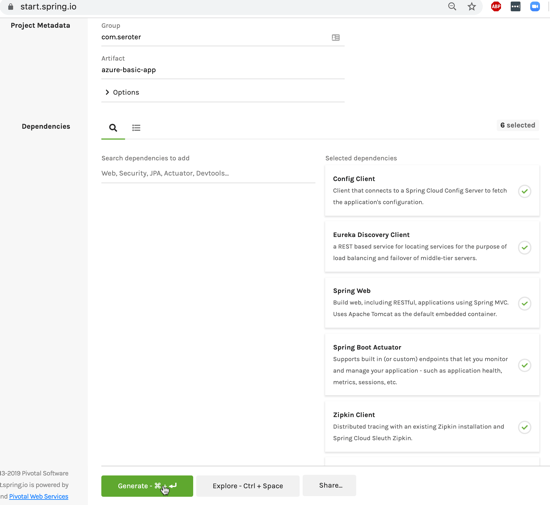
There’s no “special” way to build Spring Boot apps that run here. They’re just … apps. So I went to start.spring.io to generate my project scaffolding. Here, I chose dependencies for web, eureka (service registry), config client, actuator (health monitoring), and zipkin + sleuth (distributed tracing). Click here to generate an identical project.
My sample code is basic here. I just expose a REST endpoint, and pull a property value from the attached configuration store.
@RestController
@SpringBootApplication
public class AzureBasicAppApplication {

	public static void main(String[] args) {
	  SpringApplication.run(AzureBasicAppApplication.class, args);
	}

	@Value("${company:Not configured by a Spring Cloud Server}")
        private String company;

	@GetMapping("/hello")
	public String Hello() {
	  return "hello, from " + company;
	}
}
To deploy, first I create an application from the CLI or Portal. “Creating” the application doesn’t deploy it, as that’s a separate step.
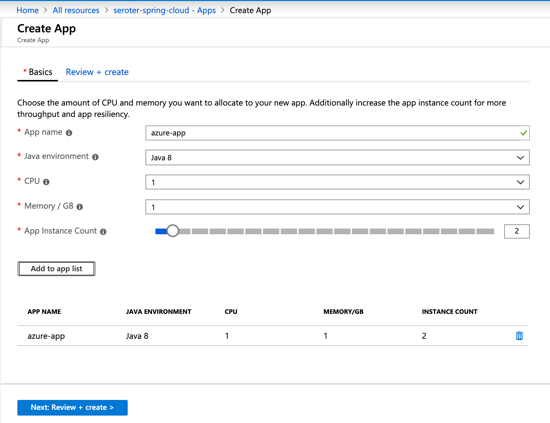
With that created, I packaged my Spring Boot app into a JAR file, and deployed it via the az CLI.
az spring-cloud app deploy -n azure-app --jar-path azure-basic-app-0.0.1-SNAPSHOT.jar
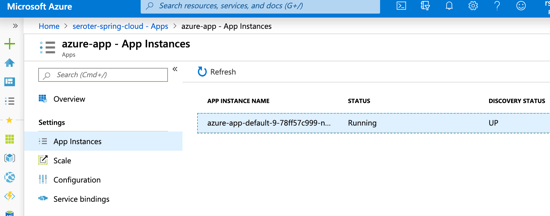
What happened next? Azure Spring Cloud created a container image, stored it in an Azure Container Registry, and deployed it to AKS. And you don’t need to care about any of that, as you can’t access the registry or AKS! It’s plumbing, that forms a platform. After a few moments, I saw my running instance, and the service registry shows that my instance is UP.
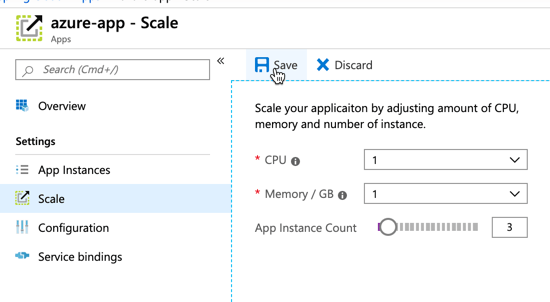
We’re dealing with containers here, so scaling is fast and easy. The “scale” section lets me scale up with more RAM and CPU, or out with more instances.
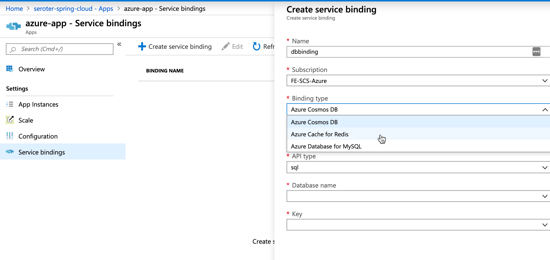
Cloud native, 12-factor apps should treat backing services like attached resources. Azure Spring Cloud embodies this by letting me set up service bindings. Here, I set up a linkage to another Azure service, and at runtime, its credentials and connection string are injected into the app’s configuration. All of this is handled auto-magically by the Spring Boot starters from Azure.
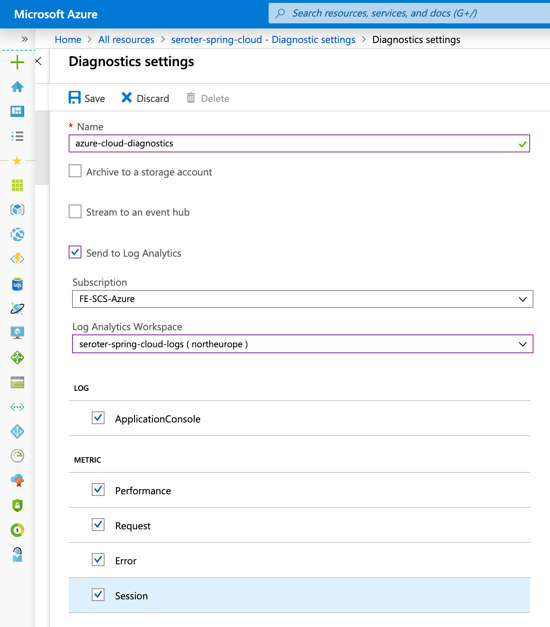
Logging data goes into Azure Monitor. You can set up Log Analytics for analysis, or pump out to a third party Application Performance Monitoring tool.
So you have logging, you have built-in monitoring, and you ALSO get distributed tracing. For microservices, this helps you inspect the call graph and see where your performance bottlenecks are. The pic below is from an example app built by Julien at Microsoft.

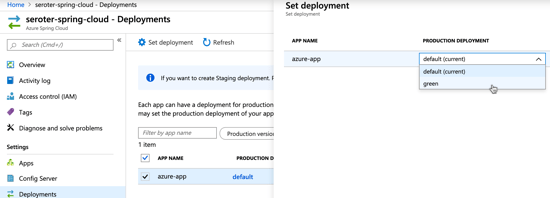
Finally, I can do blue/green deploy. This means that I deploy a second instance of the app (via the az CLI, it’s another “deployment”), can independently test it, and then choose to swap traffic over to that instance when I’m ready. If something goes wrong, I can switch back.
So far, it’s pretty impressive. This is one of the first industry examples of turning Kubernetes into an actual application platform. There’s more functionality planned as the service moves to public preview, beta, and general availability. I’m happy to see Microsoft make such a big bet on Spring, and even happier that developers have a premium option for running Java apps in the public cloud.



Leave a comment