Category: Cloud

  • Is BizTalk Server Going Away At Some Point? Yes. Dead? Nope.

    Another conference, another batch of “BizTalk future” discussions.  This time, it’s the Worldwide Partner Conference in Los Angeles.  Microsoft’s Tony Meleg actually did an excellent job frankly discussing the future of the middle platform and their challenges of branding and cohesion.  I strongly encourage you to watch that session.

    I’ve avoided any discussion on the “Is BizTalk Dead” meme, but I’m feeling frisky and thought I’d provide a bit of analysis and opinion on the topic.  Is the BizTalk Server product SKU going away in a few years?  Likely yes.  However, most integration components of BizTalk will be matured and rebuilt for the new platform over the next many years.

     A Bit of History

    I’m a Microsoft MVP for BizTalk Server and have been working with BizTalk since its beta release in the summer of 2000. When BizTalk was first released, it was a pretty rough piece of software but introduced capabilities not previously available in the Microsoft stack.  BizTalk Server 2002 was pretty much BizTalk 2000 with a few enhancements. I submit that the release of BizTalk Server 2004 was the most transformational, innovative, rapid software release in Microsoft history.   BizTalk Server 2004 introduced an entirely new underlying (pub/sub) engine, Visual Studio development, XSD schema support, new orchestration designer/engine, Human Workflow Services, Business Activity Monitoring, the Business Rules Engine, new adapter model, new Administration tooling, and more.  It was a massive update and one that legitimized the product.

    And … that was the end of significant innovation in the platform.  To be sure, we’ve seen a number of very useful changes to the product since then in the areas of Administration, WCF support, Line of Business adapters, partner management, EDI and more.  But the core engine, design experience, BRE, BAM and the like have undergone only cosmetic updates in the past seven years.  Since BizTalk Server 2004, Microsoft has released products like Windows Workflow, Windows Communication Foundation, SQL Server Service Broker, Windows Azure AppFabric and a host of other products that have innovations in lightweight messaging and easy development. Not to mention the variety of interesting open-source and vendor products that make enterprise messaging simpler.  BizTalk Server simply hasn’t kept up.

    In my opinion, Microsoft just hasn’t known what to do with BizTalk Server for about five years now.  There was the Oslo detour and the “Windows challenge” of supporting existing enterprise customers while trying to figure out how to streamline and upgrade a product.  Microsoft knows that BizTalk Server is a well-built and strategic product, and while it’s the best selling integration server by a mile, it’s still fairly niche and non-integrated with the entire Microsoft stack.

    Choice is a Good Thing

    That said, it’s in vogue to slam BizTalk Server on places like Twitter and blogs.  “It’s too complicated”, “it’s bloated”, “it causes blindness”.  I will contend that for a number of use cases, and if you have people who know what they are doing, one can solve a problem in BizTalk Server faster and more efficiently than using any other product.  A BizTalk expert can take a flat file, parse it, debatch it and route it to Salesforce.com and a Siebel system in 30 minutes (obviously depending on complexity). Those are real scenarios faced by organizations every day. And by the way, as soon as they deploy it they natively get reliable delivery, exception handling, message tracking, centralized management and the like.

    Clearly there are numerous cases when it makes good sense to use another tool like the WCF Routing Service, nServiceBus, Tellago’s Hermes, or any number of other cool messaging solutions.  But it’s not always apples to apples comparisons and equal capabilities.  Sometimes I may want or need a centralized integration server instead of a distributed service bus that relies on each subscriber to grab its own messages, handle exceptions, react to duplicate or out-of-order messaging, and communicate with non-web service based systems.  Anyone who says “never use this” and “only use that” is either naive or selling a product.  Integration in the real world is messy and often requires creative, diverse technologies to solve problems.  Virtually no company is entirely service-oriented, homogenous or running modern software. BizTalk is still the best Microsoft-sold product for reliable messaging between a wide range of systems and technologies.  You’ll find a wide pool of support resources (blogs/discussion groups/developers) that is simply not matched by any other Microsoft-oriented messaging solution.  Doesn’t mean BizTalk is the ONLY choice, but it’s still a VALID choice for a very large set of customers.

    Where is the Platform Going

    Tony Meleg said in his session that Microsoft is “only building one thing.”  They are taking a cloud first model and then enabling the same capabilities for an on premises server.  They are going to keep maintaining the current BizTalk Server (for years, potentially) until new on-premises server is available.  But it’s going to take a while for the vision to turn into products.

    I don’t think that this is a redo of the Oslo situation.  The Azure AppFabric team (and make no mistake, this team is creating the new platform) has a very smart bunch of folks and a clear mission.  They are building very interesting stuff and this last batch of CTPs (queues, topics, application manager) are showing what the future looks like.  And I like it.

    What Does This Mean to Developers?

    Would I tell a developer today to invest in learning BizTalk Server from scratch and making a total living off of it?  I’m not sure.  That said, except for BizTalk orchestrations, you’re seeing from Tony’s session that nearly all of the BizTalk-oriented components (adapters, pipelines, EDI management, mapping, BAM, BRE) will be part of the Microsoft integration server moving forward.  Investments in learning and building solutions on those components today is far from wasted and immensely relevant in the future.  Not to mention that understanding integration patterns like service bus and pub/sub are critical to excelling on the future platforms.

    I’d recommend diversity of skills right now.  One can make a great salary being a BizTalk-only developer today.  No doubt.  But it makes sense to start to work with Windows Azure in order to get a sense of what your future job will hold.  You may decide that you don’t like it and switch to being more WCF based, or non-Microsoft technologies entirely.  Or you may move to different parts of the Microsoft stack and work with StreamInsight, SQL Server, Dynamics CRM, SharePoint, etc.  Just go in with your eyes wide open.

    What Does This Mean to Organizations?

    Many companies will have interesting choices to make in the coming years.  While Tony mentions migration tooling for BizTalk clients, I highly suspect that any move to the new integration platform will require a significant rewrite for a majority of customers.  This is one reason that BizTalk skills will still be relevant for the next decade.  Organizations will either migrate, stay put or switch to new platforms entirely.

    I’d encourage any organization on BizTalk Server today to upgrade to BizTalk 2010 immediately.  That could be the last version they ever install, and if they want to maximize their investment, they should make the move now.  There very well may be 3+ more BizTalk releases in its lifetime, but for companies that only upgrade their enterprise software every 3-5  years, it would be wise to get up to date now and plan a full assessment of their strategy as the Microsoft story comes into focus.

    Summary

    In Tony’s session, he mentioned that the Azure AppFabric Service Bus team is responsible for building next generation messaging platform for Microsoft.  I think that puts Microsoft in good hands.  However, nothing is certain and we may be years from seeing a legitimate on-premises integration server from Microsoft that replaces BizTalk.

    Is BizTalk dead?  No.  But, the product named BizTalk Server is likely not going to be available for sale in 5-10 years.  Components that originated in BizTalk (like pipelines, BAM, etc) will be critical parts of the next generation integration stack from Microsoft and thus investing time to learn and build BizTalk solutions today is not wasted time.  That said, just be proactive about your careers and organizational investments and consider introducing new, interesting messaging technologies into your repertoire.   Deploy nServiceBus, use the WCF Routing Service, try out Hermes, start using the AppFabric Service Bus.  Build an enterprise that uses the best technology for a given scenario and don’t force solutions into a single technology when it doesn’t fit.

    Thoughts?

  • Event Processing in the Cloud with StreamInsight Austin: Part I-Building an Azure AppFabric Adapter

    StreamInsight is Microsoft’s (complex) event processing engine which takes in data and does in-memory pattern matching with the goal of uncovering real-time insight into information.  The StreamInsight team at Microsoft recently announced their upcoming  capability (code named “Austin”) to deploy StreamInsight applications to the Windows Azure cloud.  I got my hands on the early bits for Austin and thought I’d walk through an example of building, deploying and running a cloud-friendly StreamInsight application.  You can find the source code here.

    You may recall that the StreamInsight architecture consists of input/output adapters and any number of “standing queries” that the data flows over.  In order for StreamInsight Austin to be effective, you need a way for the cloud instance to receive input data.  For instance, you could choose to poll a SQL Azure database or pull in a massive file from an Amazon S3 bucket.  The point is that the data needs to be internet accessible.  If you wish to push data into StreamInsight, then you must expose some sort of endpoint on the Azure instance running StreamInsight Austin.  Because we cannot directly host a WCF service on the StreamInsight Austin instance, our best bet is to use Windows Azure AppFabric to receive events.  In this post, I’ll show you how to build an Azure AppFabric adapter for StreamInsight.  In the next post, I’ll walk through the steps to deploy the on-premises StreamInsight application to Windows Azure and StreamInsight Austin.

    As a reference point, the final solution looks like the picture below.  I have a client application which calls an Azure AppFabric Service Bus endpoint started up by StreamInsight Austin, and then take the output of StreamInsight query and send it through an adapter to an Azure AppFabric Service Bus endpoint that relays the message to a subscribing service.

    2011.7.5streaminsight18

    I decided to use the product team’s WCF sample adapter as a foundation for my Azure AppFabric Service Bus adapter.  However, I did make a number of changes in order to simplify it a bit. I have one Visual Studio project that contains shared objects such as the input WCF contract, output WCF contract and StreamInsight Point Event structure.  The Point Event stores a timestamp and dictionary for all the payload values.

    [DataContract]
        public struct WcfPointEvent
        {
            ///
     /// Gets the event payload in the form of key-value pairs. ///
            [DataMember]
            public Dictionary Payload { get; set; }
    
            ///
     /// Gets the start time for the event. ///
            [DataMember]
            public DateTimeOffset StartTime { get; set; }
    
            ///
     /// Gets a value indicating whether the event is an insert or a CTI. ///
            [DataMember]
            public bool IsInsert { get; set; }
        }
    

    Each receiver of the StreamInsight event implements the following WCF interface contract.

    [ServiceContract]
        public interface IPointEventReceiver
        {
            ///
     /// Attempts to dequeue a given point event. The result code indicates whether the operation /// has succeeded, the adapter is suspended -- in which case the operation should be retried later -- /// or whether the adapter has stopped and will no longer return events. ///
            [OperationContract]
            ResultCode PublishEvent(WcfPointEvent result);
        }
    

    The service clients which send messages to StreamInsight via WCF must conform to this interface.

    [ServiceContract]
        public interface IPointInputAdapter
        {
            ///
     /// Attempts to enqueue the given point event. The result code indicates whether the operation /// has succeeded, the adapter is suspended -- in which case the operation should be retried later -- /// or whether the adapter has stopped and can no longer accept events. ///
            [OperationContract]
            ResultCode EnqueueEvent(WcfPointEvent wcfPointEvent);
        }
    

    I built a WCF service (which will be hosted through the Windows Azure AppFabric Service Bus) that implements the IPointEventReceiver interface and prints out one of the values from the dictionary payload.

    public class ReceiveEventService : IPointEventReceiver
        {
            public ResultCode PublishEvent(WcfPointEvent result)
            {
                WcfPointEvent receivedEvent = result;
                Console.WriteLine("Event received: " + receivedEvent.Payload["City"].ToString());
    
                result = receivedEvent;
                return ResultCode.Success;
            }
        }
    

    Now, let’s get into the StreamInsight Azure AppFabric adapter project.  I’ve defined a “configuration object” which holds values that are passed into the adapter at runtime.  These include the service address to host (or consume) and the password used to host the Azure AppFabric service.

    public struct WcfAdapterConfig
        {
            public string ServiceAddress { get; set; }
            public string Username { get; set; }
            public string Password { get; set; }
        }
    

    Both the input and output adapters have the required factory classes and the input adapter uses the declarative CTI model to advance the application time.  For the input adapter itself, the constructor is used to initialize adapter values including the cloud service endpoint.

    public WcfPointInputAdapter(CepEventType eventType, WcfAdapterConfig configInfo)
    {
    this.eventType = eventType;
    this.sync = new object();
    
    // Initialize the service host. The host is opened and closed as the adapter is started
    // and stopped.
    this.host = new ServiceHost(this);
    //define cloud binding
    BasicHttpRelayBinding cloudBinding = new BasicHttpRelayBinding();
    //turn off inbound security
    cloudBinding.Security.RelayClientAuthenticationType = RelayClientAuthenticationType.None;
    
    //add endpoint
    ServiceEndpoint endpoint = host.AddServiceEndpoint((typeof(IPointInputAdapter)), cloudBinding, configInfo.ServiceAddress);
    //define connection binding credentials
    TransportClientEndpointBehavior cloudConnectBehavior = new TransportClientEndpointBehavior();
    cloudConnectBehavior.CredentialType = TransportClientCredentialType.SharedSecret;
    cloudConnectBehavior.Credentials.SharedSecret.IssuerName = configInfo.Username;
    cloudConnectBehavior.Credentials.SharedSecret.IssuerSecret = configInfo.Password;
    endpoint.Behaviors.Add(cloudConnectBehavior);
    
    // Poll the adapter to determine when it is time to stop.
    this.timer = new Timer(CheckStopping);
    this.timer.Change(StopPollingPeriod, Timeout.Infinite);
    }
    

    On “Start()” of the adapter, I start up the WCF host (and connect to the cloud).  My Timer checks the state of the adapter and if the state is “Stopping”, the WCF host is closed.  When the “EnqueueEvent” operation is called by the service client, I create a StreamInsight point event and take all of the values in the payload dictionary and populate the typed class provided at runtime.

    foreach (KeyValuePair keyAndValue in payload)
     {
           //populate values in runtime class with payload values
           int ordinal = this.eventType.Fields[keyAndValue.Key].Ordinal;
           pointEvent.SetField(ordinal, keyAndValue.Value);
      }
     pointEvent.StartTime = startTime;
    
     if (Enqueue(ref pointEvent) == EnqueueOperationResult.Full)
     {
            Ready();
     }


    There is a fair amount of other code in there, but those are the main steps.  As for the output adapter, the constructor instantiates the WCF ChannelFactory for the IPointEventReceiver contract defined earlier.  The address passed in via the WcfAdapterConfig is applied to the Factory.  When StreamInsight invokes the Dequeue operation of the adapter, I pull out the values from the typed class and put them into the payload dictionary of the outbound message.

    // Extract all field values to generate the payload.
    result.Payload = this.eventType.Fields.Values.ToDictionary(
            f => f.Name,
            f => currentEvent.GetField(f.Ordinal));
    
    //publish message to service
    client = factory.CreateChannel();
    client.PublishEvent(result);
    ((IClientChannel)client).Close();
    

    I now have complete adapters to listen to the Azure AppFabric Service Bus and publish to endpoints hosted on the Azure AppFabric Service Bus.

    I’ll now build an on-premises host to test that it all works.  If it does, then the solution can easily be transferred to StreamInsight Austin for cloud hosting.  I first defined the typed class that defines my event.

    public class OrderEvent
        {
            public string City { get; set; }
            public string Product { get; set; }
        }
    

    Recall that my adapter doesn’t know about this class.  The adapter works with the dictionary object and the typed class is passed into the adapter and translated at runtime.  Next up is setup for the StreamInsight host.  After creating a new embedded application, I set up the configuration object representing both the input WCF service and output WCF service.

    //create reference to embedded server
    using (Server server = Server.Create("RSEROTER"))
    {
    
    		//create WCF service config
         WcfAdapterConfig listenWcfConfig = new WcfAdapterConfig()
          {
              Username = "ISSUER",
              Password = "PASSWORD",
              ServiceAddress = "https://richardseroter.servicebus.windows.net/StreamInsight/RSEROTER/InputAdapter"
           };
    
         WcfAdapterConfig subscribeWcfConfig = new WcfAdapterConfig()
         {
               Username = string.Empty,
               Password = string.Empty,
               ServiceAddress = "https://richardseroter.servicebus.windows.net/SIServices/ReceiveEventService"
         };
    
         //create new application on the server
         var myApp = server.CreateApplication("DemoEvents");
    
         //get reference to input stream
         var inputStream = CepStream.Create("input", typeof(WcfInputAdapterFactory), listenWcfConfig, EventShape.Point);
    
         //first query
         var query1 = from i in inputStream
                                select i;
    
         var siQuery = query1.ToQuery(myApp, "SI Query", string.Empty, typeof(WcfOutputAdapterFactory), subscribeWcfConfig, EventShape.Point, StreamEventOrder.FullyOrdered);
    
         siQuery.Start();
        Console.WriteLine("Query started.");
    
        //wait for keystroke to end
        Console.ReadLine();
    
        siQuery.Stop();
        host.Close();
        Console.WriteLine("Query stopped. Press enter to exit application.");
        Console.ReadLine();


    This is now a fully working, cloud-connected, onsite StreamInsight application.  I can take in events from any internal/external service caller and publish output events to any internal/external service.  I find this to be a fairly exciting prospect.  Imaging taking events from your internal Line of Business systems and your external SaaS systems and looking for patterns across those streams.

    Looking for the source code?  Well here you go.  You can run this application today, whether you have StreamInsight Austin or not.  In the next post, I’ll show you how to take this application and deploy it to Windows Azure using StreamInsight Austin.

  • Interview Series: Four Questions With … Pablo Cibraro

    Hi there and welcome to the 32nd interview in my series of chats with thought leaders in the “connected technology” space.  This month, we are talking with Pablo Cibraro who is the Regional CTO for innovative tech company TellagoMicrosoft MVP, blogger, and regular Twitter user.

    Pablo has some unique perspectives due to his work across the entire Microsoft application platform stack.  Let’s hear what he has to say.

    Q: In a recent blog post you talk about not using web services unless you need to. What do you think are the most obvious cases when building a distributed service makes sense?  When should you avoid it?

    A: Some architects tend to move application logic to web services for the simple reason of distributing load on a separate layer or because they think these services might be reused in the future for other systems. However, these facts are not always true. You typically use web services for providing certain integration points in your system but not as a way to expose every single piece of functionality in a distributed fashion. Otherwise, you will end up with a great number of services that don’t really make sense and a very complicated architecture to maintain. There is, however, some exceptions to this rule when you are building distributed applications with a thin UI layer and all the application logic running on the server side. Smart client applications, Silverlight applications or any application running in a device are typical samples of applications with this kind of architecture.

    In a nutshell, I think these are some of obvious cases where web services make sense,

    • You need to provide an integration point in your system in a loosely coupled manner.
    • There is explicit requirements for running a piece of functionality remotely in an specific machine.

    If you don’t have any of these requirements in the application or system you are building, you should really avoid them. Otherwise, Web services will add an extra level of complexity to the system as you will have more components to maintain or configure. In addition, calling a service represents a cross boundary call so you might introduce another point of failure in the system.

    Q: There has been some good discussion (here, here) in the tech community about REST in the enterprise.  Do you think that REST will soon make significant inroads within enterprises or do you think SOAP is currently better suited for enterprise integration?

    A: REST is having a great adoption for implementing services with massive consumption in the web. If you want to reach a great number of clients running on a variety of platforms, you will want to use something everybody understand, and that where Http and REST services come in. All the public APIs for the cloud infrastructure and services are based on REST services as well. I do believe REST will start getting some adoption in the enterprise, but not as something happening in the short term. For internal developments in the enterprise, I think developers are still very comfortable working with SOAP services and all the tooling they have. Even integration is much simpler with REST services, designing REST services well requires a completely different mindset, and many developers are still not prepared to make that switch. All the things you can do with SOAP today, can also be done with REST. I don’t buy some of the excuses that developers have for not using REST services like REST services don’t support distributed transactions or workflows for example, because most them are not necessarily true. I’ve never seen an WS-Transaction implementation in my life.

    Q: Are we (and by “we” I mean technology enthusiasts) way ahead of the market when it comes to using cloud platforms (e.g. Azure AppFabric, Amazon SQS, PubNub) for integration or do you think companies are ready to send certain data through off-site integration brokers?

    A: Yes, I still see some resilience in organizations to move their development efforts to the cloud. I think Microsoft, Amazon and others cloud vendors are pushing hard today to break that barrier. However, I do see a lot of potential in this kind of cloud infrastructure for integration applications running in different organizations. All the infrastructure you had to build yourself in the past for doing the same is now available for you in the cloud, so why not use it ?

    Q [stupid question]: Sometimes substituting one thing for another is ok.  But “accidental substitutions” are the worst.  For instance, if you want to wash your hands and mistakenly use hand lotion instead of soap, that’s bad news.  For me, the absolute worst is thinking I got Ranch dressing on a salad, realizing it’s Blue Cheese dressing instead and trying to temper my gag reflex.  What accidental substitutions in technology or life really ruin your day?

    A: I don’t usually let simple things ruin my day. Bad decisions that will affect me in the long run are the ones that concern me most. The fact that I will have to fix something or pay the consequences of that mistake is something that usually piss me off.

    Clearly Pablo is a mellow guy and makes me look like a psychopath.  Well done!

  • Sending Messages from Salesforce.com to BizTalk Server Through Windows Azure AppFabric

    In a very short time, my latest book (actually Kent Weare’s book) will be released.  One of my chapters covers techniques for integrating BizTalk Server and Salesforce.com.  I recently demonstrated a few of these techniques for the BizTalk User Group Sweden, and I thought I’d briefly cover one of the key scenarios here.  To be sure, this is only a small overview of the pattern, and hopefully it’s enough to get across the main idea, and maybe even encourage to read the book to learn all the gory details!

    I’m bored with the idea that we can only get data from enterprise applications by polling them.  I’ve written about how to poll Salesforce.com from BizTalk, and the topic has been covered quite well by others like Steef-Jan Wiggers and Synthesis Consulting.  While polling has its place, what if I want my application to push a notification to me?  This capability is one of my favorite features of Salesforce.com.  Through the use of Outbound Messaging, we can configure Salesforce.com to call any HTTP endpoint when a user-specified scenario occurs.  For instance, every time a contact’s address changes, Salesforce.com could send a message out with whichever data fields we choose.  Naturally this requires a public-facing web service that Salesforce.com can access.  Instead of exposing a BizTalk Server to the public internet, we can use Azure AppFabric to create a proxy that relays traffic to the internal network.  In this blog post, I’ll show you that Salesforce.com Outbound Messages can be sent though the AppFabric Service Bus to an on-premises BizTalk Server. I haven’t seen anyone try integrating Salesforce.com with Azure AppFabric yet, so hopefully this is the start of many more interesting examples.

    First, a critical point.  Salesforce.com Outbound Messaging is awesome, but it’s fairly restrictive with regards to changing the transport details.  That is, you plug in a URL and have no control over the HTTP call itself.  This means that you cannot inject Azure AppFabric Access Control tokens into a header.  So, Salesforce.com Outbound Messages can only point to an Azure AppFabric service that has its RelayClientAuthenticationType set to “None” (vs. RelayAccessToken).  This means that we have to validate the caller down at the BizTalk layer.  While Salesforce.com Outbound Messages are sent with a client certificate, it does not get passed down to the BizTalk Server as the AppFabric Service Bus swallows certificates before relaying the message on premises.  Therefore, we’ll get a little creative in authenticating the Salesforce.com caller to BizTalk Server. I solved this by adding a token to the Outbound Message payload and using a WCF behavior in BizTalk to match it with the expected value.  See the book chapter for more.

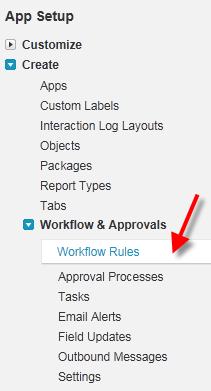
    Let’s get going.  Within the Salesforce.com administrative interface, I created a new Workflow Rule.  This rule checks to see if an Account’s billing address changed.

    1902_06_025

    The rule has a New Outbound Message action which doesn’t yet have an Endpoint address but has all the shared fields identified.

    1902_06_028

    When we’re done with the configuration, we can save the WSDL that complies with the above definition.

    1902_06_029

    On the BizTalk side, I ran the Add Generated Items wizard and consumed the above WSDL.  I then built an orchestration that used the WSDL-generated port on the RECEIVE side in order to expose an orchestration that matched the WSDL provided by Salesforce.com.  Why an orchestration?  When Salesforce.com sends an Outbound Message, it expects a single acknowledgement to confirm receipt.

    1902_06_032

    After deploying the application, I created a receive location where I hosted the Azure AppFabric service directly in BizTalk Server.

    1902_06_033

    After starting the receive location (whose port was tied to my orchestration), I retrieved the Service Bus address and plugged it back into my Salesforce.com Outbound Message’s Endpoint URL.  Once I change the billing address of any Account in Salesforce.com, the Outbound Message is invoked and a message is sent from Salesforce.com to Azure AppFabric and relayed to BizTalk Server.

    I think that this is a compelling pattern.  There are all sorts of variations that we can come up with.  For instance, you could choose to send only an Account ID to BizTalk and then have BizTalk poll Salesforce.com for the full Account details.  This could be helpful if you had a high volume of Outbound Messages and didn’t want to worry about ordering (since each event simply tells BizTalk to pull the latest details).

    If you’re in the Netherlands this week, don’t miss Steef-Jan Wiggers who will be demonstrating this scenario for the local user group.  Or, for the price of one plane ticket from the U.S. to Amsterdam, you can buy 25 copies of the book!

  • Packt Books Making Their Way to the Amazon Kindle

    Just a quick FYI that my last book, Applied Architecture Patterns on the Microsoft Platform, is now available on the Amazon Kindle.  Previously, you could pull the eBook copy over to the device, but that wasn’t ideal.  Hopefully my newest book, Microsoft BizTalk 2010: Line of Business Systems Integration will be Kindle-ready shortly after it launches in the coming weeks.

    While I’ve got a Kindle and use it regularly, I’ll admit that I don’t read technical books on it much.  What about you all?  Do you read electronic copies of technical books or do you prefer the “dead trees” version?

  • Interview Series: Four Questions With … Sam Vanhoutte

    Hello and welcome to my 31st interview with a thought leader in the “connected technology” space.  This month we have the pleasure of chatting with Sam Vanhoutte who is the chief technical architect for IT service company CODit, Microsoft Virtual Technology Specialist for BizTalk and interesting blogger.  You can find Sam on Twitter at http://twitter.com/#!/SamVanhoutte.

    Microsoft just concluded their US TechEd conference, so let’s get Sam’s perspective on the new capabilities of interest to integration architects.

    Q: The recent announcement of version 2 of the AppFabric Service Bus revealed that we now have durable messaging components at our disposal through the use of Queues and Topics.  It seems that any new technology can either replace an existing solution strategy or open up entirely new scenarios.  Do these new capabilities do both?

    A: They will definitely do both, as far as I see it.  We are currently working with customers that are in the process of connecting their B2B communications and services to the AppFabric Service Bus.  This way, they will be able to speed up their partner integrations, since it now becomes much easier to expose their internal endpoints in a secure way to external companies.

    But I can see a lot of new scenarios coming up, where companies that build Cloud solutions will use the service bus even without exposing endpoints or topics outside of these solutions.  Just because the service bus now provides a way to build decoupled and flexible solutions (by leveraging pub/sub, for example).

    When looking at the roadmap of AppFabric (as announced at TechEd), we can safely say that the messaging capabilities of this service bus release will be the foundation for any future integration capabilities (like integration pipelines, transformation, workflow and connectivity). And seeing that the long term vision is to bring symmetry between the cloud and the on-premise runtime, I feel that the AppFabric Service Bus is the train you don’t want to miss as an integration expert.

    Q: The one thing I was hoping to see was a durable storage underneath the existing Service Bus Relay services.  That is, a way to provide more guaranteed delivery for one-way Relay services.  Do you think that some organizations will switch from the push-based Relay to the poll-based Topics/Queues in order to get the reliability they need?

    A: There are definitely good reasons to switch to the poll-based messaging system of AppFabric.  Especially since these are also exposed in the new ServiceBusMessagingBinding from WCF, which provides the same development experience for one-way services.  Leveraging the messaging capabilities, you now have access to a very rich publish/subscribe mechanism on which you can implement asynchronous, durable services.  But of course, the relay binding still has a lot of added value in synchronous scenarios and in the multi-casting scenarios.

    And one thing that might be a decisive factor in the choice between both solutions, will be the pricing.  And that is where I have some concerns.  Being an early adopter, we have started building and proposing solutions, leveraging CTP technology (like Azure Connect, Caching, Data Sync and now the Service Bus).  But since the pricing model of these features is only being announced short before being commercially available, this makes planning the cost of solutions sometimes a big challenge.  So, I hope we’ll get some insight in the pricing model for the queues & topics soon.

    Q: As you work with clients, when would you now encourage them to use the AppFabric Service Bus instead of traditional cross-organization or cross-departmental solutions leveraging SQL Server Integration Services or BizTalk Server?

    A: Most of our customer projects are real long-term, strategic projects.  Customers hire us to help designing their integration solution.  And most of the cases, we are still proposing BizTalk Server, because of its maturity and rich capabilities.  The AppFabric Services are lacking a lot of capabilities for the moment (no pipelines, no rich management experience, no rules or BAM…).  So for the typical EAI integration solutions, BizTalk Server is still our preferred solution.

    Where we are using and proposing the AppFabric Service Bus, is in solutions towards customers that are using a lot of SaaS applications and where external connectivity is the rule. 

    Next to that, some customers have been asking us if we could outsource their entire integration platform (running on BizTalk).  They really buy our integration as a service offering.  And for this we have built our integration platform on Windows Azure, leveraging the service bus, running workflows and connecting to our on-premise BizTalk Server for EDI or Flat file parsing.

    Q [stupid question]: My company recently upgraded from Office Communicator to Lync and with it we now have new and refined emoticons.  I had been waiting a while to get the “green faced sick smiley” but am still struggling to use the “sheep” in polite conversation.  I was really hoping we’d get the “beating  a dead horse” emoticon, but alas, I’ll have to wait for a Service Pack. Which quasi-office appropriate emoticons do you wish you had available to you?

    A: I am really not much of an emoticon guy.  I used to switch off emoticons in Live Messenger, especially since people started typing more emoticons than words.  I also hate the fact that emoticons sometimes pop up when I am typing in Communicator.  For example, when you enter a phone number and put a zero between brackets (0), this gets turned into a clock.  Drives me crazy.  But maybe the “don’t boil the ocean” emoticon would be a nice one, although I can’t imagine what it would look like.  This would help in telling someone politely that he is over-engineering the solution.  And another fun one would be a “high-five” emoticon that I could use when some nice thing has been achieved.  And a less-polite, but sometimes required icon would be a male cow taking a dump 😉

    Great stuff Sam!  Thanks for participating.

  • 6 Quick Steps for Windows/.NET Folks to Try Out Cloud Foundry

    I’m on the Cloud Foundry bandwagon a bit and thought that I’d demonstrate the very easy steps for you all to try out this new platform-as-a-service (PaaS) from VMware that targets multiple programming languages and can (eventually) be used both on-premise and in the cloud.

    To be sure, I’m not “off” Windows Azure, but the message of Cloud Foundry really resonates with me.  I recently interviewed their CTO for my latest column on InfoQ.com and I’ve had a chance lately to pick the brains of some of their smartest people.  So, I figured it was worth taking their technology for a whirl.  You can too by following these straightforward steps.  I’ve thrown in 5 bonus steps because I’m generous like that.

    1. Get a Cloud Foundry account.  Visit their website, click the giant “free sign up” button and click refresh on your inbox for a few hours or days.
    2. Get the Ruby language environment installed.  Cloud Foundry currently supports a good set of initial languages including Java, Node.js and Ruby.  As for data services, you can currently use MySQL, Redis and MongoDB.  To install Ruby, simply go to http://rubyinstaller.org/ and use their single installer for the Windows environment.  One thing that this package installs is a Command Prompt with all the environmental variables loaded (assuming you selected to add environmental variables to the PATH during installation).
    3. Install vmc.You can use the vmc tool to manage your Cloud Foundry app, and it’s easy to install it from within the Ruby Command Prompt. Simply type:
      gem install vmc
      

      You’ll see that all the necessary libraries are auto-magically fetched and installed.

      2011.5.11cf01

    4. Point to Cloud Foundry and log In.  Stay in the Ruby Command Prompt and target the public Cloud Foundry cloud.  You could also use this to point at other installations, but for now, let’s keep it easy. 
      2011.5.11cf02
      Next, login to your Cloud Foundry account by typing “vmc login” to the Ruby Command Prompt. When asked, type in the email address that you used to register with, and the password assigned to you.
    5. Create a simple Ruby application. Almost there.  Create a directory on your machine to hold your Ruby application files.  I put mine at C:\Ruby192\Richard\Howdy.  Next we create a *.rb file that will print out a simple greeting.  It brings in the Sinatra library, defines a “get” operation on the root, and has a block that prints out a single statement. 
      require 'sinatra' # includes the library
      get '/' do	# method call, on get of the root, do the following
      	"Howdy, Richard.  You are now in Cloud Foundry! "
      end
      
    6. Push the application to Cloud Foundry.  We’re ready to publish.  Make sure that your Ruby Command Prompt is sitting at the directory holding your application file.  Type in “vmc push” and you’ll get prompted with a series of questions.  Deploy from current directory?  Yes.  Name?  I gave my application the unique name “RichardHowdy”. Proposed URL ok?  Sure.  Is this a Sinatra app?  Why yes, you smart bugger.  What memory reservation needed?  128MB is fine, thank you.  Any extra services (databases)?  Nope.  With that, and about 8 seconds of elapsed time, you are pushed, provisioned and started.  Amazingly fast.  Haven’t seen anything like it. My console execution looks like this:2011.5.11cf03
      And my application can now be viewed in the browser at http://richardhowdy.cloudfoundry.com.

      Now for some bonus steps …

    7. Update the application.  How easy is it to publish a change?  Damn easy.  I went to my “howdy.rb” file and added a bit more text saying that the application has been updated.  Go back to the Ruby Command Prompt and type in “vmc update richardhowdy” and 5 seconds later, I can view my changes in the browser.  Awesome.
    8. Run diagnostics on the application.  So what’s going on up in Cloud Foundry?  There are a number of vmc commands we can use to interrogate our application. For one, I could do “vmc apps” and see all of my running applications.2011.5.11cf04
      For another, I can see how many instances of my application are running by typing in “vmc instances richardhowdy”. 
      2011.5.11cf06 
    9. Add more instances to the application.  One is a lonely number.  What if we want our application to run on three instances within the Cloud Foundry environment?  Piece of cake.  Type in “vmc instances richardhowdy 3” where 3 is the number of instances to add (or remove if you had 10 running).  That operation takes 4 seconds, and if we again execute the “vmc instances richardhowdy” we see 3 instances running. 
      2011.5.11cf05
    10. Print environmental variable showing instance that is serving the request.  To prove that we have three instances running, we can use Cloud Foundry environmental variables to display the instance of the droplet running on the node in the grid.  My richardhowdy.rb file was changed to include a reference to the environmental variable named VMC_APP_ID.
      require 'sinatra' #includes the library
      get '/' do	#method call, on get of the root, do the following
      	"Howdy, Richard.  You are now in Cloud Foundry!  You have also been updated. App ID is #{ENV['VMC_APP_ID']}"
      end
      

      If you visit my application at http://richardhowdy.cloudfoundry.com, you can keep refreshing and see 1 of 3 possible application IDs get returned based on which node is servicing your request.

    11. Add a custom environmental variable and display it.  What if you want to add some static values of your own?  I entered “vmc env-add richardhowdy myversion=1” to define a variable called myversion and set it equal to 1.  My richardhowdy.rb file was updated by adding the statement “and seroter version is #{ENV[‘myversion’]}” to the end of the existing statement. A simple “vmc update richardhowdy” pushed the changes across and updated my instances.

    Very simple, clean stuff and since it’s open source, you can actually look at the code and fork it if you want.  I’ve got a todo list of integrating this with other Microsoft services since I’m thinking that the future of enterprise IT will be a mashup of on-premise services and (mix of) public cloud services.  The more examples we can produce of linking public/private clouds together, the better!

  • Interview Series: Four Questions With … Buck Woody

    Hello and welcome to my 30th interview with a thought leader in the “connected technology” space.  This month, I chased down Buck Woody who is a Senior Technology Specialist at Microsoft, database expert and now a cloud guru, regular blogger, manic Tweeter, and all-around interesting chap.

    Let’s jump in.

    Q: High-availability in cloud solutions has been a hot topic lately. When it comes to PaaS solutions like Windows Azure, what should developers and architects do to ensure that a solution remains highly available?

    A: Many of the concepts here  are from the mainframe days I started with. I think the difference with distributed computing (I don’t like the term "cloud" 🙂 ), and specifically with Windows Azure is that it starts with the code. It’s literally a platform that runs code – not only is the hardware abstracted like an Infrastructure-as-a-Service (Iaas) or other VM hosting provider, but so is the operating system and even the runtime environment (such as .NET, C++ or Java). This puts the start of the problem-solving cycle at the software engineering level – and that’s new for companies.

    Another interesting facet is the cost aspect of distributed computing (DC). In a DC world, changing the sorting algorithm to a better one in code can literally save thousands of cycles (and dollars) a year. We’ve always wanted to write fast, solid code, but now that effort has a very direct economic reward.

    Q: Some objections to the hype around cloud computing claim that "cloud" is just a renaming of previously established paradigms (e.g. application hosting). Which aspects of Windows Azure (and cloud computing in general) do you consider to be truly novel and innovative?

    A: Most computing paradigms have a computing element, storage and management, and so on. All that is still available in any DC provider, including Windows Azure. The feature in Windows Azure that is being used in new ways and sort of sets it apart is the Application Fabric. This feature opens up multiple access and authentication paradigms, has "Caching as a Service", a Service Bus component that opens up internal applications and data to DC apps, and more. I think it’s truly something that people will be impressed with when they start using it.

    Another thing that is new is that with Windows Azure you can use any or all of these components separately or together. We have folks coding up apps that only have a computing function, which is called by on-premise systems when they need more capacity. Others are using only storage, and still others are using the Application Fabric as a Service Bus to transfer program results from their internal systems to partners or even other parts of their own company. And of course we have lots of full-fledged applications running all of these parts together.

    Q: Enterprise customers may have (realistic or unfounded) concerns about cloud security, performance and functionality.  As of today, what scenarios would you encourage a customer to build an on-premise solution vs. one in the cloud?

    A: Everyone is completely correct to be concerned about security in the cloud – or anywhere else for that matter. Security is in layers, from the data elements to the code, the facilities, procedures, lots of places. I tend not to store any private data in a DC, but rather keep the sensitive elements on-premises. Normally the architectures we help customers with involves using the Windows Azure Application Fabric to transfer either the sensitive data kept on site to the ultimate destination using encryption and secure channels, or even better, just the result the application is looking for. In one application the credit-card processing portion of a web app was retained by the company, and the rest of the code and data was stored in Azure. Credit card data was sent from the application to the internal system directly; the internal app then sent an "approved" or "not approved" to Azure.

    The point is that security is something that should be a collaboration between facilities, platform provider, and customer code. I’ve got lots of information on that in my Windows Azure Learning Plan on my blog.

    Q [stupid question]: I’m about to publish my 3rd book and whenever my non-technical friends or family find out, they ask the title and upon hearing it, give me a glazed look and a "oh, that’s nice" response.  I’ve decided that I should answer this question differently.  Now if friends ask what my new book is about, I tell them that it’s an erotic vampire thriller about computer programmers in Malaysia.  Working title is "Love Bytes".  If you were to write a non-technical book, what would it be about?

    A: I actually am working on a fiction book. I’ve written five books on technical subjects that have been published, but fiction is another thing entirely. Here are few cool titles for fiction books by IT folks – not sure if someone hasn’t already come up with these (I’m typing this in an airplane with no web 😦 )

    • Haskel and grep’l
    • Little Red Hat Writing Hadoop
    • Jack and the JavaBean Stalk
    • The boy who cried Wolfram Alpha
    • The Princess and the N-P Problem
    • Peter Pan Principle

    Thanks for being such a good sport, Buck.

  • My Pluralsight Training Course on BizTalk Integration with Azure AppFabric Is Online

    Pluralsight is a premier developer training company that has an excellent library of “on-demand” courses that cover topics like ASP.NET, BizTalk Server, SharePoint, Silverlight, SQL Server, WCF, Windows Azure and more. Late last year, Matt Milner reached out and asked if I’d like to teach some courses for them, and because I have trouble saying “no” to interesting things, I jumped at the chance. 

    The first course that we agreed on was one that explained the scenarios and techniques for integrating BizTalk Server 2010 with Windows Azure AppFabric.  The course is about an hour and a half long, and looks at why you’d integrate these technologies, how to send and receive messages back and forth.  You can now find the course, Integrating BizTalk Server with Windows Azure AppFabric, online.

    If you are a Microsoft MVP, Pluralsight gives you *free* access to the online course library.  I’ve used this content many times in the past to quickly get up to speed on topics that I need to get smarter on.  If you aren’t an MVP, don’t fret as the subscription costs are pretty darn affordable.

    There are a few more courses that I’d like to teach, so keep an eye out for those in 2011.  If you have any suggested content, I’m open to ideas as well.

  • Interview Series: Four Questions With … Steef-Jan Wiggers

    Greetings and welcome to my 28th interview with a thought leader in the “connected technology” domain.  This month, I’ve wrangled Steef-Jan Wiggers into participating in this little carnival of questions.  Steef-Jan is a new Microsoft MVP, blogger, obsessive participant on the MSDN help forums, and an all around good fellow.

    Steef-Jan and I have joined forces here at the Microsoft MVP Summit, so let’s see if I can get him to break his NDA and ruin his life.

    Q: Tell us about a recent integration project that seemed simple at first, but was more complex when you had to actually build it.

    A: Two months ago I embarked on an integration project that is still in progress. It involved messaging with external parties to support a process for taxi drivers applying for personalized card to be used in a board computer in a taxi (in fact each taxi that is driving in the Netherland will have one by 1th of October 2011). The board computer registers resting/driving time, which is important for safety regulations and so on. There is messaging involved using certificates for signing and verifying messages to and from these parties. Working with BizTalk and certificates is according to MSDN documentation pretty straight forward with supported algorithms, but project demanded SHA-256 encryption which is not supported out-of-the box in BizTalk. This made it less straight forward and it would require some kind of customization involving either custom coding throughout or third party products in combination with some custom coding or third party product to be put in and configured appropriately. What it made it more complex was that a Hardware Security Module (HSM) from nCipher was involved as well that contained the private keys. After some debate between project members we decided to choose Chilkat component that supported SHA-256 signing and verifying of messages and incorporated that component with some custom coding in a custom pipeline. Reasoning behind this was that besides the signing and verifying we also had to get access to the HSM through appropriate cryptographic provider. So what seemed simple at first was hard to build and configure in the end. Though working with a security consultant with knowledge of the algorithms, chilkat, coding and HSM helped a lot to have it ready on time.

    Q: Your blog has a recent post about leveraging BizTalk’s WCF-SQL adapter to call SQL Server stored procedures.  What are you decision criteria for how to best communicate with a database from BizTalk?  Do you ever write database access code to invoke from an orchestration, use database functoids in maps, or do you always leverage adapters?

    A: When one want to communicate with a database. One has to look at requirements first and consider some of the factors like manipulating data directly in a table (which a lot of database administrators are not fond of) or applying logic on transaction you want to perform and whether or not you want to customize all of that. My view on this matter is that best choice would be to let BizTalk do messaging, orchestration part (what is it is good at) and let SQL Server do its part (storing data, manipulating data by applying some logic). It is about applying the principle of separation of concerns. So bringing that to level of communication it can best be leveraged by using the available WCF-SQL adapter, bacause this way you separate concern as well. The WCF-SQL adapter is responsible for communication with the database. So the best choice for this from a BizTalk perspective, because it is optimized for it and a developer/administrator only has to do configuring the adapter (communication). By selecting the table or stored-procedure or other functionality you want to use through the adapter one doesn’t has to build any custom access code or maintain it. It saves money and time and functionality you get when having BizTalk in your organization. Basically building access code yourself or using functoids is not option.

    Q: What features from BizTalk would have to be available in Windows Server AppFabric for you to use it in a scenario that you would typically use BizTalk for?  What would have to be added to Windows Azure AppFabric?

    A: I consider messaging capabilities in heterogeneous environments through using adapters something that should be available for Windows Server AppFabric. One can use of WCF as technology for communication within Windows Server AppFabric, but it would also be nice if you could use for instance the FILE or FTP adapter within Windows Workflow services. As for Windows Azure AppFabric I consider features like BAM, BRE. We will see this year in Windows Azure AppFabric an integration part (as a CTP) that will provide common BizTalk Server integration capabilities (e.g. pipeline, transforms, adapters) on Windows Azure. Besides the integration capabilities it will also deliver higher level business user enablement capabilities such as Business Activity Monitoring and Rules, as well as self-service trading partner community portal and provisioning of business-to-business pipelines. So a lot of BizTalk features will also move to the cloud.

    Q [stupid question]: More and more it seems that we are sharing our desktops in web conferences or presenting in conference rooms.  This gives the audience a very intimate look into the applications on your machine, mail in your Inbox, and files on your desktop.  What are some things you can do to surprise people who are taking a sneak peek at your computer during a presentation?  I’m thinking of scary-clown desktop wallpaper, fake email messages about people in the room or a visible Word document named “Toilet Checklist.docx”.  How about you?

    A: I would put a fake TweetDeck as wallpaper for my desk top containing all kinds of funny quotes, strange messages and bizarre comments. Or you could have an animated mouse running on desktop to distract the audience.


    Thanks Steef-Jan.  The Microsoft MVP program is better with folks like you in it.