Author: Richard Seroter

  • Yes Richard, You Can Use Ampersands in the BizTalk REST Adapter (And Some ASP.NET Web API Tips)

    A few months back, I wrote up a pair of blog posts (part 1, part 2) about the new BizTalk Server 2013 REST adapter. Overall, I liked it, but I complained about the  apparent lack of support for using ampersands (&) when calling REST services. That seemed like a pretty big whiff as you find many REST services that use ampersands to add filter parameters and such to GET requests. Thankfully, my readers set me straight. Thanks Henry Houdmont and Sam Vanhoutte! You CAN use ampersands in this adapter, and it’s pretty simple once you know the trick. In this post, I’ll first show you how to consume a REST service that has an ampersand in the URL, and, I’ll show you a big gotcha when consuming ASP.NET Web API services from BizTalk Server.

    First off, to demonstrate this I created a new ASP.NET MVC 4 project to hold my Web API service. This service takes in new invoices (and assigns them an invoice number) and returns invoices (based on query parameters). The “model” associated with the service is pretty basic.

    public class Invoice
        {
            public string InvoiceNumber { get; set; }
            public DateTime IssueDate { get; set; }
            public float PreviousBalance { get; set; }
            public float CurrentBalance { get; set; }
    
        }
    

    The controller is the only other thing to add in order to get a working service. My controller is pretty basic as well. Just for fun, I used a non-standard name for my query operation (instead of the standard pattern of Get<model type>) and decorated the method with an attribute that tells the Web API engine to call this operation on GET requests. The POST operation uses the expected naming pattern and therefore doesn’t require any special attributes.

    public class InvoicesController : ApiController
        {
            [System.Web.Http.HttpGet]
            public IEnumerable<Invoice> Lookup(string id, string startrange, string endrange)
            {
                //yank out date values; should probably check for not null!
                DateTime start = DateTime.Parse(startrange);
                DateTime end = DateTime.Parse(endrange);
    
                List<Invoice> invoices = new List<Invoice>();
    
                //create invoices
                invoices.Add(new Invoice() { InvoiceNumber = "A100", IssueDate = DateTime.Parse("2012-12-01"), PreviousBalance = 1000f, CurrentBalance = 1200f });
                invoices.Add(new Invoice() { InvoiceNumber = "A200", IssueDate = DateTime.Parse("2013-01-01"), PreviousBalance = 1200f, CurrentBalance = 1600f });
                invoices.Add(new Invoice() { InvoiceNumber = "A300", IssueDate = DateTime.Parse("2013-02-01"), PreviousBalance = 1600f, CurrentBalance = 1100f });
    
                //get invoices within the specified date range
                var matchinginvoices = from i in invoices
                                       where i.IssueDate >= start && i.IssueDate <= end
                                       select i;
    
                //return any matching invoices
                return matchinginvoices;
            }
    
            public Invoice PostInvoice(Invoice newInvoice)
            {
                newInvoice.InvoiceNumber = System.Guid.NewGuid().ToString();
    
                return newInvoice;
            }
        }
    

    That’s it! Notice that I expect the date range to appear as query string parameters, and those will automatically map to the two input parameters in the method signature. I tested this service using Fiddler and could make JSON or XML come back based on which Content-Type HTTP header I sent in.

    2013.03.19.rest01

    Next, I created a BizTalk Server 2013 project in Visual Studio 2012 and defined a schema that represents the “invoice request” message sent from a source system. It has fields for the account ID, start date, and end date. All those fields were promoted into a property schema so that I could use their values later in the REST adapter.

    2013.03.19.rest03

    Then I built an orchestration to send the request to the REST adapter. You don’t NEED To use an orchestration, but I wanted to show how the “operation name” on an orchestration port is used within the adapter. Note below that the message is sent to the REST adapter via the “SendQuery” orchestration port operation.

    2013.03.19.rest02

    In the BizTalk Administration console, I configured the necessary send and receive ports. The send port that calls the ASP.NET Web API service uses the WCF-WebHttp adapter and a custom pipeline that strips out the message of the GET request (example here; note that this will likely be corrected in the final release of BizTalk 2013).

    2013.03.19.rest04

    In the adapter configuration, notice a few things. See that the “HTTP Method and URL Mapping” section has an entry that maps the orchestration port operation name to a URI. Also, you can see that I use an escaped ampersand (&amp;) in place of an actual ampersand. The latter throws and error, while the former works fine. I mapped the values from the message itself (via the use of a property schema) to the various URL variables.

    2013.03.19.rest05

    When I started everything up and send a “invoice query” message into BizTalk, I quickly got back an XML document containing all the invoices for that account that were timestamped within the chosen date range.

    2013.03.19.rest06

    Wonderful. So where’s the big “gotcha” that I promised? When you send a message to an ASP.NET Web API endpoint, the endpoint seems to expect a UTF-8 unless otherwise designated. However, if you use the default XMLTransmit pipeline component on the outbound message, BizTalk applies a UTF-16 encoding. What happens?

    2013.03.19.rest07

    Ack! The “newInvoice” parameter is null. This took me a while to debug, probably because I’m occasionally incompetent and there were also no errors in the Event Log or elsewhere. Once I figured out that this was an encoding problem, the fix was easy!

    The REST adapter is pretty configurable, including the ability to add outbound headers to the HTTP message. This is the HTTP header I added that still caused the error above.

    2013.03.19.rest08

    I changed this value to also specify which encoding I was sending (charset=utf16).

    2013.03.19.rest09

    After saving this updated adapter configuration and sending in another “new invoice” message, I got back an invoice with a new (GUID) invoice number.

    2013.03.19.rest10

    I really enjoy using the ASP.NET Web API, but make sure you’re sending what the REST service expects!

  • 5 Things That I’ve Learned About Working Remotely

    In the past couple weeks there was an uproar in the tech community after it was learned that Yahoo! CEO Marissa Mayer was halting the “work from home” program and telling staff to get to the office. The response among techies was swift and mostly negative as the prevailing opinion was that this sort of “be at the office” mentality was archaic and a poor way to attract top talent.

    That said, I‘ve been working (primarily) remotely for the past eight months and definitely see the pros and cons. Microsoft’s Scott Hanselman wrote an insightful post that states that while working remotely is nice, there are also lousy aspects to it. I personally think that not every person, nor every job, makes sense for remote work. If you have poor time management skills at the office, they’ll be even worse when working remote! Also, if the role is particularly collaborative, I find it better to be physically around the team. I simply couldn’t have done my previous job (Lead Architect of Amgen’s R&D division) from home. There were too many valuable interactions that occurred by being around campus, and I would have done a worse job had I only dialed into meetings and chased people down via instant messenger.

    In my current job as a Senior Product Manager for Tier 3, working remotely has been a relatively successful endeavor. The team is spread out and we have the culture that makes remote work possible. I’ve learned (at least) five things over these past eight months, and thought I’d share.

    1. Relationship building is key. I learned this one very quickly. Since I’m not physically sitting with the marketing, sales, or engineering team every day, I needed to establish strong relationships with my colleagues so that we could effectively work together. Specifically, I needed them to trust me, and vice versa. If I say that a feature is important for the next sprint, then I want them to believe me. Or if I throw out a technical/strategy question that I need an answer to, I don’t want it ignored. I won’t get respect because of my title or experience (nor should I), but because I’ve proven (to them) that I’m well-prepared and competent to ask questions or push a new feature of our software. I also try give at least as much as I ask. That is, I make sure to actively contribute content and ideas to the team so that I’m not some mooch who does nothing but ask for favors or information from my teammates. I’ve made sure to work hard at creating personal and professional relationships with my whip-smart colleagues, and it’s paid off.
    2. Tools make a difference. All the relationships in the world wouldn’t help me if I couldn’t easily communicate with the team. Between Campfire, Microsoft Lync, GoToMeeting, and Trello, we have a pretty dynamic set of ways to quickly get together, ask questions, share knowledge, and track common activities. Email is too slow and SharePoint is too static, so it’s nice that the whole company regularly uses these more modern, effective ways to get things done. I rarely have “real” meetings, and I’m convinced that this is primarily because there Tier 3 has numerous channels to get answers without corralling 10 people into a conference room.
    3. I‘m measured on output, not hours. I found it interesting that Mayer used data from VPN logs to determine that remote workers weren’t as active as they should have been. It made me realize that my boss has no idea if I work 75 hours or 25 hours in a given week. Most of my access to “work” resources occurs without connecting to a Tier 3 VPN server. But at the same time, I don’t think my boss cares how many hours I work. He cares that I deliver on time, produce high quality work, and am available when the team needs me. If I meander for 75 hours on a low priority project, I don’t earn kudo points. If I crank out a product specification for a new service, quickly intake and prioritize customer requests, and crank out some blog posts and KB articles, then that’s all my boss cares about.
    4. Face time matters. I go up to the Tier 3 headquarters in Bellevue, WA at least one week per month. I wouldn’t have taken this job if that wasn’t part of the equation. While I get a lot done from the home office, it makes a HUGE personal and professional difference to be side-by-side with my colleagues on a regular basis. I’m able to work on professional relationships, sit in on conversations and lunch meetups that I would have missed remotely, and get time with the marketing and sales folks that I don’t interact with on a daily basis when I’m home. Just last week we had our monthly sprint planning session and I was able to be in the room as we assessed work and planned our March software release. Being there in person made it easier for me to jump in to clear up confusion about the features I proposed, and it was great to interact with each of the Engineering leads. Working remotely can be great, but don’t underestimate the social and business impact of showing your face around the office!
    5. Volunteer for diverse assignments. When I took this role, the job description was relatively loose and I had some freedom to define it. So, to make sure that I didn’t get pigeonholed as “that techie guy who works in Los Angeles and writes blog posts,” I actively volunteered to help out the marketing team, sales team, and engineering team wherever it made sense. Prepare a presentation for an analyst briefing? Sure. Offer to write the software’s release notes so that I could better understand what we do? Absolutely. Dig deeper into our SAML support to help our sales and engineering team explain it to customers while uncovering any gaps? Sign me up. Doing all sorts of different assignments keeps the work interesting while exposing me to new areas (and people) and giving me the chance to make an impact across the company.

    Working remotely isn’t perfect, and I can understand why a CEO of a struggling company tries to increase efficiency and productivity by bringing people back into the home office. But, an increasing number of people are working remotely and doing a pretty good job at it.

    Do any of you primarily work remotely? What has made it successful, or unsuccessful for you?

  • Publishing ASP.NET Web Sites to “Windows Azure Web Sites” Service

    Today, Microsoft made a number of nice updates to their Visual Studio tools and templates. On thing pointed out in Scott Hanselman’s blog post about it (and Scott Guthrie’s post as well), was the update that lets developers publish ASP.NET Web Site projects to WIndows Azure Web Sites. Given that I haven’t messed around with Windows Azure Web Sites, I figured that it’d be fun to try this out.

    After installing the new tooling and opening Visual Studio 2012, I created a new Web Site project.

    2013.02.18,websites01

    I then right-clicked my new project in Visual Studio and chose the “Publish Web Site” option.

    2013.02.18,websites02

    If you haven’t published to Windows Azure before, you’re told that you can do so if you download the necessary “publishing profile.”

    2013.02.18,websites03

    When I clicked the “Download your publishing profile …” link, I was redirected to the Windows Azure Management Portal where I could see that there were no existing Web Sites provisioned yet.

    2013.02.18,websites04

    I quickly walked through the easy-to-use wizard to provision a new Web Site container.

    2013.02.18,websites05

    Within moments, I had a new Web Site ready to go.

    2013.02.18,websites06

    After drilling into this new Web Site’s dashboard, I saw the link to download my publishing profile.

    2013.02.18,websites07

    I downloaded the profile, and returned to Visual Studio. After importing this publishing profile into the “Publish Web” wizard, I was able to continue towards publishing this site to Windows Azure.

    2013.02.18,websites08

    The last page of this wizard (“Preview”) let me see all the files that I was about to upload and choose which ones to include in the deployment.

    2013.02.18,websites09

    Publishing only took a few seconds, and shortly afterwards I was able to hit my cloud web site.

    2013.02.18,websites10

    As you’d hope, this flow also works fine for updating an existing deployment. I made a small change to the web site’s master page, and once again walked through the “Publish Web Site” wizard. This time I was immediately taken to the (final) “Preview” wizard page where it determined the changes between my local web site and the Azure Web Site.

    2013.02.18,websites11

    After a few seconds, I saw my updated Web Site with the new company name.

    2013.02.18,websites12

    Overall, very nice experience. I’m definitely more inclined to use Windows Azure Web Sites now given how simple, fast, and straightforward it is.

  • Using ASP.NET SignalR to Publish Incremental Responses from Scatter-Gather BizTalk Workflow

    While in Europe last week presenting at the Integration Days event, I showed off some demonstration of cool new technologies working with existing integration tools. One of those demos combined SignalR and BizTalk Server in a novel way.

    One of the use cases for an integration bus like BizTalk Server is to aggregate data from multiple back end systems and return a composite message (also known as a Scatter-Gather pattern). In some cases, it may make sense to do this as part of a synchronous endpoint where a web service caller makes a request, and BizTalk returns an aggregated response. However, we all know that BizTalk Server’s durable messaging architecture introduces latency into the communication flow, and trying to do this sort of operation may not scale well when the number of callers goes way up. So how can we deliver a high-performing, scalable solution that will accommodate today’s highly interactive web applications? In this solution that I build, I used ASP.NET and SignalR to send incremental messages from BizTalk back to the calling web application.

    2013.02.01signalr01

    The end user wants to search for product inventory that may be recorded in multiple systems. We don’t want our web application to have to query these systems individually, and would rather put an aggregator in the middle. Instead of exposing the scatter-gather BizTalk orchestration in a request-response fashion, I’ve chosen to expose an asynchronous inbound channel, and will then send messages back to the ASP.NET web application as soon as each inventory system respond.

    First off, I have a BizTalk orchestration. It takes in the inventory lookup request and makes a parallel query to three different inventory systems. In this demonstration, I don’t actually query back-end systems, but simulate the activity by introducing a delay into each parallel branch.

    2013.02.01signalr02

    As each branch concludes, I send the response immediately to a one-way send port. This is in contrast to the “standard” scatter-gather pattern where we’d wait for all parallel branches to complete and then aggregate all the responses into a single message. This way, we are providing incremental feedback, a more responsive application, and protection against a poor-performing inventory system.

    2013.02.01signalr03

    After building and deploying this solution, I walked through the WCF Service Publishing Wizard in order to create the web service on-ramp into the BizTalk orchestration.

    2013.02.01signalr04

    I couldn’t yet create the BizTalk send port as I didn’t have an endpoint to send the inventory responses to. Next up, I built the ASP.NET web application that also had a WCF service for accepting the inventory messages. First, in a new ASP.NET project in Visual Studio, I added a service reference to my BizTalk-generated service. I then added the NuGet package for SignalR, and a new class to act as my SignalR “hub.” The Hub represents the code that the client browser will invoke on the server. In this case, the client code needs to invoke a “lookup inventory” action which will forwards a request to BizTalk Server. It’s important to notice that I’m acquiring and transmitting the unique connection ID associated with the particular browser client.

    public class NotifyHub : Hub
        {
            /// <summary>
            /// Operation called by client code to lookup inventory for a given item #
            /// </summary>
            /// <param name="itemId"></param>
            public void LookupInventory(string itemId)
            {
                //get this caller's unique browser connection ID
                string clientId = Context.ConnectionId;
    
                LookupService.IntegrationDays_SignalRDemo_BT_ProcessInventoryRequest_ReceiveInventoryRequestPortClient c =
                    new LookupService.IntegrationDays_SignalRDemo_BT_ProcessInventoryRequest_ReceiveInventoryRequestPortClient();
    
                LookupService.InventoryLookupRequest req = new LookupService.InventoryLookupRequest();
                req.ClientId = clientId;
                req.ItemId = itemId;
    
                //invoke async service
                c.LookupInventory(req);
            }
        }
    

    Next, I added a single Web Form to this ASP.NET project. There’s nothing in the code-behind file as we’re dealing entirely with jQuery and client-side fun. The HTML markup of the page is pretty simple and contains a single textbox that accepts a inventory part number, and a button that triggers a lookup. You’ll also notice a DIV with an ID of “responselist” which will hold all the responses sent back from BizTalk Server.

    2013.02.01signalr07

    The real magic of the page (and SignalR) happens in the head of the HTML page. Here I referenced all the necessary JavaScript libraries for SignalR and jQuery. Then I established a reference to the server-side SignalR Hub. Then you’ll notice that I create a function that the *server* can call when it has data for me. So the *server* will call the “addLookupResponse” operation on my page. Awesome. Finally, I start up the connection and define the click function that the button on the page triggers.

    <head runat="server">
        <title>Inventory Lookup</title>
        <!--Script references. -->
        <!--Reference the jQuery library. -->
        <script src="Scripts/jquery-1.6.4.min.js" ></script>
        <!--Reference the SignalR library. -->
        <script src="Scripts/jquery.signalR-1.0.0-rc1.js"></script>
        <!--Reference the autogenerated SignalR hub script. -->
        <script src="<%= ResolveUrl("~/signalr/hubs") %>"></script>
        <!--Add script to update the page--> 
        <script type="text/javascript">
            $(function () {
                // Declare a proxy to reference the hub. 
                var notify = $.connection.notifyHub;
    
                // Create a function that the hub can call to broadcast messages.
                notify.client.addLookupResponse = function (providerId, stockAmount) {
                    $('#responselist').append('<div>Provider <b>' + providerId + '</b> has <b>' + stockAmount + '</b> units in stock.</div>');
                };
    
                // Start the connection.
                $.connection.hub.start().done(function () {
                    $('#dolookup').click(function () {
                        notify.server.lookupInventory($('#itemid').val());
                        $('#responselist').append('<div>Checking global inventory ...</div>');
                    });
                });
            });
        </script>
    </head>
    

    Nearly done! All that’s left is to open up a channel for BizTalk to send messages to the target browser connection. I added a WCF service to this existing ASP.NET project. The WCF contract has a single operation for BizTalk to call.

    [ServiceContract]
        public interface IInventoryResponseService
        {
            [OperationContract]
            void PublishResults(string clientId, string providerId, string itemId, int stockAmount);
        }
    

    Notice that BizTalk is sending back the client (connection) ID corresponding to whoever made this inventory request. SignalR makes it possible to send messages to ALL connected clients, a group of clients, or even individual clients. In this case, I only want to transmit a message to the browser client that made this specific request.

    public class InventoryResponseService : IInventoryResponseService
        {
            /// <summary>
            /// Send message to single connected client
            /// </summary>
            /// <param name="clientId"></param>
            /// <param name="providerId"></param>
            /// <param name="itemId"></param>
            /// <param name="stockAmount"></param>
            public void PublishResults(string clientId, string providerId, string itemId, int stockAmount)
            {
                var context = GlobalHost.ConnectionManager.GetHubContext<NotifyHub>();
    
    			 //send the inventory stock amount to an individual client
                context.Clients.Client(clientId).addLookupResponse(providerId, stockAmount);
            }
        }
    

    After adding the rest of the necessary WCF service details to the web.config file of the project, I added a new BizTalk send port targeting the service. Once the entire BizTalk project was started up (receive location for the on-ramp WCF service, orchestration that calls inventory systems, send port that sends responses to the web application), I browsed to my ASP.NET site.

    2013.02.01signalr05

    For this demonstration, I opened a couple browser instances to prove that each one was getting unique results based on whatever inventory part was queried. Sure enough, a few seconds after entering in a random part identifier, data starting trickling back. On each browser client, results were returned in a staggered fashion as each back-end system returned data.

    2013.02.01signalr06

    I’m biased of course, but I think that this is a pretty cool query pattern. You can have the best of BizTalk (e.g. visually modeled workflow for scatter-gather, broad application adapter choice) while not sacrificing interactivity and performance.

    In the spirit of sharing, I’ve made the source code available on GitHub. Feel free to browse it, pull it, and try this on your own. Let me know what you think!

  • Interacting with Clouds From Visual Studio: Part 2 – Amazon Web Services

    In this series of blog posts, I’m looking at how well some leading cloud providers have embedded their management tools within the Microsoft Visual Studio IDE. In the first post of the series, I walked through the Windows Azure management capabilities in Visual Studio 2012.  This evaluation looks at the completeness of coverage for browsing, deploying, updating, and testing cloud services. In this post, I’ll assess the features of the Amazon Web Services (AWS) cloud plugin for Visual Studio.

    This table summarizes my overall assessment, and keep reading for my in-depth review.

    Category

    AWS

    Notes

    Browsing

    Web applications and files 3-4 You can browse a host of properties about your web applications, but cannot see the actual website files themselves.
    Databases

    4-4

    Excellent coverage of each AWS database; you can see properties and data for SimpleDB, DynamoDB, and RDS.
    Storage

    4-4

    Full view into the settings and content in S3 object storage.
    VM instances

    4-4

    Deep view into VM templates,  instances, policies.
    Messaging components

    4-4

    View all the queues, subscriptions and topics, as well as the properties for each.
    User accounts, permissions

    4-4

    Look through a complete set of IAM objects and settings.

    Deploying / Editing

    Web applications and files

    2-4

    Create CloudFormation stacks directly from the plugin. Elastic Beanstalk is triggered from the Solution Explorer for a given project.
    Databases

    4-4

    Easy to create databases, as well as change and delete them.
    Storage

    4-4

    Create and edit buckets, and even upload content to them.
    VM instances

    4-4

    Deploy new virtual machines, delete existing one with ease.
    Messaging components

    4-4

    Create SQS queues as well as SNS Topics and Subscriptions. Make changes as well.
    User accounts, permissions

    4-4

    Add or remove groups and users, and define both user and group-level permission policies.

    Testing

    Databases

    3-4

    Great query capability built in for SimpleDB and DynamoDB. Leverages Server Explorer for RDS.
    Messaging components

    2-4

    Send messages to queues, and send messages to topics. Cannot delete queue messages, or tap into subscriptions.

    Setting up the Visual Studio Plugin for AWS

    Getting a full AWS experience from Visual Studio is easy. Amazon has bundled a few of the components together, so if you go install the AWS Toolkit for Visual Studio, you also get the AWS SDK for .NET included. The Toolkit works for Visual Studio 2010 and Visual Studio 2012 users. In the screenshot below, notice that you also get access to a set of PowerShell commands for AWS.

    2013.01.15vs01

    Once the Toolkit is installed, you can view the full-featured plugin in Visual Studio and get deep access to just about every single service that AWS has to offer. There’s no mention of the Simple Workflow Service (SWF) and a couple others, but most any service that makes sense to expose to developers is here in the plugin.

    2013.01.15vs02

    To add your account details, simply click the “add” icon next to the “Account” drop down and plug in your credentials. Unlike the cloud plugin for Windows Azure which requires unique credentials for each major service, the AWS cloud uses a single set of credentials for all cloud services. This makes the plugin that much easier to use.

    2013.01.15vs03

    Browsing Cloud Resources

    First up, let’s see how easy it is to browse through the various cloud resources that are sitting in the AWS cloud. It’s important to note that your browsing is specific to the chosen data center. If you have US-East chosen as the active data center, then don’t expect to see servers or databases deployed to other data centers.

    2013.01.15vs04

    That’s not a huge deal, but something to keep in mind if you’re temporarily panicking about a “missing” server!

    Virtual Machines

    AWS is best known for its popular EC2 service where anyone can provision virtual machines in the cloud. From the Visual Studio, plugin, you can browse server templates called Amazon Machine Images (AMIs), server instances, security keys, firewall rules (called Security Groups), and persistent storage (called Volumes).

    2013.01.15vs05

    Unlike the Windows Azure plugin for Visual Studio that populates the plugin tree view with the records themselves, the AWS plugin assumes that you have a LOT of things deployed and opens a separate window for the actual user records. For instance, double-clicking the AMIs menu item launches a window that lets you browse the massive collection of server templates deployed by AWS or others.

    2013.01.15vs06

    The Instances node reveals all of the servers you have deployed within this data center. Notice that this view also pulls in any persistent disks that are used. Nice touch.

    2013.01.15vs07

    In addition to a dense set of properties that you can view about your server, you can also browse the VM itself by triggering a Remote Desktop connection!

    2013.01.15vs08

    Finally, you can also browse Security Groups and see which firewall ports are opened for a particular Group.

    2013.01.15vs09

    Overall, this plugin does an exceptional job showing the properties and settings for virtual machines in the AWS cloud.

    Databases

    AWS offers multiple database options. You’ve got SimpleDB which is a basic NoSQL database, DynamoDB for high performing NoSQL data, and RDS for managed relational databases. The AWS plugin for Visual Studio lets you browse each one of these.

    For SimpleDB, the Visual Studio plugin shows all of the domain records in the tree itself.

    2013.01.15vs10

    Right-clicking a given domain and choosing Properties pulls up the number of records in the domain, and how many unique attributes (columns) there are.

    2013.01.15vs11

    Double-clicking on the domain name shows you the items (records) it contains.

    2013.01.15vs12

    Pretty good browsing story for SimpleDB, and about what you’d expect from a beta product that isn’t highly publicized by AWS themselves.

    Amazon RDS is a very cool managed database, not entirely unlike Microsoft Azure for SQL Databases. In this case, RDS lets you deploy managed MySQL, Oracle, and Microsoft SQL Server databases. From the Visual Studio plugin, you can browse all your managed instances and see the database security groups (firewall policies) set up.

    2013.01.15vs13

    Much like EC2, Amazon RDS has some great property information available from within Visual Studio. While the Properties window is expectedly rich, you can also right-click the database instance and Add to Server Explorer (so that you can browse the database like any other SQL Server database). This is how you would actually see the data within a given RDS instance. Very thoughtful feature.

    2013.01.15vs17

    Amazon DynamoDB is great for high-performing applications, and the Visual Studio plugin for AWS lets you easily browse your tables.

    2013.01.15vs14

    If you right-click a given table, you can see various statistics pertaining to the hash key (critical for fast lookups) and the throughput that you’ve provisioned.

    2013.01.15vs15

    Finally, double-clicking a given table results in a view of all your records.

    2013.01.15vs16

    Good overall coverage of AWS databases from this plugin.

    Storage

    For storage, Amazon S3 is arguable the gold standard in the public cloud. With amazing redundancy, S3 offers a safe, easy way to storage binary content offsite. From the Visual Studio plugin, I can easily browse my list of S3 buckets.

    2013.01.15vs18

    Bucket properties are extensive, and the plugin does a great job surfacing them. Right-clicking on a particular bucket and viewing Properties turns up a set of categories that describe bucket permissions, logging behavior, website settings (if you want to run an entire static website out of S3), access policies, and content expiration policies.

    2013.01.15vs19

    As you might expect, you can also browse the contents of the bucket itself. Here I  can see not only my bucket item, but all the properties of it.

    2013.01.15vs20

    This plugin does a very nice job browsing the details and content of AWS S3 buckets.

    Messaging

    AWS offers a pair of messaging technologies for developers building solutions that share data across system boundaries. First, Amazon SNS is a service for push-based routing to one or more “subscribers” to a “topic.” Amazon SQS provides a durable queue for messages between systems. Both services are browsable from the AWS plugin for Visual Studio.

    2013.01.15vs21

    For a given SNS topic, you can view all of the subscriptions and their properties.

    2013.01.15vs22

    For SQS queues, you can not only see the queue properties, but also a sampling of messages currently in the queue.

    2013.01.15vs23

    Messaging isn’t the sexiest part of a solution, but it’s nice to see that AWS developers get a great view into the queues and topics that make up their systems.

    Web Applications

    When most people think of AWS, I bet they think of compute and storage. While the term “platform as a service” means less and less every day, AWS has gone out and built a pretty damn nice platform for hosting web applications. .NET developers have two choices: CloudFormation and Elastic Beanstalk. Both of these are now nicely supported in the Visual Studio plugin for AWS. CloudFormation lets you build up sets of AWS services into a template that can be deployed over and over again. From the Visual Studio plugin, you can see all of the web application stacks that you’ve deployed via CloudFormation.

    2013.01.15vs24

    Double-clicking on a particular entry pulls up all the settings, resources used, custom metadata attributes, event log, and much more.

    2013.01.15vs25

    The Elastic Beanstalk is an even higher abstraction that makes it easy to deploy, scale, and load balance your web application. The Visual Studio plugin for AWS shows you all of your Elastic Beanstalk environments and applications.

    2013.01.15vs26

    The plugin shows you a ridiculous amount of details for a given application.

    2013.01.15vs27

    For developers looking at viable hosting destinations for their web applications, AWS offers a pair of very nice choices. The Visual Studio plugin also gives a first-class view into these web application environments.

    Identity Management

    Finally, let’s look at how the plugin supports Identity Management. AWS has their own solution for this called Identity and Access Management (IAM). Developers use IAM to secure resources, and even access to the AWS Management Console itself. From within Visual Studio, developers can create users and groups and view permission policies.

    2013.01.15vs28

    For a group, you can easily see the policies that control what resources and fine-grained actions users of that group have access to.

    2013.01.15vs29

    Likewise, for a given user, you can see what groups they are in, and what user-specific policies have been applied to them.

    2013.01.15vs30

    The browsing story for IAM is very complete and make it easy to include identity management considerations in cloud application design and development.

    Deploying and Updating Cloud Resources

    At this point, I’ve probably established that the AWS plugin for Visual Studio provides an extremely comprehensive browsing experience for the AWS cloud. Let’s look at a few changes you can make to cloud resources from within the confines of Visual Studio.

    Virtual Machines

    For EC2 virtual machines, you can pretty much do anything from Visual Studio that you could do from the AWS Management Console. This includes launching instances of servers, changing running instance metadata, terminating existing instances, adding/detaching storage volumes, and much more.

    2013.01.15vs31

    Heck, you can even modify firewall policies (security groups) used by EC2 servers.

    2013.01.15vs32

    Great story for actually interacting with EC2 instead of just working with a static view.

    Databases

    The database story is equally great.  Whether it’s SimpleDB, DynamoDB, or RDS, you can easily create databases, add rows of data, and change database properties. For instance, when you choose to create a new managed database in RDS, you get a great wizard that steps you through the critical input needed.

    2013.01.15vs33

    You can even modify a running RDS instance and change everything from the server size to the database platform version.

    2013.01.15vs35

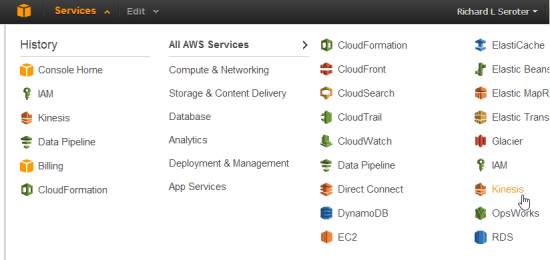
    Want to increase the throughput for a DynamoDB table? Just view the Properties and dial up the capacity values.
    2013.01.15vs34

    The database management options in the AWS plugin for Visual Studio are comprehensive and give developers incredible  power to provision and maintain cloud-scale databases from within the comfort of their IDE.

    Storage

    The Amazon S3 functionality in the Visual Studio plugin is great. Developers can use the plugin to create buckets, add content to buckets, delete content, set server-side encryption, create permission policies, set expiration policies, and much more.

    2013.01.15vs36

    It’s very useful to be able to fully interact with your object storage service while building cloud apps.

    Messaging

    Developers building applications that use messaging components have lots of power when using the AWS plugin for Visual Studio. From within the IDE,  you can create SQS queues, add/edit/delete queue access policies, change timeout values, alter retention periods, and more.

    2013.01.15vs37

    Similarly for SNS users, the plugin supports creating Topics, adding and removing Subscriptions, and adding/editing/deleting Topic access policies.

    2013.01.15vs38

    Once again, most anything you can do from the AWS Management Console with messaging components, you can do in Visual Studio as well.

    Web Applications

    While the Visual Studio plugin doesn’t support creating new Elastic Beanstalk packages (although you can trigger the “create” wizard by right-clicking a project in the Visual Studio Solution Explorer), you still have a few changes that you can make to running applications. Developers can restart applications, rebuild environments, change EC2 security groups, modify load balancer settings, and set a whole host of parameter values for dependent services.

    2013.01.15vs39

    CloudFormation users can delete deployed stacks, or create entirely new ones. Use an AWS-provided CloudFormation template, or reference your own when walking through the “new stack” wizard.

    2013.01.15vs40

    I can imagine that it’s pretty useful to be able to deploy, modify, and tear down these cloud-scale apps all from within Visual Studio.

    Identity Management

    Finally, the IAM components of the Visual Studio plugin have a high degree of interactivity as well. You can create groups, define or change group policies, create/edit/delete users, add users to groups, create/delete user-specific access keys, and more.

    2013.01.15vs41

    Testing Cloud Resources

    Here, we’ll look at a pair of areas where being able to test directly from Visual Studio is handy.

    Databases

    All the AWS databases can be queried directly from Visual Studio. SimpleDB users can issue simple query statements against the items in a domain.

    2013.01.15vs42

    For RDS, you cannot query directly from the AWS plugin, but when you choose the option to Add to Server Explorer, the plugin adds the database to the Visual Studio Server Explorer where you can dig deeper into the SQL Server instance. Finally, you can quickly scan through DynamoDB tables and match against any column that was added to the table.

    2013.01.15vs43

    Overall, developers who want to integrate with AWS databases from their Visual Studio projects have an easy way to test their database queries.

    Messaging

    Testing messaging solutions can be a cumbersome activity. You often have to create an application to act as a publisher, and then create another to act as the subscriber. The AWS plugin for Visual Studio does a pretty nice job simplifying this process. For SQS, it’s easy to create a sample message (containing whatever text you want) and send it to a queue.

    2013.01.15vs44

    Then, you can poll that queue from Visual Studio and see the message show up! You can’t delete messages from the queue, although you CAN do that from the AWS Management Console website.

    2013.01.15vs45

    As for SNS, the plugin makes it very easy to publish a new message to any Topic.

    2013.01.15vs46

    This will send a message to any Subscriber attached to the Topic. However, there’s no simulator here, so you’d actually have to set up a legitimate Subscriber and then go check that Subscriber for the test message you sent to the Topic. Not a huge deal, but something to be aware of.

    Summary

    Boy, that was a long post. However, I thought it would be helpful to get a deep dive into how AWS surfaces its services to Visual Studio developers. Needless to say, they do a spectacular job. Not only do they provide deep coverage for nearly every AWS service, but they also included countless little touches (e.g. clickable hyperlinks, right-click menus everywhere) that make this plugin a joy to use. If you’re a .NET developer who is looking for a first-class experience for building, deploying, and testing cloud-scale applications, you could do a lot worse than AWS.

  • Book Review: The New Kingmakers

    I just finished reading the fascinating new mini-eBook “The New Kingmakers” from Redmonk co-founder Stephen O’Grady. This book represents a more in-depth analysis of a premise put forth by O’Grady a couple years back: developers are the single most important constituency in technology. O’Grady doubles-down on that claim here, and while I think he proves aspects of this, I wasn’t completely won over to that point of view.

    O’Grady starts off explaining that

    “If IT decision makers aren’t making the decisions any longer, who is calling the shots? The answer is developers. Developers are the most-important constituency in technology. They have the power to make or break businesses, whether by their preferences, their passions, or their own products.”
    He goes on to describe the extent to which organizations crave developer talent and how more and more acquisitions are about acquiring talent, not software. Because, as he states, EVERY company is in part a technology company, the value of competent coders has never been higher.

    His discussion of “how we got here” was powerful and called out the disruptions that have given developers unprecedented freedom to explore, create, and deploy software to the masses. Driven by open source software, cloud infrastructure, internet self promotion, and the new sources of seed money, developers are empowered as never before. O’Grady did an excellent job proving these points. At this stage of the eBook, my thought was “so you’ve proved that developers are valuable and now have amazing freedom, but I haven’t yet heard an argument that developers are truly driving the fortunes of established businesses.” Luckily, the next section was titled “The Evidence” so I hoped to hear more.

    O’Grady points out what a developer-centric world would look like, and proposes that we now exist in such a world. In this developer-driven world, we’d see greater technology diversity (which is counter to corporate objectives), growth in open source, lack of adoption of commercially-oriented technology standards, and vendors openly courting developers. Hard to disagree that all of those aren’t true today! O’Grady provides compelling proof points for each of these. However, in passing he says that “as developers have become more involved in the technology decision-making process, it has been no surprise to see the number of different technologies employed within a given business skyrocket.” I wish he had provided some additional case studies for the point that developers play an increasing role in technology decision-making, as that’s not something I’ve seen a ton of. Certainly developers are introducing more technology to the corporate portfolio, but at which companies are developers part of company-wide groups that assess and adopt technology?

    Next up, O’Grady reviews set of companies that have had a major impact on developers. He analyzes the positive contribution of Apple (in distributing the work of developers via apps), AWS (in making compute capacity readily accessible), Google (openly courting and rewarding developers), Microsoft (embracing open source), and Netflix (in asking developers to help with algorithms and consuming APIs). Finally, O’Grady outlines a series of suggestions for companies looking to successfully use developers as a strategic asset. I thought each of these suggestions were spot on, and I’ll encourage everyone at my company to read this eBook and absorb these points.

    So where was I left wanting? First, if O’Grady’s main point is that companies that treat developers as a strategic asset and constituency will experience greater success, then I’m 100% on board. Couldn’t agree more. But if that point is stretched further to say that developers are possibly the most important assets that ANY company has, then I didn’t see enough proof of that. I would have liked to see more evidence that developers are playing a greater role in corporate technology decisions, or heard about developers at Fortune 100 companies who fundamentally altered the company’s direction. It’s great that developers are influencing new media companies and startups, but what about case studies from boring old industries like government, healthcare, retail, utilities, and construction? Obviously each of those industries use a ton of technology, and often to great competitive advantage, but I would have liked to hear more stories from those businesses vs. the “easy” Netflix/Reddit/Spotify/Zynga tales.

    My second wish for this book (or follow up work) was to hear more about the responsibility of developers in this new reality. Developers (and I speak as someone who pretends to be one) aren’t known for their humility, and works like this should be balanced by reminders of the duties that developers have. For instance, it’s great that developers are more inclined to bring all sorts of technologies into a company, but will they be the ones responsible for maintaining 18 NoSQL database products? What about when they leave the company and no one else knows how to fix an application written in a cool language like Go? How about the tendency for developers to choose the latest and greatest technology while ignoring the proven technology that may have been a better fit for the situation? Or making decisions that optimize one part of a broader system at the expense of the greater architectural vision? If developers are the new Kingmakers, then I’d love to read O’Grady’s thoughts on how developers can lead this revolution in a way that promotes long term success for companies that depend on them. Maybe this book isn’t FOR developers as much as it’s ABOUT them, but I’m selfish like that!

    If you have a leadership role in ANY type of organization, you should read this book. It’s a fantastic look at the current state of technology and how developers can make or break a company. O’Grady also does a wonderful job proving that there’s never been a better time to be developing software. Hopefully he and the other smart fellows at Redmonk will continue to develop this thesis further and highlight both the successes and failures of developers in this new reality.

  • January 2013 Trip to Europe to Speak on (Cloud) Integration, Identity Management

    In a couple weeks, I’m off to Amsterdam and Gothenburg to speak at a pair of events. First, on January 22nd I’ll be in Amsterdam at an event hosted by middleware service provider ESTREME. There will be a handful of speakers, and I’ll be presenting on the Patterns of Cloud Integration. It should be a fun chat about the challenges and techniques for applying application integration patterns in cloud settings.

    Next up, I’m heading to Gothenburg (Sweden) to speak at the annual Integration Days event hosted by Enfo Zystems. This two day event is held January 24th and 25th and features multiple tracks and a couple dozen sessions. My session on the 24th, called Cross Platform Security Done Right, focuses on identity management in distributed scenarios. I’ve got 7 demos lined up that take advantage of Windows Azure ACS, Active Directory Federation Services, Node.js, Salesforce.com and more. My session on the 25th, called Embracing the Emerging Integration Endpoints, looks at how existing integration tools can connect to up-and-coming technologies. Here I have another 7 demos that show off the ASP.NET Web API, SignalR, StreamInsight, Node.js, Amazon Web Services, Windows Azure Service Bus, Salesforce.com and the Informatica Cloud. Mikael Hakansson will be taking bets as to whether I’ll make it through all the demos in the allotted time.

    It should be a fun trip, and thanks to Steef-Jan Wiggers and Mikael for organizing my agenda. I hope to see some of you all in the audience!

  • Interview Series: Four Questions With … Tom Canter

    Happy New Year! Thanks for checking out my 45th interview with a thought leader in the “connected technologies” space. This month, we’re talking to Tom Canter who is the Director of Development for consultancy CCI Tec, a Microsoft “Virtual Technology Specialist (V-TS)” for BizTalk Server, and a smart, grizzled middleware guy. He’s seen it all, and I thought it’d be fun to pick his brain. Let’s jump in!

    Q: We both recently attended the Microsoft BizTalk Summit in Redmond where the product team debriefed various partners, customers and MVPs. While we can’t share much of what we heard, what were some of your general takeaways from this session?

    A: First and foremost, the clarification of the current BizTalk Roadmap. There was significant confusion with the messages that were shared earlier. Renaming the next release of BizTalk from BizTalk Server 2010 R2 to BizTalk Server 2013 demonstrates Microsoft’s long-term commitment to BizTalk. The summit also highlighted the maturity of the product. CCI Tec and the other vendors showing at the Summit have a mature product and a long path of opportunity with BizTalk Server. We continue to invest, specialize, and grow our BizTalk expertise with that belief.

    Q: You’ve been working with BizTalk in the Healthcare space for quite a while now and it seems like the product has always had a loyal following in this industry. What about the healthcare industry has made it such a natural fit for integration middleware, and what components do you use (and not use) on most every project?

    A: I think there are a number of distinct reasons for this. First is the startup cost of BizTalk Server, which is relatively low. Next is the protocol support–H HIPAA and HL7 protocols have been a part of the BizTalk product since BizTalk Server 2002 (HIPAA) and BizTalk Server 2004 (HL7). Follow this with the long, stable product life, which has enabled some mature installations to grow from back room projects to essential parts of the enterprise.

    Every healthcare organization that needs BizTalk has been around for a while. They are inherently homogenous computing environments almost certainly using mainframes, but just as likely to have SAP or a custom homegrown solution. BizTalk Server has an implementation pattern (as opposed to a SOA pattern) that allows integration with existing applications. Using BizTalk Server as the integration engine enables customers to leverage existing systems, thus preventing the “Rip and Replace” solution. So in summary: cost, native protocol support, length of product life, and flexible integration options.

    Q: What are some of the integration designs that work well on paper, but rarely succeed in real life? Do you have some anti-patterns that you always watch out for when integrating systems?

    A: I don’t know how well the concept of pattern/anti-pattern works in the in the real world. The idea of a pattern normalizing an approach is a great concept, but I think you can get into pattern lock–trying to form a generalization around a concept and spending all of your time justifying the pattern. What I can talk about is some simple approaches that have worked for me.

    Most people know that I started as an electrician in the US Navy, specifically, as a nuclear power plant operator, and I spent about 4 ½ years of my 12-year career under water in a submarine, i.e., as a nuke. This puts a particular approach to situations and one that stands out in particular is the choice of simplicity versus architecture. I don’t necessarily see them as opposing, but in a lot of situations, I see simplicity fall by the way-side for the sake of architectural prettiness.

    What I learned as a nuke is that simplicity is king. When something must work 100% of the time and never fail, simplicity is the solution. So the pattern is simplicity, and the anti-pattern is complexity. When you are running a nuclear reactor and you want the control rods to go in, you have to shut down the reactor, and you can’t call technical support. IT JUST MUST WORK! Likewise, when you submit a lab result, and the customer is an emergency room patient waiting for that result, IT JUST MUST WORK—100% of the time.

    Complexity is necessary for large-scale solutions and environments, but this is something I rarely need in my integration solutions. One notable thing I’ve learned in this regard is requirements, like archiving every message. Somewhere in the past everyone got the idea that the DTA Tracking should be avoided. Over the years the product team has worked out the bugs, and the DTA Tracking is a solid, reliable tool. Unfortunately that belief is still out there, and customers avoid the DTA Engine.

    Setting the current state aside, what happened in the early days? Everyone started writing their own solutions, like pipeline components (and I wrote my share) that archived to the databases or to the file system abounded. The simple solution to me was simply to categorize the defects as I found them, call Microsoft Support, demonstrate the problem, and let them fix it. As a customer using BizTalk Server, would I rather pay a consultant to write custom code, or not pay anyone, depend on the built-in features and when they didn’t work, submit a trouble ticket and get the company I bought it from (i.e., Microsoft) to fix it? As I said in my presentation at the Summit, I code only as a last resort, reluctantly, when I have exhausted all built-in options.

    Q [stupid question]: Last night I killed a spider that was the size of a baby’s fist. After playing with my son’s Christmas superhero toys all day, my first thought (before deciding to crush the spider) was “this is probably the type of spider that would give me super powers if it bit me.” That’s an example of when something from a fictional source affected my thoughts in the real world. Give us an example of where a movie/book/television show/musical affected how you approached something in your actual life.

    A: I’ve lived an odd life, with a lot of jobs. I’ve done everything from driving a truck in Cleveland, telephone operator, nuclear power plant operator, submarine sailor, appliance repairman to my current job (and a few more thrown in for fun), whatever you might call that. I’ve got a fair amount of experience to draw from, a lot of different ways of thinking to solve problems.

    Having said all that, I love reading fiction. One book that comes to mind is The Sand Pebbles (the movie had Steve McQueen and Candice Bergen). Machinist Jake Holman decides to repair a recurring bearing problem with the main engine. What I loved about that is how Jake depended on his experience and understanding of the machinery to actually get to the root of the problem and solve the problem. So, if I had a super hero power it would be the power of “getting it”—understanding the problem, figuring out if I am solving a problem or just reacting to a symptom, and by getting to the core problem, figuring out to solve the problem without breaking everything else.

    As always, great insights Tom!

  • 2012 Year in Review

    2012 was a fun year. I added 50+ blog posts, built Pluralsight courses about Force.com and Amazon Web Services, kept writing regularly for InfoQ.com, and got 2/3 of the way done my graduate degree in Engineering. It was a blast visiting Australia to talk about integration technologies, going to Microsoft Convergence to talk about CRM best practices, speaking about security at the Dreamforce conference, and attending the inaugural AWS re:Invent conference in Las Vegas. Besides all that, I changed employers, got married, sold my home and adopted some dogs.

    Below are some highlights of what I’ve written and books that I’ve read this past year.

    These are a handful of the blog posts that I enjoyed writing the most.

    I read a number of interesting books this year, and these were some of my favorites.

    A sincere thanks to all of you for continuing to read what I write, and I hope to keep throwing out posts that you find useful (or at least mildly amusing).

  • Interacting with Clouds From Visual Studio: Part 1 – Windows Azure

    Now that cloud providers are maturing and stabilizing their platforms, we’re seeing better and better dev tooling get released. Three major .NET-friendly cloud platforms (Windows Azure, AWS, and Iron Foundry) have management tools baked right into Visual Studio, and I thought it’d be fun to compare them with respect to completeness of functional coverage and overall usability. Specifically, I’m looking to see how well the Visual Studio plugins for each of these clouds account for browsing, deploying, updating, and testing services. To be sure, there are other tools that may help developers interact with their target cloud, but this series of posts is JUST looking at what is embedded within Visual Studio.

    Let’s start with the Windows Azure tooling for Visual Studio 2012. The table below summarizes my assessment. I’ll explain each rating in the sections that follow.

    Category

    Windows
    Azure

    Notes

    Browsing

    Web applications and files 1-4 Can view names and see instance counts, but that’s it. No lists of files, no properties of the application itself. Can initiate Remote Desktop command.
    Databases 4-4 No really part of the plugin (as its already in Server Explorer), but you get a rich view of Windows Azure SQL databases.
    Storage 1-4 No queues available, and no properties shown for tables and blobs.
    VM instances 2-4 Can see list of VMs and small set of properties. Also have the option to Remote Desktop into the server.
    Messaging components 3-4 Pretty complete story. Missing Service Bus relay component. Good view into Topics/Queues and informative set of properties.
    User accounts, permissions 0-4 No browsing of users or their permissions in Windows Azure.

    Deploying / Editing

    Web applications and files 0-4 No way to deploy new web application (instances) or update existing applications.
    Databases 4-4 Good story for adding new database artifacts and changing existing ones.
    Storage 0-4 No changes can be made to existing storage, and users can’t add new storage components.
    VM instances 0-4 Cannot alter existing VMs or deploy new ones.
    Messaging components 3-4 Nice ability to create and edit queues and topics. Cannot change existing topic subscriptions.
    User accounts, permissions 0-4 Cannot add or change user permissions.

    Testing

    Databases 4-4 Good testability through query execution.
    Messaging components 3-4 Nice ability to send and receive test messages, but lack of customization of message limits test cases.

    Setting up the Visual Studio Plugin for Windows Azure

    Before going to the functionality of the plugin interface, let’s first see how a developer sets up their workstation to use it. First, the developer must install the Windows Azure SDK for .NET. Among other things, this adds the ability to see and interact with a sub-set of Windows Azure from within Visual Studio’s existing Server Explorer window.

    2012.12.20vs01

    As you can see, it’s not a COMPLETE view of everything in the Windows Azure family (no Windows Azure Web Sites, Windows Azure SQL Database), but it’s got most of the biggies.

    Browsing Cloud Resources

    If the goal is to not only push apps to the cloud, but also manage them, then a decent browsing story is a must-have.  While Windows Azure offers a solid web portal – and programmatic interfaces ranging from PowerShell to a web service API – it’s nice to also be able to see your cloud components from within the same environment (Visual Studio) that you build them!

    What’s interesting to me is that each cloud function (Compute, Service Bus, Storage, VMs) requires a unique set of credentials to view the included resources. So no global “here’s my Windows Azure credentials … show me my stuff!” experience.

    Compute

    For Compute, the very first time that I want to browse web applications, I need to add a Deployment Environment.

    2012.12.20vs02

    I’m then asked for which subscription to use, and if there are none listed, then I  am prompted to download a “publish settings” file from my Windows Azure account. Once I do that, I see my various subscriptions, and am asked to choose which one to show in the Visual Studio plugin.

    2012.12.20vs03

    Finally, I can see my deployed web applications.

    2012.12.20vs04

    Note however, that there are no “properties” displayed for any of the objects in this tree. So, I can’t browse the application settings or see how the web application was configured.

    Service Bus

    To browse all the deployed bits for the Service Bus, I once again have to add a new connection.

    2012.12.20vs05

    After adding my Service Bus namespace, Issuer, and Key, I get all the Topics and Queues (not Relays, though) associated with this subscription.

    2012.12.20vs06

    Unlike the Compute tree nodes, all the Service Bus nodes reveal tidbits of information in the Properties window. For instance, clicking on the Service Bus subscription shows me the Issuer, Key, endpoints, and more. Clicking on an individual queue shows me a host of properties including message count, duplicate detection status, and more. Handy stuff.

    2012.12.20vs07

    Storage

    To check out the storage (blob and table, no queues) artifacts in Windows Azure, I first have to add a connection to one of my storage accounts.

    2012.12.20vs08

    After providing my account name and key, I’m shown everything that’s in this account.

    2012.12.20vs09

    Unfortunately, these seem to follow the same pattern as Compute and don’t present any values in the Properties window.

    Virtual Machines

    How about the new, beta Windows Azure Virtual Machines? Like the other cloud resources exposed via this Visual Studio plugin, this one requires a one-time setup of a subscription.

    2012.12.20vs10

    After pointing it to my downloaded subscription file, I was shown a list of the VMs that I’ve deployed to Windows Azure.

    2012.12.20vs11

    When I click on a particular VM, the Visual Studio Properties window includes a few attributes such as VM size, status, and name. However, there’s no option to see networking settings or any other advanced VM environment settings.

    2012.12.20vs12

    Database

    While there’s not a specific entry for Windows Azure SQL Databases, I figured that I’d try and add it as a regular “data connection” within the Visual Studio plugin. After updating the Windows Azure portal to allow my IP address to access one of my Azure databases, and plugged in the address and credentials of my cloud database.

    2012.12.20vs13

    Once connected, I see all the artifacts in my Windows Azure SQL database.

    2012.12.20vs14

    Deploying and Updating Cloud Resources

    So what can you create or update directly from the plug-in? For the Windows Azure plugin, the answer is “not much.” The Compute node is for (limited) read only views and you cannot deploy new instances. The Storage node is read-only as well as users cannot created new tables/blobs. The Virtual Machines node is for browsing only as there is no way to initiate the VM-creation process or change existing VMs.

    There are some exceptions to this read-only world. The Service Bus portion of the plugin is pretty interactive. I can easily create brand new topics and queues.

    2012.12.20vs15

    However, I cannot change the properties of existing topics or queues. As for topic subscriptions, I am able to create both subscriptions and rules, but cannot change the rules after the fact.

    The options for Windows Azure SQL Databases are the most promising. Using the Visual Studio plugin, I can create new tables, stored procedures and the like, and can also add/change table data or update artifacts such as stored procedures.

    2012.12.20vs16

    Testing Cloud Resources

    As you might expect given the limited support for interacting with cloud resources, the Visual Studio plugin for Windows Azure only has a few testing-oriented capabilities. First, users of SQL databases can easily execute procedures and run queries from the plugin.

    2012.12.20vs17

    The Service Bus also has a decent testing story. From the plugin, I can send test messages to queues, and receive them.

    2012.12.20vs18

    However, it doesn’t appear that I can customize the message. Instead, a generic message is sent on my behalf. Similarly, when I choose to send a test message to a topic, I don’t have a chance to change it. However, it is nice to be able to easily send and receive messages.

    Summary

    Overall, the Visual Studio plugin for Windows Azure offers a decent, but incomplete experience. If it were only a read-only tool, I’d expect better metadata about the deployed artifacts. If it was an interactive tool that supported additions and changes, I’d expect many more exposed features. Clearly Microsoft expects developers to use a mix of the Windows Azure portal, and custom tools (like the awesome Service Bus Explorer), but I hope that future releases of this plugin have a more comprehensive coverage area.

    In the next post, I’ll look at what Amazon offers in their Visual Studio plugin.