Author: Richard Seroter

  • Integration in the Cloud: Part 1 – Introduction

    I recently delivered a session at QCon Hangzhou (China) on the topic of “integration in the cloud.” In this series of blog posts, I will walk through a number of demos I built that integrate a variety of technologies like Amazon Web Services (AWS) SimpleDB, Windows Azure AppFabric, Salesforce.com, and a custom Ruby (Sinatra) app on VMWare’s Cloud Foundry.

    Cloud computing is clearly growing in popularity, with Gartner finding that 95% of orgs expect to maintain or increase their 2011.10.27int01investment in software as a service. But how do we prevent new application silos from popping up?  We don’t want to treat SaaS apps as “off site” and thus only do the occasional bulk transfer to get data in/out of the application.  I’m going to take some tried-and-true integration patterns and show how they can apply to cloud integration as well as on-premises integration. Specifically, I’ll demonstrate how three patterns highlighted in the valuable book Enterprise Integration Patterns: Designing, Building and Deploying Messaging Solutions apply to cloud scenarios. These patterns include: shared database, remote procedure invocation and asynchronous messaging .

    In the next post, I’ll walk through the reasons to use a shared database, considerations when leveraging that model, and how to share a single “cloud database” among on premises apps and cloud apps alike.

    Series Links:

  • Testing Out the New AppFabric Service Bus Relay Load Balancing

    The Windows Azure team made a change in the back end to support multiple listeners on a single relay endpoint.  This solves a known challenge with the Service Bus.  Up until now, we had to be creative when building highly available Service Bus solutions since only a single listener could be live at one time.  For more on this change, see Sam Vanhoutte’s descriptive blog post.  In this post, I’m going to walk through an example that tests out the new capability.

    First off, I made sure that I had the v1.5 of the Azure AppFabric SDK. Then, in a VS2010 Console project, I built a very simple RESTful WCF service contract.

    namespace Seroter.ServiceBusLoadBalanceDemo
    {
        [ServiceContract]
        interface IHelloService
        {
            [WebGet(UriTemplate="/{name}")]
            [OperationContract]
            string SayHello(string name);
        }
    }
    

    My service implementation is nothing exciting.

    public class HelloService : IHelloService
        {
            public string SayHello(string name)
            {
                Console.WriteLine("Service called for name: " + name);
                return "Hi there, " + name;
            }
        }
    

    My application configuration for this service looks like this (note that I have all the Service Bus bindings here instead of machine.config):

    <?xml version="1.0"?>
    <configuration>
      <system.serviceModel>
        <behaviors>
          <endpointBehaviors>
            <behavior name="CloudBehavior">
              <webHttp />
              <serviceRegistrySettings discoveryMode="Public" displayName="HelloService" />
              <transportClientEndpointBehavior>
                <clientCredentials>
                  <sharedSecret issuerName="ISSUER" issuerSecret="SECRET" />
                </clientCredentials>
                <!--<tokenProvider>
                  <sharedSecret issuerName="" issuerSecret="" />
                </tokenProvider>-->
              </transportClientEndpointBehavior>
            </behavior>
          </endpointBehaviors>
        </behaviors>
        <bindings>
          <webHttpRelayBinding>
            <binding name="WebRelayBinding">
              <security relayClientAuthenticationType="None" />
            </binding>
          </webHttpRelayBinding>
        </bindings>
        <services>
          <service name="Seroter.ServiceBusLoadBalanceDemo.HelloService">
            <endpoint address="https://<namespace>.servicebus.windows.net/HelloService"
              behaviorConfiguration="CloudBehavior" binding="webHttpRelayBinding"
              bindingConfiguration="WebRelayBinding" name="SBEndpoint" contract="Seroter.ServiceBusLoadBalanceDemo.IHelloService" />
          </service>
        </services>
        <extensions>
          <!-- Adding all known service bus extensions. You can remove the ones you don't need. -->
          <behaviorExtensions>
            <add name="connectionStatusBehavior" type="Microsoft.ServiceBus.Configuration.ConnectionStatusElement, Microsoft.ServiceBus, Version=1.5.0.0, Culture=neutral, PublicKeyToken=31bf3856ad364e35"/>
            <add name="transportClientEndpointBehavior" type="Microsoft.ServiceBus.Configuration.TransportClientEndpointBehaviorElement, Microsoft.ServiceBus, Version=1.5.0.0, Culture=neutral, PublicKeyToken=31bf3856ad364e35"/>
            <add name="serviceRegistrySettings" type="Microsoft.ServiceBus.Configuration.ServiceRegistrySettingsElement, Microsoft.ServiceBus, Version=1.5.0.0, Culture=neutral, PublicKeyToken=31bf3856ad364e35"/>
          </behaviorExtensions>
          <bindingElementExtensions>
            <add name="netMessagingTransport" type="Microsoft.ServiceBus.Messaging.Configuration.NetMessagingTransportExtensionElement, Microsoft.ServiceBus, Version=1.5.0.0, Culture=neutral, PublicKeyToken=31bf3856ad364e35"/>
            <add name="tcpRelayTransport" type="Microsoft.ServiceBus.Configuration.TcpRelayTransportElement, Microsoft.ServiceBus, Version=1.5.0.0, Culture=neutral, PublicKeyToken=31bf3856ad364e35"/>
            <add name="httpRelayTransport" type="Microsoft.ServiceBus.Configuration.HttpRelayTransportElement, Microsoft.ServiceBus, Version=1.5.0.0, Culture=neutral, PublicKeyToken=31bf3856ad364e35"/>
            <add name="httpsRelayTransport" type="Microsoft.ServiceBus.Configuration.HttpsRelayTransportElement, Microsoft.ServiceBus, Version=1.5.0.0, Culture=neutral, PublicKeyToken=31bf3856ad364e35"/>
            <add name="onewayRelayTransport" type="Microsoft.ServiceBus.Configuration.RelayedOnewayTransportElement, Microsoft.ServiceBus, Version=1.5.0.0, Culture=neutral, PublicKeyToken=31bf3856ad364e35"/>
          </bindingElementExtensions>
          <bindingExtensions>
            <add name="basicHttpRelayBinding" type="Microsoft.ServiceBus.Configuration.BasicHttpRelayBindingCollectionElement, Microsoft.ServiceBus, Version=1.5.0.0, Culture=neutral, PublicKeyToken=31bf3856ad364e35"/>
            <add name="webHttpRelayBinding" type="Microsoft.ServiceBus.Configuration.WebHttpRelayBindingCollectionElement, Microsoft.ServiceBus, Version=1.5.0.0, Culture=neutral, PublicKeyToken=31bf3856ad364e35"/>
            <add name="ws2007HttpRelayBinding" type="Microsoft.ServiceBus.Configuration.WS2007HttpRelayBindingCollectionElement, Microsoft.ServiceBus, Version=1.5.0.0, Culture=neutral, PublicKeyToken=31bf3856ad364e35"/>
            <add name="netTcpRelayBinding" type="Microsoft.ServiceBus.Configuration.NetTcpRelayBindingCollectionElement, Microsoft.ServiceBus, Version=1.5.0.0, Culture=neutral, PublicKeyToken=31bf3856ad364e35"/>
            <add name="netOnewayRelayBinding" type="Microsoft.ServiceBus.Configuration.NetOnewayRelayBindingCollectionElement, Microsoft.ServiceBus, Version=1.5.0.0, Culture=neutral, PublicKeyToken=31bf3856ad364e35"/>
            <add name="netEventRelayBinding" type="Microsoft.ServiceBus.Configuration.NetEventRelayBindingCollectionElement, Microsoft.ServiceBus, Version=1.5.0.0, Culture=neutral, PublicKeyToken=31bf3856ad364e35"/>
            <add name="netMessagingBinding" type="Microsoft.ServiceBus.Messaging.Configuration.NetMessagingBindingCollectionElement, Microsoft.ServiceBus, Version=1.5.0.0, Culture=neutral, PublicKeyToken=31bf3856ad364e35"/>
          </bindingExtensions>
        </extensions>
      </system.serviceModel>
    <startup><supportedRuntime version="v4.0" sku=".NETFramework,Version=v4.0"/></startup></configuration>
    

    A few things to note there.  I’m using the legacy access control strategy for the TransportClientEndpointBehavior.  But the biggest thing to notice is that there is nothing in this configuration that deals with load balancing.  Solutions built with the 1.5 SDK should automatically get this capability.

    I went and started up a single instance and called my RESTful service from a browser instance.

    2011.10.27sb01

    I then started up ANOTHER instance of the same service, and it appears connected as well.

    2011.10.27sb02

    When I invoke my service, ONE of the available listeners will get it (not both).

    2011.10.27sb03

    Very cool. Automatic load balancing. You do pay per connection, so you don’t want to set up a ton of these.  But, this goes a long way to make the AppFabric Service Bus a truly reliable, internet-scale messaging tool.  Note that this capability hasn’t been rolled out everywhere yet (as of 10/27/2011 9AM), so you may not yet have this working for your service.

  • When to use SDKs and when to go “Go Native”

    I’m going to China next week to speak at QCon and have spent the last few weeks building up some (hopefully interesting) demos.  One of my talks is on “cloud integration patterns” and my corresponding demos involve Windows Azure, a .NET client application, Salesforce.com, Amazon Web Services (AWS) and Cloud Foundry. Much of the integration that I show uses AWS storage and I had to decide whether I should try and use their SDKs or go straight at their web service interface.  More and more, that seems to be a tough choice.

    Everyone loves a good SDK. AWS has SDKs for Java, .NET, Ruby and PHP. Microsoft provides an SDK for .NET, Java, PHP and Ruby as well. However, I often come across two issues when using SDKs:

    1. Lack of SDK for every platform. While many vendors do a decent job of providing toolkits and SDKs for key languages, you never see one for everything.  So, even if you the SDK for one app, you may not have it for another.  In my case, I could have used the AWS SDK for .NET for my “on-premises” application, but would have still likely needed to figure out the native API for the Salesforce.com and Cloud Foundry apps.
    2. Abstraction of API details. It’s interesting that we continue to see layers of abstraction added to technology stacks.  The difference between using the native, RESTful API for the Azure AppFabric Service Bus (think using HttpWebRequest) is pretty different than using the SDK objects. However, there’s something to be said for understanding what’s actually happening when consuming a service.  SDKs frequently hide so much detail that the developer has no idea what’s really going on.  Sometimes that’s fine, but to point #1, the information about using an SDK is rarely portable to environments where no SDK exists.

    I’ll write up the details of my QCon demos in a series of blog posts, but needless to say, using the AWS REST API is much different than going through the SDK.  The SDK makes it very simple to query or update SimpleDB for example, but the native API requires some knowledge about formatting the timestamp, creating a hashed signature string and parsing the response.  I decided early on to go at the REST API instead of the .NET SDK for AWS, and while it took longer to get my .NET-based integration working, it was relatively easy to take the same code (language changes notwithstanding) and load it into Cloud Foundry (via Ruby) and Salesforce.com (via Apex). Also, I now really understand how to securely interact with AWS storage services, regardless of platform.  I wouldn’t know this if I only used the SDK.

    I thought of this issue again when reading a great post on using the new Azure Service Bus Queues. The post clearly explains how to use the Azure AppFabric SDK to send and receive messages from Queues.  But when I finished, I also realized that I haven’t seen many examples of how to do any of the new Service Bus things in non-.NET environments.  I personally think that Microsoft can tell an amazing cloud integration story if they just make it clearer how to use their Service Bus resources on any platform.  Would we be better off seeing more examples of leveraging the Service Bus from a diverse set of technologies?

    So what do you think?  Do SDKs make us lazy developers, or are we smarter for not concerning ourselves with plumbing if a vendor has reliably abstracted it for us?  Or should developers first work with the native APIs, and then decide if their production-ready code should use an SDK instead?

  • Interview Series: Four Questions With … Scott Seely

    Autumn is upon us, but the Four Questions continue.  Welcome to the 35th interview in my ongoing series of chats with “connected technology” thought leaders.  This month, we’ve wrangled Scott Seely (@sseely) who is a consultant, Microsoft MVP, Microsoft Regional Director, noted author, and Pluralsight trainer. Scott is a smart fellow on topics like distributed computing and building big apps that work!

    Let’s jump in.

    Q: You have a Pluralsight course named “WCF for Architects.” In a nutshell, what are the core aspects of WCF that an architect should know, even if they won’t ever dig into the framework or build a service themselves?

    A: Architects should know that WCF has all the facilities and hooks one might need to build a robust messaging system. Architects should spend time thinking about how their WCF services will interact with other consumers and what technologies the consumers use. This knowledge will assist in picking appropriate versioning policies, message formats, and security for any services their applications expose. For example, if I know that my clients will primarily be PHP and Ruby, I will make different choices than for a .NET or Java based client.

    Q: As we continue to build bigger systems that span applications and organizations, where does one even begin to start troubleshooting performance and functional problems?  How does one architect a solution to make it easier to analyze later on?  Or, if you get stuck taking on a system that is behaving badly, where do you begin?

    A: What I’ve seen is that really big interdependencies in a system creates a brittle system. One should take advantage of the fact that we can build discrete, interconnected systems. These systems can be composed of many special purpose, simple, standalone processes. Each system should provide a special service (send email, process payments, manage customers) and do that one thing well. Other systems then consume those endpoints as services. It then becomes simpler to manage and debug the systems that are unresponsive or behaving badly. You do need to spend a lot of time thinking about application manageability at this level: logging, health monitoring, and so on are important design items along with the business processes that are being automated. For each system, what you will do is ask and answer these questions:

    • How can I tell that this feature is healthy?
    • What should happen when the feature becomes unhealthy?
    • How can I log this?
    • When should a human be notified via email, telephone, etc.?

    If you are analyzing a system that is behaving badly, you need to start with basic “is it plugged in?” type testing. This is exactly what it sounds like: analyze the components in the system and make sure that each connection is functioning correctly. All too often, this is what is actually wrong. It might be a changed password, and downed database, or something else. The connections frequently point to the exact problem. After that, look for the logging that was implemented. This might be the Windows Event Log, log4net files, or something else. You need to figure out which system or systems actually has an issue, then begin fixing there. It helps to know what “normal” is for the system as well.

    Q: Although you are a Pluralsight instructor and possibly biased, what do you think is the preferred way for developers/architects today to learn new technologies?  Are books passé, in favor of articles/blogs/videos/podcasts?  Over the past 6 months, which educational medium have you employed to learn something new?

    A: I think that written materials have never been the preferred way for humans to learn. We are social animals and we tend to learn best through storytelling, demonstration, and experimentation. To learn new to you technologies, the best way seems to be to find a project and a mentor that can help you over any bumps in the road. Pluralsight is a great proxy for an actual mentor because we can tell the stories and demonstrate how to use the technology. Over the last 6 months, I’ve been using personal projects and mentors to learn new (to me) technology.

    Q [stupid question]: I recently got into a big Facebook debate with some friends over my claim that the movie The Fifth Element is the most rewatchable sci-fi movie of the last 15 years. I made this declaration based on the fact that it seems that whenever I catch that movie on TV, I almost always have to stop and watch it through.  What television show or movie sucks you in, regardless of how many times you have seen it?

    A: The movie that continues to do this for me is Rudy. Yeah, it’s a football movie, but it is also one of the best tales of how real people actually achieve their dreams. Real people who succeed look at where they want to be and then figure out what that path looks like. They enlist mentors to help figure out what the path looks like, adjust the path and the goal as they receive new information, and keep moving forward. While I’ve never been confused with an athlete, I have been confused with someone who had natural talent! There are a few moments in that movie that make me cry with joy every time I see it. When Rudy gets accepted to Notre Dame, when he gets onto the team, and when he gets to play on the field, I get so emotional because I’m reminded how exhilarating it is when years of planning and executing pay off. That realization happens in an instant and unleashes a wave a relief that all that work did have a purpose. For me, these moments happened upon receiving a final copy of my first book; my first day at Microsoft; my first day working on Indigo (aka WCF); and later teaching for companies like Wintellect and Pluralsight. Getting to that stage isn’t instantaneous. To the best of my knowledge, Rudy is the best portrayal of what that journey looks like and feels like.

    Thanks Scott! I will admit that the last scene in Rudy, where he sacks the quarterback and gets carried off the field, absolutely destroys me every time.

  • A Lap Around the New Amazon Web Services Toolkit for Visual Studio

    I’m a big fan of the Amazon Web Services (AWS) platform for many reasons.  Their pace of innovation is impressive, their services are solid and their ecosystem is getting better all the time.  Up until now, .NET focused developers have only had the AWS SDK for .NET to work with (besides going against the native service interfaces). Today, all of that changed.

    The AWS team just released a Toolkit for Visual Studio (2008 and 2010) that puts the power of AWS all within Visual Studio.  I needed an excuse tonight to not watch my grad school classes, so I thought I’d put the toolkit through its paces and see what’s baked in there.

    After downloading the very small package and installing it, I saw a new option to open the AWS Explorer.

    2011.9.8aws01

    When I first opened it, I had to set my region.

    2011.9.8aws02

    I then clicked the Add Account button and put in my credentials.

    2011.9.8aws03

    Once I did that, the world opened up. I saw each of the AWS services that I can manipulate. All the biggies are here including EC2, S3, SimpleDB, IAM and my quiet favorites, SNS and SQS.

    2011.9.8aws04

    The big thing to be aware of is that this is NOT just a read-only viewer, but a very interactive service management window. Let’s check out some examples.  First, I created a new S3 bucket.  Note that S3 is where I can store all kinds of unstructured content (images, movies, etc) and reference it with a key.

    2011.9.8aws06

    When I chose to upload a simple text file, I was asked to provide any desired metadata.

    2011.9.8aws07

    After doing this, I could see my file stored in S3.

    2011.9.8aws08

    I love the attention to detail here.  If I right click the file, I get an impressive set of activities to perform on the file.

    2011.9.8aws09

    I then easily deleted the file and the entire S3 bucket without ever leaving Visual Studio 2010.  Next up, I created a new SimpleDB domain. Recall that SimpleDB is a lot like the Windows Azure Table storage (see my post comparing them).

    2011.9.8aws10

    After creating the new domain (container) I added some “rows” to this “table” which could have whichever columns I choose.

    2011.9.8aws11

    I can execute query statements in the top window, so I did a quick filter that just showed the row with my name.

    2011.9.8aws12

    When I right-click my SimpleDB domain in the AWS Explorer, I have the choice to see details of my domain.  Check it out.

    2011.9.8aws13

    Nice!  Now, what about the big daddy, EC2?  I was pleasantly surprised to see that I could search Amazon Machine Images (AMIs) from here.

    2011.9.8aws22

    As you might hope, you can also launch an instance of an AMI from here.

    2011.9.8aws05

    There are all sorts of options (also in the Advanced menu) for the number of instances, type of instance and much more.

    Last up, how about some Simple Queue Services (SQS) love?  The AWS SDK for .NET has a set of sample projects, and I opened the one for SQS (AmazonSQS_Sample.VS2010.csproj). This sample creates a queue, puts a message in the queue, and then deletes the message.  Instead of having this project build the queue, I thought I’d do it via the Explorer and comment out that code. Below, I commented out the code (surrounded by “TURNED OFF”) that creates the queue.

    2011.9.8aws14

    Then, I created a new queue via the AWS Explorer.

    2011.9.8aws15

    I then ran the app and saw that it successfully published to, and read from the queue that I just created.

    2011.9.8aws17

    The AWS Explorer lets me peek into the queue, and, actually send a message to it!
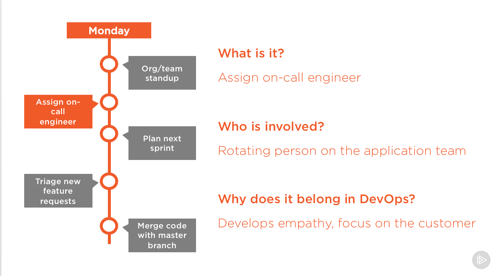
    2011.9.8aws21

    Then I can see the messages that have gone through the queue.

    2011.9.8aws20

    Summary

    It goes without saying that if you do AWS work as a Visual Studio developer, this tooling is a “must have.” For an initial release, it’s remarkably well put together and considerate of the sorts of operations you want to do with the AWS services. It’s also a fantastic way to play with the platform if you just want to see what the fuss is about!
  • New Job, Same Place

    I’m a bit of a restless employee who is always looking for new things to work on and new challenges to tackle.  So, this recent change should hold me for a while.

    I’ve accepted a role as the lead functional architect for the Research and Development division of my biotechnology employer.  What this means is that I’m responsible for overseeing the technology direction of the R&D project portfolio and will be contributing to the division’s strategic plans. I have a small team of excellent architects who will be working for me as we figure out how to help our scientific teams use technology in ways that make drug discovery and development more efficient and cost-effective.

    While I’m no longer being paid to develop software or be a full-time project architect, I consider technology exploration a critical part of my job and have no intentions of giving that up! So, I hope that you’ll see more of the same on this blog.  I plan on keeping up my steady posting schedule and will continue to investigate technologies, discuss lessons learned and do my best to share interesting stuff.

    Just figured I’d share this so that if my blog topics veer all over, you have an idea why!

  • Interview Series: Four Questions With … Ryan CrawCour

    The summer is nearly over, but the “Four Questions” machine continues forward.  In this 34th interview with a “connected technologies” thought leader, we’re talking with Ryan CrawCour who is a solutions architect, virtual technology specialist for Microsoft in the Windows Azure space, popular speaker and user group organizer.

    Q: We’ve seen the recent (CTP) release of the Azure AppFabric Applications tooling.  What problem do you think that this is solving, and do you see this as being something that you would use to build composite applications on the Microsoft platform?

    A: Personally, I am very excited about the work the AppFabric team, in general, is doing. I have been using the AppFabric Applications CTP since the release and am impressed by just how easy and quick it is to build a composite application from a number of building blocks. Building components on the Windows Azure platform is fairly easy, but tying all the individual pieces together (Azure Compute, SQL Azure, Caching, ACS, Service Bus) is sometimes somewhat of a challenge. This is where the AppFabric Applications makes your life so much easier. You can take these individual bits and easily compose an application that you can deploy, manage and monitor as a single logical entity. This is powerful. When you then start looking to include on-premises assets in to your distributed applications in a hybrid architecture AppFabric Applications becomes even more powerful by allowing you to distribute applications between on-premises and the cloud. Wow. It was really amazing when I first saw the Composition Model at work. The tooling, like most Microsoft tools, is brilliant and takes all the guess work and difficult out of doing something which is actually quite complex. I definitely seeing this becoming a weapon in my arsenal. But shhhhh, don’t tell everyone how easy this is to do.

    Q: When building BizTalk Server solutions, where do you find the most security-related challenges?  Integrating with other line of business systems?  Dealing with web services?  Something else?

    A: Dealing with web services with BizTalk Server is easy. The WCF adapters make BizTalk a first class citizen in the web services world. Whatever you can do with WCF today, you can do with BizTalk Server through the power, flexibility and extensibility of WCF. So no, I don’t see dealing with web services as a challenge. I do however find integrating line of business systems a challenge at times. What most people do is simply create a single service account that has “god” rights in each system and then the middleware layer flows all integration through this single user account which has rights to do anything on either system. This makes troubleshooting and tracking of activity very difficult to do. You also lose the ability to see that user X in your CRM system initiated an invoice in your ERP system. Setting up and using Enterprise Single Sign On is the right way to do this, but I find it a lot of work and the process not very easy to follow the first few times. This is potentially the reason most people skip this and go with the easier option.

    Q: The current BizTalk Adapter Pack gives both BizTalk, WF and .NET solutions point-and-click access to SAP, Siebel, Oracle DBs, and SQL Server.  What additional adapters would you like to see added to that Pack?  How about to the BizTalk-specific collection of adapters?

    A: I was saddened to see the discontinuation of adapters for Microsoft Dynamics CRM and AX. I believe that the market is still there for specialized adapters for these systems. Even though they are part of the same product suite they don’t integrate natively and the connector that was recently released is not yet up to Enterprise integration capabilities. We really do need something in the Enterprise space that makes it easy to hook these products together. Sure, I can get at each of these systems through their service layer using WCF and some black magic wizardry but having specific adapters for these products that added value in addition to connectivity would certainly speed up integration.

    Q [stupid question]: You just finished up speaking at TechEd New Zealand which means that you now get to eagerly await attendee feedback.  Whenever someone writes something, presents or generally puts themselves out there, they look forward to hearing what people thought of it.  However, some feedback isn’t particular welcome.   For instance, I’d be creeped out by presentation feedback like “Great session … couldn’t stop staring at your tight pants!” or disheartened by book review like “I have read German fairy tales with more understandable content, and I don’t speak German.” What would be the worst type of comments that you could get as a result of your TechEd session?

    A: Personally I’d be honored that someone took that much interest in my choice of fashion, especially given my discerning taste in clothing. I think something like “Perhaps the presenter should pull up his zipper because being able to read his brand of underwear from the front row is somewhat distracting”. Yup, that would do it. I’d panic wondering if it was laundry day and I had been forced to wear my Sunday (holey) pants. But seriously, feedback on anything I am doing for the community, like presenting at events, is always valuable no matter what. It allows you to improve for the next time.

    I half wonder if I enjoy these interviews more than anyone else, but hopefully you all get something good out of them as well!

  • Adding Dynamics CRM 2011 Records from a Windows Workflow Service

    I’ve written a couple blog posts (and even a book chapter!) on how to integrate BizTalk Server with Microsoft Dynamics CRM 2011, and I figured that I should take some of my own advice and diversify my experiences.  So, I thought that I’d demonstrate how to consume Dynamics CRM 2011 web services from a .NET 4.0 Workflow Service.

    First off, why would I do this?  Many reasons.  One really good one is the durability that WF Services + Server AppFabric offers you.  We can create a Workflow Service that fronts the Dynamics CRM 2011 services and let upstream callers asynchronously invoke our Workflow Service without waiting for a response or requiring Dynamics CRM to be online. Or, you could use Workflow Services to put a friendly proxy API in front of the notoriously unfriendly CRM SOAP API.

    Let’s dig in.  I created a new Workflow Services project in Visual Studio 2010 and immediately added a service reference.

    2011.8.30crm01

    After adding the reference, I rebuilt the Visual Studio project and magically got Workflow Activities that match all the operations exposed by the Dynamics CRM service.

    2011.8.30crm02

    A promising start.  Next I defined a C# class to represent a canonical “Customer” object.  I sketched out a simple Workflow Service that takes in a Customer object and returns a string value indicating that the Customer was received by the service.

    2011.8.30crm04

    I then added two more variables that are needed for calling the “Create” operation in the Dynamics CRM service. First, I created a variable for the “entity” object that was added to the project from my service reference, and then I added another variable for the GUID response that is returned after creating an entity.

    2011.8.30crm05

    Now I need to instantiate the “CrmEntity” variable.  Here’s where I can use the BizTalk Mapper shape that comes with the LOB adapter installation and BizTalk Server 2010. I dragged the Mapper shape from the Widows Workflow toolbox and get asked for the source and destination data types.

    2011.8.30crm06

    I then created a new Map.

    2011.8.30crm07

    I then built a map using the strategy I employed in previous posts.  Specifically, I copied each source node to a Looping functoid, and then connected each source to Scripting functoid with an XSLT Call Template inside that contained the script to create the key/value pair structure in the destination.

    2011.8.30crm10

    After saving and building the Workflow Service, I invoked the service via the WCF Test Client. I sent in some data and hoped to see a matching record in Dynamics CRM.

    2011.8.30crm08

    If I go to my Dynamics CRM 2011 instance, I can find a record for my dog, Watson.

    2011.8.30crm09

    So, that was pretty simple.  You can use the ease of creation and deployment of Workflow Services while combining the power of the BizTalk Mapper.

  • How I Avoid Writer’s Block

    I was reading Buck Woody’s great How I Prepare for Presentations blog post and it reminded me of a question that I often get from people.  Whenever I release a book, article, Pluralsight training class or do a presentation, I’m asked “how do you write so much?”  Maybe the underlying question is really “Why do you hate your family?” or “Have you ever seen the sun on a Saturday?”  Regardless, this is my technique for keeping up a busy writing schedule.

    Build a Simple Schedule

    Buck talks about a “slide a day” leading up to a presentation.  While I don’t slot my time exactly like that, I do arrange my time so that I have dedicated time to write.  Even at work, I block off my calendar to “do work” vs. just leveraging any free time that pops up. 

    For each of the three books that I’ve written or contributed to, I follow a three week cycle.  First week, I research the topic.  Second week, I build all the demonstrations that the chapter will include.  In the final week, I write and proof-read the chapter.

    For Pluralsight training, I keep a similar rhythm.  Research for a week or so, build out all my demonstrations, write all the slides.  I often put my plan into an Excel workbook for all the chapters/modules that I’m writing so that I stay on schedule.  If I didn’t have a schedule, I’d drift aimlessly or lose perspective of how much I’ve finished and how much work remains.

    Figure Out the Main Point

    This is also mentioned in Buck’s post.  Notice that I put this AFTER the schedule creation.  Regardless of the intent of the chapter/blog post/training module/presentation, you still have a generic block of work to do and need a plan.  But, to refine the plan and figure out WHAT you are going to work on, you need to identify what the purpose of your work is.

    For a presentation, the “focus” is answering the “what do I want attendees to walk away with?” For a blog post, the “focus” answers the “why am I writing this?” question.  For a training module, the “focus” covers “what are the primary topics I’m going to cover?”

    Decompose Work into Sections

    I’ve heard that saying that architects don’t see a big problem, they see a lot of small problems.  Decomposing my work into manageable chunks is the secret to my work. I never stare at a blank page and start typing a chapter/post/module.  I first write all the H1 headings, then the H2 headings, and then the H3 headings.  For a book chapter, this is the main points, sub topics to that point, and if necessary, one further level down.

    Now, all I do is fill in the sections.  For the last book, I have H1 headers like “Communication from BizTalk Server to Salesforce.com” and then H2 headings like “Configuring the Foundational BizTalk Components” and “Customizing Salesforce.com data entities.”  Once that is done, I’m left with relatively small chunks of work to do in each sitting. I just find this strategy much less imposing and it doesn’t feel like “I have to write a book” but more like “I have to write a couple pages.”

    Summary

    It’s not rocket science.  I don’t have any secret besides rampant decomposition of my work.  The only thing I didn’t put here is that I would have zero ability to write if I didn’t have passion for what I do.  There’s no way I’d carve out the time and do the work if I didn’t find it fun.  So if you are thinking of writing a book (which I encourage people to do, just for the experience), pick something that you WANT to do.  Otherwise, all the focus, planning and decomposition in the world won’t help when you’re 4 months in and hitting the wall!

    Any other tips people have for tackling large writing projects?

  • Interview Series: Four Questions With … Allan Mitchell

    Greetings and welcome my 33rd interview with a thought leader in the “connected technology” space.  This month, we’ve got the distinct pleasure of talking to Allan Mitchell.  Allan is a SQL Server MVP, speaker and both joint owner and Integration Director of the new consulting shop, Copper Blue Consulting.   Allan’s got excellent experience in the ETL space and has been an early adopter and contributor to Microsoft StreamInsight.

    On to the questions!

    Q: Are the current data integration tools that you use adequate for scenarios involving “Big Data”? What do you do in scenarios when you have massive sets of structured or unstructured data that need to be moved and analyzed?

    A: Big Data. My favorite definition of big data is:

    “Data so large that you have to think about it. How will you move it, store it, analyze it or make it available to others.”

    This does of course make it subjective to the person with the data. What is big for me is not always big for someone else. Objectively, however, according to a study by the University of Southern California, digital media accounted for just 25% of all the information in the world. By 2007, however, it accounted for 94%. It is estimated that 4 exabytes (4 x 10^19) of unique information will be generated this year – more than in the previous 5,000 years. So Big Data should be firmly on the roadmap of any information strategy.

    Back to the question: I do not always have the luxury of big bandwidth so moving serious amounts of data over the network is prohibitive in terms of speed and resource utilization. If the data is so large then I am a fan of having a backup taken and then restoring it on another server because this method tends to invite less trouble.

    Werner Vogels, CTO of Amazon, says that DHL is still the preferred way for customers to move “huge” data from a data center and put it onto Amazon’s cloud offering. I think this shows we still have some way to go. Research is taking place, however, that will support the movement of Big Data. NTT Japan, for example, have tested a fiber optic cable that pushes 14 trillion bits per second down a single strand of fiber – equivalent of 2660 CDs per second. Although this is not readily available at the moment, the technology will be in place.

    Analysis of large datasets is interesting. As TS Eliot wrote in his poem, ‘Where is the knowledge we have lost in information?’ There seems little point in storing PBs of data if no-one can use it/analyze it. Storing for storing’s sake seems a little strange. Jim Gray talked about this in his book “The Fourth Paradigm” a must read for people interested in data explosion. Visualizing data is one way of accessing the nuggets of knowledge in large datasets. For example, new demands to analyze social media data means that visualizing Big Data is going to become more relevant; there is little point in storing lots of data if it cannot be used.

    Q: As the Microsoft platform story continues to evolve, where do you see a Complex Event Processing engine sit within an enterprise landscape? Is it part of the Business Intelligence stack because of its value in analytics, or is it closer to the middleware stack because of its event distribution capabilities?

    A: That is a very good question and I think the answer is “it depends.”

    Event distribution could lead us into one of your passions, BizTalk Server (BTS). BTS does a very good job of doing messaging around the business and has the ability to handle long running processes. StreamInsight, of course, is not really that type of application.

    I personally see it as an “Intelligence” tool. StreamInsight has some very powerful features in its temporal algebra and the ability to do “ETL” in close to real-time is a game changer. If you choose to load a traditional data warehouse (ODS, DW) with these events then that is fine, and lots of business benefit can be gained. A key use for me of such a technology is the ability to react to events in real-time. Being able to respond to something that is happening, when it is happening, is a key feature in my eyes. The response could be a piece of workflow, for example, or it could be a human interaction. Waiting for the overnight ETL load to tell you that your systems shut down yesterday because of overheating is not much help. What you really want is be able to notice the rise in temperature over time as it is happening, and deal with it there and then.

    Q: With StreamInsight 1.2 out the door and StreamInsight Austin on the way, what are additional capabilities that you would like to see added to the platform?

    A: I would love to see some abstraction away from the execution engine and the host. Let me explain.

    Imagine a fabric. Imagine StreamInsight plugged into the fabric on one side and hardware plugged in the other. The fabric would take the workload from StreamInsight and partition it across the hardware nodes plugged in to the fabric. Those hardware nodes could be a mix of hardware from a big server to a netbook (Think Teradata) StreamInsight is unaware of what is going and wouldn’t care even if it did know. You could then have scale out of operators within a graph across hardware nodes ala Map Reduce. I think the scale out story for StreamInsight needs strengthening / clarified.

    Q [stupid question]: When I got to work today, I realized that I barely remembered my driving experience. Ignoring the safety implications, sometimes we simply slip into auto-pilot when doing the same thing over and over. What is an example of something in your professional or personal life that you do without even thinking about it?

    A: On a personal level I am a keen follower of rules around the English language. I find myself correcting people, senior people, in meetings. This leads to some interesting “moments”. The things I most often respond to are:

    1. Splitting of infinitives

    2. Ending sentences with prepositions

    On a professional level I always follow the principle laid down in Occam’s razor (lex parsimoniae):

    “Frustra fit per plura quod potest fieri per pauciora”

    “When you have two competing theories that make exactly the same predictions, the simpler one is the better.”

    There is of course a more recent version of Occam’s Razor: K.I.S.S. (keep it simple stupid)!

    Thanks Allan for participating!