Throughout my tech career, I’ve been taught to be cautious about where I stash business logic. I now reflexively think about putting important rules and considerations into central services. Could you bury it in stored procedures or database triggers? Be careful, say Internet people. Same goes for frontend components. Middleware? It’s easy to stash sneaky-important rules in all sorts of interesting platform extensions. Google Cloud just made it very simple to invoke an LLM from a Pub/Sub topic or subscription. When might I do that? And what does it look like? I’ll show you.
In my classic ESB days, meaningful logic could show up in data processing pipelines, message transformations, long-running orchestrations, and even code callouts. You couldn’t avoid it. Cloud messaging services like Pub/Sub also have plenty of spots where you can add some decision logic. Where should I route this message? Based on what criteria? How long should I retain messages after delivered? What cause a retry? And now we have Single Message Transforms (SMTs) where I can do simple manipulation of the data stream. This is handy if you want to hand the downstream consumer a sanitized message with sensitive data removed, clean up data formatting, or even enrich the message with new data points.
A brand new SMT is the AI Inference SMT. Using this, I can call Google, partner, or custom models. What’s also cool is that I can apply this at the Topic level—this means every subscription gets the altered message—or apply it for specific Subscriptions. Let’s set one up.
What’s the scenario? In my former days as a solutions architect, I worked with a massive ERP implementation where key events were sent out and consumed downstream. One of those was “employee” events for hiring new staff. What if we had a Pub/Sub topic that took in a “new employee” event, and one of the many downstream subscribers sends welcome emails? I could call the LLM in that subscription to hand a pre-built welcome note to the destination system. Of course, you might also craft that AI-assisted welcome note in the subscriber’s own service. Might depend on how capable that downstream system is.
Once you’ve got a Google Cloud account and have the right permissions set up, we can get to work. This is all doable in our gcloud CLI, but I’ll use the web console to demonstrate everything here. I start by going to the Google Cloud Console and Pub/Sub section to create a new Topic.
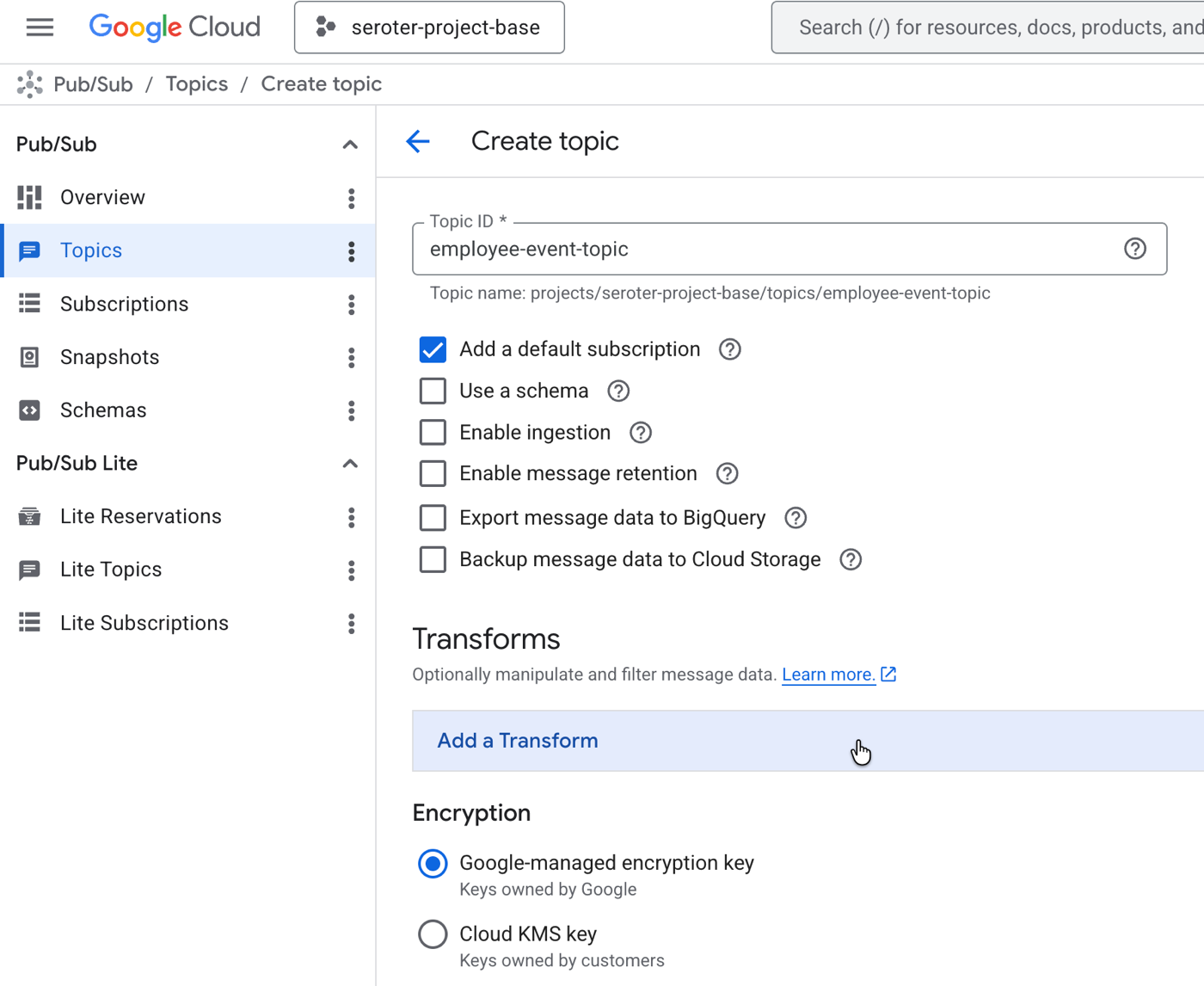
You’ll see there’s a Transforms section, but I don’t want to apply a transform to every message. So I’ll create this topic without one.
Next, I create a subscription. Pub/Sub is one of the most unique cloud messaging services because it supports push, pull, and even message replay. This sub is a simple pull-based subscription.
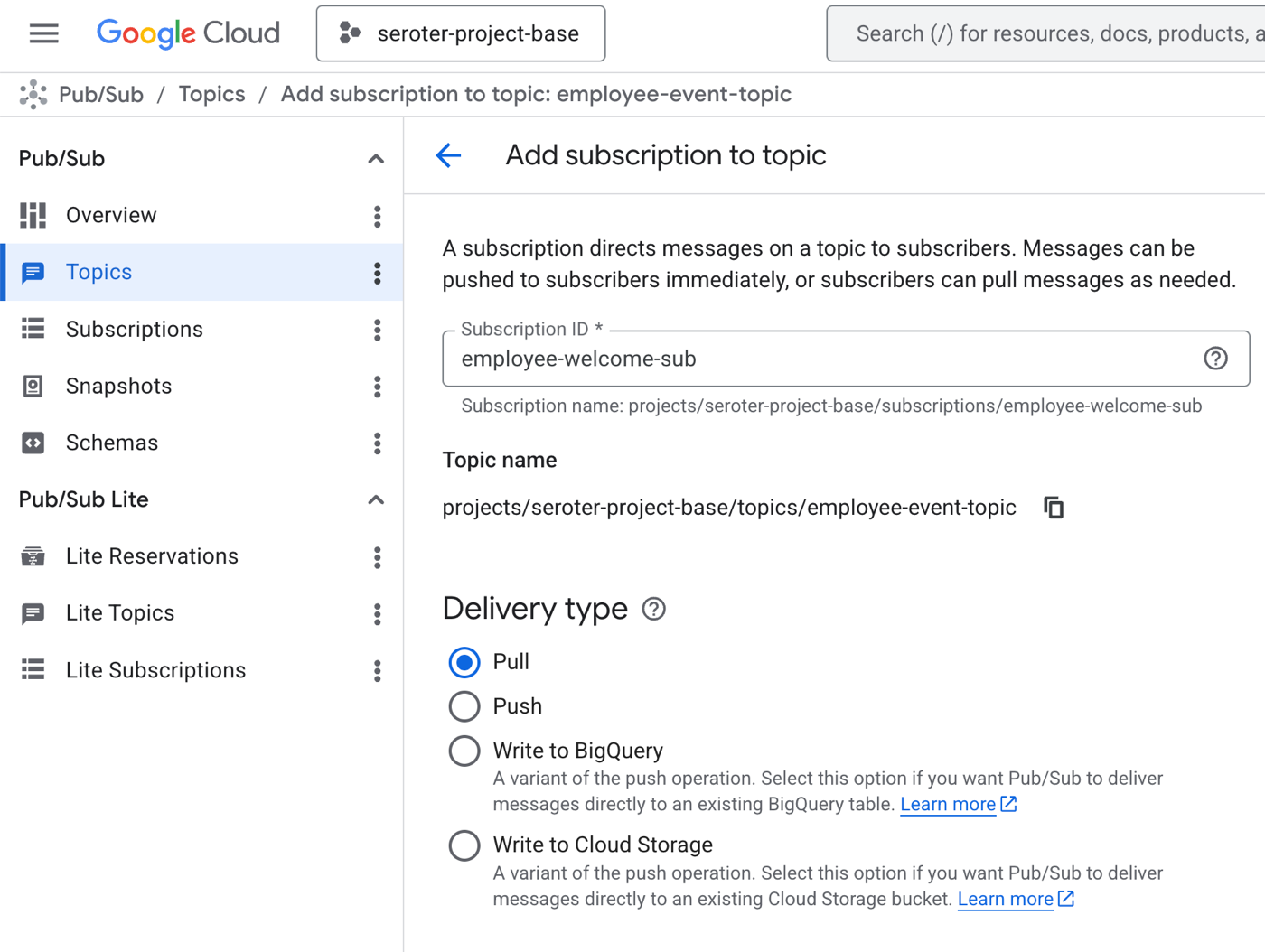
Further down this page, I see the option again to add Transforms. The AI SMT expects content in a specific structure, but I don’t want to assume the upstream system is going to send messages in that format. So I can daisy-chain SMT where I first re-format the message in a JavaScript User-Defined Function, and then run the AI SMT.
I click the Add Transform button and choose Javascript UDF. I set the function name as transform and populate the JavaScript code that sticks the original employee event into the prompt that the AI SMT expects.
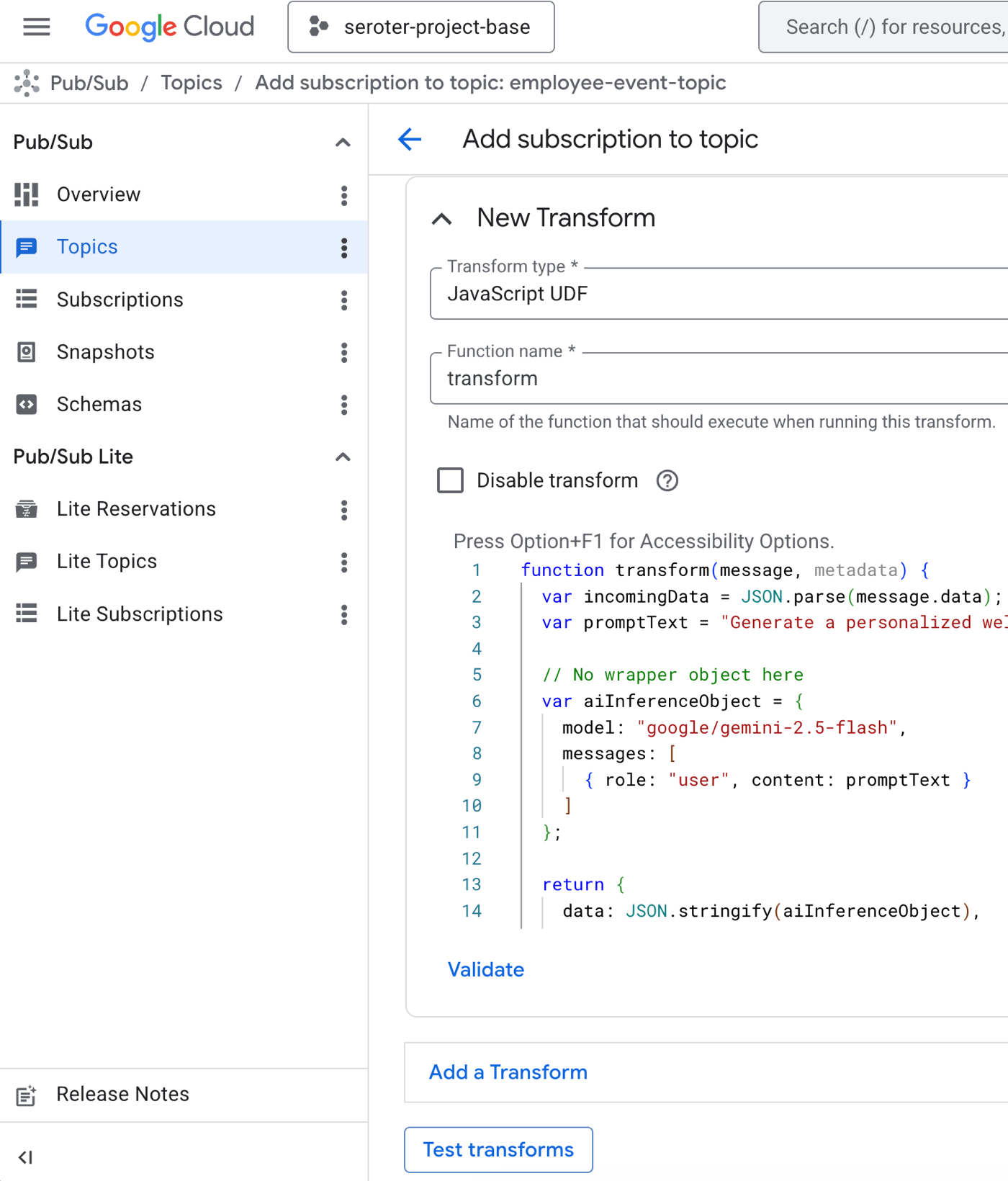
Here’s the code.
function transform(message, metadata) {
  var incomingData = JSON.parse(message.data);
  var promptText = "Generate a personalized welcome email factoring in the person's name, location, and role. " + JSON.stringify(incomingData);

  // No wrapper object here
  var aiInferenceObject = {
    model: "google/gemini-2.5-flash",
    messages: [
      { role: "user", content: promptText }
    ]
  };

  return {
    data: JSON.stringify(aiInferenceObject),
    attributes: message.attributes || {}
  };
}
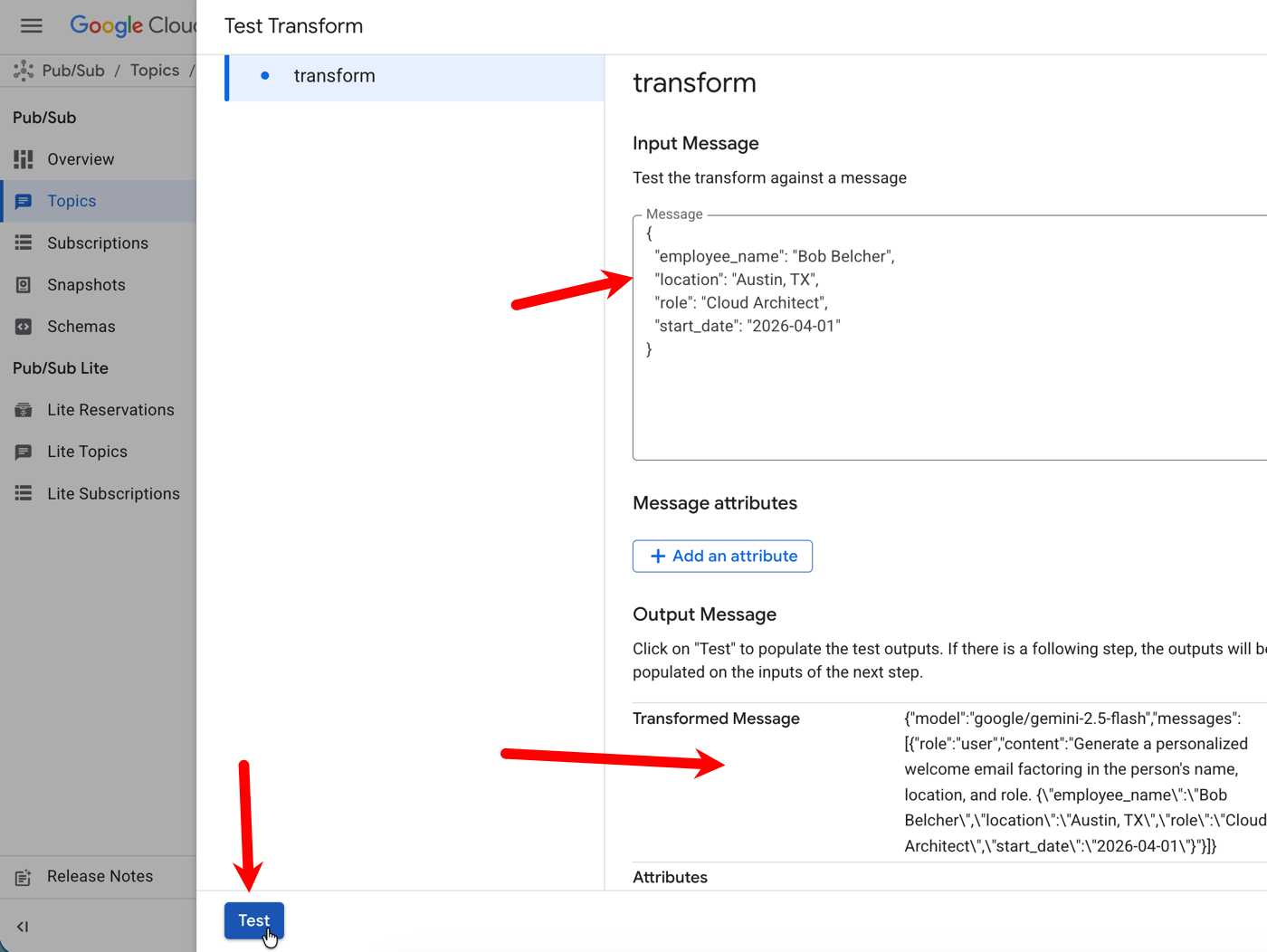
I like that I can test this inline. The Test Transforms button takes me to an interface where I can see if my UDF does its job. After plugging in an example message, I click the Test button and see the transformation result.
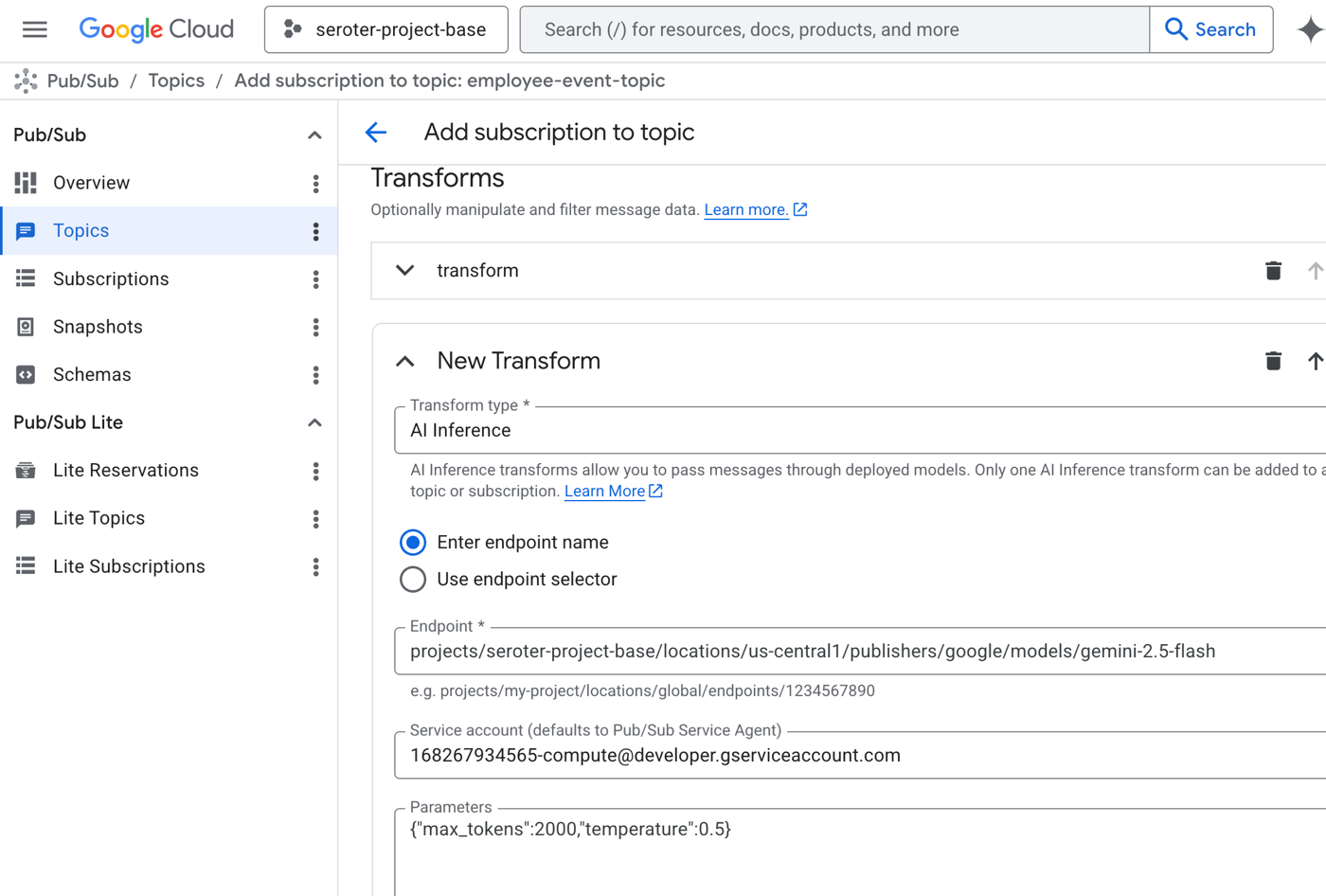
Now I add the AI SMT to the sequence of transforms. I chose AI Inference and then picked the managed Gemini model from Vertex AI. I could have also chosen any number of managed models from DeepSeek, Mistral, or Anthropic. Or even chosen my own model endpoint. I also picked a service account that had access to Vertex AI models. And I set a couple of parameters for max token count and temperature.
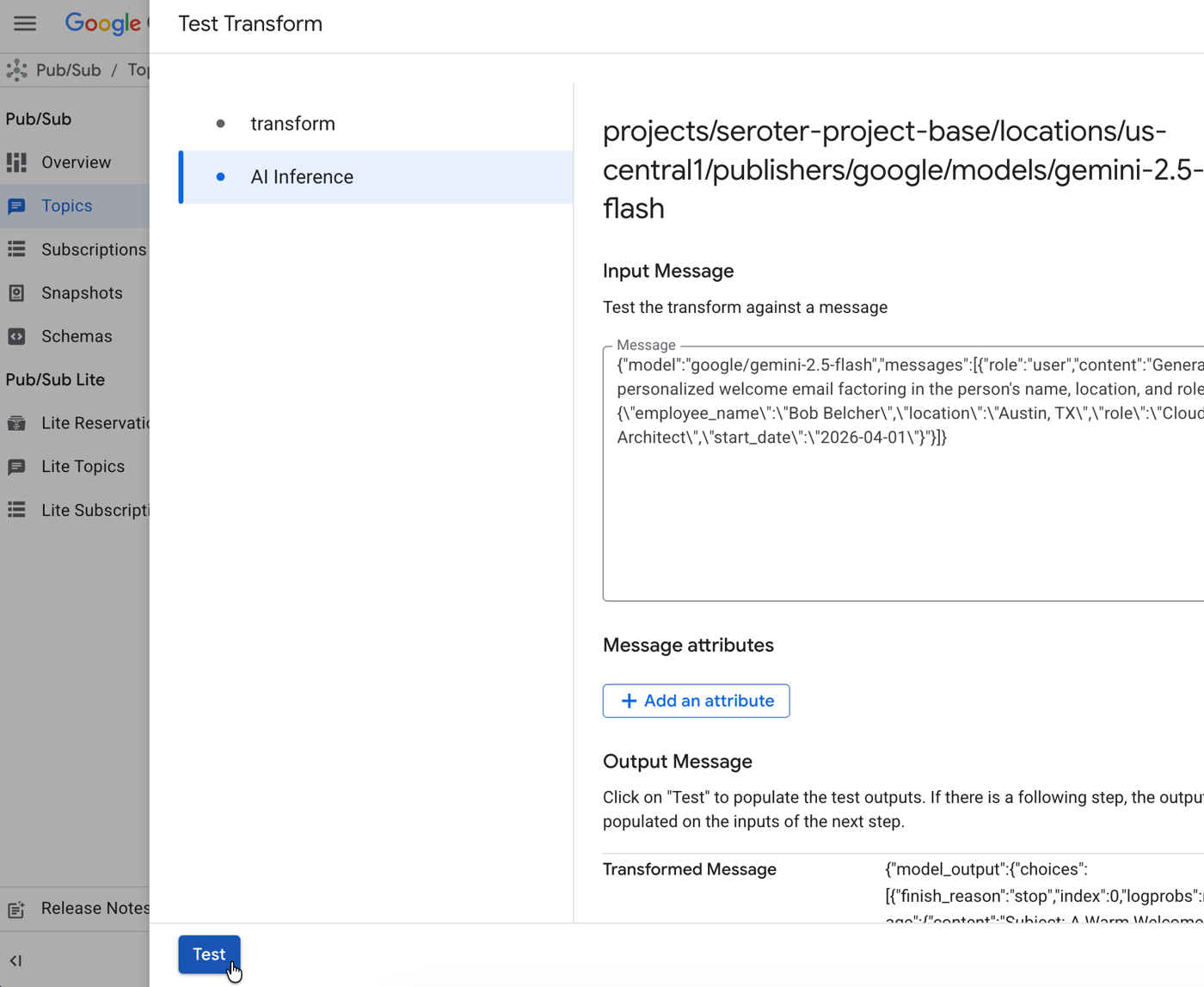
Now when I choose the Test Transforms button again, I see both SMTs. After popping the same value into the transform SMT, I click Test. It’s pretty great than when I click the second SMT (AI Inference), the results from the first pre-populates the box!
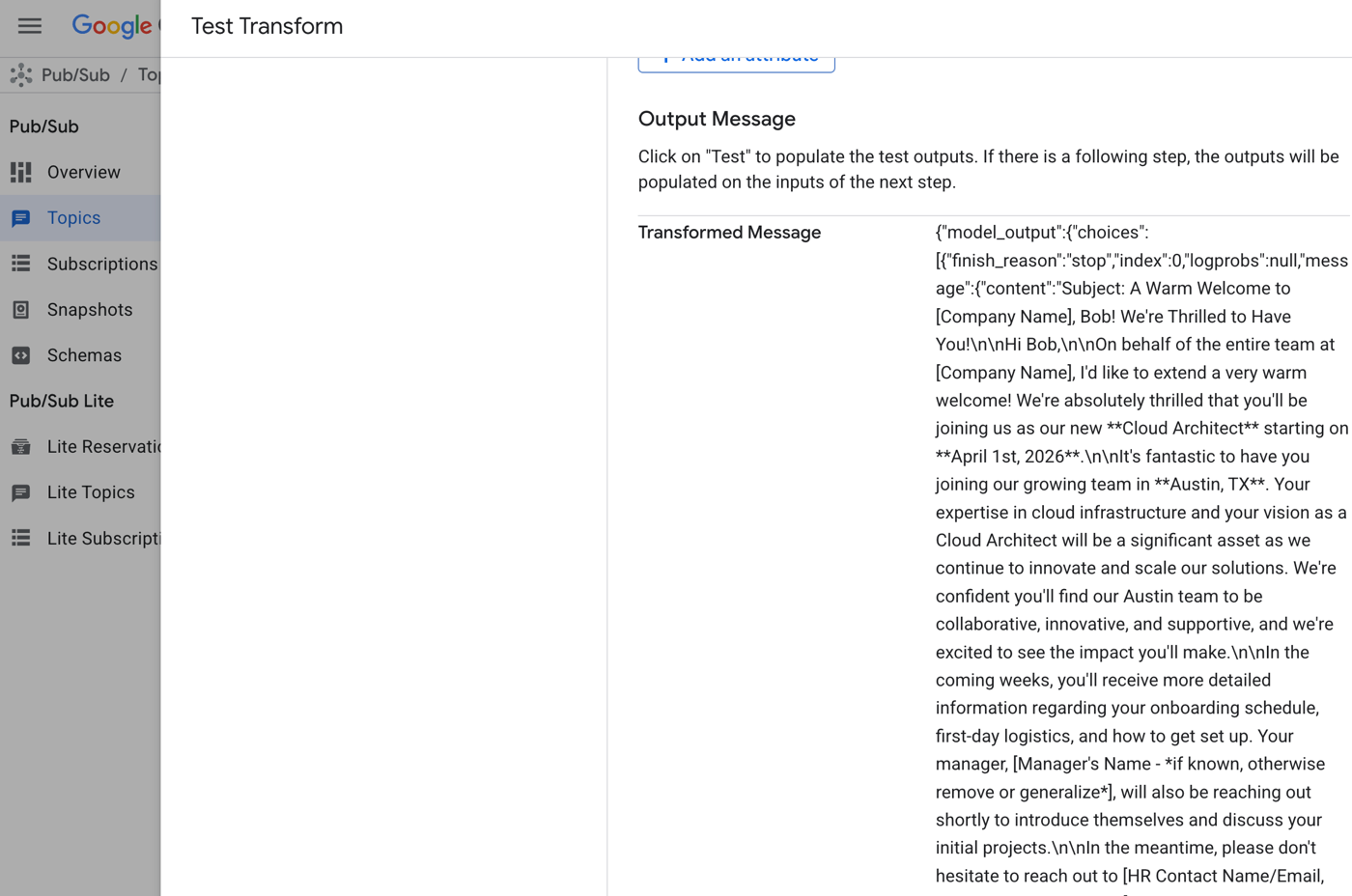
The transformed message includes the desired “welcome” note. In real life, I’d have crafted a better prompt to ensure exactly what I wanted, but this shows what’s possible.
Once I save this subscription, it works like any other. Now I’ve got an LLM-enhanced Google Cloud Pub/Sub!
I like seeing these sorts of capabilities baked into Cloud services. Integrating LLMs into your architecture doesn’t need to be difficult. But make good choices, and figure out when your business logic needs to be explicitly called out, versus buried inside service configurations!
 Richard Seroter's Architecture Musings
Leave a comment