My favorite movie is Tommy Boy. I apologize for nothing. You won’t find this flick listed on the top 100 movies of all time, and some people think it’s a dumb movie. That’s ok. Look, I don’t really get the Dave Matthews Band. They seem like nice chaps, but it’s not my thing. But they have a massive following of superfans. Everything isn’t for everyone. Not every product is built for you.
I recently looked at which AI coding tool was the right fit for a given situation. But what about Google’s hefty portfolio of products for those who want to vibe code and let AI take the wheel? In that case, it’s not just about the given situation, but also the type of person. Not every product is for each type of user.
Vibe coding is expanding the pool of people who build apps. It seems to consist of consumers who are non-tech folks who want to bring ideas to life. There are tech-adjacent professionals who do “knowledge work” and might be business analysts, product managers, program leads, and executives. And then you have software developers who have deep understanding of tech, and want to quickly produce new software.
What are we vibe-coding? To me, it seems like we’re building throwaway prototypes to just try something out quickly. We’re creating personal software that’s meant to improve our own productivity. And we’re delivering multi-user apps that are intended for legit use by others. So in my mind, it’s a grid like this, with my take on which Google tech fits where:
| Throw-away prototypes | Personal software | Multi-user apps | |
| Consumers | n/a | Gemini Canvas Gemini Gems | Gemini Canvas |
| Tech-adjacent professionals | Gemini Canvas Google AI Studio | Opal Google AI Studio Agentspace | Gemini Canvas Google AI Studio Opal Firebase Studio |
| Software developers | Google AI Studio Gemini CLI | Gemini CLI Gemini Code Assist | Gemini CLI Gemini Code Assist Jules |
Vibing as consumers
I’m not sure consumers are interested in throwaway prototypes. My non-tech friends wouldn’t want to geek out on tech. They have some sort of goal to solve a problem.
What about consumers building “personal software” that acts as a web app, agent, or tool? Sure. Gemini Canvas seems like a good choice for this. And, for building simple apps to share with others. Gemini Gems are a tool for building personal AI assistants without needing to be a tech expert. Some are creating fun consumer-grade demos with Google AI Studio, so I wouldn’t complain if you added that product into this row as well.
Let’s look at Gemini Canvas. You activate this in Gemini when you choose to “build.”
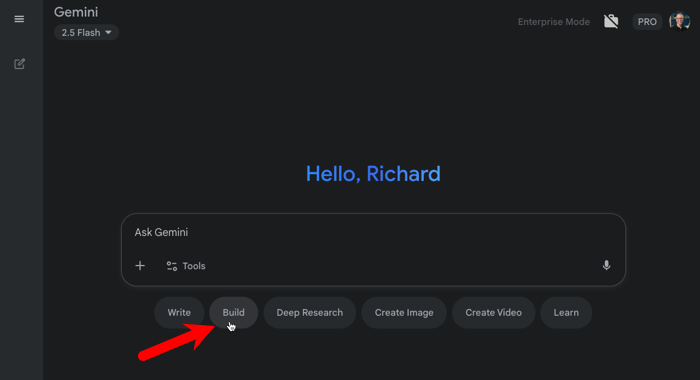
Let me provide it a simple prompt:
Beautiful exercise tracking app that lets me record the exercises I did in a given day, and for how long. I can also view past days and see trends over time.
When I enter that prompt, Gemini gets to work. It creates a single-file app where the code is not the focus. You can see the code, but it quickly switches the UI to a preview of the app. I can make changes via the chat and get a live look at the changes.
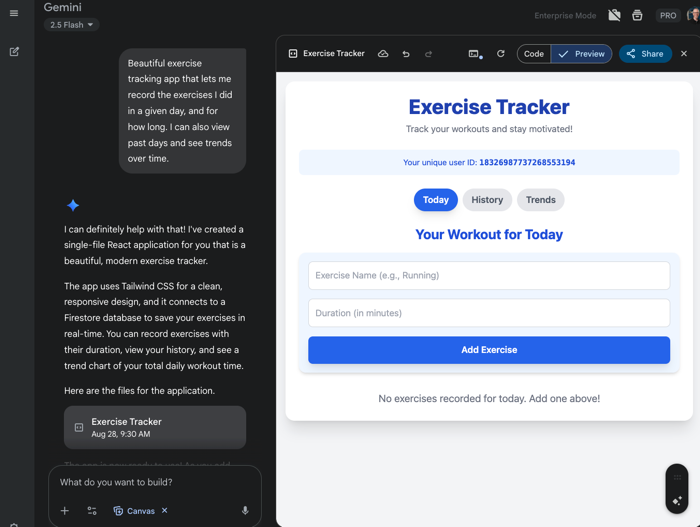
This is a fun to use, simple interface that’s consumer friendly. It’s easy to trigger, very fast at generating apps, has basic abilities to rollback changes, and offers sharing via a public link. It’s very opinionated on the tech stack, the code is all stuffed into a single artifact, and you don’t get many legit deployment options. Great for consumers who are building personal software or simple apps for a small group to use.
Vibing as tech-adjacent professionals
I think it’s awesome that anyone within a company can be a builder. It doesn’t matter if the HR person, executive assistant, program manager, or VP doesn’t know how to code. They can use Gemini Canvas as I showed above, along with other tools.
Some who have some tech familiarity might jump to Google AI Studio. It’s free to use and fantastic for builders. From the “build” menu, you can trigger a vibe coding experience that keeps the focus on the outcome, not the code.
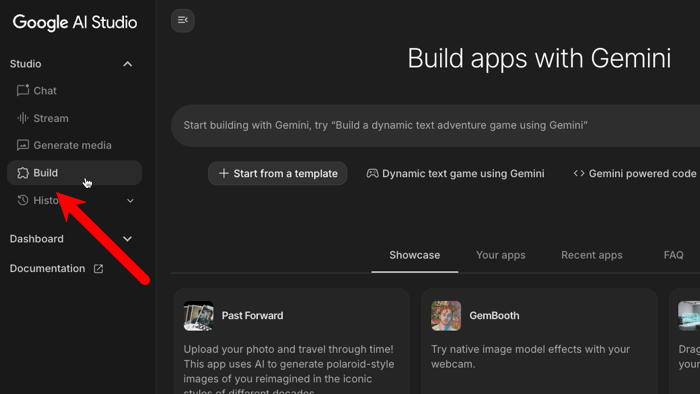
I’ll use the same prompt as above, but you also get a few other configuration options, including the ability to choose between React or Angular.
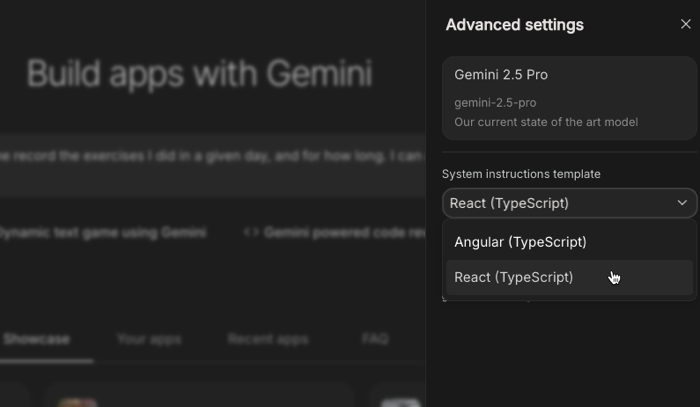
Once I submit the prompt, Google AI Studio gets to work thinking through a plan and building out the components. The interface is terrific here. What’s different from Gemini Canvas is that you get a professionally structured project with code arranged across files. It takes longer to get to a Preview because it’s doing more (responsible) work, but it’s still very fast.

I like the suggestions offered for the app (above chat box), easy ability to download the app, GitHub integrations, and one-click deploys to Google Cloud Run. The code editor is basic, so I wouldn’t use this for sophisticated builds, but that’s not what it’s for.
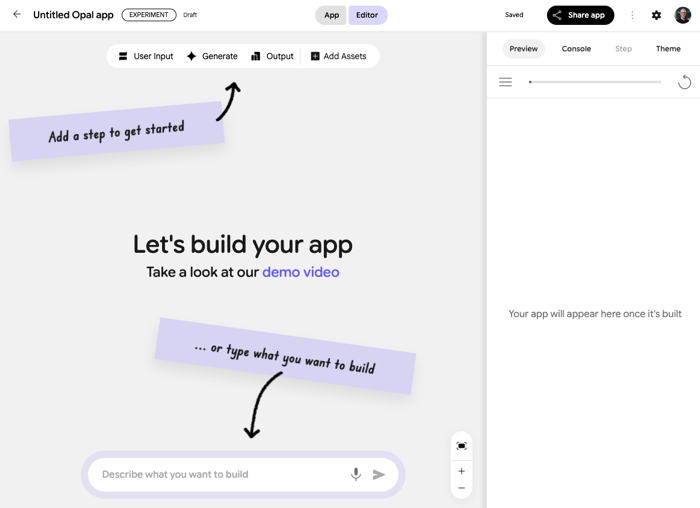
Opal is a new Google experiment for building “mini-AI apps” and isn’t a standard vibe coding tool. Think of it as a way to build apps that are focused on generating content with AI.

My exercise tracking tool doesn’t make a ton of sense here. One use case for Opal could be to generate text for sharing content on each social media site.
Opal lets you define what you need to collect from the user, assets you have available (YouTube videos, documents, and more), can perform web searches, generate all sorts of media, and aggregate results.
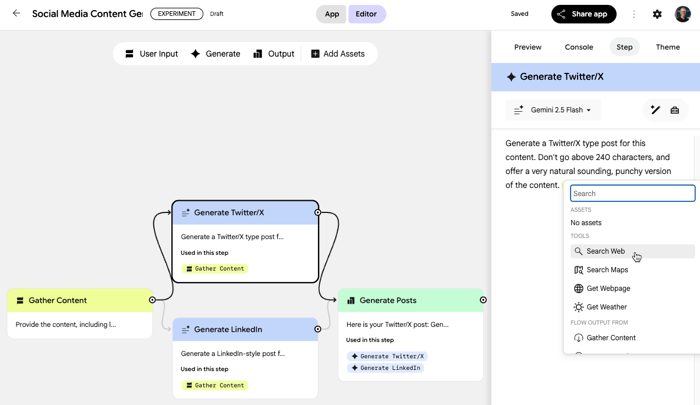
It’s simple to preview and share these apps, and I like the concept. It’s not a traditional “vibe coding” tool, but I can see where non-developers would like using it to bring ideas to life.
You could also consider Agentspace a vibing tool for office workers. Agentspace is a unique platform for those who want a more useful and effective internal experience for getting work done. Besides offering a AI-enabled search and research, it also has an agent-building experience for those who want personal agents.
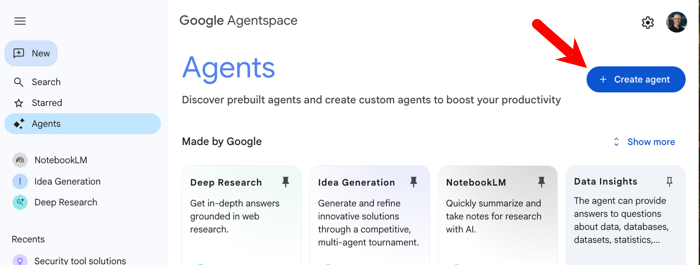
The agent builder interface is entirely no-code, and lets you tap into public internet searches, along with private enterprise data sources and tools. This is super helpful for those who want to automate repeatable tasks or build personal productivity solutions.

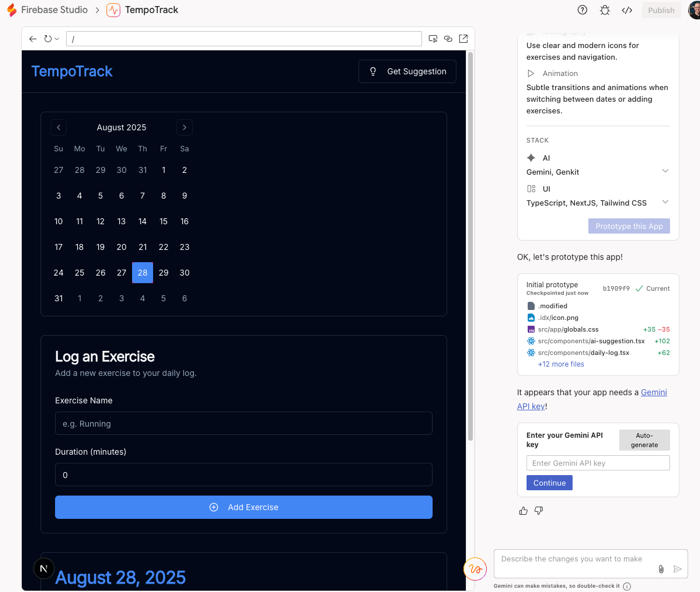
The final option I put into this row is Firebase Studio. This is a service that’s completely applicable to software developers, but also friendly to those who aren’t professionals in this space. Unlike most of the options I’ve listed so far, this isn’t only for front-end solutions. I can build backend Go or Java apps too. It also offers a vibing UI where you can start with a prompt and build the app. I’ll use the same prompt I did earlier.

When you start vibe coding here, Firebase Studio shares an app blueprint and then gets to work. I wouldn’t give this to a consumer persona—there’s still technical know-how you’d need to have—built it’s approachable to those who aren’t full-on software developers.
Vibing as software developers
If you’re a developer, you can use any of the options above. You might love the simplicity of Gemini Canvas, or prefer the opinionated Google AI Studio environment. Sounds good, live your life.
Many software people want to vibe code with tools already in their toolchain. Your best bets with Google are the Gemini CLI and Gemini Code Assist.
The Gemini CLI is a command line interface that’s free to use. You can authenticate with your Google ID (as an individual or corporate user), bring a Google AI Studio API key, or use Google Cloud Vertex AI. It has built-in tools (Google Search, shell, reading files, etc), supports MCP, has configurable memory, and can run anywhere. We recently added a supporting GitHub Action so that you can use it in your code repo. And Zed just integrated it into their next-gen code editor.
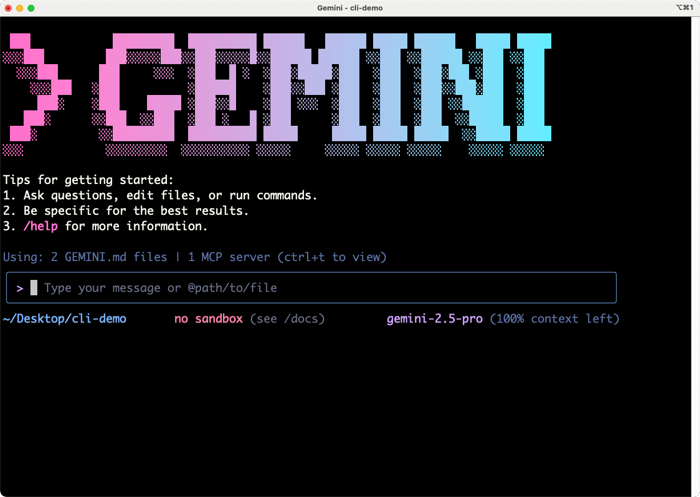
The Gemini CLI is a great vibe coding tool. I could use the same prompt above, but also ask for a technical spec first, define my language/framework preferences, and generally steer the build the way I want.

When I want maximum power during my vibe coding sessions (like I had yesterday), i use a combination of Gemini Code Assist with the Gemini CLI rolled in. Killer combo, as I get the conversational AI mode of Gemini Code Assist in my IDE/editor, but also the rich agentic power of the Gemini CLI with shared context. Yesterday I vibe coded a complete “travel app” after using the CLI to generate a spec and then incrementally implementing it with the CLI, and taking over control in the editor when I needed to.

Wrap up
There’s no wrong answer here. Use what fits your situation, and the role you’re playing. If you’re goofing around and just want a frontend app, anyone should use things like Google AI Studio. If you only want a code-centric experience for every situation, stay with IDE-style tools and CLIs. But I love that it’s so much simpler for people of any skill level to realize their ideas through software thanks to a range of vibe coding tools that suit each person’s taste.
 Richard Seroter's Architecture Musings
Leave a comment