
The ability to use your own codebase to customize the suggestions from an AI coding assist is a big deal. This feature—available in products like Gemini Code Assist, GitHub Copilot, and Tabnine—gives developers coding standards, data objects, error messages, and method signatures that they recognize from previous projects. Data shows that the acceptance rate for AI coding assistants goes way up when devs get back trusted results that look familiar. But I don’t just want up-to-date and familiar code that *I* wrote. How can I make sure my AI coding assistant gives me the freshest and best code possible? I used code customization in Gemini Code Assist to reference Google Cloud’s official code sample repos and now I get AI suggestions that feature the latest Cloud service updates and best practices for my preferred programming languages. Let me show you how I did it.
Last month, I showed how to use local codebase awareness in Gemini Code Assist (along with its 128,000 input token window) to “train” the model on the fly using code samples or docs that an LLM hasn’t been trained on yet. It’s a cool pattern, but also requires upfront understanding of what problem you want to solve, and work to stash examples into your code repo. Can I skip both steps?
Yes, Gemini Code Assist Enterprise is now available and I can point to existing code repos in GitHub or GitLab. When I reference a code repo, Google Cloud automatically crawls it, chunks it up, and stores it (encrypted) in a vector database within a dedicated project in my Google Cloud environment. Then, the Gemini Code Assist plugin uses that data as part of a RAG pattern when I ask for coding suggestions. By pointing at Google Cloud’s code sample repos—any best practice repo would apply here—I supercharge my recommendations with data the base LLM doesn’t have (or prioritize).
Step #0 – Prerequisites and considerations
Code customization is an “enterprise” feature of Gemini Code Assist, so it requires a subscription to that tier of service. There’s a promotional $19-per-month price until March of 2025, so tell your boss to get moving.
Also, this is currently available in US, European, and Asian regions, you may need to request geature access via a form (depending on when you read this), and today it works with GitHub.com and GitLab.com repos, although on-premises indexing is forthcoming. Good? Good. Let’s keep going.
Step #1 – Create the source repo
One wrinkle here is that you need to own the repos you ask Gemini Code Assist to index. You can’t just point at any random repo to index. Deal breaker? Nope.
I can just fork an existing repo into my own account! For example, here’s the Go samples repo from Google Cloud, and the Java one. Each one is stuffed with hundreds of coding examples for interacting with most of Google Cloud’s services. These repos are updated multiple times per week to ensure they include support for all the latest Cloud service features.
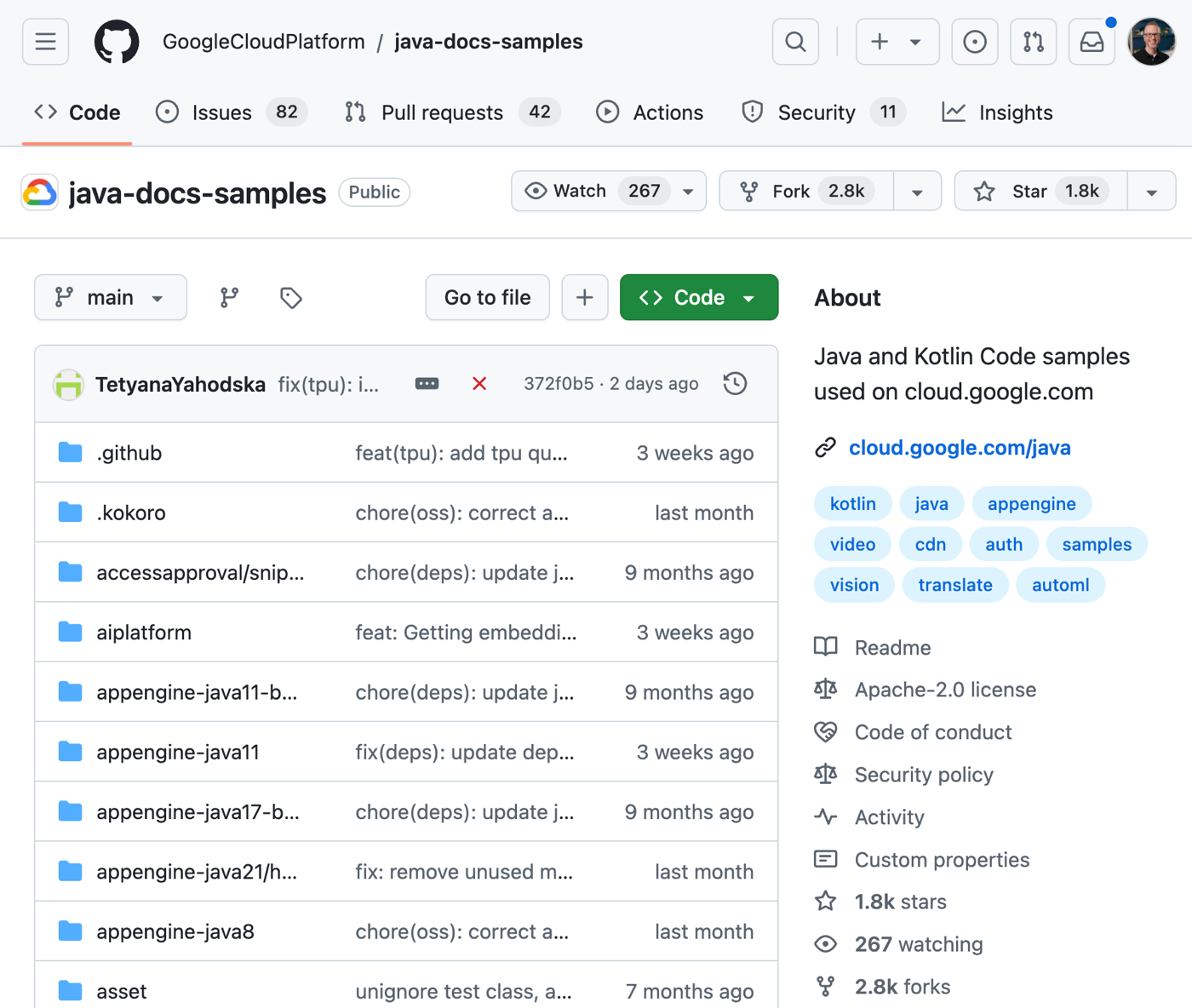
I went ahead and forked each repo in GitHub. You can do it via the CLI or in the web console.
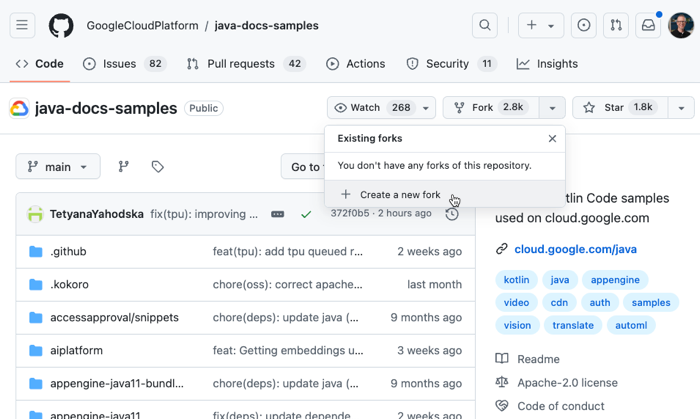
I didn’t overthink it and kept the repository name the same.

Gemini Code Assist can index up to 950 repos (and more if really needed), so you could liberally refer to best-practice repos that will help your developers write better code.
Any time I want to refresh my fork to grab the latest code sample updates, I can do so.
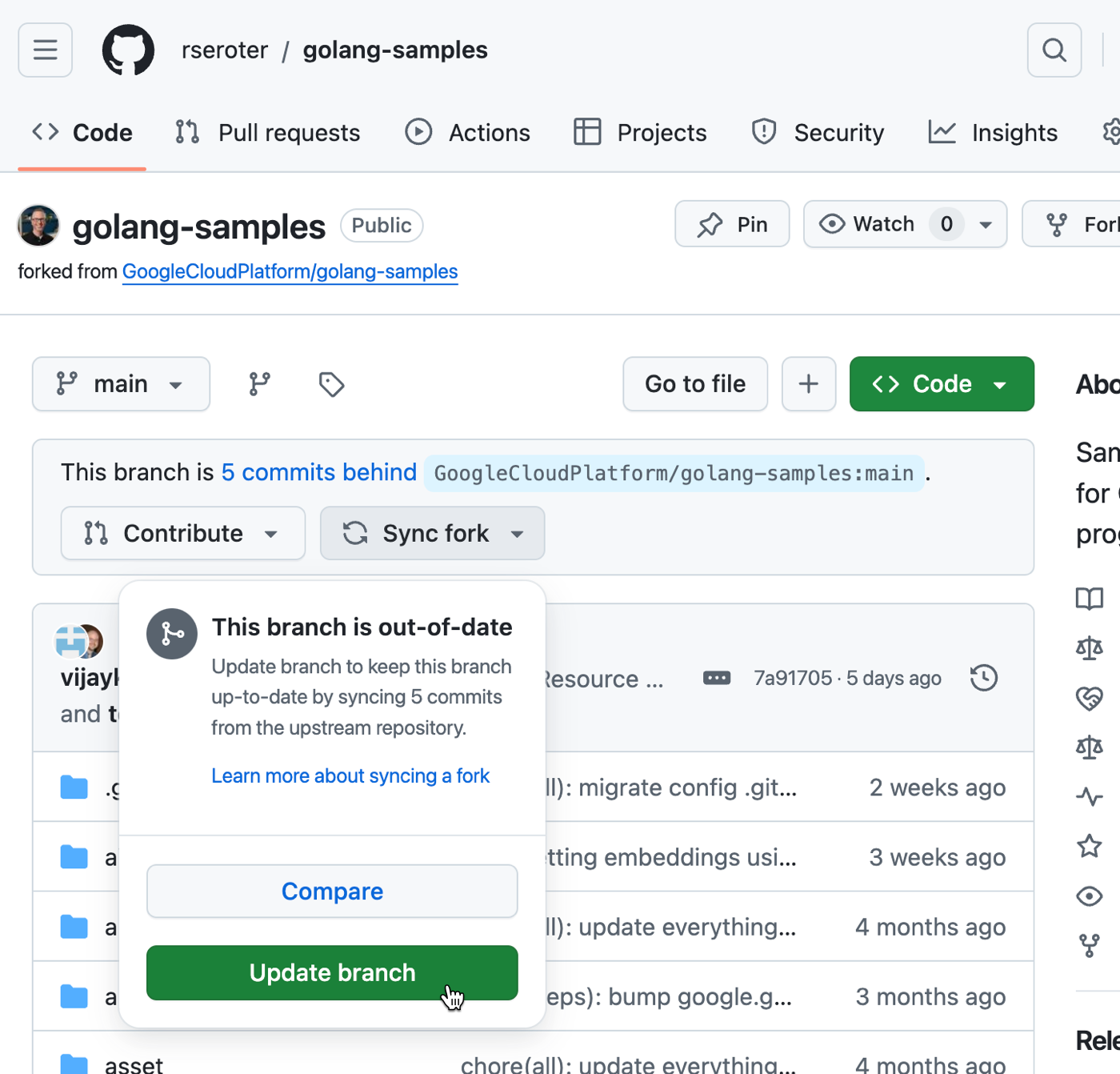
Step #2 – Add a reference to the source repo
Now I needed to reference these repos for later code customization. Google Cloud Developer Connect is a service that maintains connections to source code sitting outside Google Cloud.
I started by choosing GitHub.com as my source code environment.

Then I named my Developer Connect connection.

Then I installed a GitHub app into my GitHub account. This app is what enables the loading of source data into the customization service. From here, I chose the specific repos that I wanted available to Developer Connect.
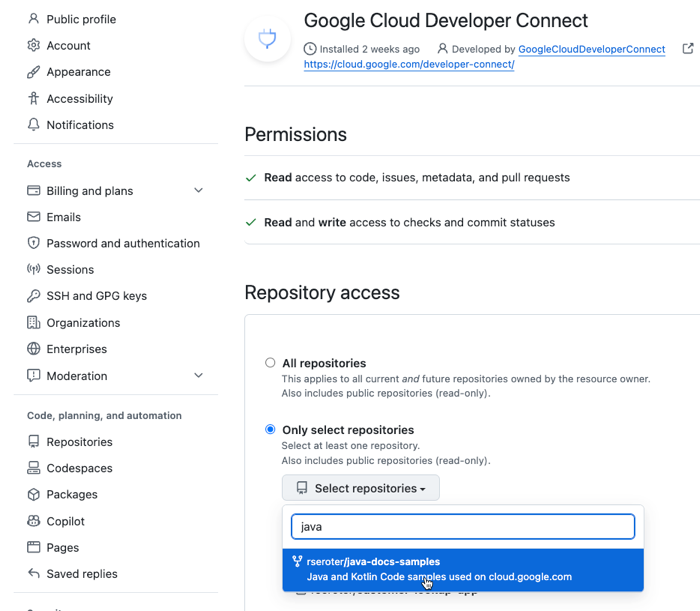
When finished, I had one of my own repos, and two best practice repos all added to Developer Connect.
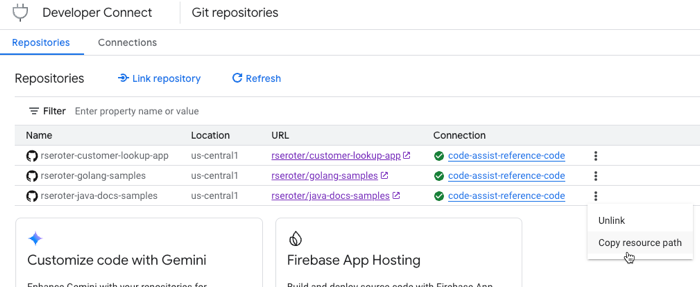
That’s it! Now to point these linked repos to Gemini Code Assist.
Step #3 – Add a Gemini Code Assist customization index
I had just two CLI commands to execute.
First, I created a code customization index. You’ve got one index per Cloud project (although you can request more) and you create it with one command.
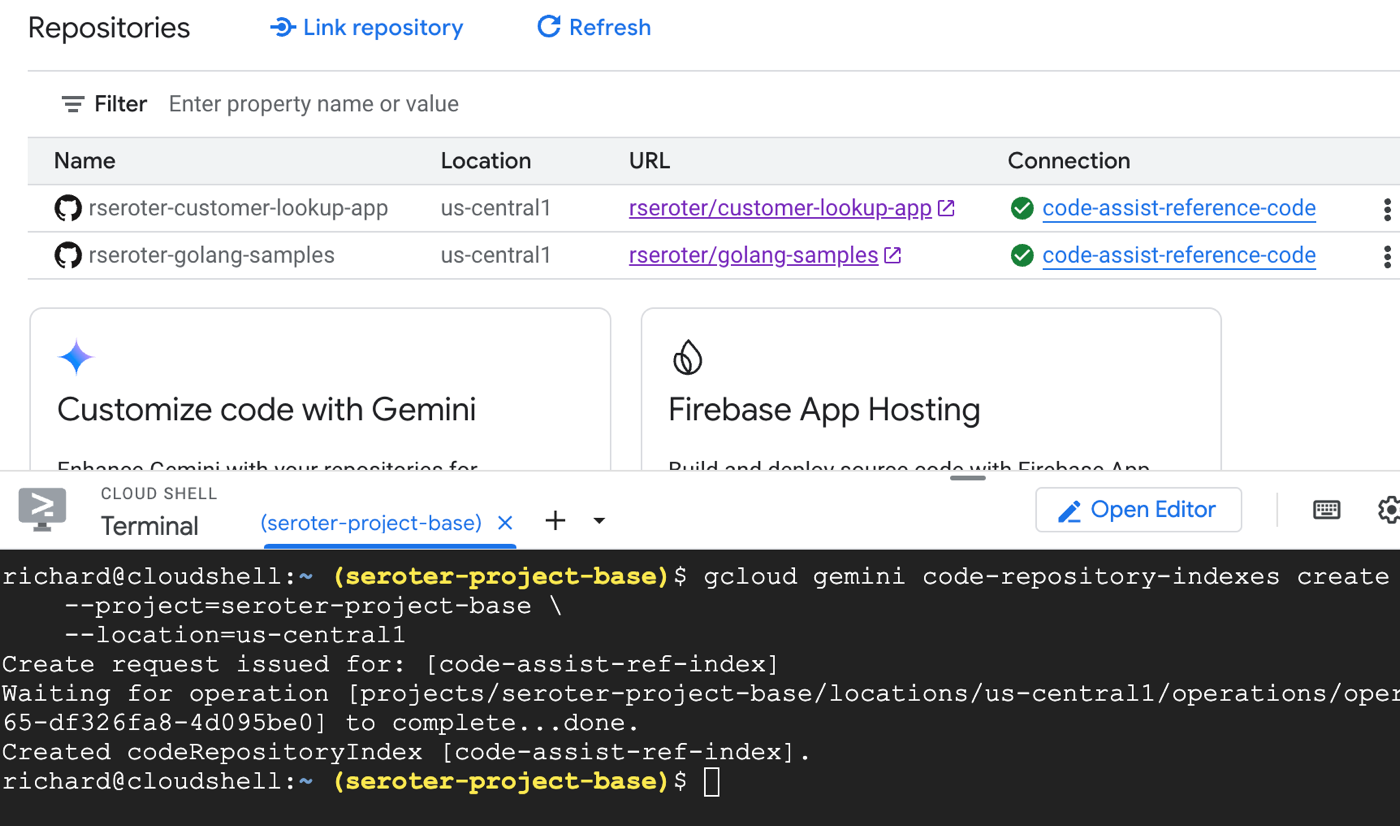
Next, I created a repository group for the index. You use these to control access to repos, and could have different ones for different dev audiences. Here’s where you actually point to a given repo that has the Developer Connect app installed.
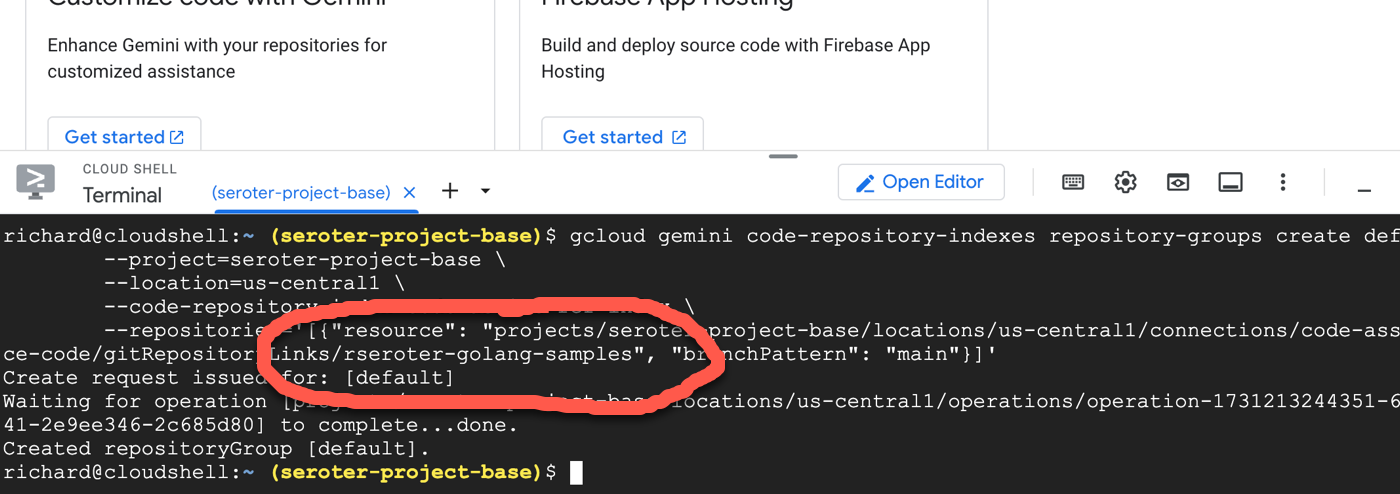
I ran this command a few times to ensure that each of my three repos was added to the repository group (and index).
Indexing can take up to 24 hours, so here’s where you wait. After a day, I saw that all my target repos were successfully indexed.

Whenever I sync the fork with the latest updates to code samples, Gemini Code Assist will index the updated code automatically. And my IDE with Gemini Code Assist will have the freshest suggestions from our samples repo!
Step #4 – Use updated coding suggestions
Let’s prove that this worked.
I looked for a recent commit to the Go samples repos that the base Gemini Code Assist LLM wouldn’t know about yet. Here’s one that has new topic-creation parameters for our Managed Kafka service. I gave the prompt below to Gemini Code Assist. First, I used a project and account that was NOT tied to the code customization index.
//function to create a topic in Google Cloud Managed Kafka and include parameters for setting replicationfactor and partitioncount
The coding suggestion was good, but incomplete as it was missing the extra configs the service can now accept.
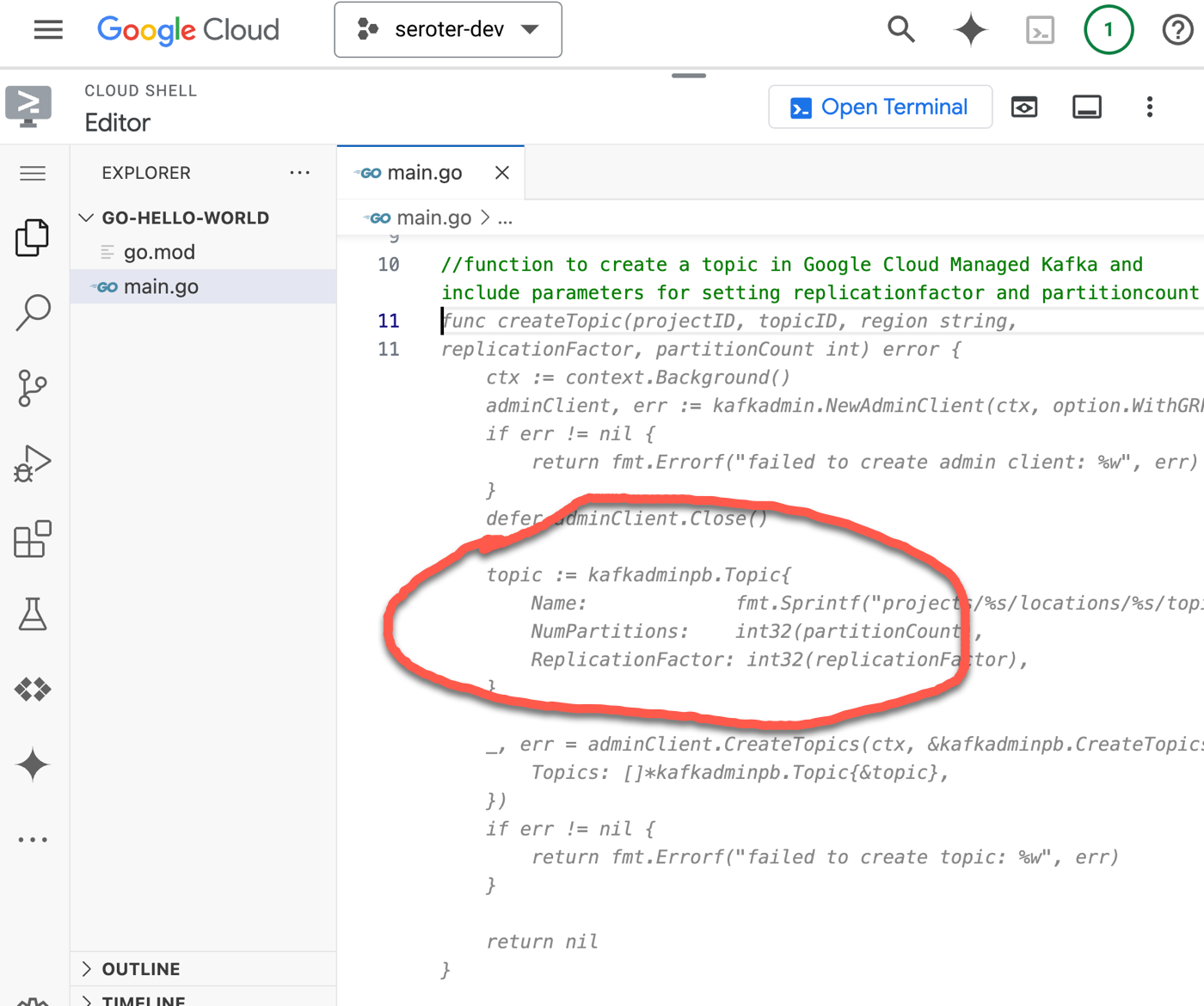
When I went to my Code Assist environment that did have code customization turned on, you see that the same prompt gave me a result that mirrored the latest Go sample code.
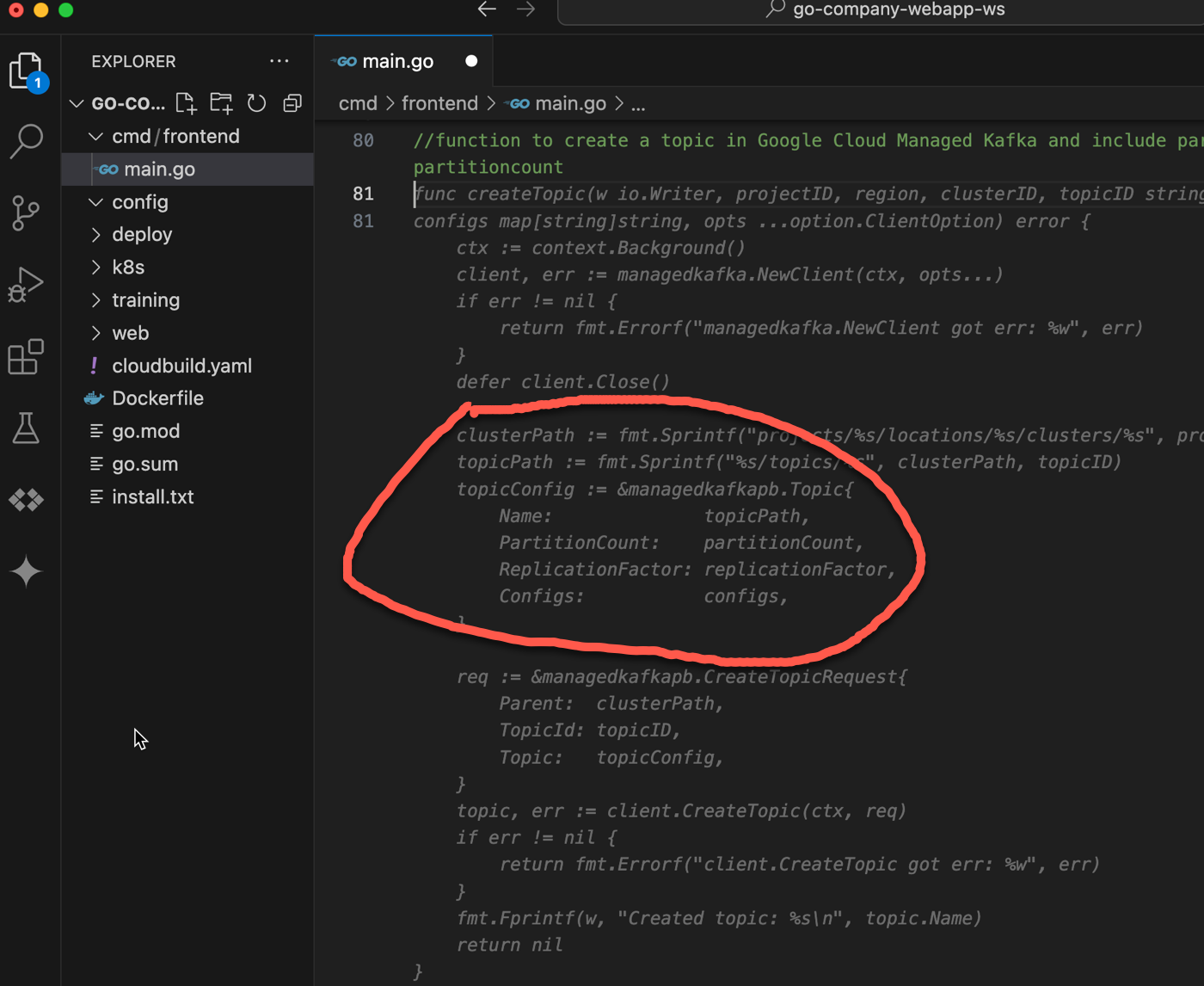
I tried a handful of Java and Go prompts, and I regularly (admittedly, not always) got back exactly what I wanted. Good prompt engineering might have helped me reach 100%, but I still appreciated the big increase in quality results. It was amazing to have hundreds of up-to-date Google-tested code samples to enrich my AI-provided suggestions!
AI coding assistants that offer code customization from your own repos are a difference maker. But don’t stop at your own code. Index other great code repos that represent the coding standards and fresh content your developers need!
 Richard Seroter's Architecture Musings
Leave a comment