
Public cloud is awesome, full stop. In 2023, it’s easy to take for granted that you can spin up infrastructure in dozens of countries in mere minutes, deploy databases that handle almost limitless scale, and access brain-melting AI capabilities with zero setup. The last decade has seen an explosion of new cloud services and capabilities that make nearly anything possible.
But with all this new power comes new complexity. A hyperscale cloud now offers 200+ services and it can often feel like you have to know everything to get anything done. Cloud needs a new interface, and I think AI is a big part of it. Last month, Google Cloud triggered a shift in the cloud market with Duet AI (in preview) that I expect everyone else to try and follow. At least I hope so! Everything else feels very dated all of a sudden. AI will make it fun to use cloud again, whether you’re a developer, ops person, data expert, or security pro. I’ve been using this Google Cloud AI interface for months now, and I’ll never look at cloud the same way again. Here are six ways that an AI-assisted Google Cloud has already helped me do better work.
1. I get started faster and stay in a flow-state longer because of inline AI-powered assistance
Many of us spend a big portion of our day looking through online assets or internal knowledge repos for answers to our questions. Whether it’s “what is [technology X]?”, or “how do I write Java code that does [Y]?”, it’s not hard to spend hours a day context-switching between data sources.
Duet AI in Google Cloud helps me resist most of these distracting journeys through the Internet and helps me stay in the zone longer. How?
First, the code assistance for developers in the IDE is helpful. I don’t code often enough to remember everything anymore, so instead of searching for the right syntax to use Java streams to find a record in a list, I can write a prompt comment and get back the right Java code without leaving my IDE.
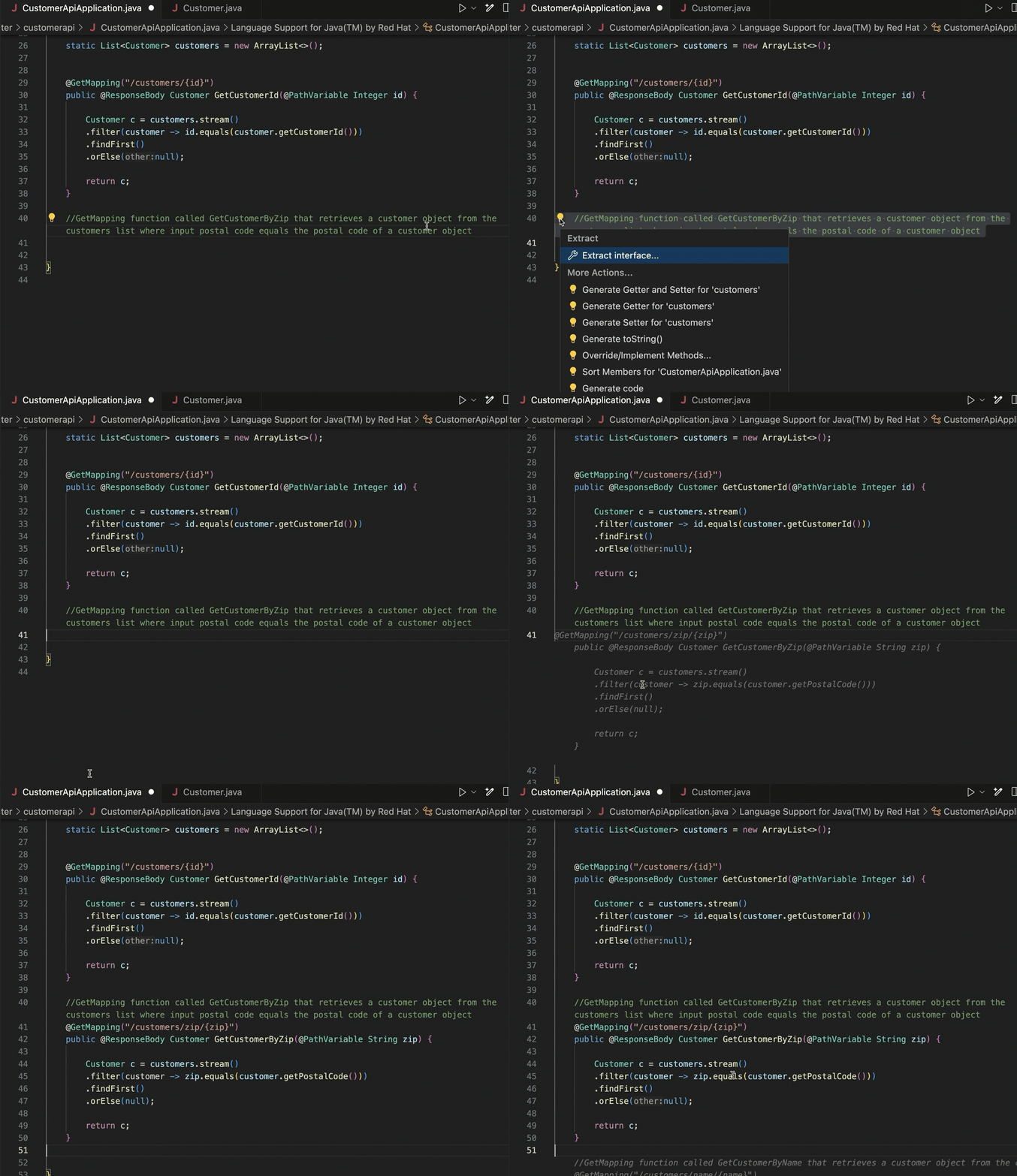
And for declarative formats that I never remember the syntax of (Terraform scripts, Kubernetes YAML), this in-place generation gives me something useful to start with.

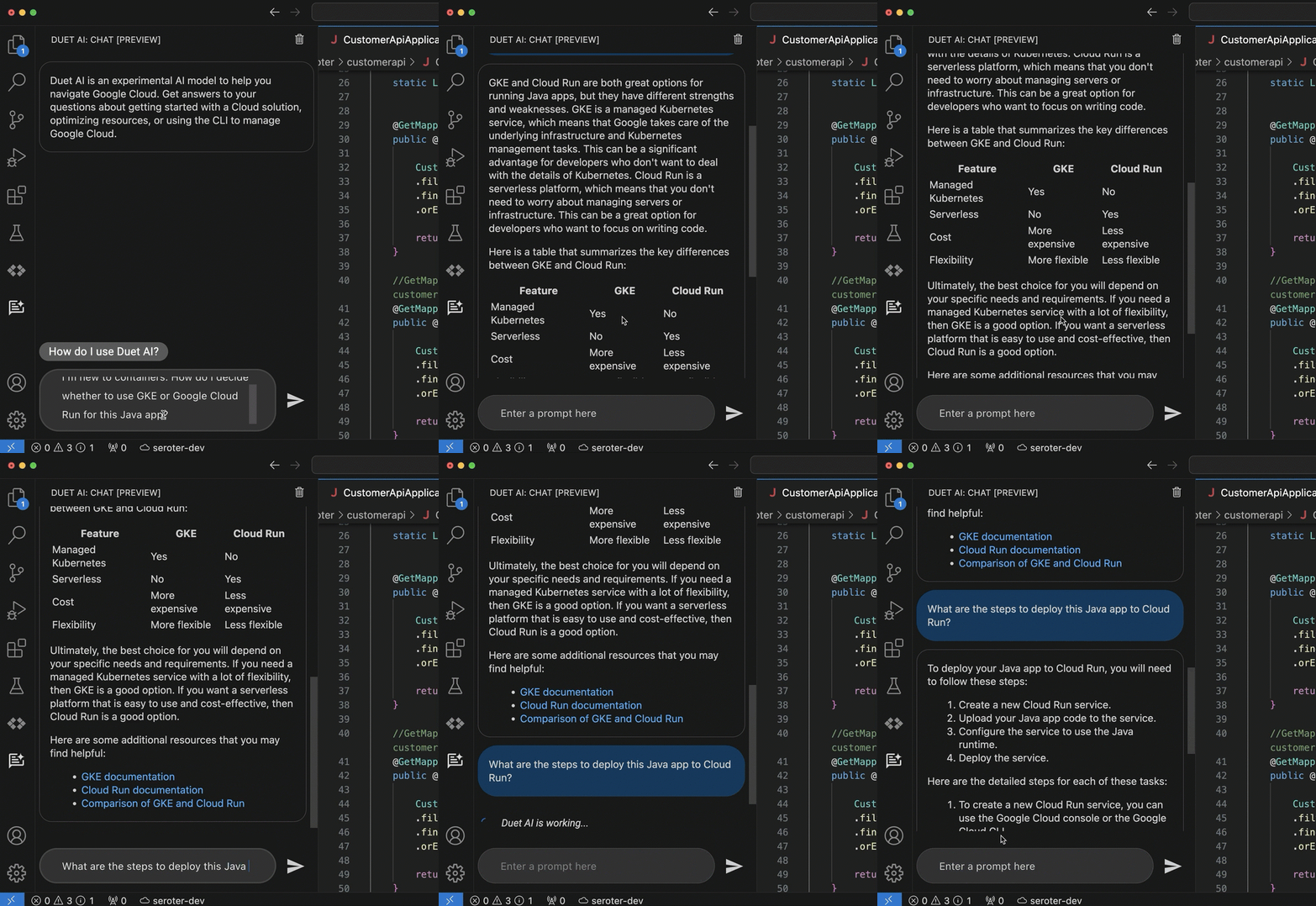
The coding assistance (code generation, and test generation) is great. But what really keeps me in a flow state is the inline chat within my IDE. Maybe I want to figure out which of the two major container services in Google Cloud I should use. And then after I choose one, how to walk through a deployment. Instead of jumping out to a browser and spending all sorts of time finding the answer, I’m doing it right where I work.
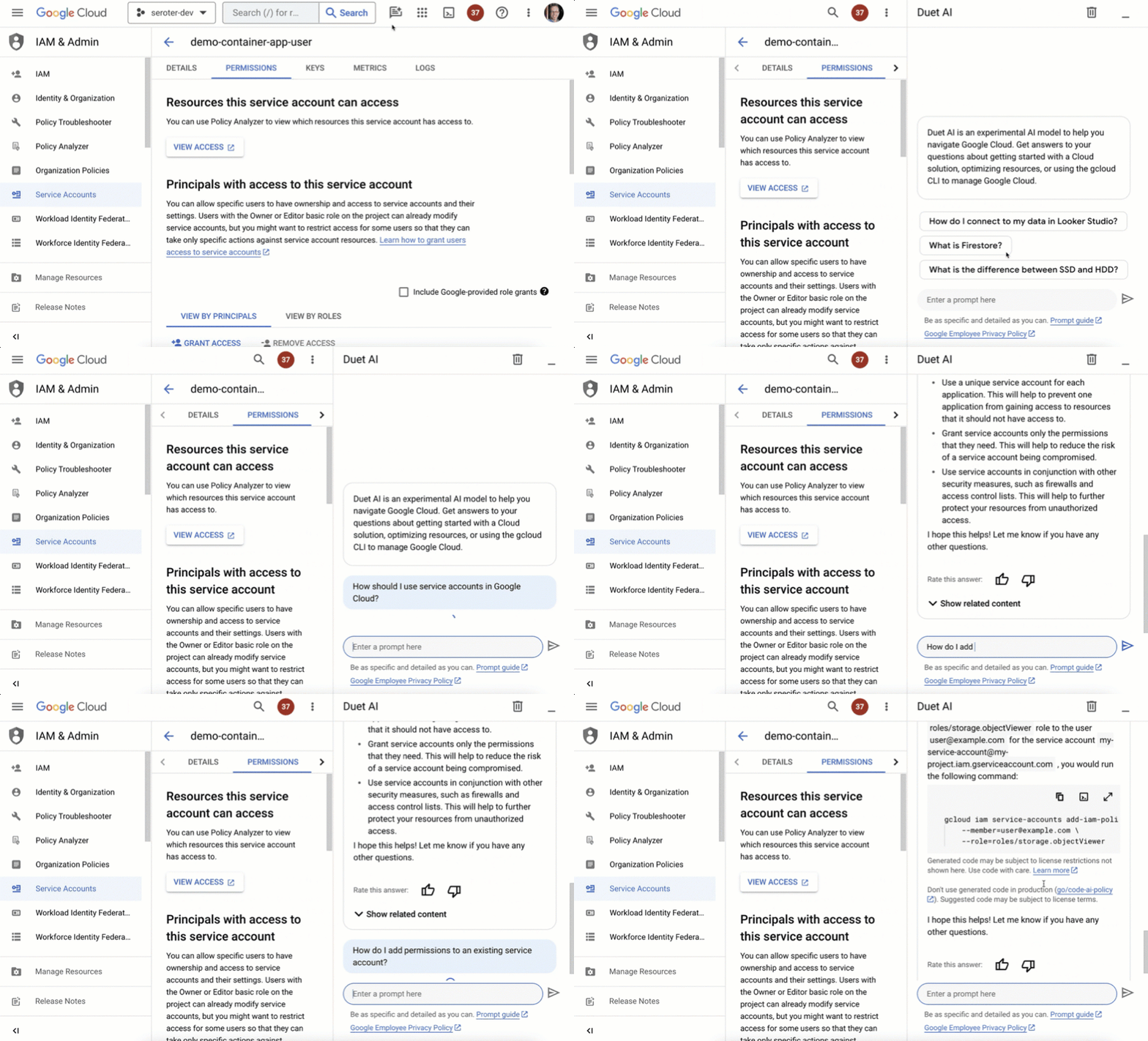
But life doesn’t just happen in the IDE. As I’m learning new products or managing existing apps, I might be using the UI provided by my cloud provider. The Google Cloud Console is a clean interface, and we’ve embedded our AI-based chat agent into every page.
I might want to learn about service accounts, and then figure out how to add permissions to an existing one. It’s so great to not have to fumble around, but rather, have a “Google expert” always sitting in the sidebar.
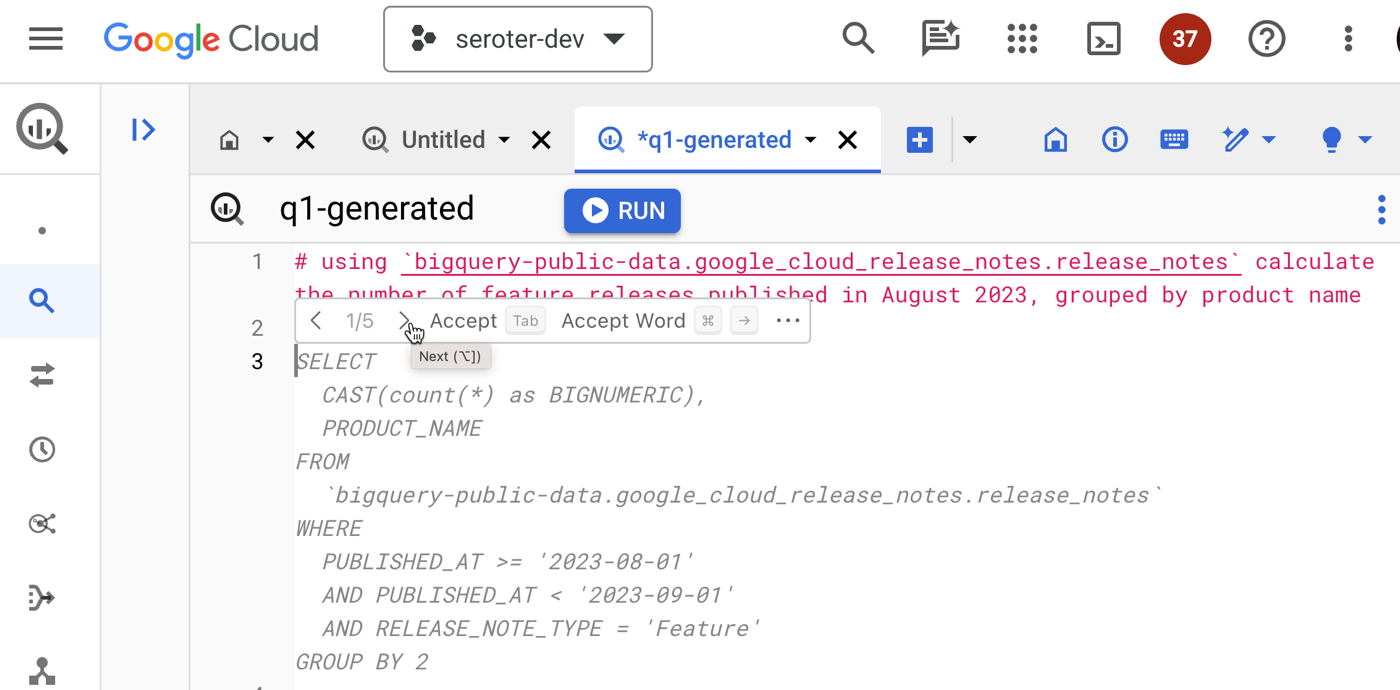
The same inline context sits in a variety of cloud services, such as BigQuery. Instead of jumping out of the Console to figure out complex query syntax, I can use natural language to ask for what I want, Duet AI infers the table schema, and generates a valid query.
I find that I’m finishing tasks faster, and not getting distracted as easily.
2. I’m saving time when helpful suggestions turn into direct action
Information is nice, actionable information is even better.
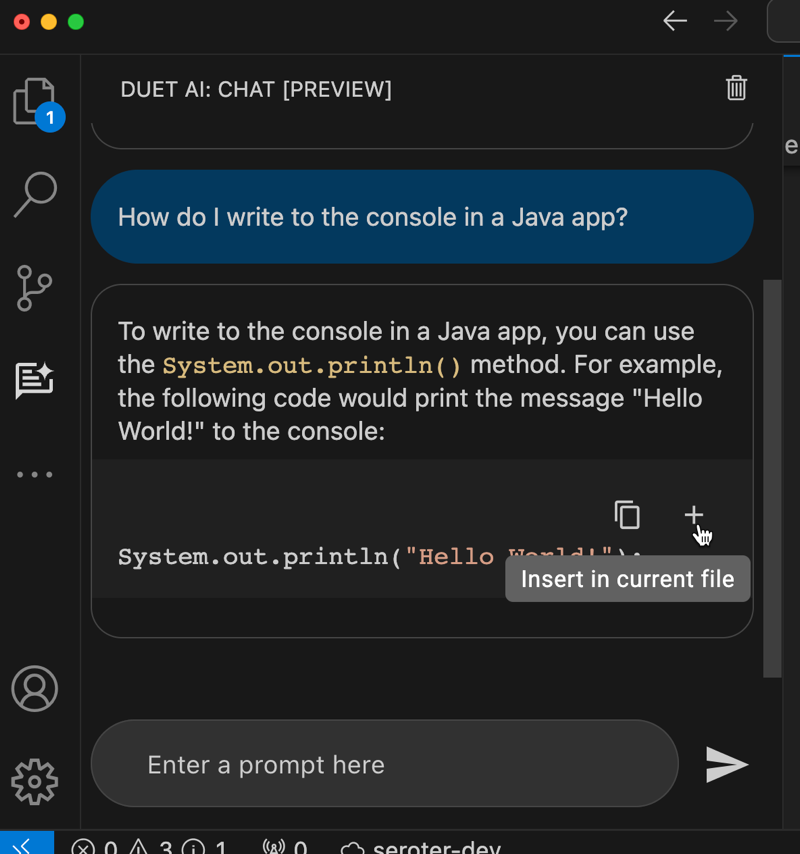
I showed above that the coding assistant gives me code or YAML. From within the IDE chat, I can do something like ask “how do I write to the console in a Java app” and take the resulting code and immediately inject it into the code file by clicking a button. That’s a nice feature.
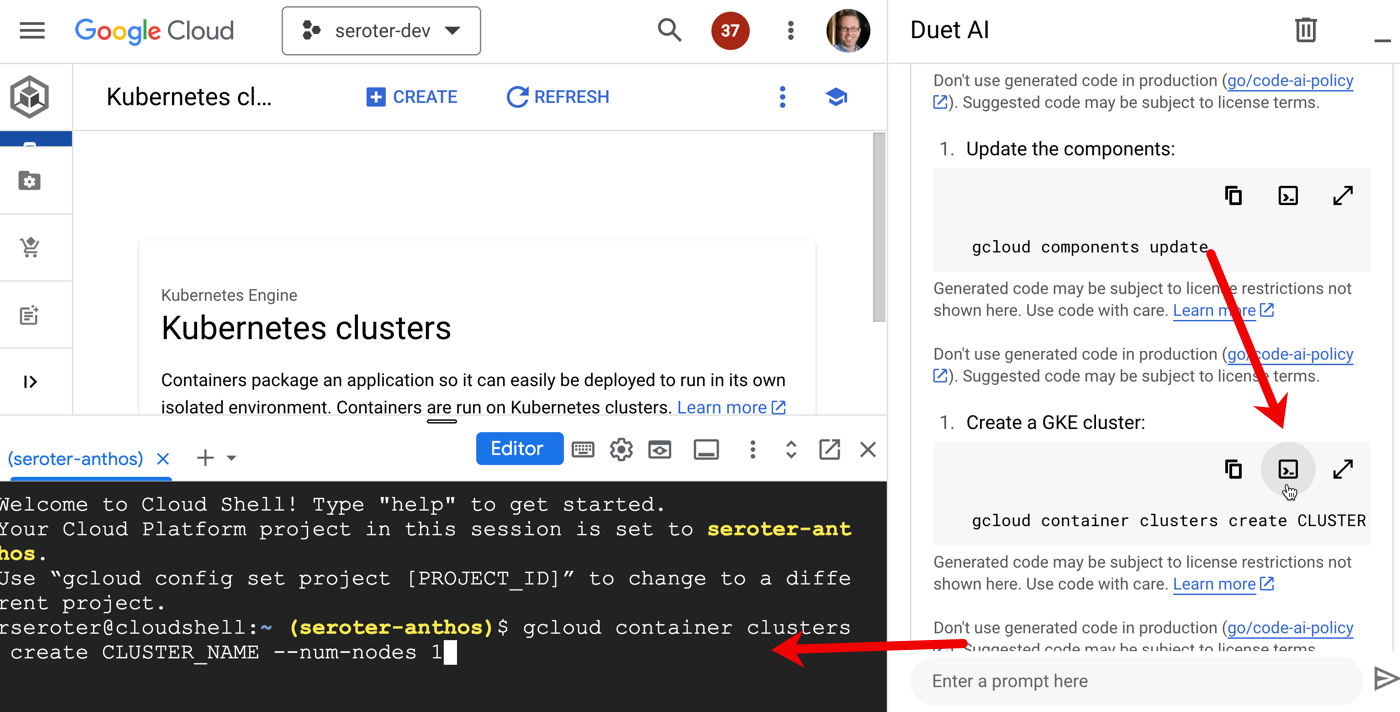
And in the Cloud Console, the chat sidebar offers multiple action items for any generated scripts. I can copy any code or script to the clipboard, but I can also run the command directly in the embedded Cloud Shell. How cool is that? What a quick way to turn a suggestion into action.
3. I’m doing less context-switching because of consistent assistance across many stages of the software lifecycle
This relates to the entirety of Google’s AI investment where I might use Google Search, Bard, Workspace, and Cloud to get my work done.
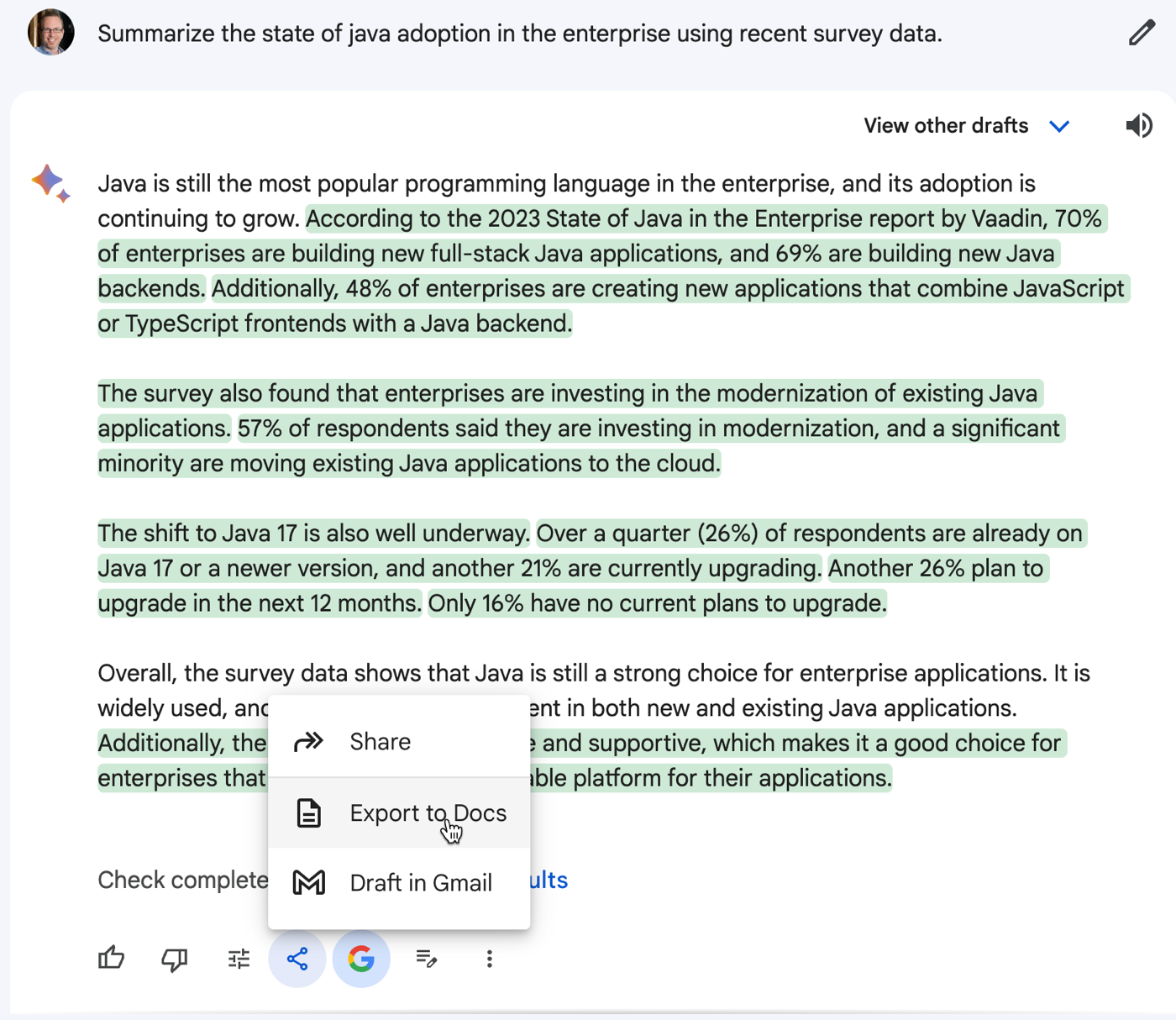
Bard can help me brainstorm ideas or do basic research before dumping the results into requirement spec in Google Docs.
I may sketch out my initial architecture in our free and fun Architecture Diagramming Tool and then ask Bard to find resilience or security flaws in my design.

Then I can use Duet AI in Google Cloud to code up the application components, introduce tests, and help me set up my CI/CD pipeline. From design, to development, to ops, I’m getting AI assistance in a single platform without bouncing around too much. Not bad!
4. I’m building better the first time because I get recommended best practices as I go along
Sometimes our “starter” code makes its way to production, right? But what if it was easier to apply best practices earlier in the process?
We trained Duet AI in Google Cloud on millions of pages of quality Google Cloud docs and thousands of expert-written code samples, and this helps us return smart suggestions early in your development process.
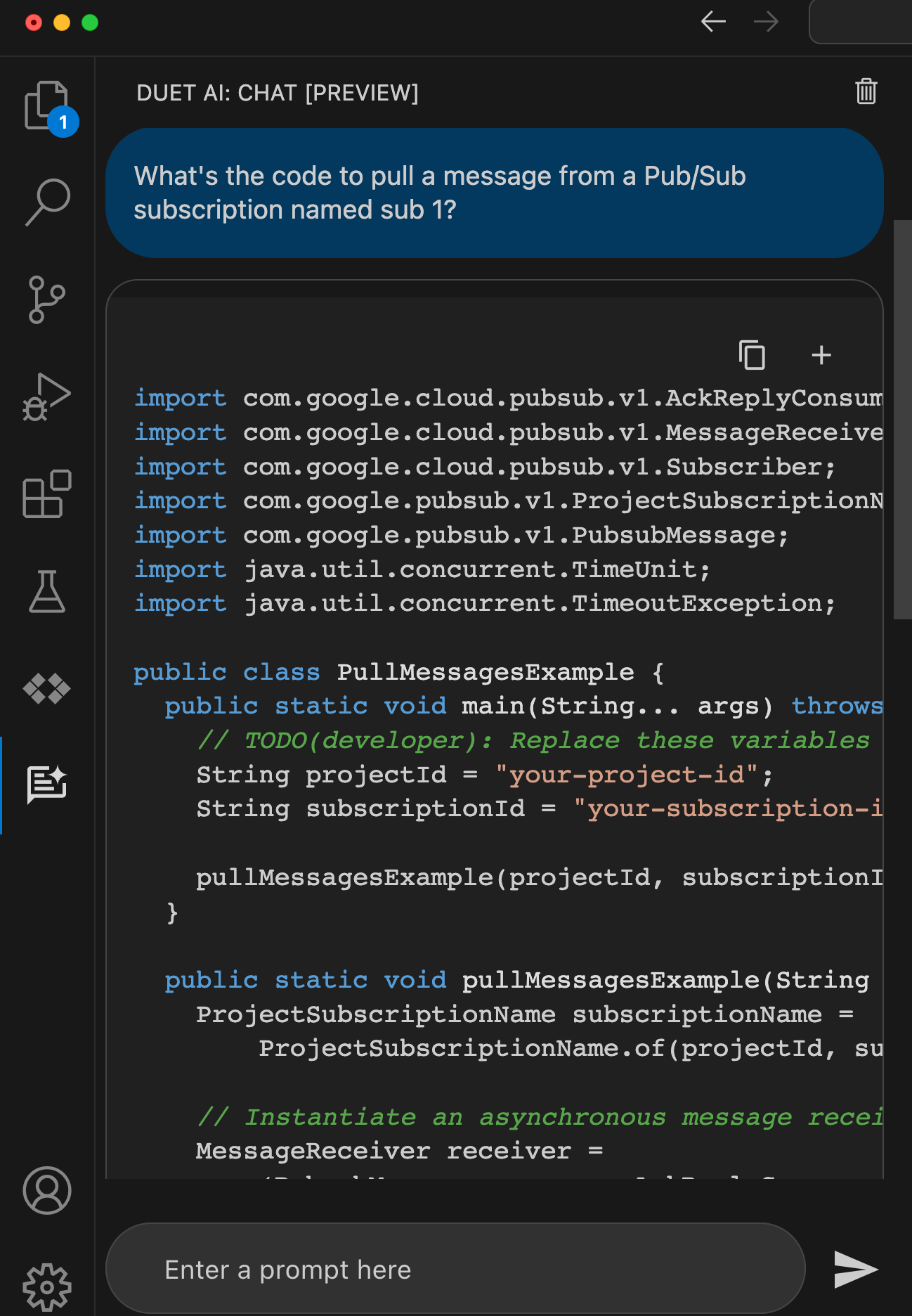
When I ask for something like “code to pull message from a Google Cloud Pub/Sub subscription” I want quality code back that works at scale. Sure enough, I got back code that looks very similar to what a dev would find by hunting through our great documentation.
With effective model prompting, I can get back good architectural, code, and operational insights so that I build it right the first time.
5. I’m analyzing situations faster because of human-readable summaries of low-level details
I’m excited to see the start of more personalized and real-time insights powered by AI. Let’s take two examples.
First, our Security Command Center will show me real-time AI-generated summaries of “findings” for a given threat or vulnerability. I like these more human readable, contextual write-ups that help me make sense of the security issue. Great use of generative AI here.
Another case is Duet AI integration with Cloud Logging. Log entries have a “explain this log entry” button which asks the integrated Chat experience to summarize the log and make it more digestible.
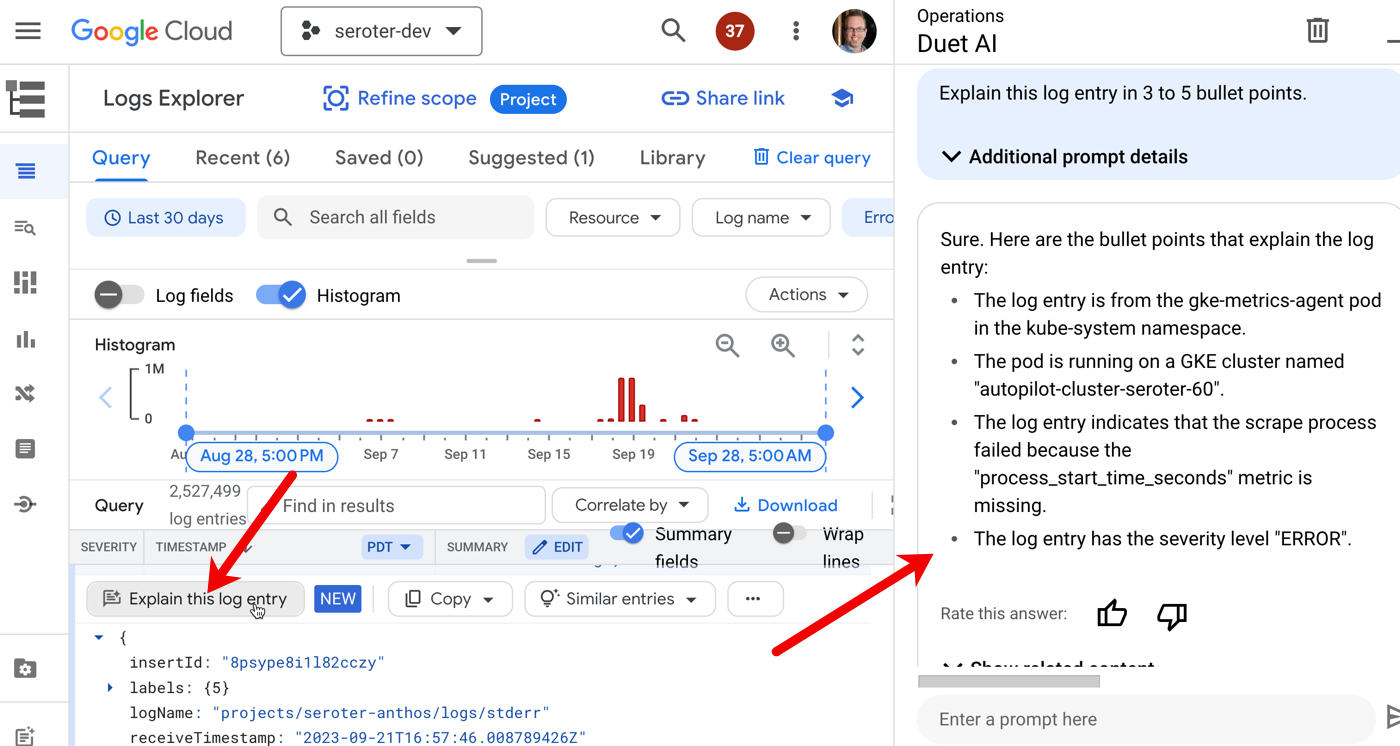
I’d like to see a lot more of this sort of thing!
6. I’m not locked out of doing things on my own or customizing my experience
There aren’t any tradeoffs here. In past platforms I’ve used, we traded convenience for flexibility. That was a hallmark of PaaS environments: use an efficient abstraction in exchange for robust customization. You got helpful guardrails, but were limited what you could do. Not here. AI is making the cloud easier, but not keeping you from doing anything yourself. And if you want to build out your own AI services and experiences, we offer some of the world’s best infrastructure (TPUs, FTW) and an unparalleled AI platform in Vertex AI. Use our Codey model yourself, mess with your favorite open models, and more. AI is here to help, not force you into a box.
The Google Cloud folks have this new marketing slogan plastered on buildings and billboards all over the place. Have you seen it? I took this picture in San Francisco:
Don’t dismiss it as one of the usual hype-y statements from vendors. Things have changed. The “boomer clouds” have to evolve quickly with AI assistance or they’ll disappoint you with a legacy-style interface. Fun times ahead!


Leave a comment