So we have a project where pieces of data are sent to an external party. This party exposes a “service” to accept the data. However, the “service” takes in a few pieces of metadata, and then accepts a comma-delimited string of values as the actual payload. Ugh. Ignoring the questionable design, how would I take what was originally XML content, turn it into a delimited structure, and then jam it into the outbound SOAP message? Let’s see how we’d do that in BizTalk Server. What I’ll show here is how to call the flat file assembler pipeline from an orchestration, and use a custom component to yank out the flat file content and put it into an XML element.
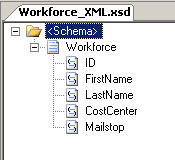
First, I need some schemas. I’ll start with the XML schema representing my company’s data. This example schema is fairly simple and holds some basic employee information.
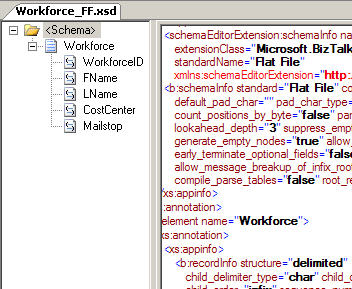
Next, I have to create the flat file schema that puts the data in the delimited format required by the vendor. I started with a instance file, and used the Flat File Wizard to generate the XSD schema.
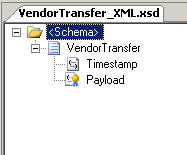
Now I need the schema representing the message that I’m sending to the vendor. It has a timestamp value, and then a string which holds the comma-delimited payload.
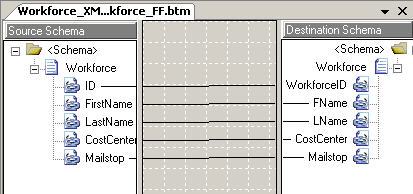
After the schemas are created, I need a map. Specifically, I created a map from my company’s XML format to the delimited format.
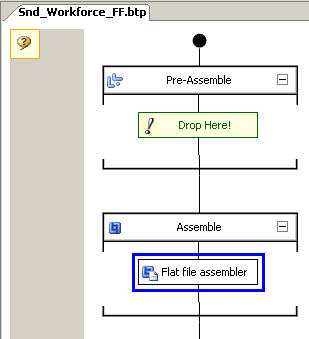
A custom pipeline is needed to convert a message to a flat file output, so I built a send pipeline that utilizes the flat file assembler component.
Great. Now, before I build the orchestration, I need a helper component which can extract the candy center from my flat file message. So, I have a C# class library project with a class called FlatFileExtractor. This object has a single static operation called ExtractText. This project references the Microsoft.XLANGs.BaseTypes.dll found in the BizTalk installation directory. The code of the operation looks like this …
So, if I pass in a message object from my orchestration, it should return me the guts of that message as a string.
Now I can create my orchestration. First off, I need to receive and transform the initial XML message. Let’s get it into the flat file schema format.

Next I get into the whole “call pipeline from orchestration” magic. Within an atomic scope, I declare a variable of type Microsoft.XLANGs.Pipeline. SendPipelineInputMessages (make sure you reference the Microsoft.XLANGs.Pipeline.dll first). Within that scope, I have a “message construct” shape where I’m constructing a new message of the flat file schema type.
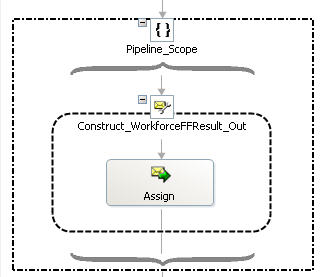
Within the assignment shape, I have the following code …
After this executes, the “WorkforceFFResult_Out” message is holding the contents of the raw delimited flat file that went through the pipeline processing.
You can probably guess what’s next. Now I have to create the vendor-specific message. First, I use a map to simply build up the message instance. Then, I set the distinguished “payload” value using my helper class.

The “assignment” looks like this …
Finally, I send the message out. What does the resulting message look like? Something like this …

So, hopefully you don’t run across this exact situation ever, but, if you do need to convert a message to a flat file and extract the text for additional processing, this pattern may help you out.
Technorati Tags: BizTalk


 Richard Seroter's Architecture Musings
Leave a reply to Vinod Cancel reply