Two of the six BizTalk projects I’m currently working on require me to access Oracle databases. So, I set out to prove out four major uses cases for the out-of-the-box Oracle BizTalk adapter.
Scenario #1 – Receive messages into BizTalk by polling an entire table
In this case, I need to pull in all of records for a given table. To do this, I created a new Oracle receive location in BizTalk. Under Managing Events I chose the table I wanted to poll.
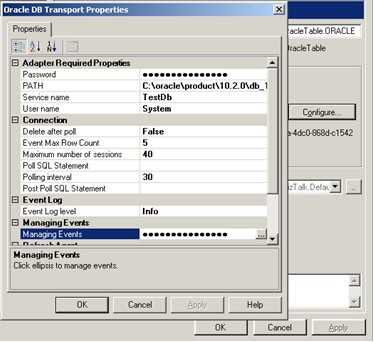
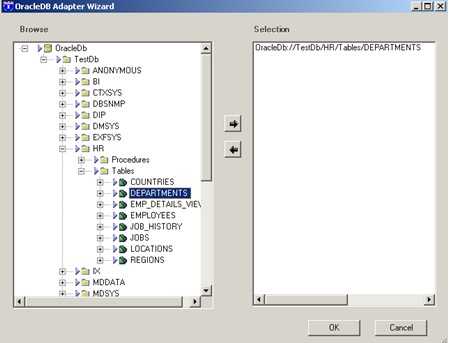
That “adapter wizard” form opens up when selecting Managing Events. Then, using a previously set up ODBC connection, the adapter interrogates the Oracle database for available tables. Here I’ve chosen the “Departments” table. Next I created a send port that had a subscription to the receive port (basic “wiretap” pattern). The output from the Oracle polling looked like this …
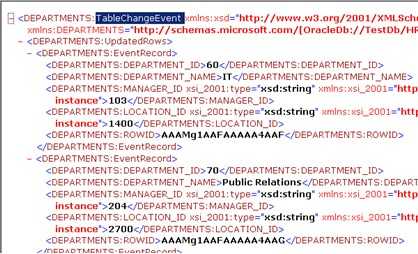
Notice that the message root is TableChangeEvent and that the message has well-defined fields.
Scenario #2 – Receive messages into BizTalk using custom SQL script
Now I also want to poll the Oracle table with more detail than the “select * from department” which is used by the direct table polling above. So in the Managing Events for the receive location, I now choose the NativeSQL option …
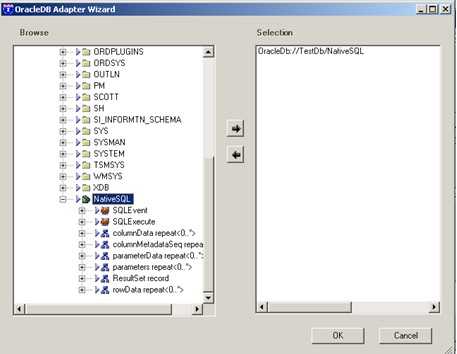
Now, because I’m using NativeSQL I can utilize the “Poll SQL Statement” field in the receive location.
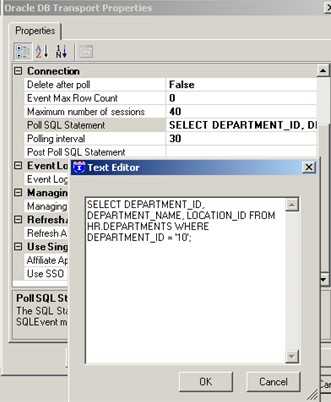
As you can see, my fancy SQL code is simply returning a subset of fields, and only where the “department_id = 10”. After setting up another send port to grab this message directly from the receive location, I got the following output …
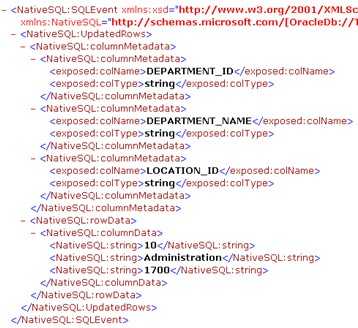
Notice now that my root node is SQLEvent and that I don’t get an easy-to-use response. I get a collection of parameters, and then I get the actual values which correspond to those parameters. I can understand why it’s returned this way, but, it’ll require me to use an intelligent map to normalize the data to a more usable structure.
Scenario #3 – Send message to Oracle using table-specific operator
So what happens if I want to use an orchestration to call into Oracle and retrieve a dataset? First I did an “Add Generated Items” and pointed to a pre-configured Oracle receive/send port, and then I browsed to the table I wanted …
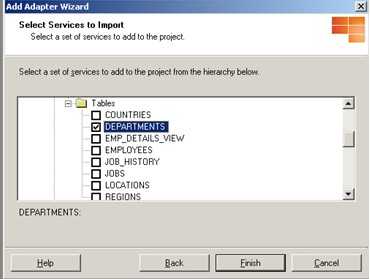
Once again I’m using the “Departments” table. When I finish up the wizard, I end up with a schema like this …
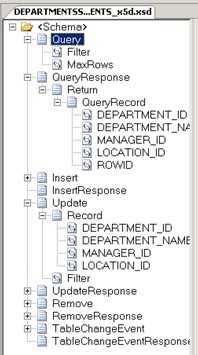
This may look familiar to you if you’ve used some of the other line-of-business adapters. You’ve got what amounts to a multi-part schema where you choose the “operation” you wish to consume. So if you want to do an “Insert” into the Oracle table, you pass in a message of type “Insert” and expect back an “InsertResponse”. In our case, I want to use the “Query” message, which allows me to apply both a filter (e.g. “department_id = 10”) and a “maxRows” property. My orchestration now looks like this after I reference the auto-generated “port type” …
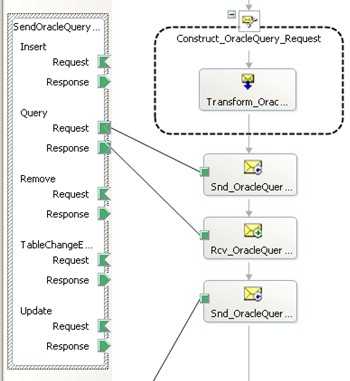
I can simply use the port operation that corresponds to my desired table function. The response returned from the Oracle adapter in this scenario looks like this …
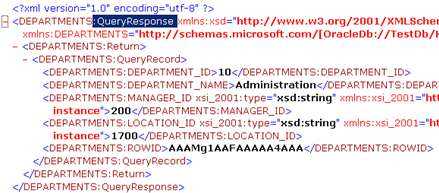
Notice that it is of type “QueryResponse” and that it has a nicely typed schema.
Scenario #4 – Send message to Oracle based on custom SQL
The final case involves using the orchestration to make a more complicated call to the Oracle database. For instance, if you wanted to do a cross-table insert, or do any sort of operation where the “stock” operations were too restrictive. I started by using the “Add Generated Items” wizard again, but this time, I chose NativeSQL as my service to consume.
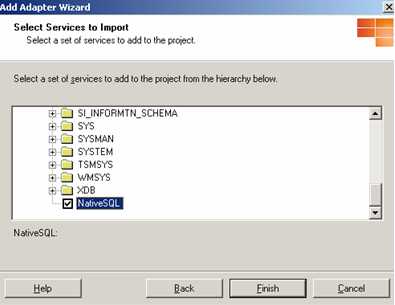
In my example, the “custom” SQL was still very simplistic. The orchestration’s Construct shape included the instruction:
So, a very similar query to the one in “scenario #3”, but, here I chose only a subset of columns. The auto-generated port type causes my orchestration to look like this …
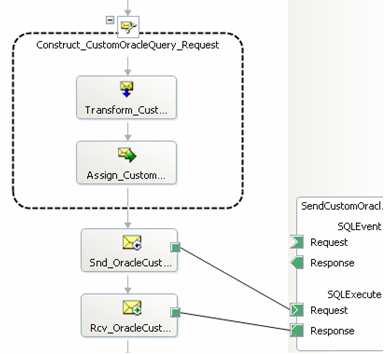
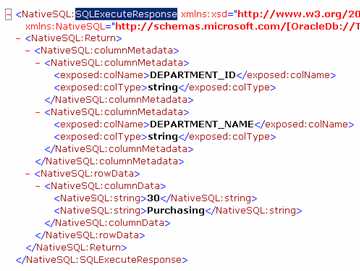
So what does this custom call output? As you might guess, something a lot like “scenario #2” …
So there you go, a quick lap around the adapter. I know some folks rave about the TopXML Oracle adapter, but for now, this is what I’ll be working with.
Technorati Tags: BizTalk


Leave a reply to Oracle adapter issue in BizTalk | keyongtech Cancel reply