Author: Richard Seroter

  • Top 9 Things To Focus On When Learning New Platform Technologies

    Last week I attended the Microsoft Convergence conference in Atlanta, GA where I got a deeper dive into a technology that I’m spending a lot of time with right now.  You could say that Microsoft Dynamics CRM and I are seriously dating and she’s keeping things in my medicine cabinet.

    While sitting in a tips-and-tricks session, I started jotting down a list of things that I should focus on to REALLY understand how to use Dynamics CRM to build a solution.  Microsoft is pitching Dynamics CRM as a multi-purpose platform (labeled xRM) for those looking to build relational database-driven apps that can leverage an the Dynamics CRM UI model, security framework, data structure, etc.

    I realized that my list of platform “to do” things would be virtually identical for ANY technology platform that I was picking up and trying to use efficiently.  Whether BizTalk Server, Force.com, Windows Communication Foundation, Google App Engine, or Amazon AWS Simple Notification Services, a brilliant developer can still get into trouble by not understanding a few core dimensions of the platform.  Just because you’re a .NET rock star it doesn’t mean you could pick up WCF or BizTalk and just start building solutions.

    So, if I were plopping down in front of a new platform and wanted to learn to use it correctly, I’d focus on (in order of importance)  …

    1. Which things are configuration vs. code? To me, this seems like the one that could bite you the most (depending on the platform, of course).  I’d hate to waste a few days coding up a capability that I later discovered was built in, and available with a checkbox.  When do I have to jump into code, and when can I just flip some switches?  For something like Force.com, there are just tons of configuration settings.  If I don’t understand the key configurations and their impact across the platform, I will likely make the solution harder to maintain and less elegant.  WCF has an almost embarrassing number of configurations that I could accidentally skip and end up wasting time writing a redundant service behavior.
    2. What are the core capabilities within the platform? You really need to know what this platform is good at.  What are the critical subsystems and built in functions?  This relates to the previous one, but does it have a security framework, logging, data access?  What should I use/write outside services for, and what is baked right in?  Functionally, what is it great at?  I’d hate to misuse it because I didn’t grasp the core use cases. 
    3. How do I interface with external sources? Hugely important.  I like to know how to share data/logic/services from my platform with another, and how to leverage data/logic/services from another platform into mine. 
    4. When do I plug-in vs. embed?  I like to know when it is smartest to embed a particular piece of logic within a component instead of linking to an external component.  For instance, in BizTalk, when would I write code in a map or orchestration versus call out to an external assembly?  That may seem obvious to a BizTalk guru, but not so much to a .NET guru who picks up BizTalk for the first time.  For Dynamics CRM, should I embed JavaScript on a form or reference an external JS file?
    5. What changes affect the object at an API level? This may relate to more UI-heavy platforms.  If I add validation or authorization requirements to a data entity on a screen, do those validation and security restrictions also come into play when accessing the object via the API?  Basically, I’m looking for which manipulations of an object are on a more superficial level versus all encompassing.
    6. How do you package up artifacts for source control or deployment? You can learn a lot about a platform by seeing how to package up a solution.  Is it a hodge podge of configuration files or a neat little installable package?  What are all the things that go into a deployment package?  This may give me an appreciation for how to build the solution on the platform.
    7. What is shared between components of the framework? I like to know what artifacts are leveraged across all pieces of the platform.  Are security roles visible everywhere?  What if I build a code contract or schema and want to use it in multiple subsystems?  Can I write a helper function and use that all over the place?
    8. What is supported vs. unsupported code/activities/tweaks? Most platforms that I’ve come across allow you to do all sorts of things that make your life harder later.  So I like to know which things break my support contract (e.g. screwing with underlying database indexes), are just flat out disallowed (e.g. Google App Engine and saving files to the VM disk), or just not a good idea.  In Dynamics CRM, this could include the types of javascript that you can include on the page.  There are things you CAN do, but things that won’t survive an upgrade.
    9. Where to go for help? I like to hack around as much as the next guy, but I don’t have time to bang my head against the wall for hours on end just to figure out a simple thing.  So one of the first things I look for is the support forums, best blogs, product whitepapers, etc.

    Did I miss anything, or are my priorities (ranking) off?

  • Interview Series: Four Questions With … Aaron Skonnard

    Welcome to the 20th interview in my series of discussions with “connected technology” thought leaders.  This month we have the distinct pleasure of harassing Aaron Skonnard who is a Microsoft MVP, blogger, co-founder of leading .NET training organization Pluralsight, MSDN magazine author and target of probably 12 other accolades that I’m not aware of.

    Q: What is the most popular training category within Pluralsight on Demand?  Would you expect your answer to be the same a year from now?  If not, what topics do you expect to increase in popularity?

    A: Currently our most popular courses are ASP.NET, MVC, and LINQ. These courses are rock-solid, nicely presented, and right up the alley of most Web developers today. A year from now I expect things to shift a little more towards today’s emerging topics like SharePoint 2010, Visual Studio 2010 (.NET 4), and Windows Azure. We’re building a bunch of courses in each of these areas right now, and now that they’re finally shipping, I’m expecting the training demand to continue to grow all year long. The nice thing about using our On-Demand library to ramp up on these is you get coverage of all topics for the price of a single subscription.

    Q: We’ve now seen all aspects of the Windows Azure platform get released for commercial use.  What’s missing from the first release of the Windows Azure AppFabric offering (e.g. application features, management, tooling)?  What do you think the highest priorities should be for the next releases?

    A: The biggest thing missing in V1 is tooling. The way things work today, it’s very difficult to manage a Windows Azure solution without building your own set of tools, which is harder to justify when the cloud is supposed to save you time/money. However, this presents an interesting opportunity for 3rd party tool vendors to fill the gap, and there are several already making a nice run for it today. One of my favorites is Cerebrata, the authors of Cloud Storage Studio and Azure Diagnostics Manager.

    The other thing I really wish they had made available in V1 was a “custom VM role”, similar to what’s offered by Amazon EC2. I believe they would get more adoption by including that model because it simplifies migration of existing apps by giving devs/admins complete control over the VM configuration via remote desktop. Since today’s roles don’t allow you to install your own software into the image, many solutions simply can’t move without major overhauls.

    For the next release, I hope they provide better tooling out of the box, better support for custom VM’s, and support for auto-scaling instances both up and down.

    Q: A number of years back, you were well known as an “XML guy.”  What’s your current thinking on XML as a transmission format, database storage medium and service configuration structure?  Has it been replaced in some respects as a format de-jour in favor of lighter, less verbose structures, or is XML still a critical part of a developer’s toolbox?

    A: : Back then, XML was a new opportunity. Today, it’s a fact. It’s the status-quo on most .NET applications, starting with the .NET configuration file itself. We’ve found more compact ways to represent information on the wire, like JSON in Ajax apps, but XML is still the default choice for most communication today. It’s definitely realized the vision of becoming the lingua franca of distribution applications through today’s SOAP and REST frameworks, and I don’t see that changing any time soon. And the world is a much better place now. 😉

    Q [stupid question]: You have a world-class set of trainers for .NET material.  However, I’d like to see what sort of non-technical training your staff might offer up.  I could see “Late night jogging and poetry with Aaron Skonnard” or “Whittling weapons out of soap by Matt Milner.”  What are some non-technical classes that you think your staff would be well qualified to deliver?

    A: Yes, we’re definitely an eccentric bunch. I used to despise running, but now I love it in my older age. My goal is to run one marathon a year for the rest of my life, but we’ll see how long it actually lasts, before it kills me. Keith Brown is our resident Yo-Yo Master. He’s already been running some Yo-Yo workshops internally, and David Starr is the up-and-comer. They both have some mad-skillz, which you can often find them flaunting at conferences. Fritz Onion is studying Classical Guitar and actually performed the 10sec intro clip that you’ll find at the beginning of our downloadable training videos. He’s so committed to his daily practice routine that he carries a travel guitar with him on all of his engagements despite the hassle. We also have a group of instructors who are learning to fly F-16’s and helicopters together through a weekly online simulation group, which I think they find therapeutic. And if that doesn’t impress you, we actually have one instructor who flies REAL helicopters for a special force that will remain unnamed, but that seems less impressive to our guys internally. In addition to this bunch, we have some avid musicians, photographers, competition sailors, auto enthusiasts (think race track), soccer refs, cyclists, roller-bladers, skiers & snowboarders, foodies … you name, we’ve got it. We could certainly author a wide range of On-Demand courses but I’m not sure our customers would pay for some of these titles. 😉

    Great stuf, Aaron.  Here’s to 20 more interviews in this series!

    Share

  • Leveraging Exchange 2007 Web Services to Find Open Conference Rooms

    Do you enjoy trying to find free conference rooms for meetings?  If you do, you’re probably a psycho who eats puppies.  I work at the headquarter campus of a large company with dozens upon dozens of buildings.  Apparently the sole function of my company is to hold meetings since it’s easier to find Hoffa’s body than a free conference room at 2 o’clock in the afternoon.  So what’s an architect with a free hour to do?  Build a solution!

    I did NOT build a solution to free up more conference rooms.  That involves firing lots of people.  Not my call.  But, I DID build a solution to browse all the conference rooms of a particular building (or buildings) and show me the results all at once.  MS Exchange 2007 has a pretty nice web service API located at https://%5Bserver%5D/ews/exchange.asmx.

    2010.4.23conf

    The service operation I was interested in was GetUserAvailability.  This guy takes in a list of users (or rooms if they are addressable) and a time window and tells if you the schedule for that user/room.

    2010.4.23conf2

    Note that I’m including the full solution package for download below, so I’ll only highlight a few code snippets here.  My user interface looks like this:

    2010.4.23conf3

    I take in a building number (or numbers), and have a calendar for picking which day you’re interested in.  I then have a time picker, and duration list.  Finally I have a ListVIew control to show the rooms that are free at the chosen time.  A quick quirk to note: so if I say show me rooms that are free from 10AM-11AM, someone isn’t technically free if they have a meeting that ends at 10 or starts at 11.  The endpoints of the other meeting overlap with the “free” time.  So, I had to add one second to the request time, and subtract one second from the end time to make this work right.  Why am I telling you this?  Because the shortest window that you can request via this API is 30 minutes.  So if you have meeting times of 30 minutes or less, my “second-subtraction” won’t work since the ACTUAL duration request is 28 minutes and 58 seconds.  This is why I hard code the duration window so that users can’t choose meetings that are less than an hour.  If you have a more clever way to solve this, feel free!

    Before I get into the code that makes the magic happen, I want to highlight how I stored the building-to-room mapping.  I found no easy way to query “show me all conference rooms for a particular building” via any service operation, so, I built an XML configuration file to do this.  Inside the configuration file, I store the building number, the conference room “friendly” name, and the Exchange email address of the room.

    2010.4.23conf4

    I’ll use LINQ in code to load this XML file up and pull out only the rooms that the user requested.  On to the code!

    I defined a “Rooms” class and a “RoomList” class which consists of a List of Rooms.  When you pass in a building number, the RoomList object yanks the rooms from the configuration file, and does LINQ query to filter the XML nodes and populate a list of rooms that match the building (or buildings) selected by the user.

    class Room
    {
        public string Name { get; set; }
        public string Email { get; set; }
        public string Bldg { get; set; }
    
    }
    
    class RoomList : List<Room>
    {
        public void Load(string bldg)
        {
            XDocument doc = XDocument.Load(HttpContext.Current.Server.MapPath("RoomMapping.xml"));
    
            var query = from XElem in doc.Descendants("room")
                        where bldg.Contains(XElem.Element("bldg").Value)
                        select new Room
                        {
                            Name = XElem.Element("name").Value,
                            Bldg = XElem.Element("bldg").Value,
                            Email = XElem.Element("email").Value
                        };
            this.Clear();
            AddRange(query);
        }
    }
    

    With this in place, we can populate the “Find Rooms” button action.  The full code is below, and reasonably commented.

    protected void btnFindRooms_Click(object sender, EventArgs e)
        {
            //note: meetings must be 1 hour or more
    
            //load up rooms from configuration file
            RoomList rooms = new RoomList();
            rooms.Load(txtBldg.Text);
    
            //create string list to hold free room #s
            List<string> freeRooms = new List<string>();
    
            //create service proxy
            ExchangeSvcWeb.ExchangeServiceBinding service =
                new ExchangeSvcWeb.ExchangeServiceBinding();
    
            //define credentials and target URL
            ICredentials c = CredentialCache.DefaultNetworkCredentials;
            service.Credentials = c;
            service.Url = "https://[SERVER]/ews/exchange.asmx";
    
            //create request object
            ExchangeSvcWeb.GetUserAvailabilityRequestType request =
                new ExchangeSvcWeb.GetUserAvailabilityRequestType();
    
            //add mailboxes to search from building/room mapping file
            ExchangeSvcWeb.MailboxData[] mailboxes = new ExchangeSvcWeb.MailboxData[rooms.Count];
            for (int i = 0; i < rooms.Count; i++)
            {
                mailboxes[i] = new ExchangeSvcWeb.MailboxData();
                ExchangeSvcWeb.EmailAddress addr = new ExchangeSvcWeb.EmailAddress();
                addr.Address = rooms[i].Email;
                addr.Name = string.Empty;
    
                mailboxes[i].Email = addr;
            }
            //add mailboxes to request
            request.MailboxDataArray = mailboxes;
    
            //Set TimeZone stuff
            request.TimeZone = new ExchangeSvcWeb.SerializableTimeZone();
            request.TimeZone.Bias = 480;
            request.TimeZone.StandardTime = new ExchangeSvcWeb.SerializableTimeZoneTime();
            request.TimeZone.StandardTime.Bias = 0;
            request.TimeZone.StandardTime.DayOfWeek = ExchangeSvcWeb.DayOfWeekType.Sunday.ToString();
            request.TimeZone.StandardTime.DayOrder = 1;
            request.TimeZone.StandardTime.Month = 11;
            request.TimeZone.StandardTime.Time = "02:00:00";
            request.TimeZone.DaylightTime = new ExchangeSvcWeb.SerializableTimeZoneTime();
            request.TimeZone.DaylightTime.Bias = -60;
            request.TimeZone.DaylightTime.DayOfWeek = ExchangeSvcWeb.DayOfWeekType.Sunday.ToString();
            request.TimeZone.DaylightTime.DayOrder = 2;
            request.TimeZone.DaylightTime.Month = 3;
            request.TimeZone.DaylightTime.Time = "02:00:00";
    
            //build string to expected format: 4/21/2010 04:00:00 PM
            string startString = calStartDate.SelectedDate.ToString("MM/dd/yyyy");
            startString += " " + ddlHour.SelectedValue + ":" + ddlMinute.SelectedValue + ":00 " + ddlTimeOfDay.SelectedValue;
            DateTime startDate = DateTime.Parse(startString);
            DateTime endDate = startDate.AddHours(Convert.ToInt32(ddlDuration.SelectedValue));
    
            //identify the time to compare if the user is free/busy
            ExchangeSvcWeb.Duration duration = new ExchangeSvcWeb.Duration();
            //add second to look for truly "free" time
            duration.StartTime = startDate.AddSeconds(1);
            //subtract second
            duration.EndTime = endDate.AddSeconds(-1);
    
            // Identify the options for comparing free/busy
            ExchangeSvcWeb.FreeBusyViewOptionsType viewOptions =
                new ExchangeSvcWeb.FreeBusyViewOptionsType();
            viewOptions.TimeWindow = duration;
            viewOptions.RequestedView = ExchangeSvcWeb.FreeBusyViewType.Detailed;
            viewOptions.RequestedViewSpecified = true;
            request.FreeBusyViewOptions = viewOptions;
    
            //call service!
            ExchangeSvcWeb.GetUserAvailabilityResponseType response =
                service.GetUserAvailability(request);
    
            //loop through responses for EACH room
            for (int i = 0; i < response.FreeBusyResponseArray.Length; i++)
            {
                //if there is a result for the room
                if (response.FreeBusyResponseArray[i].FreeBusyView.CalendarEventArray != null && response.FreeBusyResponseArray[i].FreeBusyView.CalendarEventArray.Length > 0)
                {
                    //** conflicts exist
                }
                else  //room is free!
                {
                    freeRooms.Add("(" +rooms[i].Bldg + ") " + rooms[i].Name);
                }
    
            }
    
            //show list view
            lblResults.Visible = true;
    
            //bind to room list
            lvAvailableRooms.DataSource = freeRooms;
            lvAvailableRooms.DataBind();
    
        }
    

    Once all that’s in place, I can run the app, search one or multiple buildings (by separating with a space) and see all the rooms that are free at that particular time.

    2010.4.23conf5

    I figure that this will save me about 14 seconds per day, so I should pay back my effort to build it some time this year.  Hopefully!  I’m 109% positive that some of you could take this and clean it up (by moving my “room list load” feature to the load event of the page, for example), so have at it.  You can grab the full source code here.

    Share

  • How Do You Figure Out the Cost of Using the Azure AppFabric Service Bus?

    So the Windows Azure platform AppFabric was recently launched into production and made available for commercial use.  For many of us, this meant that Azure moved from “place to mess around with no real consequences” to “crap, I better figure out what this is going to cost me.” 

    I’ve heard a few horror stories of folks who left Azure apps online or forgot about their storage usage and got giant bills at the end of the month.  This just means we need to be more aware of our cloud service usage now.

    That said, I’ve personally been a tad hesitant to get back into playing with the Service Bus since I didn’t fully grok the pricing scheme and was worried that my MSDN Subscription only afforded me five incremental “connections” per month.

    Today I was pointed to the updated FAQ for AppFabric which significantly cleared up what “connections” really meant.  First off, a “connection” is established whether the service binds to the AppFabric Service Bus, and also when a client(s) bind to the cloud endpoint.  So if I have a development application and press F5 in Visual Studio, when my service and client bind to the cloud, that counts as 2 “connections.”

    Now if you’re like me, you might say “sweet fancy Moses, I’ll use up my 5 connections in about 75 seconds!”  HOWEVER, you aren’t billed for an aggregate count of connections, but a concurrent average.  From the FAQ (emphasis mine):

    That means you don’t need to pay for every Connection that you create; you’ll only pay for the maximum number of Connections that were in simultaneous use on any given day during the billing period. It also means that if you increase your usage, the increased usage is charged on a daily pro rata basis; you will not be charged for the entire month at that increased usage level.  For example, a given client application may open and close a single Connection many times during a day; this is especially likely if an HTTP binding is used. To the target system, this might appear to be separate, discrete Connections, however to the customer this is a single intermittent Connection. Charging based on simultaneous Connection usage ensures that a customer would not be billed multiple times for a single intermittent Connection.

    So that’s an important thing to know.  If I’m just testing over and over, and binding my service and client to the cloud, that’s only going to count as two of my connections and not put me over my limit.

    As for how this is calculated, the FAQ states:

    The maximum number of open Connections is used to calculate your daily charges. For the purposes of billing, a day is defined as the period from midnight to midnight, Coordinated Universal Time (UTC).Each day is divided into 5-minute intervals, and for each interval, the time-weighted average number of open Connections is calculated. The daily maximum of these 5-minute averages is then used to calculate your daily Connection charge.

    So, unless you are regularly binding multiple clients to an endpoint (which is possible when we’re talking about the event relay binding), you shouldn’t worry too much about exceeding your “connection pack” limits.  The key point is, connections are not incrementally counted, but rather, calculated as part of concurrent usage.

    Hope that helps.  I’ll sleep better tonight, and bind to the cloud better tomorrow.

    Share

  • Debatching Inbound Messages from BizTalk WCF SQL Adapter

    A few years back now (sheesh, that long already??) I wrote a post about debatching messages from the classic BizTalk SQL adapter.  Since that time, we’ve seen the release of the new and improved WCF-based SQL adapter.  You can read about the new adapter in a sample chapter of my book posted on the Packt Publishing website.  A blog reader recently asked me if I had ever demonstrated debatching via this new adapter, and to my surprise, I didn’t found anyone else documenting how to do this.  So, I guess I will.

    First off, I created a database table to hold “Donation” records.  It holds donations given to a company, and I want those donations sent to downstream systems.  Because I may get more than one donation during a WCF-SQL adapter polling interval, I need to split the collection of retrieved records into individual records.

    After creating a new BizTalk 2009 project, I chose to Add New Item to my project.  To trigger the WCF-SQL adapter wizard, you choose Consume Adapter Service here.

    2010.4.8sql01

    After choosing the sqlBinding as the adapter of choice, I chose to configure my URI.  After setting a polling ID, server name and database name on the URI Properties tab, I switched to the Binding Properties tab and set the adapter to use Typed Polling.

    2010.4.8sql02

    Next, I set my PollingDataAvailableStatement to a statement that counts how many records match my polling query.  Then I set the PollingStatement value to look for any records in my Donation table where the IsProcessed flag is false.

    2010.4.8sql03

    With my URI configured, I connected to the database, switched to the Service contract type (vs. Client), I’m able to choose the TypedPolling operation for my database.

    2010.4.8sql04

    When I complete the wizard, I end up with one new schema (and one binding file) added to my project.  This project has a few root nodes which make up the tree of records from the database.

    2010.4.8sql05

    To make sure things work at this moment, I built and deployed this application.  I added the wizard-generated binding file to my BizTalk application so that I’d get an automatically configured receive location that matches the WCF-SQL adapter settings from the wizard.

    2010.4.8sql06

    After creating a send port that grabs all records from this new receive location, I started the application.  I put a new row into my database, and sure enough, I got one file emitted to disk.

    2010.4.8sql08

    That was easy.  If I create TWO records in my database, then I still get a single message/file out of BizTalk.

    2010.4.8sql09

    So, we want to split this up so that these two records show up as two distinct messages/files.  When using the old adapter, we had to do some magic by creating new schemas and importing references to the auto-generated ones.  Fortunately for us, it’s even easier to debatch using the WCF-SQL adapter.

    The reason that you had to create a new schema when leveraging the old adapter is that when you debatched the message, there was no schema matching the resulting record(s).  With the WCF-SQL adapter, you’ll see that we actually have three root nodes as part of the generated schema.  We can confirm this by looking at the Schemas section in the BizTalk Administration Console.

    2010.4.8sql10

    So, this means that we SHOULD be able to change the existing schema to support debatching, and HOPEFULLY it all just works.  Let’s try that.  I went back to my auto-generated schema, clicked the topmost Schema node, and changed its Envelope property to Yes.

    2010.4.8sql12

    Next, I clicked the TypedPolling node (which acts as the primary root that comes out of the adapter) and set the Body XPath value to the node ABOVE the eventual leaf node.

    2010.4.8sql13

    Finally, I selected the leaf node and set its Max Occurrence from Unbounded to 1.  I rebuilt my project and then redeployed it to the BizTalk Server.  Amazingly enough, when I added two records to my database, I ended up with two records out on disk.

    2010.4.8sql11

    Pretty simple, eh?  When the record gets debatched automatically by BizTalk in the XML receive pipeline, the resulting TypedPollingResultSet0 message(which matches a message type known by BizTalk) gets put in the MessageBox and routed around.

    Has anyone done this yet?  Any experiences to share?  This used the TypedPolling mechanism, but hopefully it’s not too different with other polling mechanisms.

    Share

  • Testing Service Oriented Solutions

    A few days back, the Software Engineering Institute (SEI) at Carnegie Mellon released a new paper called Testing in Service-Oriented Environments.  This report contained 65 different SOA testing tips and I found it to be quite insightful.  I figured that I’d highlight the salient points here, and solicit feedback for other perspectives on this topic.

    The folks at SEI highlighted three main areas of focus for testing:

    • Functionality.  This may include not only whether the service itself behaves as expected, but also whether it can easily be located and bound to.
    • Non-functional characteristics.  Testing of quality attributes such as availability, performance, interoperability, and security.
    • Conformance.  Do the service artifacts (WSDL, HTTP codes, etc) comply with known standards?

    I thought that this was a good way to break down the testing plan.  When breaking down all the individual artifacts to test, they highlighted the infrastructure itself (web servers, databases, ESB, registries), the web services (whether they be single atomic services, or composite services), and what they call end-to-end threads (combination of people/processes/systems that use the services to accomplish business tasks).

    There’s a good list here of the challenges that we face when testing service oriented applications.  This could range from dealing with “black box” services where source code is unavailable, to working in complex environments where multiple COTS products are mashed together to build the solution.  You can also be faced with incompatible web service stacks, differences in usage of a common semantic model (you put “degrees” in Celsius but others use Fahrenheit), diverse sets of fault handling models, evolution of dependent services or software stacks, and much more.

    There’s a good discussion around testing for interoperability which is useful reading for BizTalk guys.  If BizTalk is expected to orchestrate a wide range of services across platforms, you’ll want some sort of agreements in place about the interoperability standards and data models that everyone supports.  You’ll also find some useful material around security testing which includes threat modeling, attack surface assessment, and testing of both the service AND the infrastructure.

    There’s lots more here around testing other quality attributes (performance, reliability), testing conformance to standards, and general testing strategies.  The paper concludes with the full list of all 65 tips.

    I didn’t add much of my own commentary in this post, but I really just wanted to highlight the underrated aspect of SOA that this paper clearly describes.  Are there other things that you all think of when testing services or service-oriented applications?

    Share

  • Interview Series: Four Questions With … Udi Dahan

    Welcome to the 19th interview in my series of chats with thought leaders in the “connected technologies” space.  This month we have the pleasure of chatting with Udi Dahan.  Udi is a well-known consultant, blogger, Microsoft MVP, author, trainer and lead developer of the nServiceBus product.  You’ll find Udi’s articles all over the web in places such as MSDN Magazine, Microsoft Architecture Journal, InfoQ, and Ladies Home Journal.  Ok, I made up the last one.

    Let’s see what Udi has to say.

    Q: Tell us a bit about why started the nServiceBus project, what gaps that it fills for architects/developers, and where you see it going in the future.

    A: Back in the early 2000s I was working on large-scale distributed .NET projects and had learned the hard way that synchronous request/response web services don’t work well in that context. After seeing how these kinds of systems were built on other platforms, I started looking at queues – specifically MSMQ, which was available on all versions of Windows. After using MSMQ on one project and seeing how well that worked, I started reusing my MSMQ libraries on more projects, cleaning them up, making them more generic. By 2004 all of the difficult transaction, threading, and fault-tolerance capabilities were in place. Around that time, the API started to change to be more framework-like – it called your code, rather than your code calling a library. By 2005, most of my clients were using it. In 2006 I finally got the authorization I needed to make it fully open source.

    In short, I built it because I needed it and there wasn’t a good alternative available at the time.

    The gap that NServiceBus fill for developers and architects is most prominently its support for publish/subscribe communication – which to this day isn’t available in WCF, SQL Server Service Broker, or BizTalk. Although BizTalk does have distribution list capabilities, it doesn’t allow for transparent addition of new subscribers – a very important feature when looking at version 2, 3, and onward of a system.

    Another important property of NServiceBus that isn’t available with WCF/WF Durable Services is its “fault-tolerance by default” behaviors. When designing a WF workflow, it is critical to remember to perform all Receive activities within a transaction, and that all other activities processing that message stay within that scope – especially send activities, otherwise one partner may receive a call from our service but others may not – resulting in global inconsistency. If a developer accidentally drags an activity out of the surrounding scope, everything continues to compile and run, even though the system is no longer fault tolerant. With NServiceBus, you can’t make those kinds of mistakes because of how the transactions are handled by the infrastructure and that all messaging is enlisted into the same transaction.

    There are many other smaller features in NServiceBus which make it much more pleasurable to work with than the alternatives as well as a custom unit-testing API that makes testing service layers and long-running processes a breeze.

    Going forward, NServiceBus will continue to simplify enterprise development and take that model to the cloud by providing Azure implementations of its underlying components. Developers will then have a unified development model both for on-premise and cloud systems.

    Q: From your experiences doing training, consulting and speaking, what industries have you found to be the most forward-thinking on technology (e.g. embracing new technologies, using paradigms like EDA), and which industries are the most conservative?  What do you think the reasons for this are?

    A: I’ve found that it’s not about industries but people. I’ve met forward-thinking people in conservative oil and gas companies and very conservative people in internet startups, and of course, vice-versa. The higher-up these forward-thinking people are in their organization, the more able they are to effect change. At that point, it becomes all personalities and politics and my job becomes more about organizational psychology than technology.

    Q: Where do you see the value (if any) in modeling during the application lifecycle?  Did you buy into the initial Microsoft Oslo vision of the “model” being central to the envisioning, design, build and operations of an application?  What’s your preferential tool for building models (e.g. UML, PowerPoint, paper napkin)?

    A: For this, allow me to quote George E. P. Box: “Essentially, all models are wrong, but some are useful.”

    My position on models is similar to Eisenhower’s position on plans – while I wouldn’t go so far as to say “models are useless but modeling is indispensable”, I would put much more weight on the modeling activity (and many of its social aspects) than on the resulting model. The success of many projects hinges on building that shared vocabulary – not only within the development group, but across groups like business, dev, test, operations, and others; what is known in DDD terms as the “ubiquitous language”.

    I’m not a fan of “executable pictures” and am more in the “UML as a sketch” camp so I can’t say that I found the initial Microsoft Oslo vision very compelling.

    Personally, I like Sparx Systems tool – Enterprise Architect. I find that it gives me the right balance of freedom and formality in working with technical people.

    That being said, when I need to communicate important aspects of the various models to people not involved in the modeling effort, I switch to PowerPoint where I find its animation capabilities very useful.

    Q [stupid question]: April Fool’s Day is upon us.  This gives us techies a chance to mess with our colleagues in relatively non-destructive ways.  I’m a fan of pranks like:

    Tell us Udi, what sort of geek pranks you’d find funny on April Fool’s Day.

    A: This reminds me why I always lock my machine when I’m not at my desk 🙂

    I hadn’t heard of switching the handle of the refrigerator before so, for sheer applicability to non-geeks as well, I’d vote for that one.

    The first lesson I learned as a consultant was to lock my laptop when I left it alone.  Not because of data theft, but because my co-workers were monkeys.  All it took to teach me this point was coming back to my desk one day and finding that my browser home page was reset and displaying MenWhoLookLikeKennyRogers.com.  Live and learn.

    Thanks Udi for your insight.

    Share

  • Microsoft’s Strategy of “Framework First”, “Host Second”

    I’ll say up front that this post is more of just thoughts in my head vs. any deep insight. 

    It hit me on Friday (as a result of a discussion list I’m on) that many of the recent additions to Microsoft’s application platform portfolio are first released as frameworks, and only later are afforded a proper hosting environment.

    We saw this a few years ago with Windows Workflow, and to a lesser extent, Windows Communication Foundation.  In both cases, nearly all demonstration showed a form of self-hosting, primarily because that was the most flexible development choice you had.  However, it was also the most work and least enterprise-ready choice you had.  With WCF, you could host in IIS, but it hardly provided any rich configuration or management of services.

    Here in 2010, we finally get a legitimate host for both WCF and WF in the form of the Windows Server AppFabric (“Dublin”) environment.  This should make the story for WF and WCF significantly more compelling. But we’re in the midst of two new platform technologies from Microsoft that also have less than stellar “host” providers.  With the Windows Azure AppFabric Service Bus, you can host on-premise endpoints and enable a secure, cloud-based relay for external consumers.  Really great stuff.  But, so far, there is no fantastic story for hosting these Service Bus endpoints on-premise.  It’s my understanding that the IIS story is incomplete, so you either self-host it (Windows Service, etc) or even use something like BizTalk to host it. 

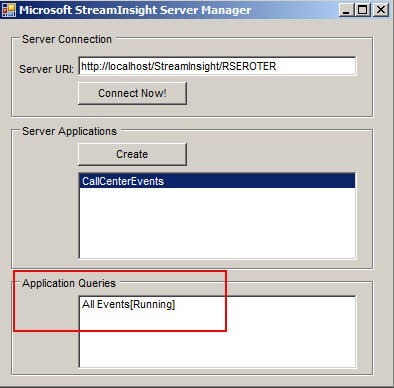
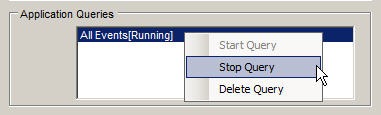
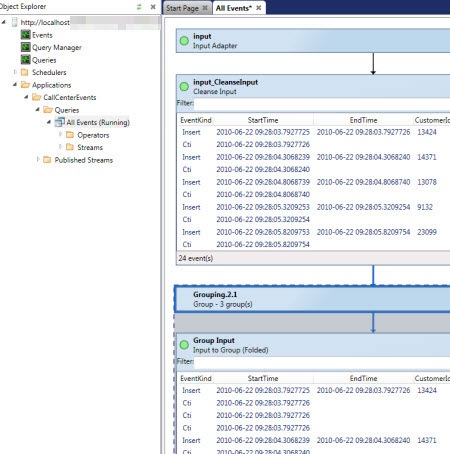
    We also have StreamInsight about to come out.  This is Microsoft’s first foray into the Complex Event Processing space, and StreamInsight looks promising.  But in reality, you’re getting a toolkit and engine.  There’s no story (yet) around a centrally managed, load balanced, highly available enterprise server to host the engine and its queries.  Or at least I haven’t seen it.  Maybe I missed it.

    I wonder what this will do to adoption of these two new technologies.  Most anyone will admit that uptake of WCF and WF has been slow (but steady), and that can’t be entirely attributed to the hosting story, but I’m sure in WF’s case, it didn’t help.

    I can partially understand the Microsoft strategy here.  If the underlying technology isn’t fully baked, having a kick-ass host doesn’t help much.  But, you could also stagger the release of capabilities in exchange for having day-1 access to an enterprise-ready container.

    Do you think that you’d be less likely to deploy StreamInsight or Azure Service Bus endpoints without a fully-functional vendor-provided hosting environment?

    Share

  • Project Plan Activities for an Architect

    I’m the lead architect on a large CRM project that is about to start the Design phase (or in my RUP world, “Elaboration”), and my PM asked me what architectural tasks belong in her project plan for this phase of work.  I don’t always get asked this question on projects as there’s usually either a large “system design” bucket, or, just a couple high level tasks assigned to the project architect.

    So, I have three options here:

    1. Ask for one giant “system design” task that goes for 4 months.  On the plus side, this let’s the design process be fairly fluid and doesn’t put the various design tasks into a strict linear path.  However, obviously this makes tracking progress quite difficult, and, would force the PM to add 5-10 different “assigned to” parties because the various design tasks involve different parts of the organization.
    2. Go hyper-detailed and list every possible design milestone.  The PM started down this path, but I’m not a fan.  I don’t want every single system integration, or software plug-in choice called out as specific tasks.  Those items must be captured and tracked somewhere (of course), but the project plan doesn’t seem to me to be the right place.  It makes the plan too complicated and cross-referenced and makes maintenance such a chore for the PM.
    3. List high level design tasks which allow for segmentation of responsibility and milestone tracking.  I naturally saved my personal preference for last, because that’s typically how my lists work.  In this model, I break out “system design” into its core components.

    So I provided the list below to my PM.  I broke out each core task and flagged which dependencies are associated with each.  If you “mouseover” the task title, I have a bit more text explaining what the details of that task are. Some of these tasks can and will happen simultaneously, so don’t totally read this as a linear sequence.  I’d be interested in all of your feedback.

      Task Dependency
    1 System Design  
    2   Capture System Use Cases Functional requirements

    Non-functional requirements

    3   Record System Dependencies Functional requirements
    4   Identify Data Sources Functional requirements
    5   List Design Constraints Functional requirements

    Non-functional requirements

    [Task 2] [Task 3] [Task 4]

    6   Build High Level Data Flow Functional requirements

    [Task 2] [Task 3] [Task 4]

    7   Catalog System Interfaces Functional requirements

    [Task 6]

    8   Outline Security Strategy Functional requirements

    Non-functional requirements

    [Task 5]

    9   Define Deployment Design Non-functional requirements
    10 Design Review  
    11   Organization Architecture Board Review [Task 1]
    12   Team Peer Review [Task 11]

    Hopefully this provides enough structure to keep track of key milestones, but not so much detail that I’m constantly updating the minutiae of my progress.  How do your projects typically track architectural progress during a design phase?

    Share

  • SIMPLER Way of Hosting the WCF 4.0 Routing Service in IIS7

    A few months back I was screwing around with the WCF Routing Service and trying something besides the “Hello World” demos that always used self-hosted versions of this new .NET 4.0 WCF capability. In my earlier post, I showed how to get the Routing Service hosted in IIS.  However, I did it in a round-about way since that was only way I could get it working.  Well, I have since learned how to do this the EASY way, and figured that I’d share that. As a quick refresher, the WCF Routing Service is a new feature that provides a very simple front end service broker which accepts inbound messages and distributes them to particular endpoints based on specific filter criteria.  It leverages your standard content-based routing pattern, and is not a pub/sub mechanism.  Rather, it should be used when you want to send an inbound message to one of many possible destination endpoints. I’ll walk through a full solution scenario here.  We start with a standard WCF contract that will be shared across the services sitting behind the Router service.  Now you don’t HAVE to use the same contract for your services, but if not, you’ll need to transform the content into the format expected by each downstream service, or, simply accept untyped content into the service.  Your choice.  For this scenario, I’m using the Routing Service to accept ticket orders, and based on the type of event that the ticket applies to, routes it to the right ticket reservation system.  My common contract looks like this:

    [ServiceContract]
        public interface ITicket
        {
            [OperationContract]
            string BuyTicket(TicketOrder order);
        }
    
        [DataContract]
        public class TicketOrder
        {
            [DataMember]
            public string EventId { get; set; }
            [DataMember]
            public string EventType { get; set; }
            [DataMember]
            public int CustomerId { get; set; }
            [DataMember]
            public string PaymentMethod { get; set; }
            [DataMember]
            public int Quantity { get; set; }
            [DataMember]
            public decimal Discount { get; set; }
        }
    

    I then added two WCF Service web projects to my solution.  They each reference the library holding the previously defined contract, and implement the logic associated with their particular ticket type.  Nothing earth-rattling here:

    public string BuyTicket(TicketOrder order)
        {
            return "Sports - " + System.Guid.NewGuid().ToString();
        }
    

    I did not touch the web.config files of either service and am leveraging the WCF 4.0 capability to have simplified configuration. This means that if you don’t add anything to your web.config, some default behaviors and bindings are used. I then deployed each service to my IIS 7 environment and tested each one using the handy WCF Test Client tool.  As I would hope for, calling my service yields the expected result: 2010.3.9router01 Ok, so now I have two distinct services which add orders for a particular type of event.  Now, I want to expose a single external endpoint by which systems can place orders.  I don’t want my service consumers to have to know my back end order processing system URLs, and would rather they have a single abstract endpoint which acts as a broker and routes messages around to their appropriate target. So, I created a new WCF Service web application.  At this point, just for reference I have four projects in my solution. 2010.3.9router02 Alrighty then.  First off, I removed the interface and service implementation files that automatically get added as part of this project type.  We don’t need them.  We are going to reference the existing service type (Routing Service) provided by WCF 4.0.  Next, I went into the .svc file and changed the directive to point to the FULLY QUALIFIED path of the Routing Service.  I didn’t capitalize those words in the last sentence just because I wanted to be annoying, but rather, because this is what threw me off when I first tried this back in December.

    <%@ ServiceHost Language="C#" Debug="true" Service="System.ServiceModel.Routing.RoutingService,System.ServiceModel.Routing, version=4.0.0.0, Culture=neutral,PublicKeyToken=31bf3856ad364e35"  %>
    

    Now all that’s left is the web.config file.  The configuration file needs a reference to our service, a particular behavior, and the Router specific settings. I first added my client endpoints:


    Then I added the new “routing” configuration section.  Here I created a namespace alias and then set each Xpath filter based on the “EventType” node in the inbound message.  Finally, I linked the filter to the appropriate endpoint that will be called based on a matched filter.


    After that, I added a new WCF behavior which leverages the “routing” behavior and points to our new filter table.


    Finally, I’ve got my service entry which uses the above behavior and defines which contract we wish to use.  In my case, I have request/reply operations, so I leveraged the corresponding contract in the Routing service.


    After deploying the routing service project to IIS, we’re ready to test.  What’s the easiest way to test this bad boy?  Well, we can take our previous WCF Test Client entry, and edit it’s WCF configuration.  This way, we get the strong typing on the data entry, but ACTUALLY point to the Routing service URL. 2010.3.9router03 After the change is made, we can view the Configuration file associated with the WCF Test Client and see that our endpoint now refers to the Routing service. 2010.3.9router04 Coolio.  Now, we can test.  So I invoked the BuyTickets operation and first entered a “Sports” type ticket. 2010.3.9router05 Then, ALL I did was switch the EventType from “Sports” to “Concert” and the Routing service should now call the service which fronts the concert reservation service. 2010.3.9router06 There you have it.  What’s nice here, is that if I added a new type of ticket to order, I could simply add a new back end service, update my Routing service filter table, and my service consumers don’t have to make a single change.  Ah, the power of loose coupling. You all put up with these types of posts from me even though I almost never share my source code.  Well, your patience has paid off.  You can grab the full source of the project here.  Knock yourselves out. Share