One of my more popular tools has been the BizTalk SSO Configuration Data Storage Tool. At the time I built that, there was no easy way to store and manage Single Sign On (SSO) applications that were used purely for secure key/value pair persistence.
Since that time, a few folks (that I know of) have taken my tool and made it better. You’ll find improvements from Paul Petrov here (with update mentioned here), and most recently by Mark Burch at BizTorque.net. Mark mentioned in his post that Microsoft had stealthily released a tool that also served the purpose of managing SSO key/values, so I thought I’d give the Microsoft tool a quick whirl.
First off, I downloaded my own SSO tool, which I admittedly haven’t had a need to use for quite some time. I was thrilled that it worked fine on my new BizTalk 2010 machine.
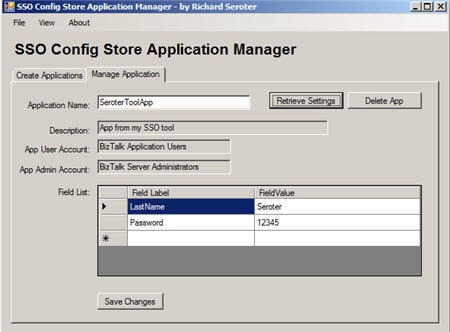
I created (see above) a new SSO application named SeroterToolApp which holds two values. I then installed the fancy new Microsoft tool which shows up in the Start Menu under SSO Application Configuration.

When you open the tool, you’ll find a very simple MMC view that has Private SSO Application Configuration as the root in the tree. Somewhat surprisingly, this tool does NOT show the SSO application I just created above in my own tool. Microsoft elitists, think my application isn’t good enough for them.
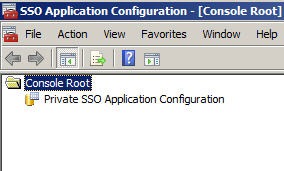
So let’s create an application here and see if my tool sees it. I right-click that root node in the tree and choose to add an application. You see that I also get an option to import an application and choosing this prompts me for a “*.sso” file saved on disk.

After adding a new application, I right-clicked the application and chose to rename it.
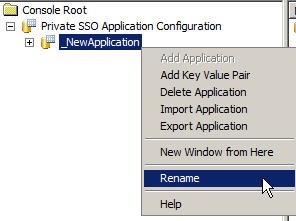
After renaming it MicrosoftToolApp, I once again right-clicked the application and added a key value pair. It’s nice that I can create the key and set its value at the same time.
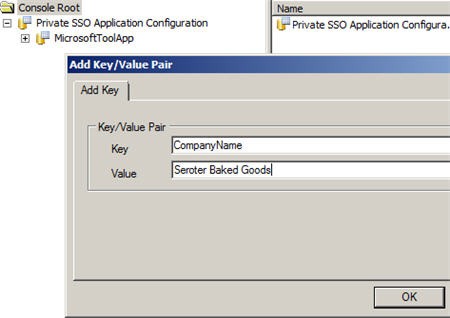
I added one more key/value pair to the application. Then, when you click the application name in the MMC console, you see all the key/value pairs contained in the application.

Now we saw earlier that the application created within my tool does NOT show up in this Microsoft tool, but what about the other way around? If I try and retrieve the application created in the Microsoft tool, sure enough, it appears.

For bonus points, I tried to change the value of one of the keys from my tool, and that change is indeed reflected in the Microsoft tool.


So this clearly shows that I am a much better developer than anyone at Microsoft. Or more likely, it shows that somehow the applications that my tool creates are simply invisible to Microsoft products. If anyone gets curious and wants to dig around, I’d be somewhat interested in knowing why this is the case.
It’s probably a safe bet moving forward to use the Microsoft tool to securely store key/value pairs in Enterprise Single Sign On. That said, if using my tool continues to bring joy into your life, than by all means, keep using it!



 Richard Seroter's Architecture Musings
Leave a comment